The App Store can be a wonderful place full of far too many games to count spread across every genre imaginable. However, despite all the rules and regulations for submissions, a few shady characters will inevitably fall through the cracks. In my numerous App Store searches I’ve seen my fair share of cash-grabs, some obvious and some not so much, but I’ve also begun to notice a few telltale signs that can be a good indication of a developer’s intentions.
This guide is not written in stone, and there are always exceptions to every rule. And I in no way mean to imply that the majority of App Store developers are simply out to con the unwary out of their money. Quite the contrary. Most of them are great folks who are just trying to make an honest dollar doing what they love and making other people happy. I only wish to pass a few tips along in the hopes that it may give you all a better idea of some of the things to look out for.
Tip #1 – Judging a game by its icon
Not all icons can be winners. That being said, if you see an icon featuring a recognizable character or a recognizable character who’s been slightly tweaked so they look a little different, proceed with caution. Using an icon that looks incredibly similar to a top selling iOS (even PC or console) game is a tactic often used to trick potential buyers.
Tip #2 – Check the screen shots
Screen shots are another good indication of legitimacy. They won’t all feature showpiece visuals but they still need to be there. If a game only has one or two screens available for viewing in the store, and those screens don’t actually show any in-game content, tread very carefully. Another “tell” of sorts is the actual content of the game screens. If the visuals look exactly like another game, or if (and I’ve seen this before) it looks like someone pasted some virtual buttons on top of a screencap, you might want to think twice before buying.
Tip #3 – File size
You see a game that looks awesome and the description makes it sound like the best thing since, well, the iPhone and it has a dozen glowing reviews. Before you hit “Purchase,” just take a quick peek at its file size. If this jaw-dropping showcase of iOS visual prowess takes up 5 MB (or even 50), it’s highly unlikely those screens or reviews are for real. Which brings me to my final tip.
Tip #4 – Check those reviews
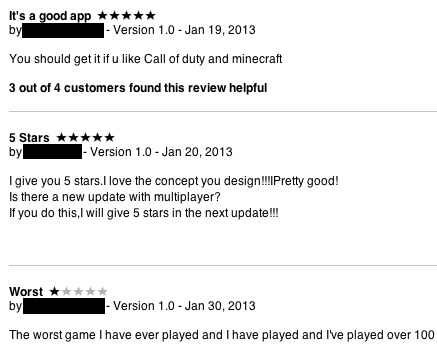
User are largely subjective, but they can still be quite telling. If a game has a dozen five-star reviews and three or four with one-star, take the time to read the one-stars. Not liking a game is one thing, but when a buyer claims the game in question is totally different than what’s advertised you might want to pay attention. Also look out for reviews that are way too positive. It might be a trap.
Posted by Jeff Scott on December 4th, 2012 iPhone App - Designed for iPhone, compatible with iPad
RetailMeNot is an app that’s great for helping you save a few bucks this holiday season. It catalogs and keeps track of loads of coupons for major chains and small stores. It then gives you mobile access to those coupons (just have the cashier scan the barcode on your phone screen) and you are good to go.
Posted October 19th, 2012 by Dale Culp Our Rating: :: A SHOPPER'S BEST FRIEND
Consmr is like a comparison shopper's best friend. It helps shoppers easily get product reviews, shop for better deals and avoid bad products while out and about.
Socialvest is the latest app that hopes to give something back to worthy causes.
Previously a desktop based product, the app lets users shop with their iPhones, before receiving money back from each purchase that can be used to donate to over 1.5M different non-profit organisations.
Hundreds of different stores are available through the app, covering a wide range of different wants and needs. Major stores such as Amazon and Best Buy are available, as well as other more niche examples.
Each store offers a different percentage of spend that will go to a charity, making it clear to see what money is going where. It’s then similarly easy to decide on a charity or cause and watch the money go towards helping someone or something less fortunate.
It’s a neat idea and it’ll be fascinating to see how much Socialvest raises for good causes in the long term.
Socialvest is available now for the iPhone, and it’s free to download.
Jackthread, the members-only men’s online shopping club, is launching an app developed by Fueled Mobile Design and Development on Tuesday to make it a bit easier for its members and the 20 percent of them who already come through their mobile devices to shop. The online and now mobile shopping club features top-tier street, skate, surf and contemporary men’s fashion brands as well as offer daily sales of up to 80 percent off. The Jackthread app will be available as a free download in the iTunes App Store as well as the Android Marketplace.
The site had yet to be optimized for mobile device users despite their 8 million page views per month, but with the new apps the company anticipates a drastic increase in the number of mobile shoppers. The users who download the app are given the option to sing up for daily reminders for exclusive announcements about curated sales as soon as they go live as well as special sales available only for mobile users. New users will also be given instant access to the daily deals and will not have to wait for an invitation.
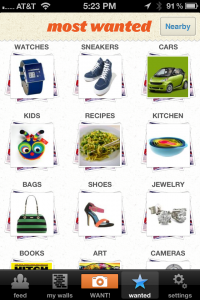
WANT! is an app for essentially irrationally exuberant window shopping in a digital world where the windows are our LCD screens. Users look through the various categories of items in the app, searchable by name, or through the most popular categories. Photographs can then be swiped through, and users can indicate which items they want, by “wanting” it, similar to “liking” a post on Facebook. Items can be viewed on the web for purchasing, in case “wanting” turns into really wanting. Items can also be commented on, shared to Facebook, Twitter, or email. Users can be asynchronously followed in order to see their list of wants, and favorite WANT! categories can be saved. Of course, users can easily share their own items to the service, by either taking a photo of it with their device’s camera, or by uploading a photo from their Camera Roll. Sure, it’s social window shopping, but it means the whole practice of window shopping can be done in the privacy of one’s own home, without wearing pants. That’s usually frowned upon in public. Usually.
It’s four days until Christmas and if you are like many of us, you likely have some last minute holiday shopping to do. Inside stores lines are long and prices change daily, and at this point if you order online you might want to upgrade shipping, but if you still have some people on your “nice” list here are our four favorite apps to help you find a great gift at a great price even at this late date.
Amazon Mobile
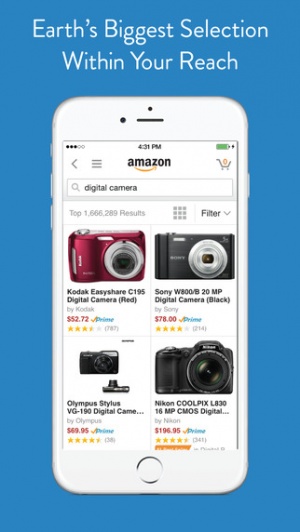
What’s there to say. If you want to find anything, and get last minute shipping the best place online is amazon.com. Amazon Mobile allows iPhone shoppers to navigate Amazon’s labyrinthian site quickly, compare prices, read reviews and purchase directly through the app. Search options include keyword searches, as well as barcode scanning or even upload a picture.
+ Universal App - Designed for iPhone and iPad
Released: 2008-12-03 :: Category: Lifestyle
Bakado
With Bakodo on their iPhones shoppers can scan barcodes for in-store price checking , but there that’s not all. Bakado includes product reviews, and can search by keywords too. The app makes shopping social allowing the indecisive to post what they are looking for on Facebook and get feedback from their friends.
iPhone App - Designed for the iPhone, compatible with the iPad
Released: 2010-06-11 :: Category: Utilities
Gilt on the Go
Have a taste for the finer things in life, but not necessarily the budget? Gilt has been providing a service that offers deep discounts on highly sought after items for some time, and they also have several apps. To use Gilt, you need to be a member and have an account on their site, but in-app shoppers can browse before they decide to sign up. For the brand name bargain hunter, Gilt is a guilt-light shopping experience.
iPhone App - Designed for the iPhone, compatible with the iPad
Released: 2009-09-24 :: Category: Lifestyle
Target
Target is not only considered upscale compared to Wal-Mart, while still offering deep discounts, their app is preferred too. The Target app allow seasonal spenders on a budget to shop at any Target store. The app sends daily deals straight to the iPhone, locates the nearest store and keeps track of gift lists with TargetLists. This app also includes a bar code scanner to make extra sure Target’s deals are the best.
Since the summer, Milo: Local Shopping has done an excellent job of ensuring that its users can search nearby stores for items all from the comfort of their sofa.
It keeps track of what items are in stock across over 50,000 stores while also enabling users to check up on which store has the best price for each item. For those already in the store, RedLaser barcode-scanning technology ensures that they can just scan a barcode and immediately see price comparisons. In one simple double whammy, Milo: Local Shopping saves people time and money.
In its latest update, it goes one step further with users able to buy an item through the app and simply go to the store to pick it up.
A free app, it’d be silly not to try Milo: Local Shopping really. Odds are it’s going to save plenty of time and money in no time at all. Milo: Local Shopping is out now.
It’s the most wonderful time of the year. Families gather, feast, celebrate and then get ready for a Black Friday shopping bonanza. The hottest deals mean the biggest crowds will be mobbing stores. With this celebration of conspicuous consumption putting huge pressure on holiday shoppers in a tough economy, how does one find the very best deals? Well, an iPhone loaded with the right apps can make things a lot easier. This week we look at our four favorites for saving time and money.
TGI Black Friday
Powered by two major shopping resources, TGIblackfriday.com and DealCatcher.com, TGI Black Friday is the go-to app for finding the best bargains from the biggest chains like Walmart, Kohls, Best Buy, Target, Old Navy and far too many more to list. The updates come fast and furious and users can see all the Black Friday deals well before they bulk up the morning paper. Push notifications alert shoppers to new deals, users can compare prices and share finds on Facebook and Twitter.
+ Universal App - Designed for iPhone and iPad
Released: 2009-11-19 :: Category: Lifestyle
Red Laser
Finding good deals is awesome. Finding great ones is even better. One thing brick and mortar retailers are worried most about this year is what impact mobile devices will have, even in the check out line. Price-matching offers used to be taken up by only a few, but now with bar code scanners, shoppers can quickly scan the items unique product number and Red Laser will find them all the competing offers, many of which are online. That means while standing in a three-hour check-out queue one can just pop out an iPhone, find a better deal online and have it paid for and on its way before they move forward a single inch.
iPhone App - Designed for the iPhone, compatible with the iPad
Released: 2011-11-02 :: Category: Utilities
Black Friday App
Black Friday App provides the same basic features as TGI Black Friday, and many of the stores and deals are the same, but there are retailers one app carries that the other doesn’t. This app doesn’t just look for deals in physical stores, but online-only bargains, too, so consider it another tool in the arsenal.
iPhone App - Designed for the iPhone, compatible with the iPad
Released: 2009-09-08 :: Category: News
TGI Cyber Monday
Just as in-store bargains are selling out, online retailers pick up the slack. The new mega-shopping day has become known as Cyber Monday. TGI Cyber Monday, from the same folks as TGI Black Friday, again helps consumers sort through the best deals – this time from all the major online retailers.
Buying online has always been something of a double-edged sword. On the one hand, it’s convenient. On the other, there’s lots of potential for thievery. Of course, nowadays there are all manner of anti-theft measures in place and purchases have been made even simpler with payment info storage and the like. But what about those spontaneous instances of shopping need where there’s no computer present? Well that’s what TapBuy Deals is for of course.
TapBuy Deals is something of a dream come true for super-saving shopaholics. The app stores billing and shipping information using “bank-grade encryption,” so once the desired item is found it only takes a tap or two and the order is completed within seconds. For added security, it requires a PIN for each purchase so if the iPhone is lost or stolen no one else will be able to run up unwanted charges. But this ease of use coupled with security is only a part of the draw.
In addition to all that, TapBuy Deals will group purchases (from the same vendor, of course) together to reduce shipping costs. Sometimes this even leads to zero cost. On top of all that it also automatically finds coupons and applies them as needed, saving users the most money it can. Of course, they can also add their own if they’d like.
TapBuy Deals is sitting in the App Store right now for free. And my apologies for the phrase “lickety-split.” It’s just that the opportunity to use it comes along so infrequently I couldn’t resist.
In an ever frugal world, being able to save the pennies while not sacrificing enjoyment is a big thing. Along comes BiteHunter, an app that searches thousands of sources to bring its users the best dining deals all through a real-time interface.
Through the GPS functionality, users can view nearby deals on a map or via a list, then filter the results by price, rating, type of food and numerous other options.
BiteHunter promises more than 50,000 local deals in all covering the entire of the country. Daily deals such as those from Groupon and LivingSocial are implemented here as well as restaurants’ tweets. Then the deals are divided up according to whether it’s a deal for a specific day, a certain percent or amount off or simply if it’s happy hour.
Food connoisseurs can always search for a specific restaurant too and then read reviews from multiple sources and see a menu. In some cases it’s even possible to reserve a table right from the app.
BiteHunter looks like a great way of saving some precious pennies and it’s a free download available now for all iOS devices.
Barcode reading is really rather useful. In the case of Barcode Reader and Barcode Reader Pro, it enables users to find the lowest price for an item within the US simply by taking a photo of the relevant barcode.
Barcode Reader has also now become the first and only barcode scanning app that works with the iPad 2 as well as all other iOS devices.
The app enables users to search through a whole wealth of places in the quest to find the best price. It searches eBay, Amazon, Target, Google Product Search, Walmart.com and many others offering a comprehensive price comparison service.
There’s also a built-in browser to help users read more about a product and it’s possible to use the current location to find prices in nearby stores.
All in all, Barcode Reader could be a great way of saving money for the savvy shopper.
It’s available now in free and paid ($0.99) forms and as previously mentioned, it’s currently the only barcode scanning app out there for the iPad 2.
iPhone App - Designed for the iPhone, compatible with the iPad
Posted June 10th, 2011 by Gianna LaPin Our Rating: :: NEEDS WORK
IntelliShop aims to make you a more frugal and better-organized grocery shopper with powerful price comparison features, but some adjustments are required before it can be truly stellar.
Everybody loves to save money wherever possible. Even more so in the current global financial climate. So what better way of doing so than through a free app by the name of Shopkick?
Shopkick offers users all manners of new and exclusive shopping deals from the likes of Target, Best Buy, Macy’s, American Eagle, Sports Authority, Crate & Barrel and more. Perhaps even better, it also offers a rewards package in which users can simply and quickly gain gift cards, free movie tickets or help a good cause just by shopping. Shopkick ensures there’s hardly anything people need to do to gain such rewards. They can do this by simply walking into one of the many partner stores, scanning products, making purchases or simply by checking in to the store. Walk in rewards are available in 80 different places across the US, including NYC, LA, SF, Dallas, Chicago, BOS, ATL, Houston, D.C., Miami, Seattle and St. Louis.
Shopkick also provides users with the ability to personalize their deal feed by picking out their favourite stores from over 50 different national chains, so it’s easy to pick out the best deals. There’s also top ten deals listed regularly to consult at a quick glance. Users can easily check out what stores are nearby and what deals are offered simply by tapping on the nearby menu option.
Users can quickly check how near they are to acquiring a reward by checking their total at the top of each screen within ShopKick. The rewards are suitably varied with the likes of charitable donations, gift certificates or simply Facebook credits ensuring there’s something for everyone’s taste. Plus they’re relatively easily acquired too by checking what products provide what deals.
Shopkick is available now for North American users and is a free app so it’s well worth a try. Here’s hoping something similar comes over to Europe in the near future.
Right about now it can be incredibly difficult to keep track of all the various gifts which must be purchased for loved ones for the holidays. Which version of Pokemon did little Timmy want? Is Sally a size 3 or a size 4? Did Frank say that drill he wanted is on sale at Sears or Lowes? It can all be a bit overwhelming but, thanks to the new Gift Plan app, you might just manage to keep your sanity after all.
Gift Plan allows you to easily create and organize shopping lists which you can use as handy references while you’re running about town. Users can put together exhaustive lists sorted in various manners such as individuals or occasions. The app also tracks spending so you can easily keep track of where you are within your shopping budget and make changes as necessary.
Beyond the holidays Gift Plan will also prove itself useful in the future, as you can easily save upcoming birthdays, anniversaries or other special gift-giving events. The app even supports importing birthdays from your contact list or Facebook, taking pretty much all the onus off of you to remember all those pesky dates. On top of all that, Gift Plan also lets you set alerts for upcoming events so you can be sure and get all your shopping done on time.
This seems to be quite an ingenious little app as it manages to merge both calendars and time management with budgeting and shopping. This is the perfect little helper for all those with long shopping lists, short memories or both. Also, it’s just a great organization app in general as it lets you put all the important details about anyone on your holiday list all in one place. It’s one of those apps which just seems too good to be true, but it’s totally real and it’s fabulous.
Ever since scanning our very first barcode with RedLaser, the iOS consumer base has been hooked on barcode scanning. So hooked in fact that ShopSavvy, with its 6.6 million users, are projected to scan more than 100 million different barcodes between now and Christmas. To be a bit more sexy to its user base, ShopSavvy is adding a slew of new features in its latest update.
”ShopSavvy began as a barcode-scanning app that helped consumers compare prices at the point of purchase,” said Alexander Muse, ShopSavvy co-creator. “Now, with ShopSavvy 4 for iPhone, we’ve taken the app to an entirely new level – enabling consumers not only to see information from our extensive price comparison engine, but to add their own deals, discoveries, ratings and reviews to our database. We’ve brought the power of Wikipedia-style crowdsourcing to shoppers.”
ShopSavvy 4 update mainly involves user feedback (but also includes 5x faster scanning!) to the already popular scanning app. Instead of just scanning items, users will be able to add and share photos and prices from places that aren’t already in the ShopSavvy system and can submit reviews of items to create a savvy review system that will go alongside the standard 3rd party reviews. The new update also uses targeted advertising, called AdOns, that will send you coupons and suggestions based on your location and what you are looking at. The best feature of all though, and possibly the most simple, is the inclusion of different stores price matching policies. Knowing whether or not the store you are at will match the prices you find within the app could be a huge time saver.
ShopSavvy 4 is available today as a free update or download in iTunes. While it won’t necessarily make the gift selection process any easier, it will certainly save you some time and money while you are making your purchases.
A friend (who happens to be an app developer) and I were discussing the other day the feasibility of a grocery store app that would help users find what they were looking for. The general thought was that it would be a neat app, but the time spent to money earned ratio didn’t really seem to make the app worth it, at least in our eyes.
Aisle411 doesn’t think so, however, as they are releasing “the first comprehensive mobile shopping platform for (the) iPhone.” The app lets users find specific items in stores, and even guides them to the specific section of the aisle. In addition, the app provides product reviews, a shopping list generator, social network integration, and provides reward points and coupons for specific items.
“According to National Consumer Research, 83 percent of shoppers have trouble finding what they are looking for in stores,” said Nathan Pettyjohn, CEO, aisle411. “The launch of our iPhone App and mobile website will dramatically transform the way customers find what they are looking for and make purchase decisions. As more shoppers engage with mobile technology to enhance everything from building shopping lists and finding product reviews, to navigating retail environments and sharing their shopping experiences with friends, aisle411′s groundbreaking solution is evolving the way consumers interact with retailers, advertisers and brands.”
The Aisle411 iPhone app is looking to launch this fall and will be available in over 1,400 retail stores in the US. There’s been no mention of social achievements or status rankings yet, but I’m absolutely dying to be the mayor of Safeway, aisle 5.
Note: The video below further explains the benefits of the Aisle411 system to retailers, but it only describes the current service that is available for free by dialing 1-877-AISLE-411.
iPhone App - Designed for the iPhone, compatible with the iPad
Posted April 23rd, 2010 by Perrin Stewart Our Rating: :: SOLID TRAVEL COMPANION
GateGuru earns a permanent spot on my device as one of those apps that won't be used constantly, but when it IS needed serves as an invaluable travel companion. There are many apps with user-driven reviews, but GateGuru's focus on airport-specific amenities is a God-send.
iPhone App - Designed for the iPhone, compatible with the iPad
Posted July 7th, 2009 by Jason Philo Our Rating: :: RECOMMENDED
Shopper is an amazing tool for grocery lists. It's easy to use, exceedingly functional, and there's a great attention to detail in the development of this app. It goes for only .99, but I honestly wonder why it doesn't cost more.
iPhone App - Designed for the iPhone, compatible with the iPad
Posted June 18th, 2009 by Jason Philo Our Rating: :: VERY HANDY
VIN Hunter is a tool to help people keep cars organized when they’re shopping. It’s an easy app to use, but won’t have a lot of reuse potential for most people.
iPhone App - Designed for the iPhone, compatible with the iPad
Posted May 18th, 2009 by Billy Miller Our Rating: :: Beautiful Simplicity
Groceries is a shopping list app that leans in the simple direction but chooses its features wisely. The process of making a list within its interface is familiar in seconds.
Bio: Web developer by day, Mac and iPhone developer by night.
- Created iPodderX, the world’s first podcast client
- Wrote “Optimizing Your Website for Mobile Safari” prior to the SDK being released
- Loan Shark was chosen early on by Apple as a “Featured” app, and is also featured in Apple’s own “iPhone Your Life” pages.
Audio clip: Adobe Flash Player (version 9 or above) is required to play this audio clip. Download the latest version here. You also need to have JavaScript enabled in your browser.
Finishing up our interview with August, I ask him about what it is like being an iPhone developer in the lime-light, or Celebrity Developer. He talks about how much fun it has been to break out of the traditional role from time to time, and how it has really helped out his programming business.
I also get his opinions on Apple’s filing to have jailbreaking iPhones judged illegal, what that means to the development community, and how jailbreaking is actually beneficial to the App Store and making the iPhone a popular development platform. August also tells us why he has avoided it.
Most importantly, August gives us the breaking story about the soon to be released app, YOWZA!!, and how it will change the way you shop and use your iPhone.
Listen to how August met Greg Grunberg (Matt Parkman on Heroes) on Twitter, and joined forces with Rick Yaeger from MacMerc, to create a whole new business model for an iPhone app, and how they have tackled the problems of turning your iPhone into a money-saving shopping tool! And it’s going to be FREE!
We cover it all. The latest games, apps and more are all reviewed across the 148Apps network of sites. Just take a look at what you might have missed this week.