Posts Tagged apple

So, now that we know more about iOS 7 and it’s new design and features, a lot of us might be wondering what it would look like on our iPhone. Well, to make it easy on you, we’ve posted links to a few videos that you can watch on your iPhone to give you an idea of how it will look. Check it out!

Video Links –
Control Center: Swiping up to see the control options.
iTunes: Swiping through music and selecting an artist.
Messages: Typing a message about a friend who says hello!
Mail: Checking out the inbox and selecting an email.
Notification Center: Scrolling through notifications.
Multitasking: Swiping through multiple open apps.
Photos: Looking through photos of friends forever!
AirDrop: Sharing items with two friends nearby.
Camera: Getting ready to take a photo, selecting different options. And did that guy close his eyes at the end? Ugh! Retake!
Safari: Surfing through the Safari and scrolling through multiple websites.
Siri: Asking Siri about what movies are playing nearby and getting the answer.
Weather: Watching the heavy snow fall. So pretty!

iOS7iPhone

via: Apple

The Latest App Reviews Are Here


Need to know the latest and greatest apps each and every week? Look no further than 148Apps. Our reviewers comb through the vast numbers of new apps out there, find the good ones, and write about them in depth. The ones we love become Editor’s Choice, standing out above the many good apps and games with something just a little bit more to offer. Want to see what we’ve been up to this week? Take a look below for a sampling of our latest reviews. And if you want more, be sure to hit our Reviews Archive.

Star Wars: Knights of the Old Republic

 
KOTOR_7

Ten years ago, BioWare released the revolutionary Star Wars: Knights of the Old Republic (KotOR). This took the Dungeons and Dragons combat that BioWare were masters of in the PC niche they had carved out, placed it in the Star Wars Expanded Universe, and had a non-linear story where decisions have a major role in what happens. BioWare made all this complexity accessible in a way that both new and existing audiences–including console gamers–fell in love with KOTOR. The success propelled the gaming company to become one of the most important game developers of the past decade, with wildly successful original franchises like the Mass Effect series. Flash-forward to today, and a new generation of gamers gets to play KotOR thanks to renowned port producer Aspyr, known for bringing many titles to the Mac. While the game isn’t always a perfect fit for the iPad and shows its relative age in spots, KotOR is still as transcendent an experience as it was a decade ago, thanks to its sheer depth. –Carter Dotson

Warhammer Quest

 
warhammerquest09

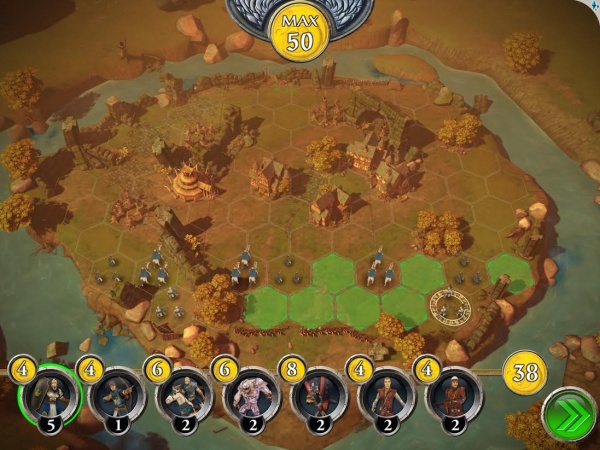
Rodeo Games knows strategy. Hunters was a fantastic game that seemed to come out of nowhere, and Hunters 2 pretty much set the bar for a lot of iOS strategy RPGs that would follow it. In fact, they set the bar so high I was worried that Warhammer Quest wouldn’t quite measure up. Either that or end up feeling like more of the same. Turns out I worried for nothing. Warhammer Quest puts players in charge of a group of warriors as they travel the realm seeking fame and fortune. Mechanically the gameplay is similar to Rodeo’s earlier titles with its top-down view and simple but intuitive tap interface, however there’s a much bigger emphasis on close quarters combat since there aren’t any sniper rifles or machine guns to be found. There’s also a liberal sprinkling of more traditional RPG elements such as extra dungeon encounters or even random events, such as a hero getting partially digested by a slime monster, that can keep even the most well prepared players on their toes. –Rob Rich

Wake Alarm

 
wakealarm4

Find it tough to wake up? I know the feeling. While I struggle to get to sleep at night, I have as much trouble trying to wake up. That snooze button is all too tempting. Wake Alarm is out to stop any such problems and ensure that one gets up at the time they want to. Immediately simple to look at, the app works on a scroll wheel basis, one that’s immediately reminiscent of the classic iPod interface. Simply spin the virtual dial to set the alarm and away it goes. That’s the most basic way to use Wake Alarm, but there’s a little more to it. –Jennifer Allen

Other 148Apps Network Sites

 
If you are looking for the best reviews of kids’ apps and/or Android apps, just head right over to GiggleApps and AndroidRundown. Here are just some of the reviews these sites served up this week:

GiggleApps


Crayola Light Marker

 
crayola

Recently, I was given the chance to try out the Crayola Light Marker. This piece of hardware, as the name may describe, allows children to use this chubby crayon-like tool – part laser pointer of sorts – to draw and in other ways interact with the free app associated with this Light Marker. Included with the Light Marker is a simple but nicely functional green plastic stand for the iPad that is thoughtfully included as this app is used on a propped iPad, with children standing between two and three feet away from their target. –Amy Solomon

 
jazzy

Jazzy World Tour is a delightful exploration of music around the world, including the same characters and watercolor stylings as seen in the earlier companion app, A Jazzy Day. This app opens up with different countries marked with a flag on a world map. Tap to select a flag to explore the related country. Three sections are included, specifically Learn, Play, and Create. –Amy Solomon

AndroidRundown

The Conduit HD

 
conduit

The Conduit HD is probably the finest console-quality FPS available on mobile because it actually is a console FPS on mobile. Originally released as a Wii game by High Voltage Studios, they have now brought it to Android with a fresh coat of paint for HD devices, but with the same gameplay. On mobile scale, it’s quite an achievement, but does the title actually work on mobile? It’s a mixed bag. Players control Michael Ford, a government agent who soon finds himself facing down an alien invasion after being betrayed by a shadow government, and forced to work for the ‘terrorist’ Prometheus who may not be as bad as he seems. Players swap between a variety of weapons and use the “All Seeing Eye” to activate switches, unlock doors, and find hidden items and messages spread throughout the game world. –Carter Dotson

Swype Keyboard

 
swype

I’m a brave man. I believe a couple centuries ago, I would have been an explorer of sorts. I love a challenge, and few things scare me. Except spiders. In any case, the prospect of switching from a device with a physical keyboard to one with a virtual one made me nervous. I was okay with switching from from one OS to another; I had done my research, liked the new ecosystem and liked the hardware available to me. The thing that really bothered me was the eventuality of having to peck on a touchscreen. I’m here to tell folks: Swype made the switch possible. –Tre Lawrence

10000000

 
10000000

“And lo, the hero’s adventure did come to an end because he couldn’t unlock the chest in time.” This is something that does happen in 10000000, the indie match-3 RPG from EightyEight Games (aka Luca Redwood) that has been brought to Android. Sometimes it’s not the enemies that fell the player, it’s the inability to get the keys to unlock doors and chests, leading to one’s doom. Wait, why? Well, in the world of 10000000, players exist on a horizontal scale where they need to keep moving, and anything that slows them down or keeps them from advancing it a threat. Sure, the enemies are greater threats because they’ll actually knock the player back, stopping them on their quest to get ten million points and free the protagonist from his mysterious imprisonment. –Carter Dotson

ios7

At 148Apps, we use iOS a lot. I mean, a LOT. What may be an inconvenient feature to the average user is possibly a daily chore to folks like us, who use their iPhones and iPads every day, hour after hour.

As we sat and talked about our hopes and dreams for the next version of Apple’s mobile operating system, iOS 7, we figured it might be cool to get a couple more folks in on the conversation, like Aaron Watkins, a public relations guru with Appency, and Tim Harris, currently President of Industrial Toys, developer of the much anticipated upcoming core sci fi shooter game, Morning STar.

Aaron WatkinsAaron Watkins, Appency
One of the trends I’ve seen recently is brilliant software developers coming up with much improved versions of native apps. Better mail, better calendars, better contacts apps… yet it’s still impossible to get rid of the apps that came with the device (Newsstand can’t even be put in a folder!). We’ve had better maps now for quite a while – Apple’s own attempt at maps has been a bit of a disaster and I would venture to guess that more people use third party map apps like Google for their navigation needs. 
That being said – Apple needs to give the maps app a feature face-lift. Automatic routing when you go off course has huge room for improvement, and searching for items along a route would be a great cure for my Starbucks habit. 

Along the line of phone organization for the OCD – as the hard drive space gets larger and larger in progressive phones, more and more apps end up on our phones and I would love to see folders within folders to do additional subdivision of content. The same goes for contacts, where the ability to create contact groups needs to be available on the phone itself. 

The app store itself has plenty of room for update. The native phone app store on its last major redesign went from a place where the top 10 apps were readily visible to  a system where its really the top 4 that get all the visibility. A combination of the best elements of the last version and this version would be an ideal solution.  With the problems associated with app discovery, it would be great to see more categories – but my pie in the sky hope would be a system in which third parties could create white labeled app stores that used an iTunes based system and billing mechanism, but allowed others to create their own curated content stores that they could locate on their own websites. Why cant a travel magazine have their own iPhone app store where they highlight the best apps they have looked at, and sell them directly on their website without all the current redirection. 

Oh – and one last thing – developers need to be able to respond to reviews in the app store. Its basic customer service!

roblefRob LeFebvre, 148Apps
Good stuff, Aaron. There is lots of room for improvement in discovery, including categories and stuff. A curated app store for different groups would be cool, too.

Personally, I’d like to see the iOS update to include a lot of the stuff we’re seeing from Android, like more customizable home screens, widgets, and the ability to define default apps, even if they’re not Apple ones.

I’d love to be able to turn wireless and Bluetooth on and off without having to dig for the Settings app, and for gods sake, let us login to multiple accounts on the App store. Sigh.

I’m also really hoping for a better, more unified look and feel. The skeuomorphic stuff gets a bad rap, and while I don’t think it’s that big a deal, I’d love to see a flatter, less faux-anything look and feel. 

I’d like to see Game Center improved, as it just feels kind of tacked on, right now. And lets get it on Android, or just give up and embrace Google’s new push.

That’s all I can think of at the moment, I’m sure I’ll chime in more as the discussion gets going. 

carterCarter Dotson, 148Apps
What I really want to see from iOS 7 beyond just a new visual look is something that significantly streamlines and de-clutters the user experience. Are we so sure that the standard grid of icons is still the best way to go about using the multitude of apps on our phone, especially with the sheer number that’s out there? Why must I still go to Settings in order to turn basic settings on and off?  As well, for those of us that have used iOS for years and have gotten used to the incremental changes, it’s easy to forget that for many people, iOS has a lot of complex aspects to it.

Considering that Android and Windows Phone have experimented with different ways to display important content in creative ways, I would love to see an Apple take on making the experience more user-friendly and intelligent. If there’s a better way to use our myriad devices here in 2013 with everything they’re capable of, shouldn’t it be Apple leading the way? iOS has felt static for a while, and I hope there’s more than just a new coat of paint coming.

Tim Harris FaceTim Harris, Industrial Toys
I agree with the sentiments about management of apps, and my main hope is along those lines.
 
The running app tray needs work. There should be a more user friendly view to see what apps are running, and a better way to close them. The search screen and the pull-down screen are underutilized for this type of thing. The current “double tap the home button” sucks, and manually closing everything to free up the device suxxors. Toggles like Wifi, Do Not Disturb, and Airplane Mode should be easier to find and one click and allowing users to bring their most-used out of Settings and into “normal” screenspace would make life easier.
 
I’m also going to pile-on Rob’s Gamecenter thing. We’ve seen slight improvements to Game Center over the versions, but it’s never gotten to a level that game developers can get excited about (or users, for that matter). I’d love to see friending, challenging, incentivizing and deep-linking get better. Achievements should be able to be integrated into the games innards rather than being tacked on so that we have to write our own systems to make it all work. Points should mean/do something. Gimme gimme.
 
jeffscottJeff Scott, 148Apps
I think my big hopes are around openness. Rob mentioned this a bit with the ability to choose default apps, like Maps, email, browser. But I think it goes beyond that. App to app communication needs to be enhanced. We’ve seen really interesting things done with Audiobus, and Apple must love it since Garage Band was one of the first apps to support it. More of that for all media types or in general, data. Open up Siri, the notifications tray, basically loosen the grip. It can be done without making the phone look like some 13 year old kid has designed it.

Apple also need to open up with the App Store. Give developers the tools they need to sell, support, and grow. The App Store economy is larger than the GDP of most countries in the world. It’s time to give it the support it needs. I have a gut feeling the reason not as much has been done is because iTunes is still based on the now ancient java based WebObjects. It’s ancient, fragile, and a beast to change. It needs to be replaced, but that’s no easy task.

And I agree with Carter on the look and the grid of icons. That hasn’t changed since the first user interface, the Xerox Alto in 1973. Forty years is too long. Some may say that it works, but when you have 500 apps installed, it just doesn’t work. We need a new interface, other than a grid of icons.

Search may be the answer to some of these issues. And I expect Apple to make some big advances with Siri, hopefully in iOS 7, but certainly going forward.

Now, the big one. The one I have been hoping for since the iPad was announced. Multi-user logins for iOS. In particular an iPad that is shared in a family. It’s a must. Parents don’t want kids in their email, kids don’t want parents in their Clash of Clans villages. There is so much that could be done with a good multiuser system. I have too many ideas, but we’ll save that for another time. But, to me, this is a must have, and it must be in iOS 7 because it was needed in iOS 5.

Basically, Apple really needs to bring it with iOS 7. I personally think they have been left in the dust by Google and Android. Even Windows Phone and Amazon have shown some insights and features that Apple should have and could have done first.

Tim Harris, Industrial Toys
Oh, yes– I’d like to take a moment to be a crybaby. The existence of app updates destroyed my sanity, thus my tears. It’s not that I hate updating much-loved and much-used software. Quite the contrary, I get excited about the latest and greatest from my favorite developers. However, the current iOS visits two very specific evils upon me, turning me into a compulsive update checker/reader/clicker:

1. it won’t let me choose apps to automatically update when updates are available, and 2. it won’t let me update as many applications as possible when I am short on drive space.

Every couple of weeks, I find myself with over 100 update notifications and when it gets to that level, I’m stuck updating every app click by click. Some intelligence to the app update process would save users tons of time and self-loathing. It would save developers angst, too, making valued updates more likely to reach their install base.

Rob LeFebvre, 148Apps
Alright, I’ll whine a bit, too.

Please let me take care of the stupid red number at the top of my apps that use the badge notification icon. I’d really like a “mark all as read” option in Mail. I’d love to be able to have the red badge of shame go away when I open an app and close it – not just when I open an app, take care of all the stupid stuff, and then close it, 30 min later. 

Also? Let’s make it a lot easier to buy in-app purchases with one account when we originally “purchased” the app with another. Does it really matter which account we’re using to download an app, vs. buying smurfberries for?

Aaron Watkins, Appency
As someone with kids, I dont know if making in-app purchases too much easier is a good thing- I dont want my 10 year old, or my 4 year old for that matter, purchasing things. That being the case, I would love to have kid modes where I can hand my iPad over to my youngest and only show for her apps that I have pre-selected as appropriate, and then do the same and have a different set for my 10 year old son. Maybe even a “play mode” and a “homework mode” that could be used in schools or for when you give your kid the device to look up vocab words and end up discovering he has been playing RoboKill the whole time.

Thanks to one and all for their time on this topic. Will Apple give any of us what we want? Only time will tell, as Apple is set to announce iOS 7 for the first time at WWDC this June. Keep your eye peeled (ew, gross) on 148Apps for all the lowdown when we know more.

The App Experts

So many apps, and so little time! Just look to 148Apps for the best app reviews on the web. Our reviewers sift through the vast numbers of new apps out there, find the good ones, and write about them in depth. The ones we love become Editor’s Choice, standing out above the many good apps and games with something just a little bit more to offer. Want to see what we’ve been up to this week? Take a look below for a sampling of our latest reviews. And if you want more, be sure to hit our Reviews Archive.

Sid Meier’s Ace Patrol

008

Ace Patrol is the latest title from Sid Meier and the team at Firaxis Games. Set during World War I, it’s the player’s job to guide a squadron of pilots in strategic turn-based gameplay. The free-to-play version features one stage from the British campaign with six single-player missions for players to engage in. If they want to play and beat the full campaign, which is three additional stages, they’ll have to purchase it for $0.99 cents. Players are given a choice of three missions to choose from at the start of the game. Missions have a wide range of objectives, such as having players attack an enemy train, protect a surveillance plane, attack an enemy bomber, and dogfight in ace vs ace action. Players are able to decide on what mission to select based on the objective or how many points it offers. Those points are multiplied depending on the four available difficulty levels and help provide better scores for the leaderboards. –Andrew Stevens

Infuse

infuse5

A particularly situational app, some users will look at the feature set of Infuse and wonder just why they need it when the built-in Videos app does everything they want. Infuse is for those users who want to play videos from other sources, without the need for conversion first. That covers quite a few different needs, from those wanting to watch family videos taken on a different device to those wanting to watch their converted DVD or blu-ray collection, while on the move. It’ll even allow users to view video attachments that have been emailed through. Regardless of one’s needs, Infuse is an attractive and useful app. Covering many of the more important bases, Infuse offers support for over 14 file formats, such as AVi, M4V, FLV, MOV and OGM. Plenty of audio formats are catered for too, such as the increasingly elusive Dolby Digital Plus format. Infuse works smoothly too, with little significant slowdown noticeable during my time using it on either my iPhone or iPad. –Jennifer Allen

Las Vegas!

lasvegas07

One of the biggest constants in casinos is also a very simple concept: the house always wins. Sure somebody might hit the jackpot or win a few Blackjack hands against the dealer, but statistically (and by an overall average) the house always come out on top. Not so with Las Vegas, Ravensburger’s iOS port of the board/dice game. In this particular casino the player always wins, even when they lose. The rules of Las Vegas are fairly simple; players (and possibly AIs) take turns rolling right dice. The numbers each one lands on represent one of six casinos on the board, each with a range of cash values up for grabs. They then have to “bet” their dice by placing them in their casino of choice with the highest bid earning the pot. Conversely if there’s a tie all matching bids cancel each other out. Naturally larger bids have a better chance of winning but the toss up is that it means fewer and fewer dice each following turn. There’s a certain amount of strategy to placing each bet and it’s possible for savvy players to sneak in and grab a 90,000 casino with a single die while other players vie for the top spot and negate each other. After four rounds all the cash is added up and a winner is declared. –Rob Rich

Star Command

photo 5 (4)

Star Command is a sci-fi simulation game that clearly takes cues from Gene Roddenberry’s Star Trek universe. Although the game takes a few missteps in parts of its design, the whole package is so charming that it hardly matters. Anyone wanting a good Trek-like combat experience should stop reading this review and go buy it now. For everyone else, here’s how Star Command plays: Players begin by choosing a captain and a ship to command. From here, an in game tutorial gives just enough information on hiring crew members, building rooms on your ship, and how combat works, and then promptly throws you into the thick of it. Before you know it, you’ll be commanding your engineers to put out fires by sick bay while your weapons crew has to abandon their battle stations to combat enemy aliens that have beamed aboard. –Campbell Bird

Other 148Apps Network Sites

If you are looking for the best reviews of kids’ apps and/or Android apps, just head right over to GiggleApps and AndroidRundown. Here are just some of the reviews these sites served up this week:

GiggleApps

Little Red Riding Hood

red

Little Red Riding Hood by Nosy Crow is a universal app that I have eagerly been anticipating for quite some time, and I can say with much excitement that this app is worth the wait.
This is a re-telling of the classic story with a few great twists along the way. A special app, Nosy Crow has added some wonderful new elements to a classic story, specifically allowing children to choose one of many paths they would rather take as Little Red travels through a forest on her way to Grandma’s, collecting numerous objects along the way as well as meeting new characters. –Amy Solomon

Zoe’s Green Planet

zoe

Zoe’s Green Planet is an interesting universal application about diversity. This is the story of Zoe, an inhabitant of a green planet with a demographic of entirely green people, seen vividly with the use of illustrations with heavy paper mache elements creating a subtle 3D effect, as well as a tactile, slightly distressed feel that I find appealing, as I do the numerous shades of green that make up the palette of this app. One day, a red space ship lands on the green planet. Inside is a red family who would like to visit other planets and makes a home on the green planet. They have a daughter who is Zoe’s age, and they go to school together and become friends. –Amy Solomon

Brains My Body

brains

Brains My Body is a very nice interactive app for children which teaches about basic anatomy and diversity and includes fun facts about the body. The look of this app is crisp and clean, with colorful, textured woven fabric used as the background for these activities. Also of note are the layered ambient sounds heard throughout, consisting of a beating heart, blowing wind and wind chimes – interesting choices I have enjoyed listening to. –Amy Solomon

AndroidRundown

Goomy: to the Rainbow Land

goomy

Goomy: to the Rainbow Land is an interestingly styled platform running game with a unique set of characters. Goomy came personified as ball that took nine different forms. Legend has it that he wants to make it to the mythical, happiness-filled Rainbow Land. However, the journey is not without dangers but of course, how could we have expected anything less? The playing area was an expansive end-to-end platform, with Goomy traveling from left to right. The traveling area was irregular in design, with land masses of different heights interspersed with deep, lethal canyons. The graphics were rich in color, with playful artwork highlighting the elements of the game. The animations were smooth, and did a good job of adding to the fun factor. A lot of time seemed to have been put into creating the six or so different playing environments. –Tre Lawrence

Punch Quest

punch

One of my favorite games of 2012 was undoubtedly Punch Quest. Rocketcat Games’ endless puncher’s only flaw? It wasn’t on Android yet. Well, Noodlecake Games, in their first published title after the launch of Super Stickman Golf 2, have rectified this situation. And oh how sweet it is to be playing this amazing game on mobile. Unlike most endless runners where there’s little to no combat, this is all about punching one’s enemies. It’s more of a beat ‘em up with automatic running instead of an endless runner. The fighting is surprisingly complex despite there only being three different inputs: forward punching, uppercutting, and blocking, though each has different functions based on different situations. For example, uppercutting in the air is actually a dive punch. Upgrades can tweak the way that punches work, or give them special functions. But it’s the interplay of the attacks and the way that each enemy has a particular strategy that works best – and ones that don’t work quite so well – that players need to learn and master in order to do well at the game. –Carter Dotson

Modern Snake

snake

Snake is one of those games everyone knows. It’s popularity was forged in the mall arcades of the 70s, and it has been ported to almost every platform. Ever. Everyone has redone it, and so any developer that touches it best come correct. Modern Snake, at the very least, excels in the area of minimalist design. I liked that there were no extraneous elements; it kept enough familiar designs, like the segmented snake, and tossed in colors and touchscreen compatibility to differentiate it from the original forms. The green worked well on the stark white playing area. The developer did well to add options to spice up what would otherwise be a one-dimensional game. There were options to speed up or slowdown game speed, to have a two-player local game, to play with or without walls and to play with on-screen directional buttons or by swiping. –Tre Lawrence

Apple just released a new update for the flagship iPhone 5. The Loop reports that iOS version 6.1.4 has an updated audio profile for the speakerphone, according to Apple. The update also has some security content that was originally included in the previous iOS software updates.

iphone5

via: The Loop source: Apple Support

timcookTim Cook, CEO of Apple, is having an auction on Charitybuzz, giving someone the chance to have a cup of coffee with him at Apple’s headquarters in Cupertino, California. All proceeds from the auction are going to The RFK Center for Justice and Human Rights.

CNN Money reported a comment by a Charitybuzz spokesperson, “Right now, our record for experiences is $255,000 to shadow President Clinton for a day,” As of right now, Tim Cook has raised $580,000 dollars, breaking Clinton’s record.

via: CNN Money source: Charitybuzz

When AppGratis CEO Simon Dawlat spoke out about AppGratis being pulled from the App Store, he said he was shocked about the reasons the app was pulled. We learned today via marketing emails forwarded to us from potential clients of AppGratis what the real reason it was pulled could be.

With over 12 million users when the app was pulled, AppGratis had a bit of a mob going with their app. The large number of users allowed them to drive massive numbers of downloads to a targeted app quickly. It called this ability to drive large amounts of downloads at a rapid pace “bursting.” Bursting allowed them to make the app rise in the charts at sometimes phenomenal rates. In the slide below, from late last year, they show off a few of their successful campaigns.

Screen Shot 2013-04-10 at 10.31.44 AM

The large number of users gave AppGratis effective control of the App Store Top 10 Free Apps list. To grow that number of users organically is a commendable thing. But to use that control to sell top 10 placement on the App Store is unquestionably bad for the App Store ecosystem.

In an email forwarded to me by one potential customer of AppGratis, the sales representative touts:

With around 4 million users we reach high amount of downloading that translates in to the best top list rankings on the App Store.

The sales rep goes on to list the countries that AppGratis has enough users in to push an app to the top charts and the position on the charts those users can drive.

Screen Shot 2013-04-10 at 10.46.21 AM

Apple has made moves in the past to keep the App Store, especially the top 10 lists, as organic as possible. This recent move comes as no surprise, especially in the light of AppGratis selling their influence on the top 10 list on a per install basis.

We’ve contacted AppGratis’ PR agency for comment, but at the time of this writing we have yet to hear back. We’ve also contacted Apple for comment. We’ll update or follow up with another post if we hear back.

AppGratis-645x250

Over the weekend, AppGratis, the popular app promotion app with over 12 million downloads, was pulled from the App Store by Apple. It was originally thought that it violated the rules Apple has in place to keep apps from looking too much like the App Store, the 2.25 clause. Yesterday All Things D heard from Apple that it did indeed violate this rule as well as a rule that prohibited commercial use of push notifications.

Today, AppGratis CEO Simon Dawlett tells the AppGratis side of the story.

Dawlett says that he is shocked by the actions Apple has taken against his company due to the fact that AppGratis had cleared some of the rule violations with App Store reviewers prior to being taken down. This included a new iPad version of the app that was approved a few days before the takedown. However, Dawlett notes that it was a new Apple employee that he’s never heard of that made the decision to take down the app for breaking rules, even though they had worked around some of them before. This shows how fine of a line AppGratis was previously walking.

Apple made a decision to do what’s best for the App Store and its ecosystem rather than what’s best for AppGratis. This could be because AppGratis had impact on the the AppStore as their app was able to push almost any download to number 1 on the free charts. Apple probably didn’t like seeing them, or any company, have that type of power over the App Store and sell the service to do so. Most likely, Apple brought in a rule enforcer to take care of the problem.

Dawlett also reassures AppGratis customers (and investors) that the service continues to work. “Our iOS apps may have been unavailable now for a few days,” he wrote, “but at the same time, a few million free apps have been downloaded through AppGratis since last Friday. So for now, it’s business as usual in AppGratis’s world.”

Image: The Next Web

source: AppGratis

Your Trusted Source for App Reviews

Having trouble making sense out of the overwhelming number of apps released each week? Have no fear! Just look to 148Apps for the best app reviews on the web. Our reviewers sift through the vast numbers of new apps out there, find the good ones, and write about them in depth. The ones we love become Editor’s Choice, standing out above the many good apps and games with something just a little bit more to offer. Want to see what we’ve been up to this week? Take a look below for a sampling of our latest reviews. And if you want more, be sure to hit our Reviews Archive.

Injustice: Gods Among Us

WB and NetherRealm’s original DC Comics fighting game Injustice: Gods Among Us has been adapted for the iPad, and that doesn’t just mean that they ported down a full console fighting game, or just made an Infinity Blade clone like some are wont to do; no, they converted this into an actual touchscreen-friendly game that’s free-to-play, though definitely encourages spending money. The actual combat is dramatically less complex than the Street Fighters of the world, because players have three basic actions: tap to do a light attack, swipe forward to do a heavy attack, and tap & hold with two fingers to block. Combos will call up swiping actions to knockdown the opponent, and special moves will require different inputs to unleash those attacks. The complexity comes in with using the three chracters efficiently; not only is it about letting them go to the sidelines to regenerate health, but also to swap in characters whose special power meters are recharging while on the sidelines. As well, different special attacks have different effects that are useful in various scenarios. I like to keep one character with a power drain effect with me when fighting bosses so as to limit the number of times they can do massive damage. The combat strikes a great balance between being simplified for the platform, while keeping enough strategy to be interesting. –Carter Dotson

Mittens

Mittens, both the name of this app and of the cat which the game revolves around, is the latest physics puzzler from Disney. The company had an extreme amount of success with Where’s My Water a couple of years ago and this is definitely a notable follow-up. As one would expect from a Disney game, the visual assets are top-notch. The cartoony visuals and cute cut scenes definitely feel like something Disney would have a hand in. Players interact with the level components by tapping and swiping, and swiping an electrical wire or piece of wood will cut it. Players can only interact with the level components and can’t directly control Mittens. All of the normal laws of physics apply, so Mittens falls and bounces, and will automatically grab onto ledges. Besides static environmental elements like wires, awnings, and planks of wood, other animals also appear in the levels, like birds to latch onto. Ultimately, the goal is to make it to a floating milk bottle. When he finally gets to it, Mittens does a little dance. –David Rabinowitz

Mailbox

Mailbox represents a perspective shift to email, in that it treats the inbox not as a list of messages hanging around one’s neck like so many albatrosses, but as a list of tasks that need to be completed. So, reading an email and being done means that it can be removed the list like a completed task, meaning it is archived from the inbox. Messages can be ‘delayed’, making them temporarily hidden from the inbox, reappearing at a later time defined by the user to be completed later. But, the important thing is that they are removed from the inbox, making inbox zero a potential daily occurrence. –Carter Dotson

Badland

BADLAND is a quite beautiful amalgamation of side scrolling platform action, with a dash of Endless Runner about it. The latter part comes more from the one touch controls that ensure that BADLAND is easy to play for any ability, albeit not necessarily easy to complete thanks to a series of challenging obstacles. 40 levels pave the way and, while early stages are quite easy, later stages prove rather fearsome and tough. Even better, there’s plenty of replayability through the acquisition of clones which boost the rating of a level, once captured. BADLAND might sound immensely restricted due to its one touch controls, but that’s quite far from the truth. At first, tapping on the screen is used more to keep the cuddly yet mildly sinister creature afloat, thrusting them through each stage and avoiding simple obstacles. Get pushed off the screen and it’s game over, but when early structures simply consist of pillars and platforms, it’s no great hardship. As things progress, however, and the player learns more about how to play, the imaginative nature of BADLAND shines through. Orange colored globes affect the size of the creature, either making him grow or shrink to some degree. Both have advantages and disadvantages, the former allowing him to crush certain things, and the latter allowing him to sneak through small gaps. Other power-ups emerge, too, such as one that allows him to stick to walls or roll at speed through the scenery. –Jennifer Allen

Other 148Apps Network Sites

If you are looking for the best reviews of kids’ apps and/or Android apps, just head right over to GiggleApps and AndroidRundown. Here are just some of the reviews these sites served up this week:

GiggleApps

Alex The Handyman

Alex The Handyman – Kids Educational App is a cute and fun app allowing children to use various tools to help friends with a variety of home repairs. Ten scenes are included, each one bright and colorful to look at as one meets a friendly animal character who needs help. From fixing fence posts and ladders to a tree house, to inflating a tire on a car or mending a tear in a dress, Alex the Handyman is a true jack-of-all-trades as he takes on tasks such as sewing, painting, spot-cleaning stains or light gardening. Children will need to choose the correct tool for the job, such as wrench to tighten a leaky faucet or screwdriver to repair a toy, that will become highlighted if help is needed. –Amy Solomon

Zachy the Robot: Quest for the Museum Treasures

Zachy the Robot: Quest for the Museum Treasures is a terrific interactive app that delves into different topics of natural history in a way that is sure to captivate children and their adults. This is the second Zachy the Robot app. This one takes place again in Robocity, focusing on a group of robot friends, the Robocity Repairbots, who help their town with their problems, as their wheelhouse is fixing structural issues in buildings, as seen in the first app which focused on engineering. Here, the gang is brought back to add exhibits to the newly built and empty Robocity Natural History Museum, explained in the bright, colorful and fun animated intro. I love how excited these characters are by the topic of natural history – an enthusiasm that parents will hope rubs off on their children. –Amy Solomon

Gro Memo

Most adults remember playing “memory” – also known as “concentration” – as children, where cards or tiles are laid out in pairs face down and players have to take turns turning over two cards looking for mates, remembering where the other cards are in order to create matches. This style of game is also a very popular one in an application form, be it the app’s main focus or an additional section found in a storybook so it is very nice to see a “memory” style game that really stands out from the pack in terms of game play and overall quality. –Amy Solomon

AndroidRundown

Nimble Quest

Nimble Quest, the latest from NimbleBit, starts off with an immediate nod to its direct influence, Snake. Before mobile games exploded, everyone enjoyed Snake on a Nokia mobile phone, because what else was there to do besides play Snake? So, immediately, it seems like there may not be much to this at all. Nope. Nimble Quest takes that simple concept and makes it deeper and more fun than it has any right to be. It starts by adding a bit of strategy to the standard Snake gameplay of turning left and right, avoiding walls and enemies. See, players control a character that has a special attack ability that triggers when near enemies, and they use that to take out enemies. Other heroes can be collected as drops from enemies that form parts of the snake, and can use their own individual attacks. Now, enemies can attack as well, so it becomes about staying out of danger, as the heroes have health bars that will quickly diminish, and if the lead hero dies, it’s game over. So, there’s a strategy to approaching the enemies, one that is about taking as little damage as possible. –Carter Dotson

MiiPC

This week’s KickStarter Spotlight focuses on an ambitious, and impressively polished product that is squarely aimed at parents who are concerned about their child’s computer usage called MiiPC. It is not so much the content as the amount of time wasted that most parents worry about, and it is a fact that technology can be a major distraction for young people with homework. I can attest that even in the course of writing this post, I have looked away to a USA Today update and watched a few YouTube videos that were sent to me by a few Facebook friends. What MiiPC aims to deliver is a computer that, in all honesty, is not much more than a converted, overpowered tablet in a box. The main feature is the complete control parents have over the device. From setting time restrictions on apps or websites, to monitoring exactly what activity a user is doing at any time; MiiPC allows a parent to have total peace of mind while still ensuring their children get an appropriate introduction to the vast wonder of the internet. –Joseph Bertolini

Fate of the Pharaoh

Fate of the Pharaoh is a fun simulation set in, well, ancient Egypt. In this game, I worked as an Adviser to Pharaoh, tasked with rebuilding the empire after a victorious but devastating war.
To make it easy, it’s a G5 game, so I expected nice graphics. I wasn’t disappointed. I found the rich graphics, sharp animations and fine detail that we all have come to expect from G5. There were two modes: Adventure Mode (timed) and Relaxed Mode. Anyone who has read my reviews knows I am a sucker for tutorials, and thus, this gamee found a way to my heart early on. The teaching section allowed me to use taps to get a basic understanding of gameplay: accruing money, and the different ways you can spend it. I learned that to progress, I had to finish tasks and manage resources.–Tre Lawrence

Recently, the NYC police department announced that they have created a special division to deal with iPhone and iPad device theft. It has become such a problem in large cities that police are devoting special teams to cope. Dear Apple, it’s time for you do do something about it.

I’ve known many people that have had iPhones and iPads stolen right from their hands. Criminals often grab the devices out of their victims’ hands and disappear before the victim even knows what happened. This almost happened to me yesterday; I was oblivious to what was going on, and it was pure luck the criminal missed getting a good hold on my device and I got to keep my iPhone. Many others aren’t as lucky.

iPhone snatching is a crime of opportunity and Apple has the ability to eliminate that opportunity or at least make it much less profitable.

Apple devices are hotly sought after, and that will always make them a target for crime. Even so, technology should be able to alleviate much of the resale value and limit the potential for data being lost. The issue is really in two parts: data security and device security.

There are a few things that Apple can do to help with data security. One big issue that seems to be a glaring omission is that an iOS device can be turned off even if it’s locked. This provides the criminal with the opportunity to avoid remote tracking and erase via Find My iPhone by just turning off the device.

If the device couldn’t be turned off when locked, the opportunity would be there to at least track or even wipe the device remotely. The piece of mind the ability to wipe a device would give to victims is immense.

But how about doing something about the actual resale value of devices? Apple tracks every single iOS device. With that ability comes the opportunity to permanently disable devices reported as stolen. Remember that registration screen that pops up when a new iOS device is activated? It shows up either in iTunes or on the device itself. That information all goes into a database at Apple. If your device is re-registered to someone else, or even connected to a network, Apple knows about it.

Apple, how about giving the registered owner the ability to report a device stolen? And if it’s seen on the Internet after being reported as stolen, deactivate it permanently. Something like this would make iOS devices, without some sophisticated and very expensive modifications, worthless for resale.

Wouldn’t that help reduce crime, if criminals knew that a stolen device would be unusable and therefore nearly worthless?

Interim steps could be taken as well. For instance, with prompts for configuration, turn on Find my iPhone by default when the device is registered. Getting users to verify their registrations and giving them tips on protecting their device and what to do if it is lost or stolen would also help.

iPhone and iPad theft it a huge deal around the world. I think it’s time that Apple stepped up and helped users keep their devices secure. The technology and the need is most certainly there, will Apple help?

Editors note: I know that open letters are pretentious and stupid. It’s really just a method to get ideas out there. They maybe ignored, but at least I got this off my chest.

[ Image credit: By Poulpy (Own work) [CC-BY-SA-3.0 (http://creativecommons.org/licenses/by-sa/3.0)], via Wikimedia Commons ]

We Are Your App Authority

Week-in and week-out, the 148Apps reviewers comb through the vast numbers of new apps out there, find the good ones, and write about them in depth. The ones we love become Editor’s Choice, standing out above the many good apps and games with something just a little bit more to offer. Want to see what we’ve been up to this week? Take a look below for a sampling of our latest reviews. And if you want more, be sure to hit our Reviews Archive.

Farsh

I never would have thought that carpet could be so much fun when incorporated into a game. This mind-bending puzzler may be one of the most innovative iOS games I’ve played in a long time. For those who don’t know, Farsh is persian for carpet. The game was created by award-winning indie game developer Mahdi Bahrami and it is port of the free PC version. Although it’s based off the PC game, there have been a few improvements to make it even better on iOS. –Angela LaFollette

Ridiculous Fishing

Ridiculous Fishing from Vlambeer, Zach Gage, and Greg Wohlwend as well has been on a long, strange journey to the App Store, with one major pratfall in particular: Gamenauts’ 2011 title Ninja Fishing, which Vlambeer describes as an outright clone of their original Radical Fishing Flash game. Being cloned it distressed Vlambeer enough that the studio considered shutting down at one point. However, a year and a half later, the studio’s own version is finally out, and it was worth the wait. –Carter Dotson

Incredimail

The in-built Mail app is useful but it’s far from essential or visually pleasing. It does the job and nothing more than that. This is where apps like Incredimail come swooping in, demonstrating how the experience can be so much better and, no doubt, saving the regular iPad user plenty of time. Things immediately start out well for Incredimail, thanks to its start up screen making it a breeze to set up. There are options for things such as Gmail, Yahoo! and AOL but it’s also possible to add any account, providing one knows the relevant IMAP settings. It takes a little while for the app to import all the emails, especially if there are plenty available, but it’s a one time thing. Future loading takes a lot less time. –Jennifer Allen

RockSteady XS

The RockSteady XS is a portable, micro Bluetooth speaker designed for use with any audio source that supports the Bluetooth 3.0 protocol, including iPads, iPhones, and other mobile or computing devices. It also includes a audio port for a line in, and a full-sized USB port for audio in and device charging, as well. There are a host of buttons on the front of the unit, which can be used to play, pause, forward, or reverse playback with many audio apps, like Pandora, Music, or Rdio. –Rob LeFebvre

Other 148Apps Network Sites

If you are looking for the best reviews of kids’ apps and/or Android apps, just head right over to GiggleApps and AndroidRundown. Here are just some of the reviews these sites served up this week:

GiggleApps

The Adventures of Sophie the Sweater

The Adventures of Sophie the Sweater is a gem of an app, an interactive storybook which allows children to make choices that will affect the direction this tale takes, as this is the story of Sophie, a sweater who experiences many different lives with a varied group of people as they re-use and re-cycle her into other garments, craft ideas or other objects which illustrate how to use her material. I did enjoy a great deal the Choose Your Own Adventure or Which Way books as a child, and I have begun to read these titles to my son as well. I do love this app as I think it brings an intuitiveness to these kinds of books… –Amy Solomon

Bugs and Numbers

Bugs and Numbers is a delightful universal application – a collection of bug-themed mini-games that re-enforces beginner math concepts as well as other subjects such as understanding one’s left and right, shape matching, sorting, sequencing and tracing of numbers and shapes. Each one of these 18 mini-games includes a bright and engaging look, oftentimes including bug elements as well as an interesting dichotomy as some of these sections are quite beautiful to look at, while others include distressed qualities that show bugs in less than pristine conditions that children may also find interesting. –Amy Solomon

Fey Mouse

Fey Mouse is an interactive picture book based on the title of the same name, developed by Blue Quoll as the first in their series of Australian Vintage Picture Books, adapting out-of-print titles and making them accessible to children from around the world. Fey Mouse is the story of a cat born into a mouse family, misunderstood by distant relatives and living in the shadow of their successful lives. –Amy Solomon

AndroidRundown

Fitocracy


It’s a New Year. Resolutions abound. Fitocracy might just be the tool to help folks keep the ones related to healthier living. It’s an app that uniquely melds excessive with a competitive process that “rewards” completion of tasks. In doing this, it looks to avoid being just another fitness application, and to potentially become a full-fledged life coach. The app itself comes with a mature, clean look, with trademark purple hues making a starring appearance. The app is made up of three main pieces, accessible via the left side pane: Feed, Track and Your Profile. The Feed maintained my interactions with other “Fitocrats” all around. I could talk, encourage and request feedback from Fitocrats. –Tre Lawrence

Telepath Tactics

This is a special edition of our Kickstarter Spotlight column, because a promising turn-based strategy game that is planned to release on Android has just launched its Kickstarter campaign. Sinster Design’s Telepath Tactics is taking a second shot at getting funded on Kickstarter, and there’s plenty of reasons to care about this throwback to the days of 2D grid-based turn-based strategy games like Shining Force and Fire Emblem. The game has hopes to be a deep single- and multiplayer experience, but it needs the help of backers in order to reach its goal.
As the title intimates, telepathy plays a big part, as the game takes place in Sinister Design’s Telepath RPG series, full of characters with powerful mental abilities. These not only represent the standard magical ability tropes such as healing and ranged attacks, but it’s also possible to do things like push and pull enemies into water or lava, which will do damage to them. It’s also just funny to push an enemy into a fiery grave. It’s also possible to do things like build bridges (or destroy them), freeze water to walk across, and set traps to help keep enemies away, or to draw them in to a strategic disadvantage. –Joseph Bertolini

Slingshot Racing

Good racing games need not require the fastest, most realistic cars. Sometimes they don’t even require cars with engines at all. Meet Slingshot Racing from Bolt Creative and publisher Crescent Moon Games. These cars are propelled by slingshotting around grappling points spread throughout the tracks, trying to jostle with other cars, hit speed boosts aligned on the tracks, and just finish as quickly as possible. The controls are simple: tap and hold on the screen to latch on to the nearest grapple point, and release to let go. The controls work 99% of the time, though rarely a different grapple point will be hit than what the player expects, but it’s otherwise easy enough to pick up on. –Carter Dotson

We Are The App Experts

Every week, the 148Apps reviewers sort through the latest apps, find the good ones, and write about them in depth. The ones we love become Editor’s Choice, standing out above the many good apps and games with something just a little bit more to offer. Want to see what we’ve been up to this week? Take a look below for a sampling of our latest reviews. And if you want more, be sure to hit our Reviews Archive.

Files App is a pretty handy utility to have around on an iOS device. It makes it quite simple to browse as well as transfer files and hardly any set up is required. Offering a simple and clear interface, the opening screen displays everything the user could need at first glance. Folders and thumbnails of files are pictured, with it down to the user to organize things however they want. A tap of the plus sign, intuitively, leads users to adding content for themselves. It’s possible to import photos from the camera roll, as well as get files directly from within the Mail app. I’d have liked the ability to import all my photos at once with a select all button, but otherwise, it’s smooth sailing. Adding files from a Mac or PC is just as easy, offering USB based options as well as a way to browse via a web browser. This took no time at all to set up and it was very easy for me to drag and drop files between my laptop and iPhone. Import features are also available via Dropbox, Box and Google Drive. –Jennifer Allen

$2.99
+ Universal App - Designed for iPhone and iPad
Released: 2013-02-28 :: Category: Productivity

The only thing more daunting than reviewing a game from a significant iOS series is doing so when it’s surrounded by both hype and controversy. It’s probably fairly common knowledge at this point that Real Racing 3 has gone free-to-play, which is where the bulk of the controversy comes from as lots of fans are understandably worried about what such a change could mean for their beloved franchise. It’s also been widely publicized that Firemonkeys has incorporated what they call “Time Shifted Multiplayer” into their new baby, which is something that they feel could change multiplayer mobile games forever. These are both complex issues that warrant some discussion but the important thing to note is that Real Racing 3 is very, very awesome no matter how people might feel about it going free to play. –Rob Rich

FREE!
+ Universal App - Designed for iPhone and iPad
Released: 2013-02-28 :: Category: Games

I receive what seems like hundreds of emails a week. Many of these emails are exclusive offers and discounts to my favorite stores, but they quickly become buried as new email arrives in my inbox. While it would be ideal to send these to a separate folder, I still have to take the time to sort through them all to see who has the best deals this weekend. Sift solves the dilemma of cluttered shopping emails by combining them into an HD shopping experience. Instead of sorting and organizing to find the best deals, use Sift to create a personalized shopping list. –Angela LaFollette

FREE!
iPad Only App - Designed for the iPad
Released: 2012-11-15 :: Category: Lifestyle

The Gods: Rebellion is literally the Chinese version of God of War. Not only is it made by a Chinese developer (with some interface elements that periodically match) but it’s also the same essential story as Sony’s action series: man rebelling against the gods, but this time it involves the Chinese mythical character Fu Xi fighting for mankind’s freedom against a bunch of deities, by killing everything that stands in his way. –Carter Dotson

$0.99
+ Universal App - Designed for iPhone and iPad
Released: 2013-02-21 :: Category: Games

Other 148Apps Network Sites

If you are looking for the best reviews of kids’ apps and/or Android apps, just head right over to GiggleApps and AndroidRundown. Here are just some of the reviews these sites served up this week:

GiggleApps
Just Going to the Dentist – Little Critter is an adaptation of the title of the same name – part of the Little Critter series of storybooks now available in application form. As the name may imply, this is the story of the Little Critter’s trip to the dentist. In this world, Little Critter is an anthropomorphic animal – a little boy who has been found to be relatable to by children for many years. –Amy Solomon

$1.99
+ Universal App - Designed for iPhone and iPad
Released: 2013-01-16 :: Category: Books

Sleep Well My Pet! is a simple and sweet collection of sleeping animals, relaxing to children, hopefully helpful in lulling them into slumber as well. Easy to use, one can watch a slide show or scroll through these sleepy, charming images of animals such as dog, panda, pig or lion – all with their eyes closed as they rest. Non-mammal animals are included such as flamingos or green frog which are interesting as well as peaceful images. –Amy Solomon

$3.99
iPad Only App - Designed for the iPad
Released: 2012-12-19 :: Category: Entertainment

Futaba Classroom Games For Kids is a unique game app for children, educational as well as fun. This app, a digital quiz game for both multi – as well as single players, really stands out because an adult can program the questions children answer to a wide age range of abilities from preschool age through the 10th grade as well as easy, medium or hard questions for these grades. –Amy Solomon

$6.99
iPad Only App - Designed for the iPad
Released: 2012-01-25 :: Category: Education

AndroidRundown
Feb 28, 2013Share This

Amelia vs the Marathon is a fun game with a fun storyline that brings us back to the wisful times when kneecapping rivals was all the rage. Amelia is an up-and-coming marathon runner with more than a bit of talent. So much so, that the current champion decides to, uh, slow her progress, Tonya Harding style. Using henchmen and objects, the champion decides to derail Amelia’s dreams. Physically. The game was an action thriller, and it had the graphics to match. The excellent use of colors started with the stills in the cutscene. Bright primaries buttressed with changing backgrounds worked well to frame the gameplay. The animations were delightful cartoony. –Tre Lawrence

In past columns, we have taken a look at a few different devices that were created to help silently or casually display notifications. The majority of these are lamps or LED strips that have built in WiFi or Bluetooth technology. One was a charm that attaches to a purse or bad and lit up for calls, messages, and other notifications. These are all great for lounging around the house or driving in the car but their day to day practicality remain a question mark. Being a college student I spend a lot of time in places where I would like to receive notifications but cannot because of the distraction to those around me. Obviously, my phone cannot start blaring Alice in Chains during a Circuits lecture, but I will not say that I am one to strictly abstain from texting in class. Those who work in office settings may find themselves in similar situations with email and annoying SMS notifications. Hailing from Seattle, the engineering duo of Paul Hornikx and Rudi Beijnen have an incredibly simple, elegant, and practical solution to all of these problems. Their idea is called the Embrace+, and is an idea so ludicrously simple that I have a hard time coming to grips with the fact that I did not think of it first. –Joseph Bertolini

Real Racing 3 is a the rare kind of stand-out title that just isn’t frequently seen on mobile. It’s the third in a long-running series from a prominent developer, EA’s Firemonkeys, born from the merger of the creators of Real Racing, Flight Control, and Spy Mouse with the studio that made Dead Space and Mass Effect Infiltrator for mobile. It’s got production values that are rarely seen on mobile, and a hype cycle that’s out of this world by comparison. The constant release schedule on mobile platforms means that it’s always game in, game out. Done, done, on to the next one. For a mobile game to attract pre-release attention, it has to be something truly special. Real Racing 3 is just that kind of game. It’s visually-stunning, and its business model, depending on its success, could have a massive impact on how mobile gaming works in the future. But as a game? Well, it has its fun moments, but it falls short of greatness, of being truly compelling as a game. –Carter Dotson

This week at 148Apps.com all eyes were still pointed at Firemint’s upcoming Real Racing 3. Site founder Jeff Scott writes, “Sister site Pocket Gamer editor Richard Brown discovered that Real Racing 3 is showing up in Game Center. The good news is that means it’s been approved by Apple and it can’t be long before the release now. While it’s not out yet, this does bring up something interesting. Something I noticed in the Game Center achievements lends a little to the accuracy of rumors and theories I’ve been hearing that Real Racing 3 will be released as a free to play game.

Last week we took you through a three part series about the history of the App Store icon, Real Racing. Rob Rich covered the history and design of the first two games in the series. He also covered time-shifted multiplayer and other new features expected in Real Racing 3. An excellent series and well worth a read. One thing we didn’t cover is how the game will be monetized as it has yet to be announced. That monetization method is likely to have huge implications on how the game is received by the fans of the series.”

Want more? Read more at 148Apps.

GiggleApps.com writer Amy Solomon contributed a review of Whack A Bone: “Whack A Bone is a wonderful app for iPad that is truly an educational delight, teaching about the anatomy of bones found in the human body.

Nicely sectioned into groups, users will learn about the bones that make up one’s core, such as cranium, sternum or vertebrae which is grouped here into three different categories – cervical, thoracic and lumbar, as well as the arm and leg bones, each consisting of its own section as well.

To play this pirate-themed anatomy game, place the bones from the different sections back to their rightful places inside a skeleton with the direction of a talking parrot whose attitude kids will find witty and fun.”

Read all about Whack A Bone at GiggleApps.

$2.99
iPad Only App - Designed for the iPad
Released: 2012-11-27 :: Category: Education

And what week would be complete without a KickStarter Spotlight on AndroidRundown.com. This week, writer Joseph Bertolini focuses on Freedom Planet: “It has been a while since we have really taken an in depth look to one of the fields in which KickStarter has benefited the most; indie game developers. As most everyone knows, indie game sales have exploded over the last few years; bolstered by better distribution methods like Steam and a more willing Sony and Microsoft. It goes without saying that a strong indie market is one of the most important factors to a great gaming industry. Recognizing this, our choice for this week’s KickStarter Spotlight is Freedom Planet, a game that will harken strongly back to the days when Sonic and MegaMan were dominating the console market.”

Follow up on this Kickstarter Spotlight on AndroidRundown.

Another week down, but another one right around the corner! Keep track of the latest happenings by following us on Twitter, Facebook and Pinterest. You’ll be glad you did! See you next week.

This Week at 148Apps: January 21-25

This week at 148Apps.com, site founder Jeff Scott interviewed Kevin Dent, creator of P4RK: The Game Achievement Network. Dent says, “So right now gamers on mobile can engage in different rewards platforms, most of these firms reward gamers for having “moments” I am not making this up. Once you hit that “moment” you get a bag of Pop Chips etc. Now I am sure there are people that enjoy Popchips! P4RC is different in that we go in altogether different direction. We created a platform where gamers accumulate points regardless of whether they have their “moment” or not. With those points they can spend them on whatever they want, we are empowering the rewards business.

They are your points, it’s your choice and they are your rewards.

Also we do not cap the points so you can go big, medium or small; they are your points.”

Read more about P4RK at 148Apps.

At GiggleApps.com, Amy Solomon reviewed another game from the celebrated PBS Kids series Martha Speaks: “Martha Speaks Story Maker opens with a series of questions for the players about the story they would like to create – be it characters, locations or items of interest to be used in their own fun and creative adventures. These choices are then used in a creative and fun story and there are enough variables to choose from that each story can easily be different from the last and can be stored in this app’s library to be enjoyed in the future.”

Find out more about Martha Speaks Story Maker at GiggleApps.

$1.99
iPhone App - Designed for the iPhone, compatible with the iPad
Released: 2012-10-11 :: Category: Education

And our AndroidRundown.com KickStarter spotlight of the week was for Trellie. Joseph Bertolini writes, “Enter the Trellie, a metallic key chain that attaches to the outside of any woman’s purse and has two lights that illuminate and blink when ever the connected phone is receiving or has missed a call. This really does two things because, especially at night, the blinking will be a great visual alarm as well as something that lets the user dig into their bag and check their phone less. This secondary use really does free up social situations and keeps the user engaged in the people around them instead of constantly rummaging through their purses.”

Read more about this new device on AndroidRundown.com.

Thus ends the week that was, but there’s a great big beautiful tomorrow right around the corner. Join us for the latest app news, reviews and more, and keep track of everything by following us on Twitter, Facebook and Pinterest. See you next week!

This Week at 148Apps: January 14-18

This week at 148Apps.com, we took a closer look at what may be the future of Disney Interactive Entertainment: Disney Infinity. Site founder Jeff Scott writes, “Disney Infinity will be a multi-property, multi-platform exploration game which will let you can combine various Disney characters and worlds to use your imagination to the fullest. It will be a combination of real world toys and video games, similar to Skylanders, but taken to the extreme. For example, in Disney Infinity you can answer the question: who would win a race between Lightning McQueen from Cars and Dash from The Incredibles?

This is both good and bad news for iOS users. While the mobile part of Disney Infinity will be initially limited to so-called support apps, it will evolve over 2013 to a full Disney Infinity platform, though we are still trying to get details on that.”

Want to know more? Read Jeff’s full rundown at 148Apps.

Over at GiggleApps.com, Amy Solomon reviewed My Beastly ABCs, saying, “I really appreciate not only the colorful look of this app, complete with wonderful illustrations and mild animated moments containing both a vintage sense of style as well as a modern look and feel, but also the pitch-perfect use of suspenseful, jazzy music and perfectly realized narration by celebrated voice-over artist Jim Dale as well.”

Read the full review at GiggleApps.

$3.99
iPad Only App - Designed for the iPad
Released: 2012-12-05 :: Category: Books

And what week would be complete without a new KickStarter spotlight from AndroidRundown.com? Joseph Bertolini writes, “I just wrote an app review about an app that really helps me keep my life organized called Catch Notes. In that post I talk about the struggles I – like millions of other people – have with remembering events and to-do items. Apps in this space are generally very similar and are just slightly different iterations of the same thing; the idea stays consistent and there is very little motivation to pay attention to them. This is most apparent when trying to work on bad habits or trying to start new good ones. This is not going to be a cheesy New Year’s post, but the best way to change for the better is to work on the small things instead of trying to make large drastic changes. Since the biggest problem with existing apps is that there is a lack of motivation to continue checking them, and the medium that has most mastered this addictive motivation are video games, it was only a matter of time before there was a hybrid love-child of the two. This chimera is one of the more creative KickStarter projects we have done here, and it is called HabitRPG.”

Intrigued? Read the rest at AndroidRundown.

And that just about wraps up the week. But have no fear; yet another week is near. Check us out on Facebook, Twitter and Pinterest for the latest in new app reviews and more. See you next week!

When a week starts off with New Year’s Eve, it’s bound to be a good one, and this week was no exception at 148Apps.com. Site founder Jeff Scott started us off with a bang by saying, “We are proud to announce the nominees for the fifth annual Best App Ever Awards. The awards that celebrate the best apps available, not just the best selling. This year we saw an amazing response with over 715,000 nominations submitted for 6,755 unique apps!

Voting is now open and will remain open through January 31st, 2013. Winners will be announced in February and details on that are to come.”

Want to see the complete list of nominees, and get in on the voting? Head to 148Apps.

Over at GiggleApps.com, Amy Solomon took a closer look at Hansel & Gretel: Lost, saying, “Hansel & Gretel: Lost is a well crafted re-telling of this classic story for iPad, wonderfully illustrated with animations as well as including top-notch narration, music and sound effects. Auto-play is also an option as well as silencing the narration to read this book by oneself.

It is easy to tell from the first page that this app is something special. The illustrations are lush with color and beautiful to look at with a marbled textured style that I always find appealing. Every element in this book is at a superlative level of quality that adults will greatly appreciate, as will their children.”

Read Amy’s complete review at GiggleApps.

$3.99
iPad Only App - Designed for the iPad
Released: 2012-10-05 :: Category: Books

Finally, AndroidRundown.com writer Carter Dotson took on the establishment and challenged the conventional wisdom about “iPhone Killer” hardware: “Well, it took a bit longer than expected, but it seems like Google is finally going to use their Motorola acquisition to actually make a standout phone for themselves, the “X Phone.” Or whatever the next Nexus device will be called.

The immediate speculation swirling around is that this is finally Google’s “iPhone Killer.” You know, like the other Nexus devices that were iPhone killers. I don’t think that anything at this point will be an iPhone killer. It just isn’t going to happen.”

Read more of Carter’s missive at AndroidRundown.

And so begins 2013! Keep track of all the latest happenings, including developments in the Best App Ever Awards, by following us on Twitter, liking us on Facebook and following us on Pinterest. And from all of us across the 148Apps network of sites, have a Happy New Year!

Jeff Scott – Favorite Things of 2012

2012 was a tumultuous year for iOS and for Apps. The App Store passed 1 million apps approved, the iPad was updated twice and the iPad mini introduced, we saw iOS 6 released to mixed reviews, and we saw an understated but huge shake up in the organizational structure and management level at Apple. Here’s a quick look back at some of my favorite things of 2012.


iPad mini


I’ve always thought that the iPad was an amazing device. It truly did change they way I work and play the way nothing had since my first laptop. But the iPad mini revolutionized my work yet again by making it more portable, therefore convenient and easy to use. While Macworld re-used the uninformed assessment that many had of the original iPad deeming the mini as a “consumption device,” yet I create almost as much as I consume on the iPad mini.

As it stands now, I have a 64GB iPad mini with LTE that I take almost everywhere with me. I use it to write (the first draft of this list was done on the iPad mini), to read and send email, Twitter, and Facebook. And I use it to play games. It’s become my gaming device of choice.

Sure there are some things that can be improved with the iPad mini. And we’ll see those improvements. But for a device dismissed by so many, it has quickly become my most used tool.


The Walking Dead: The Game


No other game I have played in my life has forged the emotional connection I had while playing The Walking Dead: The Game. A true triumph in game story telling that draws you in deeper and deeper with each of your plot modifying moves. Telltale Games has done an amazing job with this game. I’m not the first to say this, but Walking Dead: The Game on the iPad was one of my favorite things from 2012, and perhaps one of my favorite gaming experiences ever: an accolade I don’t throw around lightly considering that I’ve been playing video games for three plus decades.

If by some strange occurrence you haven’t played through Walking Dead: The Game from Telltale Games yet, run, do not walk, to the App Store and grab it now.


Maturation of iPad Core Games


Just as the spread of free to play grinding “games” is one of my least favorite things of 2012, the counterpoint to that is the new wave of core games on iPad. I wholeheartedly believe that the iPad, not the iPhone (or Android) is where console games will migrate when they realize that the next wave of consoles will be too expensive. The iPad is a powerful line of machines and a great way to experience games. Take a look at our Top 30 Games of 2012 for examples of some of these great games.


Apple Executive Shake-Up


This may seem like an odd favorite, but I think it’s for the best. Like pulling off a bandaid, it had to be done; might as well get it over with.

iOS has been a bit stagnant and two-minded in its development, straddling the line between originality and familiarity. The executive shakeup and organization restructure will make a big difference in the future for Apple and iOS. iOS the the future for Apple, and reorganizing the company is a great step to build it in the future.


Google Getting Serious on iOS


You could almost read the internal struggle happening in Google via their iOS apps. They started strong, before Android really took off. Then they pulled back as they only wanted to support Android. Now, they have come around and are starting to support iOS again, at times faster and better than they do even Android, though you can probably blame the snail-like update cycle on Android for part of that.

This year, we’ve seen the updated Google Search with it’s amazing voice search, and the Google+ app got updated faster than the Android app at times–the current version is a fairly well-done social app.

While we had heard for a while that Google was trying to get Chrome approved for iOS, it finally showed up, and it quickly became my browser of choice. Gmail for iOS was a bit of a joke in the original version, but the latest version has shown how far Google has come as it responds to nearly every feature request people wanted.

We of course can’t forget the recent release of Google Maps for iOS, a really well done map app that Google believes is better than their Android version. I don’t know about that, but it is a damn good effort.


2013?


2013 has the potential to be even crazier for iOS and the App Store. I am excited every morning to get up and be able to cover it. Thanks to all of you, the crazy ones that keep reading. You’re the reason we get to do it! Happy New Year and here’s looking forward to a great 2013!

This Week at 148Apps: November 19-23

This week at 148Apps.com, we turkey trotted our way into Thanksgiving and the holiday season with a tremendous list of apps for sale, courtesy of site founder Jeff Scott: “Black Friday is the biggest sale day of the year for the big box stores. And the same is true for the App Store. But the good thing about the App Store is there’s virtually 0% chance of getting trampled while trying to get that $39 laptop everyone is racing for.

This week and into Monday we’ll likely see hundreds of iOS games and apps on sale at some really great prices. We’ll be updating this post frequently through Monday with the best of the sale apps and games.”

Want to know more? Read our full Price Drop list at 148Apps.

The holiday spirit continued at GiggleApps.com, with Amy Solomon’s review of Wombi Toys: “Wombi Toys – a toy workshop for kids is a new interactive app that my son is really enjoying.

My son always get so much out of immersive role-playing apps, be it mini-games or more open-ended adventures which allow my son to cook for animals, plant a garden, pretend to be a doctor, fix a car or play tea party.

For those parents who know exactly the genre of app I am talking about, it is worth getting to know Wombi, a Swedish developer with a wonderful sense of style.

They have developed a series of really fun jigsaw puzzles of different themes and other apps that I have also enjoyed, so I was super-excited for the release of Wombi Toys – a toy workshop for kids which allows children to play toy-themed mini-games, building or fixing a very nice variety of toys such as wind-up car, painting alphabet blocks or using a hand pump to inflate a ball as each of these games are cute and fun, tactile as well as intuitive.”

Get your child into the toy workshop and read Amy’s full review at GiggleApps.

$2.99
+ Universal App - Designed for iPhone and iPad
Released: 2012-10-18 :: Category: Games

Finally, AndroidRundown.com writer Carter Dotson shared some unfortunate news: One of the biggest names of the early days of touchscreen mobile gaming is about to finally fade away: parent company GREE is shutting down OpenFeint, effective in December.

OpenFeint may not be as fondly remembered on Android as it is on iOS. It was the first real service to provide leaderboards and achievements, a much-desired feature. However, the platform failed to expand upon that core functionality once Game Center kicked in and became ubiquitous; while features like cloud saves were implemented by OpenFeint (and seen in games like INC which provided cross-platform saves) they never took off with developers or the public. However, the service was still purchased by GREE, and has been languishing recently as it transitions in to the GREE Platform.”

Read Carter’s full report on AndroidRundown.

And, as the tryptophan kicks in, we bid you a fond adieu this week. But make sure you keep track of all the latest sales, contests, reviews and news items by following us on Twitter and Facebook. See you next week. Gobble gobble.

Nokia Releases Here Maps – Social Universal Maps App

Posted by on November 20th, 2012
+ Universal App - Designed for iPhone and iPad

Nokia, yes, Nokia, has released a polished social maps app. Here brings a few of the features back to iOS 6 that the Apple Maps app is missing. For one, there’s support for transit. Also included is the ability to explicitly download a section of the map for offline use, like when traveling somewhere you won’t have access to cheap data. The social aspects are interesting with Nokia touting that the apps evolve over time with user interaction. Give it a try if you are still unhappy with iOS 6 Maps.

This Week at 148Apps: November 12-16

This week at 148Apps.com, site editor Rob LeFebvre reviewed some exciting new printer technology for everyone with an iOS device: “The Lantronix xPrintServer is one of those rare bits of networking/printing hardware that just…works. I can’t be more effusive in my praise for this device, having been an IT coordinator for a small office in which printers and the network printing thereof was a weekly headache for my staff and I.

The tiny little plastic xPrintServer comes in a nicely packaged box, which includes a plug with several adapters for various national plug configurations, an ethernet cable, and the device itself: a cute little white plastic rectangle that isn’t much bigger than an iPhone 5. One of the short ends of this device has a port for the ethernet cable, the power adapter and a USB port.”

Want more? Read it all at 148Apps.

Over at GiggleApps.com, reviewer Amy Solomon took a closer look at Toca Tailor, saying, “Toca Tailor is the new, highly anticipated universal app that allows children to create their own clothing from a plethora of options.

Toca Boca is well known for what they call “digital toys,” wonderfully themed apps that children can play with in the same fashion as their other classic toys.

Toca Tailor reminds me of my old toy “Fashion Plates” where one could select from a series of plastic head, top and bottom plates, be it skirt or pants choices to create different fashions as one would make a relief, rubbing a crayon on paper placed over these plates with their raised designs. I have very fond memories of this toy, yet I was well aware even as a child that the different outfits one could make were not unlimited.”

Indulge your inner fashionista, and learn more at GiggleApps.

$2.99
+ Universal App - Designed for iPhone and iPad
Released: 2012-10-25 :: Category: Education

Finally, Carter Dotson explored a paradox at 148Apps.biz: “Thursdays are all hype. Despite being the big release day for many new apps, there’s actually very little benefit to marketing or downloads in this period, according to ad firm Chartboost, and every other day has different benefits versus Thursday.

First, according to Chartboost, Wednesday is actually the most popular release day, because it’s the day right before Apple updates their featured lists on the iPhone and iPad App Stores. In reality, what’s happening is that developers are scheduling releases for midnight (0:00) on Thursday, and because apps get released at that time worldwide, which winds up being 11pm eastern in North America due to the Atlantic Time Zone, these apps start appearing on Wednesday.

But here’s the thing: that Thursday is actually a lousy day to be promoting apps.”

Intrigued? Read more at 148Apps.biz.

And that brings us one week closer to Thanksgiving here in the US. Be sure to follow us right here, or on Twitter or Facebook for the latest news, reviews and holiday sales. See you next week, smart shoppers!

iPad Mini Review

Developer: Apple
Price: $329 for 16G WiFi
Device Reviewed: iPad mini 16G Black

Hardware Design Rating: ★★★★★
Usability Rating: ★★★★½
Graphics/Display Rating: ★★★★☆
Battery Life Rating: ★★★★½

Overall Rating: ★★★★½

When I first heard of the iPad mini, I was fairly underwhelmed with its technical specifications, of course, with its A5 processor (same as an iPad 2, now two generations “old”) and its non-retina display (163 pixels per inch? Huh?).

I was underwhelmed by the price, as well. $329 for an underpowered, low-resolution mini tablet in a market that supports $199 as the standard point of entry?

Then I got it into my hands. The feel of the thing, the warmth of the design, and the fact that this is an iPad, through and through, has changed my mind about the iPad mini. I love the way it sits in my hand, I love the cute little smart cover, I dig the fact that I can sit and read comics for an hour or so without really remembering that I’m using a piece of technology. I can download any number of apps that I already own to it, and run them in this new size and format. Simply put, the iPad mini fills a (small) spot in my gadget bag that I hadn’t been able to previously.

Let’s put it in perspective. I have a Macbook Air 11-inch laptop, an iPhone 5, and an iPad 3 in between. I use each device quite a bit, depending on the situation. The iPad, specifically, has become my laptop at home, unless I’m working. It’s fantastic to check news via Flipboard, social networks with Facebook and Twitter, and look through email. I play games on it quite a bit, of course, as the iPhone is just on the small side for me when I want to immerse myself into a game like Order and Chaos, thrill to the retina display on something like Infinity Blade II, or see the screen in better detail in Fieldrunners 2 HD. As a device I never thought I needed, the iPad has quickly found a place in my daily life.

And now, so has the iPad mini. In just a few short days, I find myself grabbing it when moving from room to room more often than I do my iPhone. I can do all of the social networking, game playing, streaming music, voice chatting, and email checking that I previously did on the iPhone around the house, only now I use the iPad mini so as to not deplete my iPhone 5’s battery, leaving it free to be available for phone calls and texts from non-iOS using friends.

This is a delicious device. It begs to be touched, used, played with. Here’s why.

Case Design
The design of this thing is pure Apple. The black version of the iPad mini has the look and feel of the iPhone 5 in terms of the slate aluminum chassis on the back case. The smoothly rounded edges feel good in the hand, and the metal feels good to the touch, grippy, even. There’s not a sharp edge on the iPad mini, which invites it into the hand, welcomes human touch.

The shape of the screen itself is luxurious, allowing an immersive experience that I’ve never felt with other smaller tablets. The length to width ratio feels just right in portrait or landscape mode—it makes typing with two thumbs viable in portrait mode and a more cramped touch typing available in landscape. Games look and feel GOOD on the iPad mini, perhaps due only to the fact that I’m used to them in this ratio.

The weight, or lack thereof, of the iPad mini is mind boggling. I’m hard pressed to tell whether it’s any heavier than my iPhone 5 when holding one in each hand and doing the “pretend scales” thing. It’s light and airy, yet satisfyingly tactile. This is a device that I can hold in my hands for the hours that a good novel or immersive gaming experience calls for. My only nitpick here is the smaller matte area on the sides of the screen when holding the iPad mini in portrait view. Adding a smart case helps, but it’s still awkward to hold on the side of the screen without activating something on the screen at the same time. Rotating the iPad mini to landscape is a decent stopgap, as the matte area on the “top” and “bottom” of the iPad is thick enough to keep my fat thumbs off of the touch screen.

Camera Performance
The camera is pretty good. It takes great photos in good lighting conditions, and decent ones in low light. Facetime and Skype video chats are well served by the front facing camera, though still images and videos suffer a bit in quality when viewed on other, higher resolution devices. For quick snapshots that can be connected to your Photostream, then, the iPad mini’s camera is great. Though, please, don’t take too many photos in public with your iPad mini. It’s only marginally cooler than taking them with a full sized iPad tablet. If you need high-quality, high-resolution pictures, use a real camera, ok?


Continue reading iPad Mini Review »

The shake up yesterday at Apple was a huge one, the biggest in recent memory. And it’s a sea change of sorts at Apple. The big change being the move from organizing the company based on a single product line such as OS X, iPhone, Mac to all product types — Software, Design, and Hardware. Matt Drance has some really good thoughts from a former Apple employee on that.

The biggest surprise is that Scott Forstall, formerly iOS head has seemingly been forced out. John Gruber has thoughts and details on that.

In the end, this should be a good thing for Apple and users of Apple products. Having all design under one person, all software under one person, and all hardware under a single person should lead to more unified products as the three parts are forced to work together to ship a product.

source: Mac Rumors

This Week at 148Apps: September 17-21

This week at 148Apps.com, iOS 6 and the iPhone 5 were never too far out of our collective consciousness, as evidenced by site founder Jeff Scott’s discussion of changes in the iOS App Store: “Take exposing the top paid, free, and grossing apps at the same time on the landing page of the Top Apps list, for instance. It seems like a small change, but it promotes free apps to the front of the page and lowers the exposure of the top paid apps past the first three. Michael Zaletel of i4software notes, ‘This gives MUCH MORE prominence to the Top Free Apps and so I predict Free apps and Freemium apps will see a big boost after today.’”

Read more of Jeff’s commentary at 148Apps.

Meanwhile, back in the GiggleApps.com cave, reviewer Amy Solomon had this to say about Superhero Comic Book Maker HD: “Comic Maker allows one to choose from 27 backgrounds, a blank page and a chance to access photos from one’s device to work on. I really enjoy these backdrops, each bold and colorful, as there are wonderful choices to stimulate creative thinking and superhero or monster themes, such as the POV from a spaceship, industrial setting with robots and a conveyer belt, as well as other more natural scenes including a farm, saloon, or desert, which allow these characters to visit Earth. It is worth noting that although the theme here includes monsters, every image included within is utterly family-friendly, as is the included classical music based on classic nursery rhymes that Duck Duck Moose is known for.”

Intrigued? Read Amy’s full review at GiggleApps.

$1.99
iPad Only App - Designed for the iPad
Released: 2012-08-01 :: Category: Games

And staying on the ‘Super’ theme, 148Apps.biz writer Carter Dotson solicited some marketing advice from Supercool Creative: “Social media is often an enigma to developers looking to promote their apps. It’s a tool that can be incredibly powerful for getting more downloads and driving revenue, but just how to succeed with it is a mystery to many. Facebook integration, especially with the App Store, has been anticipated by developers as a way to help their games spread through social media, but these features won’t be doing all the work to make an app gain users through social media usage. However, David Murdico has written an interesting blog post for Supercool Creative entitled “5 Ways to Promote Mobile Apps and Games with Social Media” that covers many ways to best utilize social media to developers’ advantage.”

Want to know more? Read the full article at 148Apps.biz.

That’s it for this week, but with fall…um…falling, there’s sure to be a huge amount of new content about to drop before the holidays. Keep up with the latest by following us on Twitter and Liking us on Facebook. We’ll make it worth your while! See you next week!

In spite of preorders of over 2 million iPhone 5s in less than 24 hours, the iPhone 5 is boring. Yes, it’s true. It’s boring. But, it needs to be. You see, boring works, boring is usable.

First, what is boring about it? It improves on every single aspect of the iPhone 4S. Some features are considerably better. LTE data speed is astonishing. The overall speed of the device, faster than any Android phone, is amazingly responsive. The screen expands for the first time ever in a uniquely usable way. So why then, is it boring? Because it’s Apple.

Apple has a track record of revising their products in ways that don’t vastly change the device in any single iteration. And that’s the case here. The device is amazingly more usable, but it’s not that different. Well that is until you start using it. Those writing that it’s boring don’t have the device yet.

You have to remember that there are a few fundamental things that set Apple devices apart from other device manufacturers:

Apple doesn’t add features people won’t use.

Apple doesn’t add features they can’t control.

Apple makes stuff that just works.

Apple innovates through revising what works, not bulk overhaul.

Many in the media expect every company to add “amazing” new features with every revision. There’s a problem with that though, most of those amazing features are unintutive, uneeded, and unwanted. But, those features take up words and make writing about the devices easier. The reality is that no one uses these oddball, yet somehow banner features like the stuff Samsung adds with every new product revision. Whizbang features do not equate with usable features. Apple is more pragmatic than that and add features that work and that people will use.

What’s the summary of all this? The iPhone 5 is fastest, most usable, feature rich, and amazing, yet boring phone ever.

I can’t wait for my boring new iPhone.

Apple held a special event in San Francisco today to announce the iPhone 5 and a few other things. While just about everything about the new device had already been leaked, in typical Apple style, the event still held a few surprises.

Here’s a quick rundown of what you need to know about the event today.

It’s in the numbers…

As Apple does at just about every event they started out with a recap of some recent numbers showing how well they have done recently. And this time around it was no less impressive. Here’s a quick rundown of the amazing numbers all in one place for quick reference:

iPads
The iPad continues to impress and dominate the tablet market. In the words of Tim Cook, Apple CEO: “The iPad has 91% of the tablet web traffic. I don’t know what these other tablets are doing? Perhaps they are sitting in a drawer.”

17 million iPads sold last quarter (April-June 2012), that’s more iPads than any PC manufacturer sold of their entire PC line
84 million total iPads sold through June 2012
iPad Market Share, June 2011 – 62% market share
iPad Market Share, June 2012 – 68% market share
iPads represent 91% of web traffic from tablet devices
94% of the Fortune 500 companies are testing / deploying iPads

App Store
700,000 iOS Apps in the App Store
250,000 iPad Apps in the App Store (iPad and Universal)
90% of apps in the App Store are downloaded each month
The average iOS customer uses over 100 apps

Devices
400 million iOS devices sold through June 2012
150 million Game Center users
600 million sets of those standard iPod headphones produced

iTunes
26 million songs
20 billion total downloads
iTunes store available in 63 countries
435 million iTunes accounts with 1-click purchase
66% of downloads come from iOS devices

That’s a lot of really impressive stats.

iPhone 5

The iPhone 5 takes the iPhone 4S and makes just about everything better. When it took center stage we finally got to see the new specs of this oh so lust-worthy new iPhone.

The iPhone 5 will be available for pre-order this Friday, the 14th. With delivery and store availability a week later on the 21st. The prices end up being the same as the 4S, $199/299/399 for 16GB/32GB/64GB with two year contract.

In the US it will be available on the carriers that currently offer the 4S, AT&T, Verizon, and Sprint.

The major new features include a larger screen, about 15% taller than the current iPhone screen. That doesn’t seem like much, but it lets you get an extra row in just about every list app. And it will give you that much more screen in games — or that much more screen that your thumbs won’t cover.

For apps that are not yet optimized for the iPhone 5, you will see those apps just as you do now. No stretching, you’ll just have small black bars on the top and bottom of the screen.

The other big change in the phone is a new dock connector, called Lightning. This is an all digital connector that adapts the pins to what your connected device needs to do — audio, video, charging, etc. It’s build much more robust than the current dock connector and can be inserted either way.

The downside to the new connector is that you are going to need to buy $30 Lightning converters for all of the devices that you need to use that have the old style dock connector. This could get expensive. Not to mention the 20+ dock connector cables I have in a drawer.

A much faster processor, a better camera (though still 8MP), a much better screen that supports a larger color gamut, a FaceTime HD (720p) front camera, all in a a thinner and lighter phone.

Oh yeah, and it has LTE as well. Major speed bump there.

It’s a great upgrade and worth it if you use your iPhone a lot. It’s not a drop everything and upgrade new device as there’s no feature that is just going to make you really crave it. If anything, the new dock connector will make this an expensive update for many. But it is a good feature bump and if you are due for an upgrade, it’s the one to go for.

iOS 6 Release Next Week

We got a quick recap of iOS 6 and the features we had already seen. They have gone through testing and iOS 6 is ready to release next week on September 19th.

The one new iOS 6 feature discussed was the ability to create Panorama images. It’s done quickly and easily by selecting Panorama from the camera options menu and sweeping the camera from left to right. It was shown working on the iPhone 5 and the new iPod touch. It’s not know at this point if this will work on other devices.

iPod touch is a first class citizen again

The iPod touch has been a bit ignored in recent years. The upgrade announced today gives it a huge update and brings it in line with the iPhone 4S / 5 hybrid specs. It’s a great upgrade to what is, but is not marketed as, the biggest selling portable gaming device.

The 5th generation iPod touch will sport the same screen as the iPhone 5, and will have the same processor as the 4S and a similar camera to the iPhone 4. It’s a great update.

The updated iPod touch will be available in five colors in October for $299 for 32GB and $399 for 64GB versions.

Earpods – 3 years in the making

Apple also introduced new earbud that were three years in the making. The Earpods are really quite good, if a bit badly named. They will also ship with the new iPhone and iPod touch.

Great bass response, amazing for earbuds. They don’t seal in your ear, so no outside noise reduction. But the flip side is that they are much more comfortable.

So that’s it, the rundown of what you need to know. A great event and some great new products.

We can expect more news from Apple before the end of the year. I wonder what it will be…

New App: Google Launches YouTube App Ahead of iOS 6 Schedule

Posted by on September 12th, 2012
+ Universal App - Designed for iPhone and iPad

While this isn’t an issue until iOS6, when the YouTube app will no longer be part of Apple’s mobile operating system, Google has just released a standalone YouTube app for the iPhone. An iPad version should be coming soon.

On one level, it’s just a new app. But YouTube’s mobile usage is large and growing – 1bn mobile views a day at the moment, with a big chunk of them coming from music videos. As Google and Apple’s fractured relationship continues to splinter, it matters to the music industry how YouTube is accessed on iOS devices.

via: Musically

Apple is expected to announce the new iPhone 5 at a press event this week in San Francisco. The release of the iPhone 5 should follow shortly after that, perhaps as early as September 21st. Without any consideration of the new hardware, there are already a few hurdles that Apple will need to overcome to allow the iPhone 5 and successive devices to reach their full potential.

Took a Samsung to the knee

The problems with Samsung are really two-fold. The most immediatly pressing are the rumors that Samsung will attempt to file an injunction to stop the sale of the iPhone 5 if that device supports LTE. With their pride still quite hurt from losing their latest patent battle in the US with Apple, they are looking for a way to regain a bit of pride. What better way than to mark it’s territory and stop the iPhone 5 from being released by filing for an injunction based on their LTE patent portfolio.

On the flip side, Apple also has quite a few LTE related patents, recently purchased and the ones they already had. This should stop a judge from allowing the injunction, but you never really know with technology and judges. If this happens, expect a bit of a stock hit.

The long term problem with Samsung is their step-by-step duplication of Apple innovations. This will take Apple a long time to overcome in the courts, though recent court rulings have been both for and against Apple. It’s a long road, and unfortunately will slow down both companies, and others in the industry. The only real winners in the fight will be the lawyers, as usual.


Continue reading Opinion: Five Things Apple Needs to Overcome for the iPhone 5 to Succeed »

This week at 148Apps, we left our white shoes behind and got ready for some football with Carter Dotson’s round-up of apps for the NFL 2012 season: “Are you ready for some football, in particular the 2012–2013 season of the premier American football league, the National Football League? Well, with the season kicking off tonight with the Super Bowl champion New York Giants playing the Dallas Cowboys, I’ve collected four apps to help make the game-watching and fantasy-football-playing experience better. No matter what, they’re better than the replacement refs are going to be!”

Read all of Carter’s picks for the season at 148Apps.com.

FREE!
+ Universal App - Designed for iPhone and iPad
Released: 2010-09-09 :: Category: Sports

$2.99
iPhone App - Designed for the iPhone, compatible with the iPad
Released: 2012-07-23 :: Category: Sports

Over at GiggleApps, Amy Solomon reviewed This Is My Body-Anatomy for Kids, saying, “I have really enjoyed perusing this application, consisting of many sections that cover such topics as how fast one grows, the skin, one’s senses, as well as the different systems of the body, such as digestive, respiratory, muscular, nervous and skeletal, going into a very nice amount of depth for children to appreciate.

As this app opens up, children are given a choice of characters to follow, nicely including boy and girl choices some of which are children of color and an Asian character – lovely inclusions still not seen often enough in the US iTunes store.”

Read more about this fun and educational app for kids at GiggleApps.com.

$1.99
iPad Only App - Designed for the iPad
Released: 2012-08-20 :: Category: Education

And stalwart reporter Carter Dotson returned yet again, this time on AndroidRundown, to look at the latest developments from Apple iPad rival Amazon: “While rumors of a new iPad mini spread, and the Nexus 7 enjoys its sales numbers, Amazon has laid dormant until now with the announcement of new Kindle Fire devices.

The flagship is the Kindle Fire HD. This will come in both an 8.9″ variety and a 7″ variety; the specs on the 7″ are supposed to be the same as the 8.9″, but Amazon was more keen to show off this version. It’s got a 1920×1200 screen (true HD!) which is 254 ppi (compared to the iPad retina display’s 264 ppi), to go along with a Texas Instruments OMAP 4470 processor, which Amazon claims can do 50% more floating point operations as compared to the Tegra 3 processor in the Nexus 7.”

Want more? Get more by reading the full article at AndroidRundown.com.

And that’s a wrap of this weekly wrap-up! Join us throughout the week for the latest contests, reviews and news on our Facebook site as well as on Twitter. Until next week, remember – no white after Labor Day!

Jim Dalrymple has posted the details of the next Apple event announced today.

It’s already fairly well known that the event will be about the iPhone 5, the 5 in the shadow in the image in the invite is just confirmation.

We’ll have full details and our thoughts on the next iPhone right after the event next week.

source: The Loop

This Week at 148Apps: August 27-31

This week at 148Apps.com, we got ready for some much-deserved rest with a comprehensive overview of all major Labor Day app sales. Site founder Jeff Scott writes, “It’s another holiday weekend here in the USA. Burning Man, end of summer, Labor day — pick your favorite. And that means it’s time for another huge sale on iPhone and iPad apps. These apps are on sale and they have to go!”

See the complete list at 148Apps.

$2.99
+ Universal App - Designed for iPhone and iPad
Released: 2012-04-12 :: Category: Games

$1.99
iPhone App - Designed for the iPhone, compatible with the iPad
Released: 2011-12-15 :: Category: Games

Over at GiggleApps.com, reviewer Amy Solomon dug deep into the earth and discovered Auracle-Fossil. She writes, “Fossil tells the story of a girl finding a fossil on the beach, and the story of where her mind goes as she imagines this dinosaur alive long ago, as well as the process that this bone must have taken to be transformed into a fossil.

Fossil is beautifully illustrated with striking water colors, as these original illustrations found in the published book work quite well in terms of translating these paintings. Here, the double page spreads from the book are formatted to fit the screens without losing much real-estate, allows readers to see both these pages together without the need to pan and scan, a feature that works in other apps, yet is simply not necessary here.”

Want to know more? Read on at GiggleApps.

Finally, 148Apps.biz writer Carter Dotson reported on an unusual trend in the world of free apps: “Fiksu has released its latest Indexes tracking how much it costs for brands to acquire loyal users, and how many downloads the top free iPhone apps are getting.

The Fiksu App Store Competitive Index tracks the average combined volume of the top 200 free iPhone apps. For July, the Index indicates that daily downloads decreased month-over-month by 5.6%, down to 4.37 million downloads from 4.63 million in June. The number has remained relatively stable after a drop from 6.35 million in February. This may be due to a residual after-effect of the holiday season, which saw steady increases after the launch of the iPhone 4S.”

Need more information? Follow this story at 148Apps.biz.

More big stories are on the way from the App experts at 148Apps! Follow us on Twitter and Like us on Facebook to keep track of the latest sales, reviews, news items and more. See you next week, football fan!

    Advertisement    


Featured Apps

    Advertisement    


Developers

Would you like your application reviewed on 148Apps? See the About page for information.
    Advertisement    


Latest Posts

148Apps Goes Deep on XCOM: Enemy Unknown

Ready to save to world, Commander?

Calendars+ by Readdle Goes Free For A Very Limited Time

CultofMac reports that, for the next 48 hours, Calendars+ by Readdle can be downloaded for free. The app works with Google Calendar and the built-in iOS Calendar and lets you manage your work, either online or offline, with an easy to use interface to navigate through. It’s originally priced at $6.99 and will return to [...]


Steel Media Network

148Apps - iPhone app reviews and news. The best gosh darn iPhone app site this side of Mars.
http://148apps.com :: @148Apps

The Portable Gamer - Coming soon.
http://ThePortableGamer.com :: @PortableGamer

Android Rundown - Android news and reviews. Where you get the rundown on Android apps and hardware.
http://AndroidRundown.com :: @AndroidRundown

Best App Ever - Yearly Mobile App Achievement Awards.
http://bestappever.com :: @BestAppEver

GiggleApps - iPhone applications reviews for kids and parents.
http://GiggleApps.com :: @GiggleApps

148Apps.biz - iPhone development news and information for the community, by the community.
http://148apps.biz :: @148AppsBiz

The App Hall of Fame - An archive of the very best in apps and games.
http://AppHallofFame.com :: @AppHallofFame

Pocket Gamer - Mobile game reviews, news, and features.
http://PocketGamer.co.uk :: @PocketGamer

Pocket Gamer.biz - Mobile games industry news, opinion, and analysis.
http://PocketGamer.biz :: @pgbiz

AppSpy - iOS game news and video reviews.
http://appspy.com :: @appspy

Smart TV Radar - For everything you need to know about Smart TV.
http://smarttvradar.com :: @smarttvradar