iPlan for iPad Review
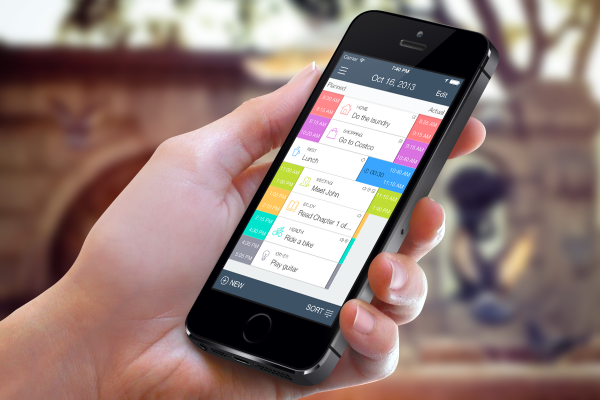
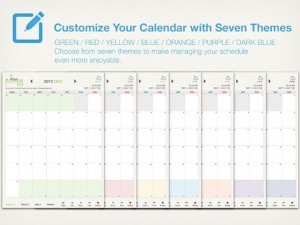
iPad Only App - Designed for the iPadiPlan syncs perfectly with Google Calendar and iCal, and it has many features that make it a worthy candidate for replacing both.
Read The Full Review »
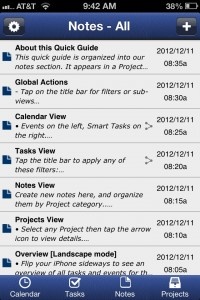
Posts Tagged scheduleiPlan for iPad ReviewiPad Only App - Designed for the iPadiPlan syncs perfectly with Google Calendar and iCal, and it has many features that make it a worthy candidate for replacing both. Read The Full Review » SmartDay ReviewiPhone App - Designed for the iPhone, compatible with the iPadSmartDay is an exceptional organizer that integrates tasks, notes, projects and appointments into one location. Read The Full Review »
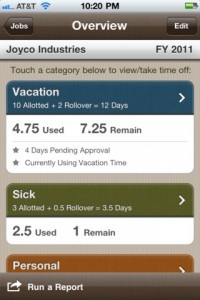
We’ve all had these problems. Well with the magic of technological innovation and smart thinking, we can use Time Off to keep track of it all. And I do mean “it all.” Sick days, vacation days, personal days – anything that ultimately equates to paid days off – can be documented. It can keep track of multiple jobs, display accrued time in hours or days, and account for rollover. But perhaps the most impressive (and ingenious) feature is that users can send time-off requests to their employers via email from within the app itself. I know it seems a little silly but I honestly find the concept behind Time Off to be incredibly exciting. And I think anyone who’s dealt with any (or all) of the issues I’ve mentioned about will probably agree with me.
The app allows users to find nearby cinemas and then favorite the ones they regularly go to. It’s then just a simple matter of flicking around the app for more information. Users can take a look at the movie poster, cast, a synopsis of the story, Rotten Tomatoes score and in some cases, also a trailer too. Of course, there’s also the all important film showing times too which are clearly laid out for all days of the week. Showings is a simple app but that’s exactly what anyone could want. It gives out the facts quickly and concisely so that users can plan their evening ahead fast. Showings is out now priced at $0.99. $1.99 ![]() iPhone App - Designed for the iPhone, compatible with the iPad Released: 2010-10-14 :: Category: Reference Right about now it can be incredibly difficult to keep track of all the various gifts which must be purchased for loved ones for the holidays. Which version of Pokemon did little Timmy want? Is Sally a size 3 or a size 4? Did Frank say that drill he wanted is on sale at Sears or Lowes? It can all be a bit overwhelming but, thanks to the new Gift Plan app, you might just manage to keep your sanity after all.
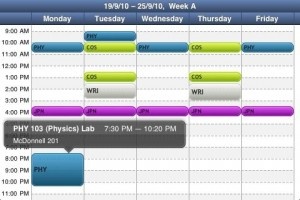
Beyond the holidays Gift Plan will also prove itself useful in the future, as you can easily save upcoming birthdays, anniversaries or other special gift-giving events. The app even supports importing birthdays from your contact list or Facebook, taking pretty much all the onus off of you to remember all those pesky dates. On top of all that, Gift Plan also lets you set alerts for upcoming events so you can be sure and get all your shopping done on time. This seems to be quite an ingenious little app as it manages to merge both calendars and time management with budgeting and shopping. This is the perfect little helper for all those with long shopping lists, short memories or both. Also, it’s just a great organization app in general as it lets you put all the important details about anyone on your holiday list all in one place. It’s one of those apps which just seems too good to be true, but it’s totally real and it’s fabulous. $2.99 ![]() iPhone App - Designed for the iPhone, compatible with the iPad Released: 2010-11-30 :: Category: Productivity [via TiPb] Classes ReviewiPhone App - Designed for the iPhone, compatible with the iPadIf you do need to keep track of your course schedule, Classes is a perfectly satisfactory app with few bells and whistles but more than enough substance. Read The Full Review »
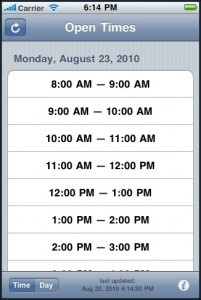
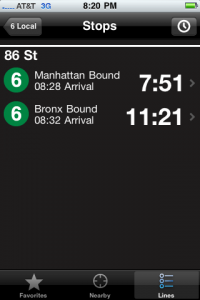
Instead, my day goes a lot like this. Wake up, breakfast, shower, write, write, maybe write a bit more, hang out, dinner, hang out some more, then sleep. For the busy businessman (or woman!), though, finding gaps in the daily schedule is as critical as correctly tying your shoes. What checkMeet does is scan your iPhone’s calendar app for breaks in the schedule. Just a forewarning, the app is assuming that you have an updated calendar in you calendar app, otherwise it won’t work too well, for obvious reasons. It also won’t access a network or work with other wonky calendar apps, just the one that is built in. From the app, you get all sorts of options to help the app determine what you would call a gap. You can choose how long a gap must be to fill it (i.e. hour long, half hour long), if you’d like to start your gaps at specific times (i.e. “on the :15′s”), and how much time between events you need for down time. Once you finish your preferences and choose a gap to fill, the scheduling goes directly into your built in calendar so you don’t have to worry about any strange export options. For a busy guy that uses the calendar app in the iPhone, checkMeet is absolutely the best way to ensure no double bookings. If time really is money, then checkMeet is priceless. ![]() Next Stop's Countdown Timer The app adds a wrapper and some nifty features around the MTA’s little known subway schedule. Users of the app enter their subway line and their departure point and are shown a countdown timer. Touching the train’s time displays the subway’s expected stop time at stations further down the line. The app includes other common features like a favorites system and tools to find nearby subway systems. NextStop is, at its core, an easy and pretty way to access subway schedules. iTrans NYC, one of the more popular subway apps, includes subway schedules as well. Yet iTrans is built around a variety of other tools and costs $3.99. NextStop is free and is the perfect companion for any NYC traveler. $2.99 ![]() iPhone App - Designed for the iPhone, compatible with the iPad Released: 2010-06-11 :: Category: Navigation |