Posts Tagged amazon


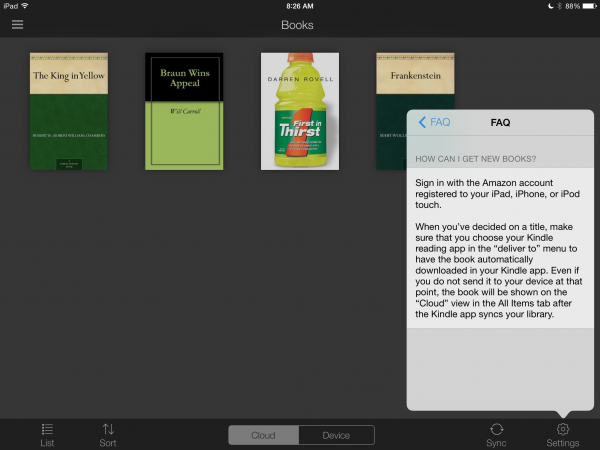
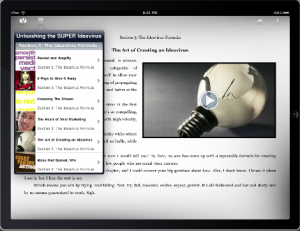
Between the Amazon Kindle App and Apple’s own iBooks store, the iPad has firmly established its place as a major player in the e-Reader market. Amazon, also being a very major player, is continuing to secure their own position by making it as easy as possible to get their content anywhere. The latest example of this is their new, touch-friendly, iPad-optimized Kindle Store.

To access the store iPad users must simply enter www.amazon.com/iPadKindleStore into their Safari browsers. From there they can shop for books in the new, touch-screen compatible layout with genres, editor’s picks and top 100 paid and free books easy to search. Amazon encourages adding the site to the home screen for even easier access.

The site also supports the Kindle Cloud Reader function. Any books purchased are stored on the cloud, ready to the accessed on any Kindle device, including this new website. Readers can keep going even if the internet connection is lost. As more mobile versions of sites crop up, it’s good to see that tablets are getting their own sites too.

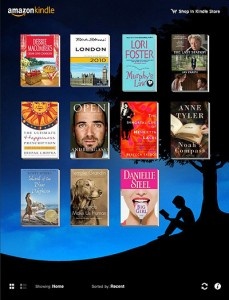
[Kindle iPad app pictured above]

FREE!
+ Universal App - Designed for iPhone and iPad
Our Rating: ★★★★☆ :: RECOMMENDED
Read Our Full Review >>
Released: 2009-03-04 :: Category: Books

The Portable Podcast, Episode 111

Fiery debate!

On This Episode:

  • Carter and guest co-host Brett Nolan discuss the upcoming Kindle Fire tablet and how it might affect the iPad market.
  • Carter and Brett talk about Poker Pals, and how the game is fun, but limited by technical drawbacks.
  • Who We Are:

  • Host: Carter Dotson
  • Guest: Brett Nolan, AppAddict.net
  • Music:

  • “Beatnes7 (Theme to The Portable Podcast)” by The Eternal – Download on iTunes here:
  • “Nanocarp” by The Eternal
  • How to Listen:

  • Click Here to Subscribe in iTunes:
  • Click Here to Subscribe via RSS.
  • Listen Here:
  • Apps Mentioned on This Episode:

    $0.99
    iPhone App - Designed for the iPhone, compatible with the iPad
    Released: 2011-11-03 :: Category: Games

    $1.99
    iPad Only App - Designed for the iPad
    Our Rating: ★★★★☆ :: PALLING AROUND
    Read Our Full Review >>
    Released: 2011-11-03 :: Category: Games

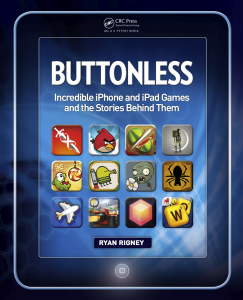
    Buttonless: Incredible iPhone and iPad Games and the Stories Behind Them is coming out December 21 (and available for pre-order now) to bookstores and online retailers everywhere. It’s a book about iOS games and their stories by Ryan Rigney, a freelance journalist who has covered the video-game industry from every angle for publications and sites including Gamasutra, PC Gamer and GamePro. We managed to talk with him for a bit about the inspirations for the book, among other things. Click through to the post for the interview AND an exclusive chapter from the upcoming book, all about Fruit Ninja.


    Continue reading Get the Inside Scoop And An Exclusive Fruit Ninja Chapter from Buttonless »

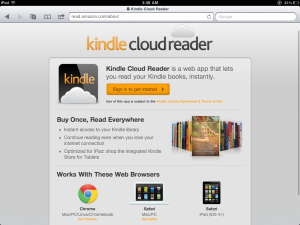
    Apple’s recent restrictions on apps offering external subscriptions and content are starting to hit, particularly as these apps are starting to remove external links to purchase content that isn’t offered through Apple’s services. However, there’s nothing that Apple can do about web apps – and that’s what Amazon is looking to exploit to improve their Kindle service on the iPad, with the Cloud Reader.

    The Kindle Cloud Reader, powered by HTML5, allows Kindle users to read their books either directly in Safari for iPad (it isn’t available for iPhone and iPod touch yet), or by saving a bookmark to the home screen that will let it run as a full screen web app. From there, all the books that a user has purchased on Kindle will be readable, though some books are not yet optimized for the Cloud Reader. These books can either just be downloaded from the web, or can be downloaded to the device for offline reading, which can be done by long-pressing on any book in the library and selecting “Pin Book.”

    The most important part of the Cloud Reader besides being able to exist outside of the Apple approval process, is that it has built-in Kindle Store access. Users can browse and buy books from within the Cloud Reader, and start reading them right away. Compare this to the current state of the Kindle app, where the ability to buy new books, and any consideration of book buying is non-existent. It’s like the presence of these books in the library is just a fortunate coincidence for the user. By pushing their Cloud Reader, Amazon can not only be platform-agnostic (though only Safari on iPad, Safari for Mac, and Google Chrome are officially supported, although it will be coming to other platforms in coming month), but can make it easier for them to sell Kindle books to users. Don’t be surprised if Nook and other e-reader services start launching similar HTML5 options in the near future.

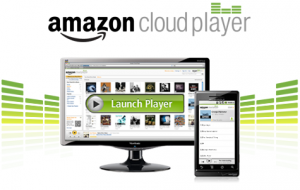
    Amazon has launched their Cloud Player recently, offering 5GB of free cloud-based storage to users, with additional space available via subscription and 20GB available for free by an album download. Amazon allows for music on their Cloud drives to be played back by users either via a browser, or by way of an app. A platform notably missing from Cloud Player support has been iOS – the app launched on Android as an upgrade to the official Amazon MP3 app, but an iOS app has not been released. Why the Cloud Player has not had support for iOS yet is a good question. The most likely reason is because the Cloud Player is inextricably linked with Amazon’s competing Amazon MP3 Store, especially as purchases from the store are available on users’ Cloud Player accounts immediately. This likely means that there will never be an official iOS app version for the Cloud Player.

    However, hope is not lost for iOS users looking to stream their music from Amazon’s cloud solution. Amazon has updated the web version of Cloud Player to support Mobile Safari. This support appears to be unofficial – when trying to launch the Cloud Player from an iOS device, a warning prompts that it is not supported on the user’s browser. However, the service loads properly, and allows for browsing of music, and it will play back without issue through Safari on iOS devices. As well, the Cloud Player supports iOS’ multitasking controls directly, so it is possible to play and pause while using other apps. Track skipping however appears to not be working, after testing on both an iPod touch 4G and iPad 1G, so there are still some restrictions with the player and multitasking, although tracks do auto-advance while in the browser.

    While the native app experience for the Amazon Cloud Player is superior, especially on Android, this does at least present something of a solution for iOS users looking to use the service, if/until Amazon is able to get an app on the App Store for users to use. It is unlikely that it ever will show up, but considering that apps like Rdio exist, it could happen someday, and this might just be a start in that direction.

    Source: Engadget

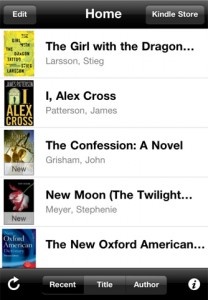
    Amazon has just launched the latest update to their Kindle app and this latest edition adds some much-needed new functionality. Update 2.5 enables both side-loading and background downloading of Kindle-compatible material, providing access to a whole range of new content with absolutely minimal extra effort.

    Side-loading allows Kindle users to download any compatible materials into the Kindle library. That means mail attachments, files from Project Gutenberg or material from any other compatible source can easily be transported into Kindle. Basically if it’s a .mobi or .prc file you can now import them into the Kindle app without fear of the dreaded incompatible file. In addition, you can now drag compatible files to the Kindle app via iTunes, so files saved on your computer can easily be imported into the app.

    The other major new component included in the update is support for background downloading, which takes advantage of one of the signature new features of iOS 4. Now you can start downloading a book or other material and then jump to another app while Kindle continues the download in the background. Great for impatient users or folks who simply prefer to multitask while waiting for something to download and install into the app.

    This latest update is truly welcome news, as it flings open the doors of Kindle and provides users with access to millions of books and documents which were previously locked away. As the eReader wars continue to rage on this update puts Kindle near the front of the pack, providing nicely enhanced functionality and some very attractive new features. Though Kindle may not quite be an absolute solution to all your eReading needs quite yet, it’s very quickly moving in that direction.

    FREE!
    + Universal App - Designed for iPhone and iPad
    Our Rating: ★★★★☆ :: RECOMMENDED
    Read Our Full Review >>
    Released: 2009-03-04 :: Category: Books

    [via MacWorld]

    The holiday shopping season is an incredibly stressful time. You find what you think is the perfect gift, but it seems a little expensive and you start to wonder if you couldn’t find it cheaper somewhere else. Of course, if you walk away now you may find out that the price is no better at other stores or, even worse, by the time you decide to buy everyone is sold out of the product you want. Amazon is trying to alleviate your fears at least a little by launching the new Price Check app, which should go a long way in helping shoppers find the best deals.

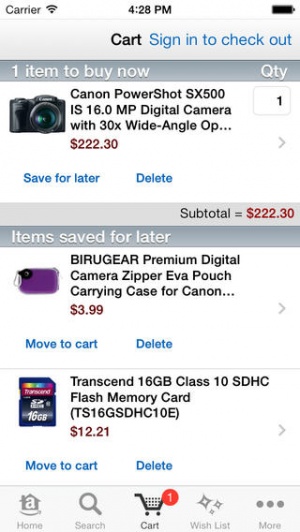
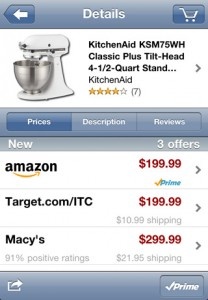
    Price Check allows users to scan a product’s barcode with their iPhone, or even take a picture of the item in question or say or type its name into Amazon’s database. The app then scours the Amazon Marketplace to find the item in question and provide a price list. If the online price is better than what you can find in-store then you can buy the item with one click and then go on your merry way.

    The app is constantly being updated, but Amazon promises that there are already “millions of products” in the database so hopefully you should be able to find what you’re looking for. All searches are automatically sorted with the lowest prices at the top, as well as information on shipping costs or if the product qualifies for free shipping. Is it handy? You bet it is.

    Apps like these also force physical stores to be very upfront and honest about their prices. While department stores may claim that sweater or camera is “on sale,” a quick perusal of Price Check will let you know if the price being offered is truly a good deal or if the store is just deflating the price of an outrageous markup. For the informed shopper, the power is now in your hands.

    FREE!
    iPhone App - Designed for the iPhone, compatible with the iPad
    Released: 2010-11-22 :: Category: Lifestyle

    [via TechCrunch]

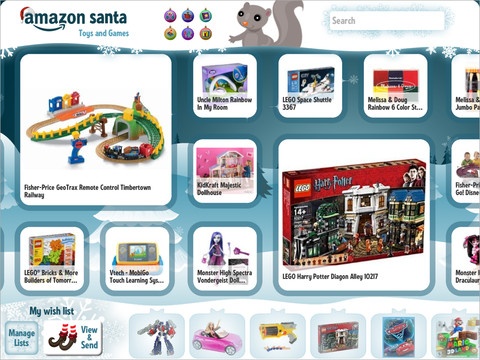
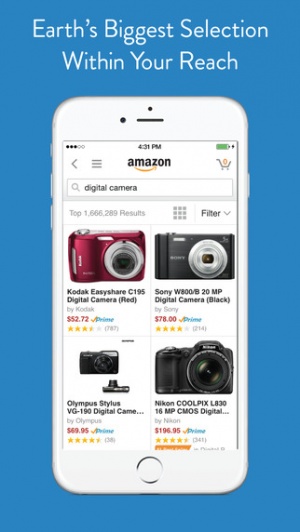
    As if impulse buying on the Internet weren’t easy (and dangerous) enough already, Amazon has upped the ante by releasing the Windowshop app for the iPad. The free app will allow users to browse and purchase items off Amazon’s online marketplace, and the entire experience has been built from the ground up with the iPad in mind.

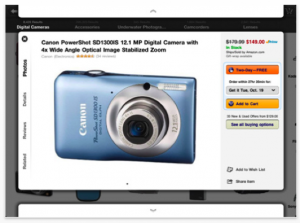
    The app features all of Amazon’s traditional listings, including separating products into Bestsellers, New Releases, etc. The app also allows users to pop up and zoom in on specific products, letting them see descriptions, HD images and user reviews all in one screen. Amazon Prime members will also see which products qualify for the premium service and will be able to take advantage of Amazon’s 1-click checkout, which is both the greatest and most devious invention known to mankind.

    This app should be great for all the hipster holiday shoppers who can now whip out their iPad in the coffee shop and order trendy gifts for friends and loved ones off one of the Internet’s most-beloved marketplaces. I assume it’ll also be great for normal busy adults who can now shop during commutes or when on a lunch break, but that’s not as funny a mental image. At any rate, enjoy this super-useful app for all your online shopping needs, just remember where your cutoff point is and don’t go crazy buying stuff you don’t need simply because it’s so darn convenient.

    [via TechCrunch]

    FREE!
    iPad Only App - Designed for the iPad
    Released: 2010-10-26 :: Category: Lifestyle

    Most people who have seen my new iPad react with the same question, “should I get this or the Kindle?” Apple, obviously, intended its iPad to be perceived as much more than an eBook reader. Yet the much publicized launch of the iBookstore, along with the iPad’s slim form factor, have led many consumers to perceive the iPad as an expensive eBook reader.

    The Kindle is the Premier eBook Reader

    Amazon's Kindle 2

    The Kindle was launched solely as an eBook reader and is marketed as such. Jeff Bezos, on introducing the device, said of the Kindle that “it’s so ambitious to take something as highly evolved as the book and improve on it. And maybe even change the way people read.” Amazon has definitely done much of the legwork in improving the acceptability of the eBook as a new medium for written material. Amazon’s true innovation was bringing E-Ink technology to the consumer market, along with doing the technical legwork to simplify the reading experience. At its core, the Kindle is a delivery device – a user purchases a book as they would online and finds it available for reading seconds later.

    The reading experience does everything it can to mimic the experience of paper, all of which is aided by E-Ink. The screen is technology’s response to those who complained that they would never be able to read a book on a traditional LCD screen or a laptop. The Kindle itself is merely the size of a large paperback and is lighter than most printed books. The Kindle is Bezos’ effort to translate the book for the digital age, and he has largely succeeded in providing a popular and widely accepted new platform.

    The iPad as an eBook Reader

    Apple's iPad with iBooks

    The iPad has benefited from terrific interest from both book publishers and book retailers. As a consequence we’ve seen innovative new packages like the Vook and traditional books from retailers like B&N, Amazon, and more. While the Kindle has a terrific – and probably the largest – bookstore, the iPad offers more choices for where you get your ebooks.

    There’s Apple’s iBooks, Amazon’s Kindle reading app, B&N’s new iPad reader, and more. The three largest players each offer different solutions to the eBook problem. iBooks tries to mimic the feel of a physical book, utilizing a color UI with beautifully rendered page turns. The Kindle’s UI is black and white and encourages the same type of user interaction as the physical Kindle – a simple tap on the side of the screen changes pages in a fluid transition not as visually distracting as that of iBooks. B&N’s app allows users to choose from dozens of different visual settings but maintains the same fluid page transitions as Amazon’s Kindle app. Only the iBooks app has a store in-app; the others force the reader to go to Safari to purchase books. This is a definite snag in the clear workflow Bezos presented with the original Kindle, but one that I’m sure both B&N and Amazon will surmount in future applications.

    The iPad’s reflective LCD screen probably isn’t the best for simply reading a book. It’s a pain in the sun, where it’s nearly impossible to see the text on a page. E-Ink mainly solves this problem with its screen. People who have issues reading for long periods of time on their laptops may wish to reconsider an iPad purchase if it’s intended solely as an eBook reader. While the reading experience is cleaner and more enjoyable, it’s the same experience as the backlit screens most notebooks include. In addition, the iPad’s battery life is rated at 10 hours, enough for most commuters but nowhere near the weeks the Kindle can last for.

    The iPad as a Platform: Bigger Than Books

    A Vook on the iPad

    The key differentiator between the two comes when we move beyond the simple eBook reading features. The Kindle includes a browser, but not one that functions nearly as well as the iPad’s. It’s black and white and renders incredibly slowly due to the E-Ink screen technology. The iPad’s Safari browser is widely regarded as one of the best on a mobile platform.

    I’ve always seen the iPad as more than a traditional book reader as well. The Kindle simply translates the book reading experience into the digital age but strives not to completely alter the way we experience books. New features like Amazon’s Popular Highlights add subtle suggestions about the importance of a passage but do not redefine the reading workflow. Cool ideas like the aforementioned Vook change the reading experience by adding videos, multimedia, more information about certain topics (with links) and more. Could the iPad help the form of the written word change? Only time, and developers, will tell.

    Decisions, Decisions
    Those of you struggling with the decision to purchase an iPad or a Kindle might want to do some soul searching. What do you want from your portable device? Just books and nothing more? Buy a Kindle – that’s what it’s meant for. But if you’re looking for a small computer, with thousands of different and innovative new applications that could redefine reading, the iPad is for you.

    Stanza's Options and Reading Screen

    Lexcycle, acquired last year by Amazon, released a version of their popular iPhone/iPod touch eReader Stanza for the iPad last week. Stanza was my eReader of choice on my iPhone and I’m thrilled it’s finally been ported to the iPad. It’s a terrific reader that’s compatible with a wide variety of different formats. Before Stanza for iPad was released, I used Calibre to convert my eBooks to iBooks’ required ePub format. Stanza allows users to read in a whole bunch of formats, and the 3.0 release adds PDF, DjVu, and Comic Book Archive support to Stanza’s already extensive library of readable files.

    Stanza includes the most customizable reading interface I’ve seen on a mobile application. It allows you to customize nearly everything, from the page turning animations (a slide like the Kindle’s or a page turning animation like iBooks’) to the background and color of the text. Stanza really does make the experience all about the text – the user is able to customize everything about the way the book is viewed. Barnes and Nobles’ app was lauded earlier this week for including the same customization but their application locks you into using their bookstore. Stanza lets you load your own books onto the iPad or iPhone. It also, however, allows you access to a variety of other eBook stores directly from the phone.

    Stanza's Text Descriptions

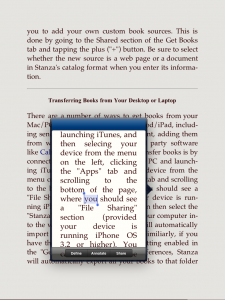
    Perhaps the application’s best feature is Stanza’s Detail views for text. Highlighting text using the traditional copy and paste mechanism in iBooks yields a tooltip that lets you bookmark (highlight) and look things up in the dictionary. It’s a more complicated scenario in Stanza but one that offers one additional option – the ability to share text on Facebook, Twitter, and through email. The detail view pulls up the paragraph in question in an iPhone-sized window and makes it easier to select text.

    Stanza works perfectly with Calibre, my app of choice for eBook conversion. It now allows for a really simple workflow to get eBooks from the desktop to an iPad. It’s possible to move books by utilizing a computer as a wireless server, or by pushing them from Calibre into iTunes. It’s also possible to drag books into iTunes and into Stanza.

    Stanza is the ideal reading experience, with customizable colors, animations, and more and compatibility with dozens of different formats. The Lexcycle team has succeeded in bringing the great iPhone app to the iPad and I, as an avid reader, am glad they did so.

    FREE!
    + Universal App - Designed for iPhone and iPad
    Our Rating: ★★★★½ :: HIGHLY RECOMMENDED
    Read Our Full Review >>
    Released: 2008-07-13 :: Category: Books
    Kindle for iPhone

    Kindle for iPhone

    iPhone App - Designed for the iPhone, compatible with the iPad
    While not the most robust ebook reader around, Amazon has just laid down the gauntlet in the iPhone / iPod Touch ebook war. Get instant access to over 240,000 books, even ones you've previously purchased for your Kindle!

    Read The Full Review »
    App Store Insider: August Trometer, FoggyNoggin Software

    Website: http://foggynoggin.com/

    Contact: Contact FoggyNoggin

    Bio: Web developer by day, Mac and iPhone developer by night.

    - Created iPodderX, the world’s first podcast client
    - Wrote “Optimizing Your Website for Mobile Safari” prior to the SDK being released
    - Loan Shark was chosen early on by Apple as a “Featured” app, and is also featured in Apple’s own “iPhone Your Life” pages.

    Favorite apps:
    Fieldrunners, USA Today, Blocked, Touch Physics, and Things, and Pandora


    Interview with August Trometer: Part 2:

    Audio clip: Adobe Flash Player (version 9 or above) is required to play this audio clip. Download the latest version here. You also need to have JavaScript enabled in your browser.

    To listen to the audio interview, click the play triangle above.
    To download the .MP3, right click and choose “Save Link As…”.


    Finishing up our interview with August, I ask him about what it is like being an iPhone developer in the lime-light, or Celebrity Developer. He talks about how much fun it has been to break out of the traditional role from time to time, and how it has really helped out his programming business.

    I also get his opinions on Apple’s filing to have jailbreaking iPhones judged illegal, what that means to the development community, and how jailbreaking is actually beneficial to the App Store and making the iPhone a popular development platform. August also tells us why he has avoided it.

    Most importantly, August gives us the breaking story about the soon to be released app, YOWZA!!, and how it will change the way you shop and use your iPhone.

    Listen to how August met Greg Grunberg (Matt Parkman on Heroes) on Twitter, and joined forces with Rick Yaeger from MacMerc, to create a whole new business model for an iPhone app, and how they have tackled the problems of turning your iPhone into a money-saving shopping tool! And it’s going to be FREE!

    Here is a little taste from Greg himself.


    Enjoy!

    You can check out August’s digital book, Optimizing Your Website for Mobile Safari on your Kindle from Amazon, or buy it in PDF format here.

    Next Read

    Next Read

    iPhone App - Designed for the iPhone, compatible with the iPad
    Next Read helps you to keep track of books that others have suggested for you—suggestions that might otherwise be lost. Literature lovers will find Next Read to be a useful way to organize suggestions; others should probably pass.

    Read The Full Review »
        Advertisement    


    Featured Apps

        Advertisement    


    Developers

    Would you like your application reviewed on 148Apps? See the About page for information.
        Advertisement    


    148Apps Network

    148Apps - iPhone app reviews and news. The best gosh darn iPhone app site this side of Mars.
    http://148apps.com :: @148Apps

    The Portable Gamer - Mobile gaming magazine for the casual gamer.
    http://ThePortableGamer.com :: @PortableGamer

    The App Hall of Fame - An archive of the very best in apps and games.
    http://AppHallofFame.com :: @AppHallofFame

    Android Rundown - Android news and reviews. Where you get the rundown on Android apps and hardware.
    http://AndroidRundown.com :: @AndroidRundown

    148Apps.biz - iPhone development news and information for the community, by the community.
    http://148apps.biz :: @148AppsBiz

    Best App Ever - Yearly Mobile App Achievement Awards.
    http://bestappever.com :: @BestAppEver

    GiggleApps - iPhone applications reviews for kids and parents.
    http://GiggleApps.com :: @GiggleApps