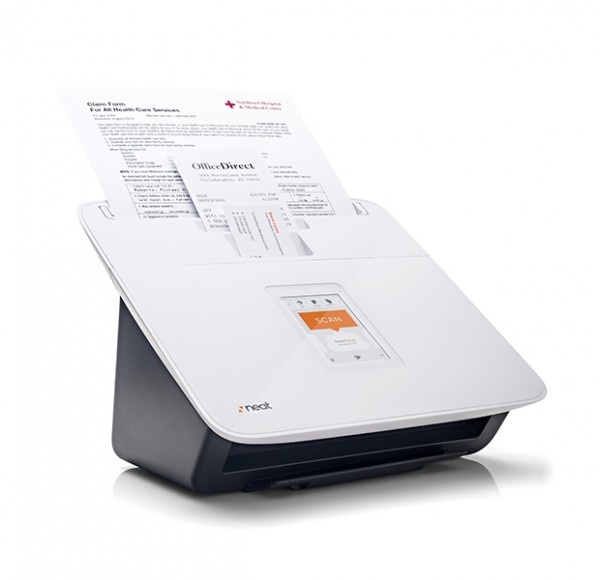
Back in January at Macworld Expo we saw the first demo of Neat Cloud and Neat Mobile. Neat have been around for years providing hardware and software that allows archiving and then searching of scanned documents of various kinds. They produce two different scanners and desktop software to help you get documents into your database. The Neat Cloud update brings that database into the cloud and allows scanning and searching from the iPhone and iPad.
Not only can you use your iPhone and iPad to search your Neat data in the cloud while on the go, you can also use these devices to get items into the system. Utilizing the camera on the iPhone is a great way to get business cards, receipts, and other items onto your Neat Cloud while away from home. Take a look at the video from Neat below for more on the Neat system.
We got a few days to try out Neat Cloud, Neat Mobile, and one of the Neat Desk scanners. Here are some initial thoughts.
The Neat scanner is easy to set up. Just install the software and then plug in the power and the USB cable. Throw in a bunch go papers into one of the three custom guides in the scanner — one for documents, one for receipts, and one for business cards — and away you go. The scanning happens just about as fast as you can throw documents at it. Once documents are in they will be recognized and OCR’ed to get the data from them. From there they reside in your inbox in Neat for you to give them a check and file them in a folder that works for you.
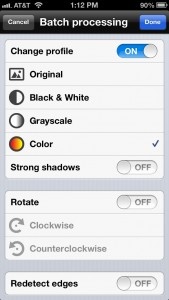
You can also use the Neat mobile app to scan documents into your Neat database. In that case the document is sent to the cloud to be recognized and OCR applied. It is then send back down to your mobile device and to your Neat desktop inbox for sorting.
While the Neat Scanner works well if you have stacks of documents to scan in, in quick testing we found the iPhone camera to be produce quicker and higher resolution scans of most one and two page items. Both seem to have their place — the scanner for stacks of documents and the camera for single items and when you are on the go.
Both the scanner and your iPhone captures will not only keep the original images of your document, business cards, receipts, etc., the system will also apply Optical Character Recognition (OCR) on them. The OCR will, if the document type is set right, also grab relevent data from your scans. For example the purchase total and credit card used for a receipt or contact details from a business card. You can then use that data to updated your contacts or use the receipt data at tax time.
All visible text in the document is converted to text for the database too. Because of this you will also be able to search not only metadata about the documents scanned, but also the full content as well. Great for instances where you are looking for documents about a particular subject, but can’t remember more.
In quick testing of the OCR capabilities, everything seemed to work well with just a few recognition mistakes. In most cases the mistake was minor — but some of the more difficult business cards I threw at it did cause it to return oddly converted text. Unfortunately no OCR system is complete scan and forget, they all need to be fine tuned.
Neat Cloud comes at an additional cost over the Neat scanner and software. A personal account costs $5.99/month but you’ll need the Home & Office account at $14.99/month to use the mobile app. The Home & Office account does have the additional bonus of supporting two users, great for a household. In addition there is a higher level, the Business account that allows access by up to 5 users for $24.99/month.
Neat Mobile and Neat Cloud are available immediately. The link to the mobile app is below. To sign up for a Neat Cloud account, head to the Neat Cloud site.
Scanner Pro 4, released in April of this year by developer Readdle, just got an update to version 4.1. Scanner Pro 4 brought a newly re-designed interface to the iPhone, as the app became a Universal binary, able to be used on any iOS device.
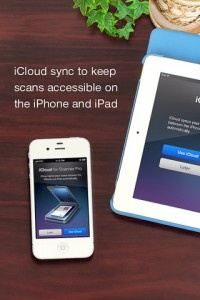
Today, Readdle touts iCloud integration as the next big feature to hit its document scanning app. iCloud auto sync allows any document that is scanned via the iPhone or iPad to be available on any other iCloud enabled device, all automatically and such. No more emailing documents from one device to the next, beaming, or copying to Dropbox, though those options and more are still supported.
Scanner Pro 4.1 also includes an updated iPhone interface, making it look and work more like the recently redesigned iPad UI.
Since launching in 2009, Readdle boasts that Scanner Pro has over 350 000 users using Scanner Pro regularly to scan documents, receipts and whiteboards, so you know it’s a fairly good app. If those numbers don’t sway you, our own reviewer called this one a best in class scanner, awarding it four stars in his review.
A little over two years ago, Jason Fanguy wrote up a review of Scanner Pro, a portable scanner app by Readdle (also known for other popular file management and productivity apps like Printer Pro and ReaddleDocs).
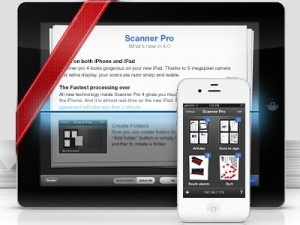
Many updates ago, when Scanner Pro was on version 1.2.5, Jason described the app as “best in class,” the interface as “refreshingly clean,” and was amazed by the clarity of the text-heavy documents he scanned. Now, many updates later, Readdle has released the 4.0 version of powerful Scanner Pro. This update focused on making Scanner Pro the best scanner app for the iPad.
Since the new iPad boasts such a powerful camera, it’s become the ideal device for an app like Scanner Pro. It’s now a universal app. But the iPad version isn’t just a scaled up version with better graphics. The app has been completely redesigned with the iPad in mind. Other important new features include faster image processing, folders to organize scans, and a search by name or date option.
Three major updates later, Scanner Pro is the same price ($6.99) as it was when Jason reviewed it two years ago.
It’s been done with with many iOS devices before. In public, no less. Pretty much everyone has done it, but there’s no shame in it. I am, of course, referring to using an iPhone/Pad’s wifi (or 3G) capabilities to look up an item’s price online while still in the store. Maybe it’s to check for a better price or even to see if it can be “flipped” for a decent profit, but no matter the reason people do it all the time. Now TechCruch has pointed out a new app that makes the process super easy.
Amazon Student, along with a few other Amazon apps, enables users to do all that and more. A quick scan of a barcode is all it takes, really. The idea is that it makes looking for a good price on textbooks easy, but it works on just about everything sold en-masse in a retail environment. The big difference here is that it also allows users to scan their own items to sell on Amazon if they’re eligible for trade-in. Just scan it, and if it’s a “yes” then Amazon will pay for shipping and send out a gift card.
Posted May 18th, 2011 by Gianna LaPin Our Rating: :: IT'S A KEEPER
Book Crawler aims to put a virtual card catalog in your pocket -- whether it’s for books you own, books you’ve read, books you lent out, or all three – and does so with some mighty powerful tagging and sorting features.
Business card scanning software is nothing new in the App Store. There are plenty of apps that take data from a picture of a business card, but none that get the data right every time. Sometimes shadows get in the way, or the app thinks that the name Chris looks like Cheryl, and boy is that annoying.
TechCrunch talked about how CardMunch does things a bit differently, adding a human element to the card scan. Like other card scanning apps, it still captures the card image with your iPhone’s camera, but then the picture is sent off to the CardMunch office where real humans extrapolate the data. Real humans that guarantee 100% accuracy! Once it’s done, the data is sent directly to your Address Book or to the CardMunch app itself if you don’t want to clutter your contacts.
The service does cost $0.25 per card, but if you have to scan 400 cards, CardMunch claims that you will save an average of 23 hours of data entry time. Seems worth it to me. Try the app out for free and get 5 free card scans with your “purchase”.
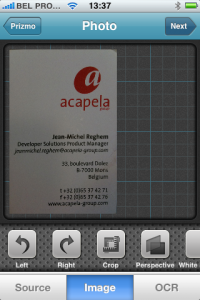
Creaceed, since its release of Prizmo for the Mac, has been apparently inundated with requests for an iPhone version. Well now the requests have been granted, and the iPhone version of Prizmo is almost ready.
Prizmo, for those who have never heard of it, is an OCR solution previously relegated to only the Mac. It basically can take any picture and find the text in it, and then make it fully searchable on the computer. The functionality doesn’t end with document “scanning”, it also can correct lens distortion, perspective on any old picture, and even page curl.
The iPhone version of Prizmo will be looking to do many of the same things, with some of the key features being: picture straightening, white picker, crop and rotation, state-of-the-art OCR in several languages, and some unidentified “unique features”.
There’s no word on the exact Prismo launch date, but I’d be looking for it in the App Store shortly.
iPhone App - Designed for the iPhone, compatible with the iPad
Posted June 13th, 2010 by Jason Fanguy Our Rating: :: VERY USEFUL
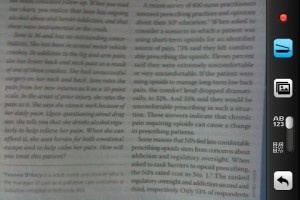
Not your typical scanning app, Smart Scanner allows users to scan printed information, such as magazine articles, emails, book pages, etc. in real time and use its OCR features to send scanned information via email, store it within the app for future reference, make a phone call or open a URL, by simply touching the appropriate link on the resulting scan's screen. While the app is not perfect, it's as close as you can get.
iPhone App - Designed for the iPhone, compatible with the iPad
Posted April 8th, 2010 by Jason Fanguy Our Rating: :: BARE BONES READER
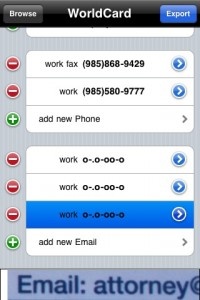
WorldCard Mobile is a barebones business card reader who’s data recognition capabilities left me disappointed and frustrated. Scan results were inconsistent and the application’s refusal to bring me back to the main screen reveal much work needs to be done before WorlCard Mobile is worth its asking price.
iPhone App - Designed for the iPhone, compatible with the iPad
Posted April 8th, 2010 by Jason Fanguy Our Rating: :: VIABLE CONTENDER
ScanBizCards is rich in features and, while it's data recognition is inconsistent, its impressive array of features/options offers solace to users who don’t mind encountering “hiccups” in what should be an autonomous process.
iPhone App - Designed for the iPhone, compatible with the iPad
Posted April 8th, 2010 by Jason Fanguy Our Rating: :: BEST IN CLASS
Business Card Reader is a solid, reliable, visually aesthetic business card reader that performs as advertised, with minimal effort on the user’s part. Of the business card readers I've tested thus far, Business Card Reader performed the best.
iPhone App - Designed for the iPhone, compatible with the iPad
Posted June 29th, 2009 by Kyle Flanigan Our Rating: :: A MUST
Wunder Radio is an internet radio application that gives live feeds from thousands of stations across the world. Whatever you're in the mood for - you'll find it in here. From the Bahamas to Poland, United States to United Arab Emirates .. there's no shortage of choice.
iPhone App - Designed for the iPhone, compatible with the iPad
Posted April 20th, 2009 by Donna Harrison Our Rating: :: NOT YET
This somewhat overhyped location-based coupon application has a fantastic, forward-thinking concept. Unfortunately it doesn't have much to offer users at the current time.