Posts Tagged office

Zombies Review

Zombies Review

iPhone App - Designed for the iPhone, compatible with the iPad
Mike Judge meets George Romero in this gloriously goofy (and violent) zombie-masher.

Read The Full Review »

This Week at 148Apps: August 20-24

This week at 148Apps.com, Carter Dotson asked the question that so many iPad owners have thought to themselves: “Why can’t I work from just my iPad?”

“I’m sick of desktops, laptops, and netbooks. The iPad is lightweight, has great battery life, and I don’t have to take it out of my bag when I’m flying. Most of the work that I do is writing, covering iOS and Android, so it seems appropriate to primarily do this work from mobile devices, right? That’s what I want, but there’s still just so many shortcomings that keep it from being a regular reality.

“What I find is that for basic tasks, the iPad is great. I like the focus that the iPad’s limitation of running a single app on screen at a time provides, especially for writing. I use a portable Bluetooth keyboard, and while it’s not full-size, the benefits I get from being forced to focus on what I’m writing is a huge benefit. As well, with the customer support job I work with that uses Zendesk, I discovered that it’s actually quite easy to do it efficiently through Safari and the Zendesk mobile app. I didn’t feel like I was any less productive in working from the iPad than I do when I work from my Mac in this case. But it’s the exception to the rule.”

Read more of Carter’s home-to-work manifesto at 148Apps.

Meanwhile, Amy Solomon at GiggleApps.com took a trip to the zoo via ABC ZooBorns: “My son, a fan of these other apps, was excited to hear about ABC ZooBorns, asking me about a list of his favorite animals, all of which are included – much to my son’s excitement. I too enjoy the list of animals included – be it more traditional zoo animals, such as tigers or zebras, but also including some unique choices such as Ural owl, wombat or quokka. We do love to look at these animals as babies, especially those are simply precious to look at such as baby Gorillas or Elephants.”

Read Amy’s complete review at GiggleApps.com.

$2.99
+ Universal App - Designed for iPhone and iPad
Released: 2012-07-24 :: Category: Education

Finally, AndroidRundown.com featured a story about a fascinating new KickStarter project named InstaCube. Joseph Bertolini writes, “It streams photos directly from any user’s Instagram account and displays them on a large 6.5″ LCD touchscreen. Display those photos from the park yesterday or randomly check in on some friends, because what good are those photos if they are stuck on a tiny phone screen all the time. Probably the greatest element of InstaCube is its ability to stay away from being one dimensional by including full access to Instagram. Doing this allows for photo browsing, ‘liking’ of photos, and InstaCube will even display live photos of sunrises and sunsets from around the world.”

Sound intriguing? Read more about it at AndroidRundown.com.

Summer’s heading to a close, but we still have so much more to offer across the 148Apps network. Keep track of all the latest happenings, as well as reviews and contests, by following us on Twitter or liking us on Facebook. You’ll be glad you did.

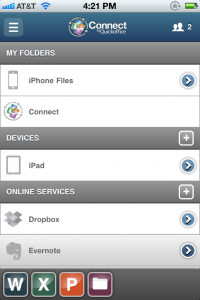
Quickoffice has a new app available, one that promises that no document will wind up lost on one device, or in the wrong cloud storage service.

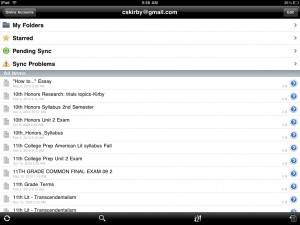
Connect by Quickoffice is designed to let users access their data from anywhere, with automatic file synchronization. Connect comes a free-to-download native app for iOS and Android, with PC and Mac clients, and a web portal available from any web browser. Connect supports a dozen cloud services at launch, including but not limited to Dropbox, Evernote, Box, Basecamp, and Microsoft SkyDrive. Files can be accessed from any device synchronized with the service, with remote access available to these devices as well. Files can be shared to social networks, and there is peer collaboration available through a commenting system. Importantly, all files created and edited through the service will retain their support with Microsoft Office formats.

Connect by Quickoffice comes in three tiers of service. Basic lets users view documents, access cloud files, have five shared folders, sync two devices, and sync up to 5,000 files for free. Premium adds document editing, an aggregated search, unlimited shared folders, 4 device synchronization, remote access, and 125,000 synced files, for $44.99 per year, with a $19.99 per year sale price at launch. Professional will add six devices for synchronization, file versioning, and 250,000 file sync capacity. That’s a lot of files! The app is available now.

FREE!
iPad Only App - Designed for the iPad
Released: 2012-04-16 :: Category: Productivity

FREE!
iPhone App - Designed for the iPhone, compatible with the iPad
Released: 2012-04-16 :: Category: Productivity

When it was originally reviewed, ReaddleDocs was regarded as a brilliant file viewer offering some impressive document management capabilities. It’s an app that opens mostly anything anyone could ever want, from MS Office based files to Apple iWork files and the likes of MS Visio, PDFs and a variety of different images. Accessing the files is just as easy with the option to access files from PCs, web sites, email attachments, iDisk, Dropbox and numerous other methods. Now in its Version 3.0 form, ReaddleDocs promises to be even better.

Many new features are included in this iteration. Users can now search from within MS Office, TXT and RTF files. Everything is much speedier to use with the PDF and TXT viewer in particular being both faster and more stable to use. Underline and strikeout annotations have also been added for PDF files. The Image Viewer is also faster to load large pictures. Users can now view Open Office Writer files via ReaddleDocs. The MP3 player now supports playlists and a background mode as well as other more subtle features. There’s even a much needed RAR unarchiver bundled in.

The UI for ReaddleDocs has been completely redesigned and promises to be much more intuitive to use. A new ‘Recents’ section ensures it’s easy to consult previously opened files quickly. The built-in browser has been similarly improved with the ability to access bookmarks from the browser start page and a Google search field making things easier to use.

Last but not least, Network Protocol improvements have been implemented with the ability to sync FTP and SFTP servers with the iPad and everything generally working much faster.

In all, ReaddleDocs promises over 300 fixes and improvements. It’s great to see already excellent apps improved even more and that’s certainly the case here. ReaddleDocs‘s update is available now.

FREE!
+ Universal App - Designed for iPhone and iPad
Released: 2010-04-01 :: Category: Productivity

Quickoffice Connect Mobile Suite for iPad Review

Quickoffice Connect Mobile Suite for iPad Review

iPad Only App - Designed for the iPad
It's not as complete an office suite as its primary competitor, but Quickoffice is clearly the winner in terms of overall usability.

Read The Full Review »

While Apple was undoubtedly first with their top quality office productivity apps for the iPad, I hear they had an inside advantage, Documents To Go and QuickOffice haven’t been but a couple months behind.

Documents To Go was updated recently to a universal version — meaning it’s optimized for both the iPhone and iPad. So if you had the iPhone version, you would get the iPad version for free. QuickOffice decided to take a different route. But, what they’ve added may make it worthwhile.

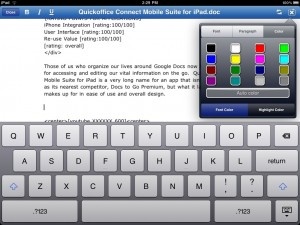
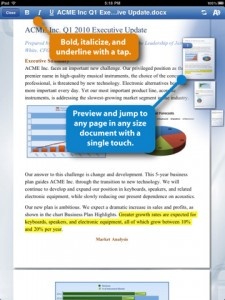
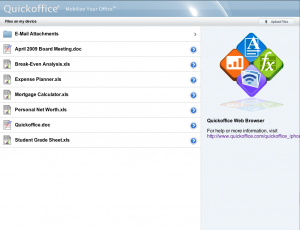
Released just earlier tonight, QuickOffice Connect Mobile Suite for iPad has all of the features of the iPhone version, but rather than just expand all of the on screen controls to allow the app to fill the screen, QuickOffice have made redesigned it somewhat to take advantage of the iPad with newly redesigned controls.

QuickOffice have made it clear that they are not done innovating and adding new features to this app. And I look forward to see where it goes. QuickOffice for the iPad is available now at an introductory price of $9.99.

$19.99
iPad Only App - Designed for the iPad
Released: 2010-06-10 :: Category: Business

Documents to Go Premium Review

+ Universal App - Designed for iPhone and iPad
Dataviz makes the jump to the iPad with this now-updated universal app.

Read The Full Review »
QuickOffice

QuickOffice

iPhone App - Designed for the iPhone, compatible with the iPad
Quickoffice emulates what we think of as an office suite on a desktop. While you probably won't wish to constantly edit documents on the go, it is definitely an office suite that is robust enough to meet most users' mobile needs.

Read The Full Review »
CardSnap

CardSnap

iPhone App - Designed for the iPhone, compatible with the iPad
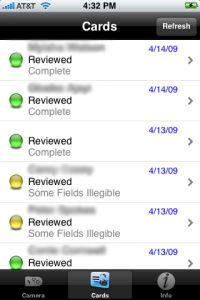
In a couple of the cases I was genuinely surprised how well the software worked. Text that I could barely make out was interpreted perfectly. Conversely, perfectly legible text in standard fonts was not transferred at all.

Read The Full Review »
Plus

Plus

iPhone App - Designed for the iPhone, compatible with the iPad
Plus is definitely a worthwhile spreadsheet app. With it you can easily transfer Excel spreadsheets back and forth and edit and open them on both the PC/Mac and the iPhone. While it appears to be well worth its asking price, you still have to ask yourself if its limited support of Excel's XML file format will be enough for you. If you need full MS Office compatibility, this will disappoint.

Read The Full Review »
DataCase

DataCase

DataCase allows you to both store documents on your iPhone and view them on the go.

Read The Full Review »
    Advertisement    


Featured Apps

    Advertisement    


Developers

Would you like your application reviewed on 148Apps? See the About page for information.
    Advertisement    


Steel Media Network

148Apps - iPhone app reviews and news. The best gosh darn iPhone app site this side of Mars.
http://148apps.com :: @148Apps

The Portable Gamer - Coming soon.
http://ThePortableGamer.com :: @PortableGamer

Android Rundown - Android news and reviews. Where you get the rundown on Android apps and hardware.
http://AndroidRundown.com :: @AndroidRundown

Best App Ever - Yearly Mobile App Achievement Awards.
http://bestappever.com :: @BestAppEver

GiggleApps - iPhone applications reviews for kids and parents.
http://GiggleApps.com :: @GiggleApps

148Apps.biz - iPhone development news and information for the community, by the community.
http://148apps.biz :: @148AppsBiz

The App Hall of Fame - An archive of the very best in apps and games.
http://AppHallofFame.com :: @AppHallofFame

Pocket Gamer - Mobile game reviews, news, and features.
http://PocketGamer.co.uk :: @PocketGamer

Pocket Gamer.biz - Mobile games industry news, opinion, and analysis.
http://PocketGamer.biz :: @pgbiz

AppSpy - iOS game news and video reviews.
http://appspy.com :: @appspy

Smart TV Radar - For everything you need to know about Smart TV.
http://smarttvradar.com :: @smarttvradar