Posts Tagged Navigation

Anyone who’s ever been to Manhattan, let alone actually lives there, can tell you that getting around is something of a pain at times. Actually that’s not true. Getting around Manhattan is a nightmare most of the time. Between subway re-routes that aren’t even mentioned in their respective stations to obtuse maps, simply getting from Point A to Point B can require a stop over at Points X, Y, and Z. It gets even worse when you’re in a hurry.

With the ineptitude of the MTA in mind, I’ve compiled a list of apps that should help anyone, resident and tourist alike, find their way around with a bit less hassle.

iTrans NYC Subway
The App Store description claims that this is the “ultimate NYC transit app,” and they aren’t wrong. It’s not perfect because the MTA is rarely “on schedule,” but it’s about as close are you’re going to get. Predicted train arrival times, schedules, maps, location based navigation to nearby subway entrances, step-by-step directions for a planned trip, bus info, and real time train delay info when connected to WiFi will all make getting around beneath the city streets as painless as possible. Provided you don’t get elbowed in the face by one of those dancing panhandlers.

$3.99
iPhone App - Designed for the iPhone, compatible with the iPad
Released: 2008-07-11 :: Category: Navigation

HopStop Transit Directions for iPhone
Now this is the app for serious trip planners. It covers virtually all possible transit routes ranging from cabs to buses to trains and beyond. It can call up schedules, maps (even viewable offline), ETAs, lists several possible routes, and even allows uses to set their preferences to avoid or stick to specific modes of transportation. Heck, it can even save recent searches to be called up later.

FREE!
iPhone App - Designed for the iPhone, compatible with the iPad
Released: 2009-02-05 :: Category: Navigation

NYC Way
What makes this one so notable is that it’s essentially dozens of useful NYC-centric apps in one place. It can call up video from live traffic cams to plan ahead for a road trip. It can call up a bunch of info for various galleries, shopping hotspots, and more. It can search for parking and WiFi. Museums and various tourist attractions are on the list, too. It’s kind of the one-stop shop for any and all information you may need to plan a trip into the city; whether it’s for a few days or a couple of hours.

FREE!
iPhone App - Designed for the iPhone, compatible with the iPad
Released: 2009-12-04 :: Category: Travel

Central Park
A lot of people don’t realize it until they see it for themselves, but Central Park is big. So big, in fact, that it warrants its own app. This “insider’s guide” covers events (concerts, etc), notable locations to check out (did you know it has its own zoo?), and even helps you find a bathroom. It can guide you wherever you’d like to go using its GPS functions or even let you wander at your own pace while tossing up alerts every time you near a spot you want to check out.

FREE!
iPhone App - Designed for the iPhone, compatible with the iPad
Released: 2010-10-13 :: Category: Reference

Street View Review

Street View Review

+ Universal App - Designed for iPhone and iPad
Making the world that little bit smaller, Street View is a handy way of bringing back the service to Maps and iOS devices.

Read The Full Review »

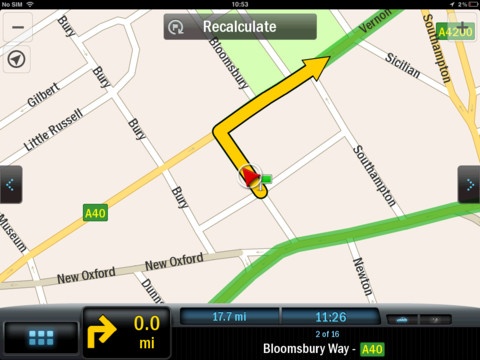
CoPilot GPS Stores Navigation Maps On Your iPhone For Offline Use

Posted by on January 14th, 2013
+ Universal App - Designed for iPhone and iPad

Traveling somewhere without a lot of signal? Running low on data this month but still need to get somewhere? CoPilot GPS might be the answer. The app is free, but maps and full voice navigation must be purchased as an in-app purchase.

Find the best way to navigate to all the places you need to go without relying on your mobile connection. Detailed street maps of an entire country or region are stored on your iPhone or iPad, so you’ll still be able to calculate routes and get driving or walking directions even when there’s no cell coverage. Millions of useful Points of Interest are built into the app, making it easy to locate nearby restaurants, stores, gas stations and more. You can also search for local businesses and attractions using Google™ and Wikipedia.

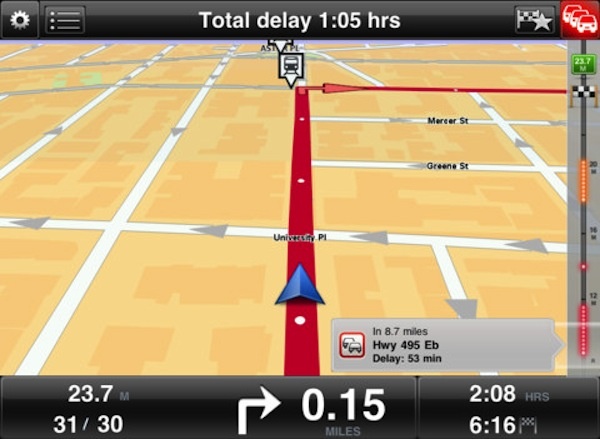
TomTom Navigation Apps Update With iPhone 5, iOS 6 Support, More

Posted by on November 28th, 2012
+ Universal App - Designed for iPhone and iPad

The TomTom navigation apps updated today with support for iOS 6, the new screen size of the iPhone 5, Apple Maps support, and Google local search features. The upgrade is free for current users, and will run new users $49.95. TomTom apps work on iPhone, iPad, and iPod touch.

HERE Maps Review

HERE Maps Review

iPhone App - Designed for the iPhone, compatible with the iPad
This alternative to the stock Apple Maps attempts to lure users away from Apple's poorly-reviewed mapping service. HERE has some nice features but ultimately falls short of expectations.

Read The Full Review »

App Update: Waze GPS Driving App Gets Even More Social

Posted by on October 31st, 2012
+ Universal App - Designed for iPhone and iPad

Waze is more than a navigation app; its developers promise to help us all outsmart traffic together with a combination of social and database-driven technologies. The new update adds even more social features, including collaborative driving directions, live maps, new interface and design, as well as iOS 6 and iPhone 5 support.

Here’s a list of all the new features:

✓ See friends driving to your destination & everyone’s ETA
✓ Send a pick up request to grab anyone’s location & navigate to them
✓ Share your drive by sending a live map of your route & ETA to anyone
✓ New design and UI throughout
✓ Sign in with Facebook
✓ Nearing destination bar
✓ Toll road usage indication
✓ Private messages
✓ Parking location pin
✓ Support for iOS6 and iPhone 5

source: Waze Homepage
Quick Route Review

Quick Route Review

iPhone App - Designed for the iPhone, compatible with the iPad
Quick Route is a navigation app alternative powered by Google Places and aimed at users who are frustrated with Apple's native maps application.

Read The Full Review »
Garmin U.S.A. Review

Garmin U.S.A. Review

iPhone App - Designed for the iPhone, compatible with the iPad
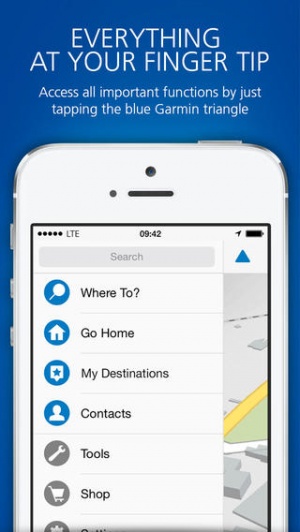
Garmin U.S.A. recently added iOS 6 and iPhone 5 support, and it now has new features that make it even better like Google street view.

Read The Full Review »
You Are Here Review

You Are Here Review

+ Universal App - Designed for iPhone and iPad
You Are Here uses the iPhone’s GPS to show users where they are on any map that they import into the app.

Read The Full Review »

New App: Via is Voice Guided Turn By Turn for Runners

Posted by on September 5th, 2012
iPhone App - Designed for iPhone, compatible with iPad

You can think of Via as voice guided turn by turn navigation, for runners. It’s pretty simple — set your start and end points, then go! It’s compatible with the built in Music app so you can listen to music while running — the voice navigation prompts will guide you over the music. Awesome idea.

With an ever burgeoning selection of Calendar and Travel apps, Time to Enjoy sets out to be different by turning the calendar function into a search engine for events.

Powered by eventful.com and Tribune Media Services, the app provides event details within the US, Canada and Europe, the app allows users to search for local events, all via their current location or by entering a city of their choice. Various categories are searchable such as museum events, local attractions, music focused or family targeted. A search radius of anything from walking distance to a 50 mile car drive means there should be something for a short trip or an all day excursion.

Users can learn various details about upcoming events such as timings and venues, as well as see trailers for movies and even purchase tickets. An alert function ensures nothing is forgotten about.

Time to Enjoy is out now and free to download.

FREE!
iPhone App - Designed for the iPhone, compatible with the iPad
Released: 2012-03-23 :: Category: Navigation

Good news for those who use CoPilot Live, version eight. The developers, ALK Technologies, are offering a big upgrade free of charge to version nine. The new line of CoPilot Live GPS apps for the US and Canada still have access to live navigation, but now with more perks. The biggest addition is voiced turn-by-turn directions, no doubt a response to Apple’s iOS 6 announcement, but there’s more. The new routing features give you three different ways to find where you are going, each with information not only on distance but on mileage and with the year of free live traffic they are offering to new subscribers on their website it’s even better.

The new design is less distracting, with lane assist arrows and what they call “ClearTurn” display. There is also “Tap and Go” navigation which lets you literally just tap on a location on the map to get directions. It even has “social navigation” allowing you to check into Facebook and Twitter with your locale or to search Wikipedia or Bing’s Local Search from within the app. If you upgrade or try V9 for the first time, let us know what you think in the comments.

$9.99
iPhone App - Designed for the iPhone, compatible with the iPad
Released: 2010-06-08 :: Category: Navigation

UpNext Maps Review

UpNext Maps Review

iPhone App - Designed for the iPhone, compatible with the iPad
UpNext Maps have 3D maps for select cities as well as venue searches and navigation everywhere.

Read The Full Review »

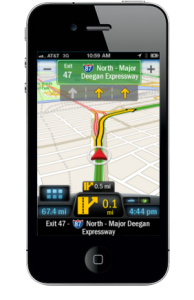
ALK Technologies, known for its great mobile navigation software, has made a pretty impressive move with their latest app: the navigation app in question is free!

CoPilot GPS uses a freemium style model to ensure it’s free. Users can plan their routes without an internet connection and figure out the best turn by turn route, whether they’re in a car or walking. Points of interests are installed, as well as the option to find a destination manually.

It’s all quite professional and as anyone would expect from a paid for navigational app.

The difference here is that it’s completely free. An in-app purchase of $24.99 unlocks voice-guided navigation with the option to also download a real-time traffic service for $9.99 for a 12 month subscription.

It’s a wise move as CoPilot GPS is immediately appealing for anyone in need of a navigation app but at a low price. Plus, there’s always the option to unlock further features.

It’s out now for both iPhone and iPad.

FREE!
+ Universal App - Designed for iPhone and iPad
Released: 2012-05-09 :: Category: Navigation

Start Car Sharing with aCar2Go

Car2Go, like other “carsharing” services, allows customers to quickly rent small cars for short periods of time. It’s great for when cars break down or when one needs an easy way to get around a new city during a vacation. Now, they are making the service even more convenient with the launch of their new aCar2Go app.

Currently, Car2Go operates in the following cities: Hamburg; Ulm; Lyon; Vancouver, British Columbia; Austin, Texas; Portland, Oregon and Washington, D.C. They also have the world’s first electric car fleet in San Diego, California. Using the app, anyone living in said cities can find and book the nearest available Car2Go, find gas stations and parking lots, view the operating area and view the route to their car. Soon enough, users will be behind the wheel of one of those familiar, little blue and white Smart Fortwos.

Quick auto access is now just an app away. aCar2Go is available now for $1.99 on the App Store.

$0.99
iPhone App - Designed for the iPhone, compatible with the iPad
Released: 2012-03-30 :: Category: Navigation

Easy Trails GPS, the navigation application made specifically for outdoor enthusiasts, has updated to 6.0 and added new features and interface changes with the release.

The interface for Easy Trails GPS 6.0 has been significantly changed with this update. The interface design was rewritten completely from scratch to keep in mind usability. The new interface displays every feature of the application regardless of the current activity going on, making it easy to switch between Easy Trails GPS’s many features.

Other features added in the release is support for Retina display devices, sharing location via Twitter, the ability to archive up to 1000 tracks and 2500 waypoints, waypoint proximity alerts can be turned on with use of the Notification Center, exporting all track information, and the ability to copy and save waypoint pictures to the clipboard or the iOS camera roll.

Easy Trails GPS is available for $3.99.

$3.99
iPhone App - Designed for the iPhone, compatible with the iPad
Released: 2009-08-13 :: Category: Sports

Regular users of public transport know that it’s a bit of a maze to navigate through. It’s all too easy to stick with the tried and tested routes while still not really knowing anything else about travelling around a city. HopStop sets out to help in such matters by offering detailed public transit, walking, taxi and biking directions for dozens of cities throughout the US, Canada and Europe.

A free app, HopStop offers directions from the user’s current location, the ability to find nearby subway stations or bus stops along with estimates for taxi costs ensuring there are plenty of options.

High quality transit maps are available for NYC, LIRR, Metro North and San Francisco, with updates for NYC transit advisory services. Further biking directions are available for cities such as NYC, Washington DC, Chicago and San Francisco.

For the disabled users, it’s easy to see what services are wheelchair accessible, plus calorie consumption and carbon emissions are calculated for the health and environment conscious.

HopStop is out now and set to solve everyone’s travelling woes in both new and familiar cities.

FREE!
iPad Only App - Designed for the iPad
Released: 2012-01-20 :: Category: Navigation

Beat the Traffic Review

Beat the Traffic Review

iPhone App - Designed for the iPhone, compatible with the iPad
Navigation app that lets users observe current traffic conditions, accidents and road construction in real-time.

Read The Full Review »
Bike CycloComputer HUD Review

Bike CycloComputer HUD Review

iPhone App - Designed for the iPhone, compatible with the iPad
Bike CycloComputer HUD for iPhone is a heads-up display for viewing all the necessary data when on a bike ride such as pace, speed, inclination and much more.

Read The Full Review »
Garmin StreetPilot onDemand Review

Garmin StreetPilot onDemand Review

iPhone App - Designed for the iPhone, compatible with the iPad
Affordable GPS navigation for iPhone.

Read The Full Review »

One of the most popular (and expensive!) navigation apps on iOS, TomTom, has just released it’s newest update, 1.8, that includes a new add-on called TomTom Traffic HD. The add-on, available via in-app purchase, helps the driver find solutions to avoid traffic jams and delays. The traffic is advertised to update every two minutes, providing incredibly up-to-date traffic information. The in-app purchase for the TomTom Traffic HD service costs $19.99. The TomTom Traffic HD service is part of TomTom’s recent mission to reduce traffic congestion everywhere. Read more about TomTom’s traffic reduction plans here.

Also available with the 1.8 release of TomTom is multi-stop routes. Users can now add up to five planned stops for their trips. iOS navigation apps are getting closer and closer to rival their dedicated GPS system counterparts. And with the release of TomTom’s 1.8 release, it just got closer. I personally don’t use a dedicated GPS system; I use iPhone GPS apps like TomTom. The 1.8 release also updates the map including recent road changes.

$59.99
+ Universal App - Designed for iPhone and iPad
Released: 2010-03-16 :: Category: Navigation

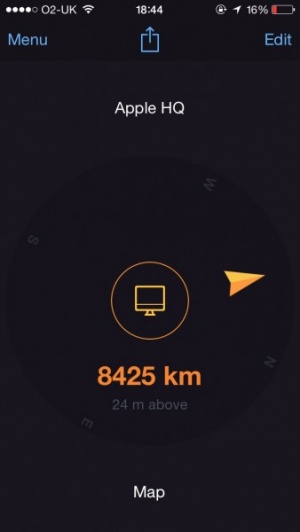
Ever wonder where the heck something is? Sure there’s Google Maps but it’s not always the easiest way of searching for something. As Jeff pointed out a while back in his review, Where To? does exactly that. It was good back then and now it’s had a huge update making it all the better.

In the latest update, FutureTap has added a plethora of useful features. Perhaps most useful of all is the ability to view business hours for each destination. It’s easy to turn up at a store too late without realizing, or visit the cinema before it’s opened – something like Where To? sets out to eradicate that problem. Throughout the experience, a compass style directional arrow points the user in the right direction and links up with Google Earth. This means that users who have never seen their destination will have a great idea of what they’re looking for with an actual view of the area. In the U.S and Canada, turn by turn navigational app MotionX GPS (purchased separately) drive can also come in handy here with the Where To? app linking up with it to provide accurate directions within the app. Previously, there was already connectivity with Navigon MobileNavigator and TomTom.

There’s even now improved functionality for the visually impaired, courtesy of VoiceOver support, providing directions and distances continuously announced to help any such users.

Where To? was already a great app with over 2,400 brands searchable via the app and the Augmented Reality tools superimposing search results onto the live camera video, but this update looks set to have made it even more vital for those in need of some help travelling.

Where To? is available now for all iOS devices. It’s priced at $2.99 with an in-app purchase of $0.99 adding Augmented Reality features.

$2.99
iPhone App - Designed for the iPhone, compatible with the iPad
Released: 2009-06-23 :: Category: Navigation

There’s a new competitor for the navigation app throne and its name is Don’t Panic. Admittedly this is a new competitor for the UK crowd as it only currently works in the UK but it could be well worth a look for those from these fair shores.

Don’t Panic promises to be precise in its turn by turn instructions as well as speedy with some impressive promises of being up to 100 times faster than its competitors. An intuitive search feature is easily and instantly accessible from any point within the app and the ability to find destinations via partial addresses and points of interests is possible along with other typical navigational features.

A constant internet connection isn’t even needed as the maps are available offline presumably aiding the speed issue hugely with promises of no stuttering or image lag.

For the asking price, Don’t Panic offers unlimited free updates for the app with iPhone users exclusively getting unlimited free updates on the maps that come with the app itself.

Don’t Panic is available now for UK users and priced at £19.99.

Ideal for electric car owners based in the US is Recargo, an app that offers users the ability to find electric vehicle charging stations nearby them.

Besides using a simple Google Maps-esque interface to help users find the nearest charging points, there’s also the ability to plan trips according to these stations. It’s a particularly useful feature considering electric charging stations aren’t as widespread as regular filling stations, ensuring that users need never worry about running out of power.

Community features also exist within the app with the ability to view the latest news from plugincars.com as well as share photos through the app. There’s even a Foursquare style checkin feature which could potentially be very useful for electric car owners to get to know other ecologically minded people.

It looks like electric vehicles could well be the future and apps like Recargo are certainly setting out to help this trend develop.

It’s out now and it’s a free app compatible with all iOS devices.

FREE!
iPhone App - Designed for the iPhone, compatible with the iPad
Released: 2010-12-02 :: Category: Navigation

Maybe I still haven’t fully accepted technology for just how wonderful it really is, but it still impresses me hugely when my iPhone can tell me exactly how to get from one place to another within seconds. Presumably, there’s a future ahead of us where no one can ever get lost, all thanks to wonderful GPS and Google Maps. This future should clearly include Maps+, a new app from IZE Ltd which aims to build upon the uses that the built in app Maps already offers.

Maps+ brings with it the lofty promise of ensuring that its users will never be lost. A tap of a button ensures that users can pinpoint their location on the map with another tap enabling a compass feature that then rotates the map to match the direction that the user is currently facing.

Users can easily search for an address using the search function and even co-ordinates can be searched if the full address isn’t known. Route directions are simple to acquire then with car, bike (in the US) and pedestrian paths being available to consult. There’s also the added benefit of being able to set midway stopping points if the user wishes to stop at certain other locations on the way.

If the user is waiting to reach their destination via public transport, they can even set up an alarm that’s dependent on location so they need never miss their stop on the train for example.

Particularly useful to fitness addicts, there’s also a feature to record the route taken via GPS so that users can keep track of the path they’ve taken.

Simple social networking features are also available whereby users can view their friends’ tweets and the location in which they were tweeted.

Maps+ offers a lot in its quest to be more feature rich than the bundled app of a similar name. It’s certainly worth a look for those after a bit more to the free GPS navigation apps currently available.

Maps+ is available now and is compatible with all iOS devices. It’s a free app to download but there are some limitations that are bypassed with a $2.99 in-app purchase.

FREE!
+ Universal App - Designed for iPhone and iPad
Released: 2011-05-18 :: Category: Navigation

Ever wonder why it’s so hard to find a good parking spot downtown? Perhaps ninjas are stealing all the good spots at the local garages. Well, if you’re in San Diego, you too can be a parking ninja, thanks to an app called, appropriately enough, Parking Ninja.

Designed to help San Diego residents find parking garages near them while out and about in the beautiful city. It shows you nearby parking garages, as well as their prices and phone numbers. This app may come in handy especially for visitors to San Diego Comic-Con who rent cars to drive into the city, so they can see where they can park as close to the convention center as possible.

While Parking Ninja is only available for San Diego right now, this could be a useful app if it expanded out to other major cities, after all, ninjas don’t just live in San Diego.

FREE!
iPhone App - Designed for the iPhone, compatible with the iPad
Released: 2011-02-17 :: Category: Navigation

WHERE, recently updated to 4.1, is a geolocation app designed to help users find places to go to based on their current location, with the ability to list your favorite places. The 4.1 update adds in new features designed to bolster the social aspect of the app. You can now Bump phones with other users of WHERE to get shared recommendations for places to go with them, called ‘Perfect Places’. As well, there’s now expanded Facebook support, with the ability to find WHERE users among your Facebook friends, and to check in with Facebook Places using WHERE. As well, you can share your WHERE Lists with your WHERE friends and search within those lists and your friends lists as well. WHERE is currently available from the App Store for free, and promises unique content for attendees of SXSW in Austin, TX this March 11th-20th.

Seriously, if it’s free and will help you be much cooler than you already are, how can you go wrong? For all you fun seekers and SXSW attenders, this one is a no brainer.

FREE!
iPhone App - Designed for the iPhone, compatible with the iPad
Released: 2008-07-11 :: Category: Navigation

NAVV USA Review

NAVV USA Review

iPhone App - Designed for the iPhone, compatible with the iPad
NAVV USA gets the job done, but the clunky UI and the bizarre use of a non-standard keyboard baffle me.

Read The Full Review »

Regions Maps Your Tasks

Everyone knows that in order to organize their lives, sometimes lists are a necessary evil, just to help maintain the sanity.  Further helping to cut through the mental fog, timed schedule reminders will can once again aid in burning through the mental clutter.  But what if there was another way to keep your head straight that didn’t necessitate a specific time frame or list?  While it may not seem completely apparent, geographical location can play a big role in choosing what tasks you choose to tackle on a daily basis.

Seeing this niche, and taking the phrase, “If you’re ever in the neighborhood…” to heart, Hillcrest Lab has created an app that keys on the innate need to make life as efficient as possible.  Regions is your one stop app for reminders based on your location. It is so simple to use, they can describe it in no time flat:

Regions is a simple iPhone app that reminds you to do things based on where you are. It won’t kill your battery either. It does one thing and does it well. Regions provides just enough functionality to get the job done and avoids getting in your way.

So how simple is the software to use?  All you need to do is place a pin on the map, set a notification reminder and warning radius, and the tool does the rest.

It is always awesome when functionality meets a need that we never even knew we had.  That said, I can’t even count the number of times that I have driven past a store and though that I would take care of something next time I passed through, only to kick myself later when it slipped my mind.

Those days are a thing of the past, as Regions hopes to revolutionize the travels of a multitasking mind.  For under two bucks, it is bound to make an instant impact.

$0.99
iPhone App - Designed for the iPhone, compatible with the iPad
Released: 2010-10-03 :: Category: Productivity

My wife and I decided to eschew family Christmas traditions and make our own this year by visiting Disney’s Magic Kingdom in Orlando. The experience itself was wonderful, in spite of surprisingly large crowds when we visited on Christmas Eve (no fault to Disney there, but even THEY seemed overwhelmed by the numbers that visited the park). But what amazed me the most about our trip is how essential our iPhones have become to every aspect of our travel. From navigation to photography to even Disney park preparation, our iPhone 4(s) had us covered every step of the way.

Our single-purpose GPS is way out of date (I’m the cheapskate and can just never bring myself to pay for map upgrades) so we decided to try out MotionX GPS Drive on this trip and the results could not have been better. MotionX GPS Drive has recently received a much-requested upgrade adding full-voice support for street names, so this new feature was added just in time for our trip. Mind you, neither the app nor the full-voice is perfect. “Exit 83-A” was commonly referred to as “Exit 83uh” and other street names were mangled from time to time, but as a whole the new voice functions worked well. And then there was the time when we needed to travel to the Animal Kingdom Lodge for dinner at African restaurant Boma. When I selected “Boma’s at Animal Kingdom Lodge” from the app, it began navigating us, but our destination ended up at the main gate of some Orlando resident’s palatial estate. A little fine-tuning was needed, but the app finally got us where we needed to go. MotionX GPS Drive is also a steal from a financial perspective – $0.99 for the app with guided navigation for $2.99 for 30 days. MotionX wisely does not auto-renew, so you only need to pay the navigation fee when you really need it, which is a very nice touch.

$0.99
+ Universal App - Designed for iPhone and iPad
Released: 2009-09-25 :: Category: Navigation

Once in the park, we had two go-to apps – Undercover Tourist and Hipstamatic. If you’re unfamiliar with Undercover Tourist, it’s an app designed to give you information about anticipated crowds at the various Disney parks and queue wait times at rides within the parks. Unfortunately, Undercover Tourist pushed an update right before our trip and it broke the app on my iPhone 4. I was hopeful when I saw a new update released, but mine still crashes. My wife, ever reluctant to update apps, still had an older version on her phone, so we were able to use it. The crowd forecast for December 24th (color coded: red for heavy, yellow for moderate and green for light) showed green so we thought we had it made. Like I said earlier, the crowds seemed to surprise even Disney, so I can’t really blame Undercover Tourist for a mistake in its data. The good news is that the queue estimates were generally accurate and helped us, particularly early on, decide where to go and what to do. And since the app is free (there is a paid ad-free version) there isn’t much I can complain about.

FREE!
iPhone App - Designed for the iPhone, compatible with the iPad
Released: 2010-08-08 :: Category: Travel

Finally, what would a trip to the Magic Kingdom be without lots and lots of pictures? Sure, the iPhone 4 has a much-improved camera, but I’m a sucker for the retro surprises generated by Apple’s iPhone App of the Year Hipstamatic. I suppose it’s because my first trip to the Magic Kingdom happened only a year or so after the park opened, but I love the washed-out, 1970s style prints that Hipstamatic generates on the fly. Changing virtual lenses and films was a great way to while away the time spent in long, long lines (the Haunted Mansion line was longer than I have ever experienced), and the photos the app took are some of my favorites from this trip. There’s a reason Apple selected Hipstamatic, and it’s primarily because of its easy of use, versatility and overall fun-factor.

$1.99
iPhone App - Designed for the iPhone, compatible with the iPad
Released: 2009-12-10 :: Category: Photography

So, we’re back home now, but there’s no mistaking that the iPhone 4 changed our Disney experience for the better. For one thing, it was the first time we didn’t have to lug around a heavy, cumbersome camera throughout the park; but beyond that, it made the day more pleasant, more organized and a lot more fun to remember.

    Advertisement    


Featured Apps

    Advertisement    


Developers

Would you like your application reviewed on 148Apps? See the About page for information.
    Advertisement    


Steel Media Network

148Apps - iPhone app reviews and news. The best gosh darn iPhone app site this side of Mars.
http://148apps.com :: @148Apps

The Portable Gamer - Coming soon.
http://ThePortableGamer.com :: @PortableGamer

Android Rundown - Android news and reviews. Where you get the rundown on Android apps and hardware.
http://AndroidRundown.com :: @AndroidRundown

Best App Ever - Yearly Mobile App Achievement Awards.
http://bestappever.com :: @BestAppEver

GiggleApps - iPhone applications reviews for kids and parents.
http://GiggleApps.com :: @GiggleApps

148Apps.biz - iPhone development news and information for the community, by the community.
http://148apps.biz :: @148AppsBiz

The App Hall of Fame - An archive of the very best in apps and games.
http://AppHallofFame.com :: @AppHallofFame

Pocket Gamer - Mobile game reviews, news, and features.
http://PocketGamer.co.uk :: @PocketGamer

Pocket Gamer.biz - Mobile games industry news, opinion, and analysis.
http://PocketGamer.biz :: @pgbiz

AppSpy - iOS game news and video reviews.
http://appspy.com :: @appspy

Smart TV Radar - For everything you need to know about Smart TV.
http://smarttvradar.com :: @smarttvradar