Posts Tagged health

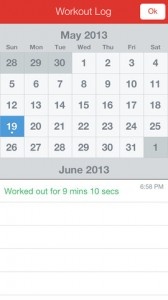
Workout (7 Minute Body Fitness Exercise) Review

Workout (7 Minute Body Fitness Exercise) Review

iPhone App - Designed for the iPhone, compatible with the iPad
Break a sweat in 7 minutes with this simple and elegant exercise app that doesn’t require any expensive equipment or sophisticated techniques.

Read The Full Review »
Juice Review

Juice Review

iPhone App - Designed for the iPhone, compatible with the iPad
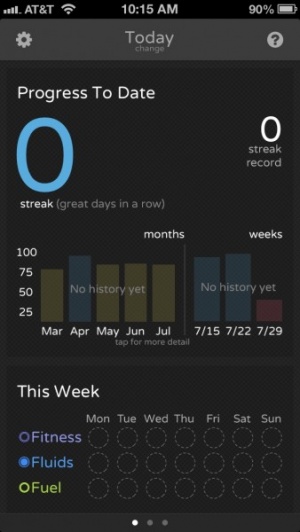
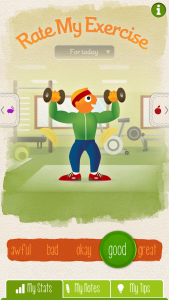
Use Juice to track and improve energy throughout the day.

Read The Full Review »
Last Fish Review

Last Fish Review

+ Universal App - Designed for iPhone and iPad
Help a lonesome fish survive in toxic waters in this stylish and addicting casual game.

Read The Full Review »

Striiv Review

iPhone App - Designed for the iPhone, compatible with the iPad
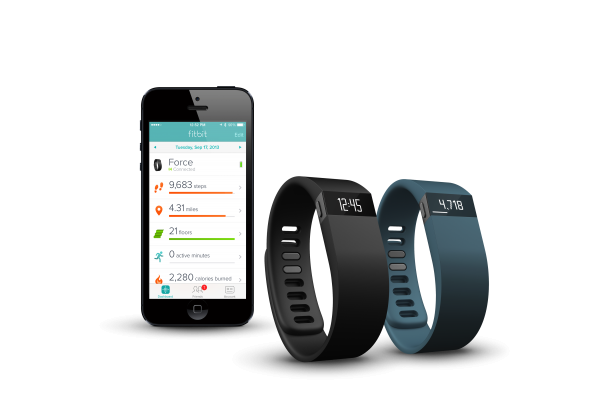
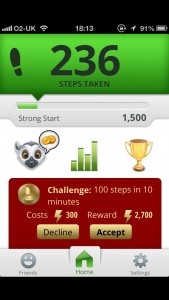
Striiv is a pedometer app that adds challenges and gaming elements to the process of walking regularly.

Read The Full Review »
SOS Info Review

SOS Info Review

iPhone App - Designed for the iPhone, compatible with the iPad
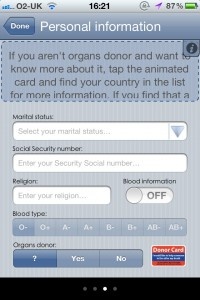
The broken English is less than ideal but SOS info is a potentially very valuable app if you ever get in trouble.

Read The Full Review »
How My Body Works Review

How My Body Works Review

+ Universal App - Designed for iPhone and iPad
How My Body Works does exactly what the name suggests and in an interesting manner but its pricing structure and slow loading is off-putting.

Read The Full Review »

New App: MyAutismTeam Mobile

Posted by on August 15th, 2012
+ Universal App - Designed for iPhone and iPad

MyAutismTeam’s new mobile app provides parents of children on the autism spectrum the ability to connect and stay in touch with other parents just like them. The Facebook-meets-Yelp resource for parents allows for the sharing of posts, local provider referrals and tips, as well as the ability to ask questions to the community and post pictures, all while on-the-go so they are connected to the community whenever they need to be.

source: My Autism Team

Take a look at your iPhone’s camera. It doesn’t look that special, does it? Sure, it’s great for taking snapshots and documenting your life, but you’d never expect it to keep you healthy, would you?

Thanks to the hard working folks at MIT, that perception should change with the release of Cardiio.

The app turns an iPhone into an accurate, touch-free heart rate monitor and it actually works. Using the phone’s front camera, it analyzes the amount of light reflected off your face then measures the pulse from that. It sounds a little like magic but there’s some clever science behind it.

Every time your heart beats, more blood is pumped into your face which means more light is absorbed and less is reflected away. The app figures things out from that and accurately. It’s as simple as that.

Not convinced? We checked in with Ming-Zher Poh who has been working on the technology since 2009. Ming-Zher started work on contact-free heart rate sensing technology during his Ph.D at MIT. After completing his research and gaining his Ph.D, he decided it’d be a great idea to translate that to the iOS market and help people along the way.

Since January, Ming-Zher and digital health startup incubator Rock Health, have been hard at work on refining the technology and producing a fantastically useful app. Cardiio is the result of that hard work.

The app is immensely user-friendly, with it possible to check your heart rate at any time (providing you’re in a well lit area). A daily dashboard and weekly and monthly summaries ensure you’ll always know your heart rate. Cardiio also reports on how that correlates to your fitness level and, slightly unnervingly, suggests a potential life expectancy based on such figures. Even better, it’s so unobtrusive, unlike many other heart rate monitors.

It’s all too easy to want to bury your head in the sand or simply not consider how something as crucial as your heart is performing. Ming-Zher Poh’s research has gone a huge way to ensuring this doesn’t happen, all for the price of $4.99.

The app is out now. If you want to read more on the research conducted and the science behind it all, check out MIT News Office and Ming-Zher Poh’s page at the Institute.

$1.99
+ Universal App - Designed for iPhone and iPad
Released: 2012-08-09 :: Category: Healthcare & Fitness

HealthTap has a new app that is trying to bring together doctors and those who need medical advice in a new, convenient way. Users can message doctors directly with HealthTap, seeing which doctors are available live to talk about health issues right at that moment. It is possible to talk to them privately, is HIPAA-secure, and supports the ability to share photos and documents with the doctor. Making appointments directly from within the app is possible, and users can view and share their private health records digitally with doctors. HealthTap claims that over 12,000 doctors are available with its service. As well, there’s a directory of over one million doctors available, with a DocScore available for many doctors, showing their effectiveness based on peer review and other publicly-available data.

While many of these features do cost money, HealthTap claims that they often cost less than a co-pay, saving users money and doctors time in solving health issues that may not require full appointments. HealthTap is available for iPhone/iPod touch, iPad, Android, and via the web.

FREE!
+ Universal App - Designed for iPhone and iPad
Released: 2011-09-25 :: Category: Healthcare & Fitness

FREE!
iPad Only App - Designed for the iPad
Released: 2011-09-25 :: Category: Healthcare & Fitness

This Week at 148Apps: June 18-22

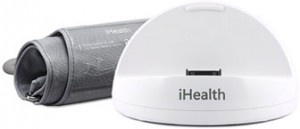
This week at 148Apps.com, we indulged in a little healthy living with our review of the iHealth Blood Pressure Dock. Site editor Rob LeFebvre writes, “The iHealth Blood Pressure Dock is a fantastic piece of tech that will allow anyone, regardless of experience, ability, or consciousness to have their blood pressure taken and monitored over time.

The free app that works alongside the actual blood pressure dock and arm cuff is simple, easy to use, and can be set up with multiple users. This allows families to keep track of more than one family member who might want or need to do so.

While high blood pressure is no laughing matter and should be monitored by a doctor or licensed health care provider, the iHealth blood pressure dock is ideal for tracking blood pressure in between doctor visits.”

Want to know more? Read our full review at 148Apps.com.

Meanwhile, at GiggleApps.com, writer Amy Solomon took a trip to learn about polar bears via her review of the Smithsonian’s Polar Bear Horizon. She writes, “Polar Bear Horizon – Smithsonian Oceanic Collection is an interactive application based on the book of the same name and now part of a series of Smithsonian applications developed by Oceanhouse Media. Like other apps by Oceanhouse Media, this application includes the choice to listen to narration allowing readers to follow along the included text which becomes highlighted when words are spoken, or to read this book to oneself. Auto-play is also an option.”

Read Amy’s full review at GiggleApps.

$2.99
+ Universal App - Designed for iPhone and iPad
Released: 2012-02-22 :: Category: Books

Finally, 148Apps.biz founder Jeff Scott announced the return of MobileBeat to San Francisco, saying “I think of MobileBeat as the business of mobile conference. The conference is about making connections with the business side of the mobile industry. This year the focus of MobileBeat is on something we see ignored all too often, design.”

Read more about the upcoming MobileBeat conference on 148Apps.biz.

Another week has passed, but there’s still plenty more where that came from. Join us on Twitter and Facebook to track the latest developments, and maybe even score a few free apps along the way. Until next week, stay Brave!

Developer: iHealth Lab Inc
Price: $99.95
Device Reviewed With: new iPad, iPhone 4

Usability Rating: ★★★★½
Integration with iPad/iPhone Rating: ★★★★½
Hardware Design Rating: ★★★★½
Re-Use Value Rating: ★★★★½

Overall Rating: ★★★★½

The iHealth Blood Pressure Dock is a fantastic piece of tech that will allow anyone, regardless of experience, ability, or consciousness to have their blood pressure taken and monitored over time.

The free app that works alongside the actual blood pressure dock and arm cuff is simple, easy to use, and can be set up with multiple users. This allows families to keep track of more than one family member who might want or need to do so.

While high blood pressure is no laughing matter and should be monitored by a doctor or licensed health care provider, the iHealth blood pressure dock is ideal for tracking blood pressure in between doctor visits.

To use, I just placed my iPad into the docking connector, leaning it up against the back of the dock, placed the cuff around my arm, fastened the velcro-like closure and launched the app. Tapping the big, yellow Start button makes sense. I could have swiped to the right and entered my own data manually to the app if I wasn’t using the iHealth dock – a great feature to include and track doctor’s office measurements.

The cuff squeezed my arm in a professional manner, took my blood pressure, and left me with a result screen. I couldn’t ask for more. Tapping on the Share button at the bottom of the screen allows me to share my blood pressure to Facebook, Twitter, E-mail, or another total health tracking app, TargetWeight PRO. I can delete the results, read a little FAQ that helps me define Blood Pressure, high blood pressure, and what to expect from the monitoring system (app and hardware). The FAQ covers topics like how to prepare for the tes, how it will feel, and how to understand the results.

Bottom line, the well-designed plastic iHealth blood pressure dock is a solid piece of tech for anyone who wants to monitor their blood pressure at home. It works with iPad, iPhone, or iPod touch devices, and a large cuff version is available for the same price.

FREE!
+ Universal App - Designed for iPhone and iPad
Released: 2010-12-08 :: Category: Healthcare & Fitness

Technology continues to amaze and impress with how it can improve people’s lives. A perfect example is that of Glooko and its mobile health services. The company offers a way for diabetes sufferers to monitor their disease through the use of an iPhone logbook app.

The app and accompanying cable based hardware is FDA compliant and automatically syncs with the user’s blood glucose meter. Users can then track their readings easily with the information simple to inform healthcare professionals, either in person or via an email based PDF summary.

The app offers further functionality with the ability to add meal tags and notes to readings, giving users a convenient way of checking out exactly what is influencing their blood sugar levels and how. There’s even a food database that stores nutritional information for all the user’s favorite food.

Ultimately though, the true benefit stems from the ability to track everything on the move and without having to worry about where else to store such information. After all, iPhone users tend to have their iPhone on them at all times, right?

The app is compatible with many popular blood glucose meters so should prove useful to plenty of diabetes sufferers.

The Glooko Logbook app is available now.

FREE!
iPhone App - Designed for the iPhone, compatible with the iPad
Released: 2011-11-09 :: Category: Medical

Exercise workout videos have been around since the days of VHS and, more recently, DVDs. It makes perfect sense that the next evolutionary step is workout videos through an iOS device. Even better, an app that offers AirPlay support so you can see the videos via your AppleTV. That app is FitPlay.

FitPlay isn’t the cheapest of apps, with in-app purchases priced from $14.99, but it does provide some high quality advice from some of the world’s best coaches. Plenty of different activities are covered here from Kettlebell training to Yoga, Tennis and Soccer. Professional trainers, sportspeople and even Gold Medallists offer advice with tips on how to avoid injury and boost nutrition, as well as their chosen talent.

For those in need of some video based motivation and advice, FitPlay should be an ideal place for help. The ability to stream the content makes it all the more useful for the home set up.

FitPlay is out now as an Universal app.

Get the app here.

World No Tobacco Day takes place on May 31st. Thanks to this, many people will be attempting to give up smoking in order to enjoy healthier and cheaper lives. Giving up smoking is far from an easy thing to do, however, which is where new app Kwit features.

The app adds gamification elements to the process of quitting smoking in order to motivate its users to continue avoiding their addictive habit.

In all, there are 60 achievements to unlock as well as a form of levelling up system. Health, wellbeing, finances, free time and the amount of cigerettes smoked are all taken into account in order to devise the current level for the user with the level supplying useful information about what this means for the ex-smoker. There’s also a timer function that informs them just how long they’ve given up for, right down to the second!

Motivation and determination is a big part of kicking the habit and Kwit should go a long way to keeping people away from smoking for good.

It’s out now and it’s currently free to download.

$1.99
iPhone App - Designed for the iPhone, compatible with the iPad
Released: 2012-05-14 :: Category: Healthcare & Fitness

Pushing Weight Review

Pushing Weight Review

iPhone App - Designed for the iPhone, compatible with the iPad
Track workouts simply and cleanly.

Read The Full Review »


Anyone can start a diet, but sticking to it is a different story. Between watching what one eats, doing scheduled weigh ins and generally making sure that they are staying on track, a diet can be a hard thing to maintain. To make getting in shape a little easier, as well as prove that the internet can be used for more than just lazy web browsing, Body Chef has released Diet and Weight Loss Buddies.

The app calls itself “the world’s first social network app for people who want to lose weight and feel great.” Through the app, users can put in their personal diet information and schedule reminders to make sure they stay on the wagon. They can also look up new diets and strategies online by connecting with fellow dieters around the world. It has everything dieters need: information, encouragement, and support from others.

Diet and Weight Loss Buddies is available now on the App Store for free. It can help make up for that lost time spent sitting down, playing with an iPhone.

FREE!
iPhone App - Designed for the iPhone, compatible with the iPad
Released: 2012-01-05 :: Category: Healthcare & Fitness

Given that it’s free, women in need of tracking their birth control medication may as well skip ahead and get downloading myPill™ – Birth Control Reminder immediately.

As the name suggests, myPill™ – Birth Control Reminder is an easy to use app that reminds women of when to take their next birth control pill. That’s useful enough in itself but the app goes one step further. Easily set up, myPill™ – Birth Control Reminder can help women plan their schedule up to six months in advance at the swipe of a finger. This means that the user can track exactly when to expect their periods so they can plan their life and any big plans accordingly.

A built in notes facility ensures that users with any concerns can track any unusual changes in their cycle, ready to inform their doctor or gynecologist at a later appointment. Other events such as missed pills can also be easily tracked.

Even SMS and e-mail reminders can be configured for those who don’t just want to be reminded by their iOS device.

myPill™ – Birth Control Reminder is an Universal app and available now.

FREE!
+ Universal App - Designed for iPhone and iPad
Released: 2011-03-21 :: Category: Lifestyle

This week at 148Apps.com we closed out the month of January, and thus our month of focusing on health-related apps, with a special article on iOS and special needs by Lisa Caplan. She writes, “In keeping with January’s health & fitness theme I’m taking a stab at some self-disclosure. I have a spinal cord injury with a host of related 14-karat diagnoses. I don’t use apps for the disabled, though, like those to help remind me to take my meds, find handicapped parking, get medical information or find online support communities. I don’t think anything on my iPad – including pictures – would hint that I have “special needs.” Nonetheless, iOS devices and apps have improved my health, both physical and mental.”

Read all of Lisa’s commentary at 148Apps.com.

Amy Solomon at GiggleApps.com reviewed Thumbnail Theater: Macbeth this week, and she had some very positive things to say about it: “Thumbnail Theater: Macbeth is an app that I greatly enjoyed, both on its own merits and also because apps for older children are not as common as I would like in iTunes. I highly recommend this app to any student who is reading Shakespeare as well as to adults who would like to know more about this time period in general.”

Read more about this iOS adaptation of the “Scottish Play” at GiggleApps.com.

$2.99
+ Universal App - Designed for iPhone and iPad
Released: 2011-12-09 :: Category: Education

Finally, 148Apps.biz site editor Rob LeFebvre reported on recent trends in app costs. He writes, “Fiksu, Inc. released their latest report today on the mobile app economy, and found all time highs for marketing costs as well as iOS downloads in December. They attribute this data to advertising bidding wars to lock in top rankings before the App Store froze during the 3 day holiday.”

Read the full report at 148Apps.biz.

That’s another week down for the record books. Thanks for reading, and remember that you can keep track of all the latest reviews, news and contests by following us on Twitter or liking us on Facebook. See you next time!

Fit Review

Fit Review

iPhone App - Designed for the iPhone, compatible with the iPad
An awesome new personal fitness trainer for iPhone.

Read The Full Review »

Bloodnote isn’t the most exciting sounding of apps but it is extremely useful for those people who need to keep an eye on their blood pressure.

The app provides an easy way of entering blood pressure measurements as and when the user wants them to. It’s all laid out in a clear and concise manner so that the systolic, diastolic and pulse can all be consulted at a quick glance. All the user has to do is drag their finger to the relevant reading through a sliding scale. It takes seconds to enter figures.

Bloodnote keeps track of the readings according to the date so it’s easy for the user to see how things have changed over the passage of time.

Besides being useful purely for personal reference, it’s ideal for those who have been asked by their doctor to keep an eye on how things are progressing.

Bloodnote is out now and priced at $1.99.

$0.99
iPhone App - Designed for the iPhone, compatible with the iPad
Released: 2012-01-17 :: Category: Medical

App developer, Abvio, has a robust offering of workout apps tailored specifically for the iPhone user. These apps, including Runmeter, Cyclemeter and Walkmeter which respectively track running, cycling, and walking workouts. Each of these apps track and store workout data on the iPhone itself so there is no need for users to connect to any online database to upload or download their data. This can save precious KB for the more data conscious users out there. Users can also post their workout activity to Facebook, Twitter, or dailymile.com and when friends reply to these posts, the apps will report those responses to the user in real time using text-to-speech technology. One voice is included free and other voices are available via in-app purchase for $0.99 each.

As an added bonus, Abvio has recently announced that their apps now support many of the Wahoo Fitness products. Using these monitoring device with their devices, users can track detailed stats on their heart rate and calories burned during their workouts.

$4.99
+ Universal App - Designed for iPhone and iPad
Released: 2009-09-17 :: Category: Healthcare & Fitness

FREE!
+ Universal App - Designed for iPhone and iPad
Released: 2009-09-17 :: Category: Healthcare & Fitness

$4.99
+ Universal App - Designed for iPhone and iPad
Released: 2009-10-09 :: Category: Healthcare & Fitness

Fitday Mobile Review

Fitday Mobile Review

iPhone App - Designed for the iPhone, compatible with the iPad
A diet and fitness app that I have continued to use since it first launched. It's not perfect but offers a very wide range of nutrional info, custom menu/items, and overall - it gets the job done.

Read The Full Review »

Good health is important for any adult but for a baby it somehow feels even more vital. As any parent with a baby knows, it’s a scary time indeed when a child seems not at their best. Fortunately, popular medical site WebMD has iOS users covered with the release of WebMD Baby.

The app gives users quick access to some great advice from expert sources. Personalized for a baby’s age, there’s timely physician-approved guidance to ensure parents understand and can keep track of everything popular.

In the baby’s first year, there are 52 weekly featured multimedia packages aimed at the baby’s first year plus a daily tip for every day of the year. In the second year, this is brought down to 12 monthly packages and 84 tips.

Alongside such useful advice, there are trackers for growth, diapers, sleep and feeding. There’s even a Baby Book section for the user to capture key memories and milestones via photos or videos.

With 400 articles, 598 tips, 70 videos and these useful tools, WebMD Baby should be indispensable for the new parent.

FREE!
iPhone App - Designed for the iPhone, compatible with the iPad
Released: 2012-01-11 :: Category: Healthcare & Fitness

RunKeeper Review

RunKeeper Review

iPhone App - Designed for the iPhone, compatible with the iPad
RunKeeper is one of my favorite apps - I always suggest it to anyone thinking of tracking not only their running and jogging, but all sort of gym activities. Simple, easy to use and socially integrated, it's one of the best apps for starting or keeping a fitness routine or resolution.

Read The Full Review »

New Year, New You: Fitness Apps

Whether your New Year’s resolution is to lose weight, have more energy, or just take better care of yourself, the iOS App Store has lots of fitness and health apps to help. We’ve taken a closer look at the best from Apple’s own New Year, New You list to help you pick the ones right for you.

P90X – By Beachbody, LLC
The P90X can be a punishing workout. Use this app to keep on track and keep the muscles burning with a schedule, track and sync progression with the P90X website, and purchase P90X workout bundles with video and audio guides.

$2.99
iPhone App - Designed for the iPhone, compatible with the iPad
Released: 2011-11-08 :: Category: Healthcare & Fitness

Gorilla Workout : Athletic Fitness Training on a Budget – By Heckr LLC
Working out is great, but unless a substantial in-home gym is available, it usually requires a trip to the gym. However, this app will instruct users on tons of different workouts at 4 different levels that require no equipment at all. A great way to get fit on a budget.

$0.99
+ Universal App - Designed for iPhone and iPad
Released: 2011-06-25 :: Category: Healthcare & Fitness

Pocket Yoga – By Rainfrog, LLC
Yoga is a great way to workout out at home, but unless a trained yoga instructor is handy it can be hard to do it right. This app will guide users through various yoga workouts with voice instructions and illustrated instructions. Airplay can also be used to play on a larger screen.

$2.99
+ Universal App - Designed for iPhone and iPad
Released: 2010-03-20 :: Category: Healthcare & Fitness

There are even more fitness apps, after the break.

Continue reading New Year, New You: Fitness Apps »

The award-winning Scosche MyTrek Pulse Monitor is an arm band that communicates wirelessly with the free myTREK health and fitness app. The app displays real-time pulse, target training zone, calories burned, distance and speed of run, total workout time and provides voice prompts during the workout. At $129.99, the pulse monitor works exlusively with the above mentioned app and seems to greatly reduce the bulkiness of the many chest and watch combinations.

With accurate pulse monitoring, the user can easily assess the intensity of their workout and adjust which training zone they’re in by using the five color coded options to quickly identify the desired intensity level. Based on personal health information, each workout zone is represented in a different color, including Resting Zone (White), Weight Loss Zone (Green), Fitness Zone (Yellow), Performance Zone (Orange) and Red Line Zone (Red). Each training session can be customized by adjusting the type of activity, target training zone and type of workout all within the app. It also includes motivational voice prompts to get the user to the finish line as well as makes it easy to control music via the integrated buttons on the Scosche myTREK Wireless Pulse Monitor.

FREE!
iPhone App - Designed for the iPhone, compatible with the iPad
Released: 2011-06-15 :: Category: Healthcare & Fitness

This week at 148Apps, we took your New Year’s resolutions seriously and started our “Health and Fitness” month. Editor Rob LeFebvre writes, “We’ve already taken a look at some apps that help us all acheive our goals, and we plan to continue that trend for the entire month, with personal stories from our crack writing team, continued reviews, and focused features like our Favorite Four.”

See our first group of Health & Fitness reviews at 148Apps.

$0.99
iPhone App - Designed for the iPhone, compatible with the iPad
Released: 2010-05-19 :: Category: Healthcare & Fitness

Our apps-for-kids site, GiggleApps, offered a review of Odd Spotting. Reviewer Amy Solomon says, “Odd Spotting, developed by Micromicon Media Limit, is an “odd one out” game with 144 levels, the goal of each being to spot the object that is different from all the others in the group. As I began to explore how Odd Spotting works, I couldn’t help but to remember the lyrics from a classic Sesame Street song, “One of these things is not like the others, one of these things just doesn’t belong.”

Learn more and read the full review on GiggleApps.

$0.99
iPhone App - Designed for the iPhone, compatible with the iPad
Released: 2011-09-21 :: Category: Games

Finally, on 148Apps.biz, writer Jeff Hughes commented on Apple’s recent (and quiet) changes to app categorization on the App Store, saying “Just like Google, when iTunes makes the slightest change to their App Store search algorithm, it has an impact on how many people see your app. The recent changes to the category ordering have also impacted sales for many app vendors for better or worse. Some developers have been helped because their app is now in a category that is displayed higher on the mobile screen…Other developers may be adversely impacted due to the decrease in exposure for their app because their category now appears further down the list.”

Read more on 148Apps.biz.

And that, my friends, completes our rundown of happenings across the 148Apps network for the week of January 9-13. Keep track of all the latest news, reviews and contests by following us on Twitter or Liking us on Facebook. See you in a week!

January is Health & Fitness Month

New Year, resolutions, and the like. Everyone, from local papers to Apple to us here at 148Apps are getting the word out about ways to create and maintain a healthy lifestyle. We’ve already taken a look at some apps that help us all acheive our goals, and we plan to continue that trend for the entire month, with personal stories from our crack writing team, continued reviews, and focused features like our Favorite Four.

Here’s what we have for you from the past couple of weeks. Stay tuned right here for even more Health and Fitness goodness for your iPhone, iPad, and iPod touch.

Abs Workout For iPad Review
Abs Workout for iPad is definitely a good place for the user to start on their quest for a better body, although Levels 2 and 3 will need to be purchased after a while, as abs gets stronger, and exercises become easier.”

FREE!
iPad Only App - Designed for the iPad
Released: 2011-07-24 :: Category: Healthcare & Fitness

All-in-Pedometer Review
“For the walker, All-in Pedometer is ideal, focusing on one key aspect and doing a fine job of keeping the user informed throughout.”

$0.99
iPhone App - Designed for the iPhone, compatible with the iPad
Released: 2010-05-19 :: Category: Healthcare & Fitness

Gym Genie Review
“Despite the ugly interface, Gym Genie is a solid workout tool. It’s not a comprehensive resource or anything like that, but for what it is – and its 99-cent price tag – it’s not bad at all. For beginners, at least, this could be very helpful.”

$0.99
iPhone App - Designed for the iPhone, compatible with the iPad
Released: 2011-07-06 :: Category: Healthcare & Fitness

Favorite Four iPhone Apps for Sticking to a New Year’s Diet
“As we mentioned in our favorite four apps for keeping New Year resolutions, weight loss (as well as getting into and staying in good healthy shape) tops most people’s list of desired self-improvements. Few other goals are harder to achieve, however. We don’t have the secret formula, but we do have four iPhone apps that make getting into the right shape a lot easier.”

FREE!
+ Universal App - Designed for iPhone and iPad
Released: 2011-08-15 :: Category: Healthcare & Fitness

FREE!
iPhone App - Designed for the iPhone, compatible with the iPad
Released: 2008-11-21 :: Category: Healthcare & Fitness

FREE!
+ Universal App - Designed for iPhone and iPad
Released: 2011-06-22 :: Category: Healthcare & Fitness

FREE!
iPhone App - Designed for the iPhone, compatible with the iPad
Released: 2009-12-07 :: Category: Healthcare & Fitness

As we mentioned in our favourite four apps for keeping New Year resolutions, weight loss (as well as getting into and staying in good healthy shape) tops most people’s list of desired self-improvements. Few other goals are harder to achieve, however. We don’t have the secret formula, but we do have four iPhone apps that make getting into the right shape a lot easier. Hit the break for our favorite four apps to do just that.


Continue reading Favorite Four iPhone Apps for Sticking to a New Year’s Diet »

All-in-Pedometer Review

All-in-Pedometer Review

iPhone App - Designed for the iPhone, compatible with the iPad
An app that's ideal for those who are trying to get fit through walking.

Read The Full Review »
    Advertisement    


Featured Apps

    Advertisement    


Developers

Would you like your application reviewed on 148Apps? See the About page for information.
    Advertisement    


Steel Media Network

148Apps - iPhone app reviews and news. The best gosh darn iPhone app site this side of Mars.
http://148apps.com :: @148Apps

The Portable Gamer - Coming soon.
http://ThePortableGamer.com :: @PortableGamer

Android Rundown - Android news and reviews. Where you get the rundown on Android apps and hardware.
http://AndroidRundown.com :: @AndroidRundown

Best App Ever - Yearly Mobile App Achievement Awards.
http://bestappever.com :: @BestAppEver

GiggleApps - iPhone applications reviews for kids and parents.
http://GiggleApps.com :: @GiggleApps

148Apps.biz - iPhone development news and information for the community, by the community.
http://148apps.biz :: @148AppsBiz

The App Hall of Fame - An archive of the very best in apps and games.
http://AppHallofFame.com :: @AppHallofFame

Pocket Gamer - Mobile game reviews, news, and features.
http://PocketGamer.co.uk :: @PocketGamer

Pocket Gamer.biz - Mobile games industry news, opinion, and analysis.
http://PocketGamer.biz :: @pgbiz

AppSpy - iOS game news and video reviews.
http://appspy.com :: @appspy

Smart TV Radar - For everything you need to know about Smart TV.
http://smarttvradar.com :: @smarttvradar