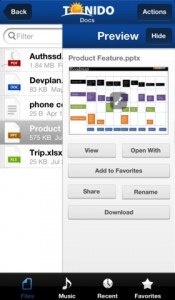
When it was originally reviewed, ReaddleDocs was regarded as a brilliant file viewer offering some impressive document management capabilities. It’s an app that opens mostly anything anyone could ever want, from MS Office based files to Apple iWork files and the likes of MS Visio, PDFs and a variety of different images. Accessing the files is just as easy with the option to access files from PCs, web sites, email attachments, iDisk, Dropbox and numerous other methods. Now in its Version 3.0 form, ReaddleDocs promises to be even better.
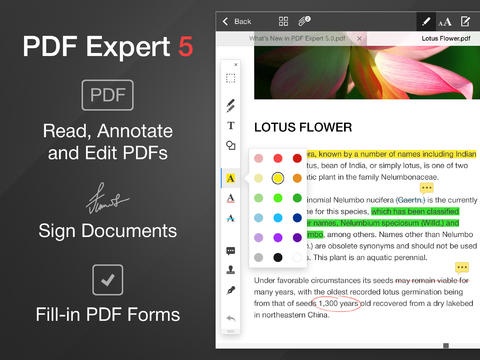
Many new features are included in this iteration. Users can now search from within MS Office, TXT and RTF files. Everything is much speedier to use with the PDF and TXT viewer in particular being both faster and more stable to use. Underline and strikeout annotations have also been added for PDF files. The Image Viewer is also faster to load large pictures. Users can now view Open Office Writer files via ReaddleDocs. The MP3 player now supports playlists and a background mode as well as other more subtle features. There’s even a much needed RAR unarchiver bundled in.
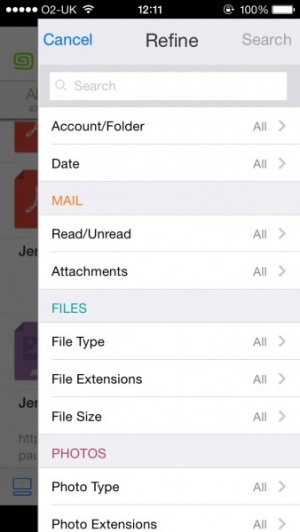
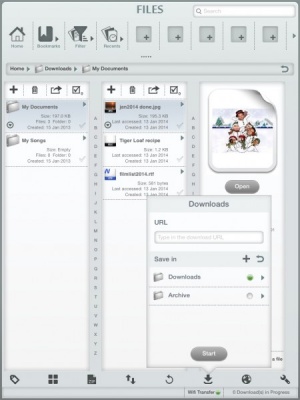
The UI for ReaddleDocs has been completely redesigned and promises to be much more intuitive to use. A new ‘Recents’ section ensures it’s easy to consult previously opened files quickly. The built-in browser has been similarly improved with the ability to access bookmarks from the browser start page and a Google search field making things easier to use.
Last but not least, Network Protocol improvements have been implemented with the ability to sync FTP and SFTP servers with the iPad and everything generally working much faster.
In all, ReaddleDocs promises over 300 fixes and improvements. It’s great to see already excellent apps improved even more and that’s certainly the case here. ReaddleDocs‘s update is available now.

Released: 2010-04-01 :: Category: Business

Mozy is an excellent online backup service whose main draw is pure ease-of-use. Install it on your computer, choose what to back up, and the service automatically syncs all selected files to Mozy servers. Mozy will then periodically back up your files, so that you can set it up once and then forget about it. (Because of smart selections like “all Word documents” or “everything in folder X,” you don’t need to explicitly reconfigure your backup sets all of the time, either.) Mozy accounts come with some free storage space, and you can purchase more if needed.


]
]