Inkling Review
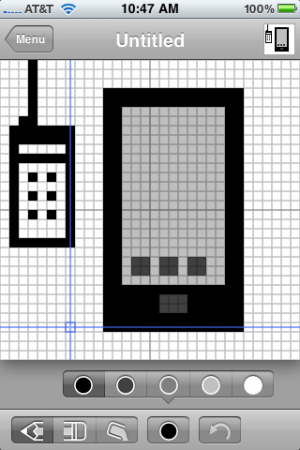
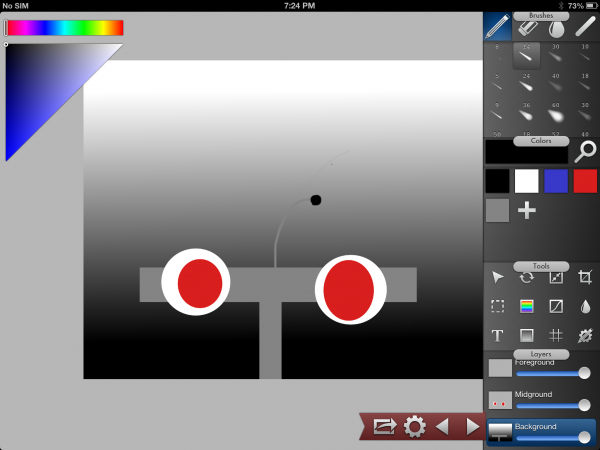
+ Universal App - Designed for iPhone and iPadThis simple yet elegant app is almost perfect for a little on-the-go sketching.
Read The Full Review »
Posts Tagged drawInkling Review+ Universal App - Designed for iPhone and iPadThis simple yet elegant app is almost perfect for a little on-the-go sketching. Read The Full Review » Pickle Weasel ReviewiPad Only App - Designed for the iPadPickle Weasel is better for a quick chuckle than for hours of enjoyment, but it's got personality to spare. Read The Full Review » SketchPhrase Review+ Universal App - Designed for iPhone and iPadA whole lot of SketchPhrase's fun depends on who's playing but when it all "clicks" it can be incredibly silly fun. Read The Full Review » Draw a Stickman: Epic ReviewiPhone App - Designed for the iPhone, compatible with the iPadIt's about as taxing as *actually* drawing stick figures in a coloring book, but Draw a Stickman: Epic is full of enough charm and playful interactions to warrant some doodling. Read The Full Review »
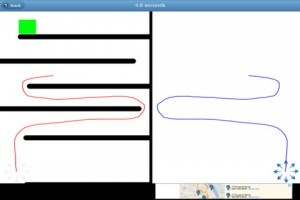
Players will challenge themselves in this difficult maze game to work their way through a series of complex mazes. After finishing these mazes that come with the app, players can then go on to create their own mazes and challenge their friends to overcome their self-drawn madness. Not only can players send mazes to their friends to play against one another, they can also compete for the high score on the mazes that come with the app and become the “World Record” holder. The developer is even adding the trickiest designed mazes sent in as featured new levels. While the game is universal and can be played on any iOS device, the developer’s preferred platform is the iPad. Considering the significant increase in screen real estate on the iPad compared to the iPhone, this is no surprise. Draw Maze is a free app. So grab it and start trying to stump your friends. Bloody Western ReviewiPhone App - Designed for the iPhone, compatible with the iPadA gritty, bloody, surprisingly clever free-to-play cowboy romp awaits. Read The Full Review » Sketchshare ReviewiPad Only App - Designed for the iPadSketchshare is a productivity app that allows up to four iPad users to doodle and brainstorm in real time. Read The Full Review » Draw Something Review+ Universal App - Designed for iPhone and iPadSo as it turns out, combining turn-based social multiplayer with something akin to Pictionary is utterly amazing. No, really. I'm not exaggerating. Read The Full Review »
Rather than tracing a path to an exit or preventing collisions, players will seemingly have to plan their route through each level in one go. The kicker is that they can use all manner of fruit to acquire special abilities (i.e. bashing through hazards, duplication, etc…). It’s hard to fully picture it with screen shots, but the videos on the developer’s blog should help. Looks pretty nifty, huh? I can only imagine how much planning and practice it takes to blow through levels that fast, and most of the time they’re barely earning “C” ranks! Robot Fish should be hitting the App Store soon. Within the next couple of weeks, assuming it makes it through Apple’s approval process in a timely manner. No word yet on a price, though. Lead Sketch ReviewiPhone App - Designed for the iPhone, compatible with the iPadThis app turns a finger into a versatile sketching tool with various lead types. Read The Full Review » Drawin’ Growin’ Review+ Universal App - Designed for iPhone and iPadHelp Meu bring life (or at least a little more ambiance) back to the kingdom with lots and lots of line-drawing. There's tapping aplenty, too. Read The Full Review » Pigs in Trees ReviewiPhone App - Designed for the iPhone, compatible with the iPadPath-drawing gets much more intense when a pig's home is on the line. Read The Full Review » Ranger Rocket ReviewiPhone App - Designed for the iPhone, compatible with the iPadA tiny line-drawing rocket piloted by a sarcastic cowboy is Earth's only defense against the invading forces of evil. Read The Full Review » You are sitting in the boardroom and you forgot to bring your “notebook” so you can take “notes” during the meeting. We all know you are just going to draw houses, spirals and other miscellaneous items instead of jotting down those all important budget numbers. Why not take those doodles to the next level with some chalk or fire? Four great ways to get your doodles on is easily attainable in one of these four apps: Sketchbook Pro: $1.99 ![]() iPhone App - Designed for the iPhone, compatible with the iPad Released: 2009-09-17 :: Category: Entertainment FREE! ![]() iPhone App - Designed for the iPhone, compatible with the iPad Released: 2009-09-17 :: Category: Entertainment $4.99 ![]() iPad Only App - Designed for the iPad Released: 2010-04-01 :: Category: Entertainment Sidewalk Chalk: $0.99 ![]() iPhone App - Designed for the iPhone, compatible with the iPad Released: 2010-03-12 :: Category: Education iBurn 3 – Draw With Fire!: $0.99 ![]() iPhone App - Designed for the iPhone, compatible with the iPad Released: 2009-02-12 :: Category: Entertainment Sand Garden: $1.99 ![]() iPhone App - Designed for the iPhone, compatible with the iPad Released: 2009-12-09 :: Category: Entertainment $1.99 ![]() iPad Only App - Designed for the iPad Released: 2010-04-01 :: Category: Entertainment Before it’s release, one of the areas mentioned that the iPad had huge potential was in the arts. The question was how would artists take to it or would they? The iPad has now been out for less than a month and we’re already seeing a great uptake from a wide variety of artists. Here are a few short videos that show more. The First iPad DJRana Sobhany gave an early preview of her DJ project, Destroy The Silence this past weekend at iPadDevCamp. The plan is to become a DJ using nothing but 2 iPads, music apps, and a mixer. Here’s a short interview and demo done with Rana by Robert Scoble earlier this week. Some of the apps she uses in the video include Korg iElectribe, Looptastic HD, GrooveMaker, and iDaft2. Manga Artist Sketches on the iPadyoshitoshi ABe, manga artist has posted a short video showing the use of an iPad app called Live Sketch HD. He quickly draws a beautiful sketch of a character called Ain. Flight of the Bumblebees — one handed?Pianist Lang Lang played a little joke during an encore recently, using his iPad and the music app Magic Piano from Smule. One of the features of Magic Piano is that it allows you to play the piano just by playing the tempo, it will play the correct notes for you. In this video, Lang Lang plays the very difficult Flight of the Bumblebees very nonchalantly with just one hand. [via Laughing Squid, TUAW, and iPhone Life] 32 x 32iPhone App - Designed for the iPhone, compatible with the iPad32 x 32 is a simple and elegant drawing tool that allows even the artistically impaired to create a mini- masterpiece. Read The Full Review » OrganizeriPhone App - Designed for the iPhone, compatible with the iPadOrganizer is useful for writing your daily plans, jotting down your ideas and for an advanced memo tool. The options in this application for making notes are impressive, but lack of calendar integration lets it down. Read The Full Review » MultipadiPhone App - Designed for the iPhone, compatible with the iPadAlthough Multipad bills itself as a "stylish program that is always at your hand," it's actually a clunky little app that does little more than hold a limited number of hand written notes. While most note taking apps give you an unlimited number of pages to work with, here you have 72 scratch pads separated into 8 different pad sets. What does one do when he or she runs out of space? Read The Full Review » Crayon Physics DeluxeiPhone App - Designed for the iPhone, compatible with the iPadCrayon Physics Deluxe presents you with 50 levels of crayon and paper filled puzzling. You draw lines, boxes, and other shapes in your quest to cause a red circle to travel from its starting point to the ending point, which is always a yellow star. As the levels progress this requires more and more ingenuity, but the game is simple enough for anyone to pick up and enjoy. The included level editor adds a little longevity to the game. Read The Full Review » InstaviziPhone App - Designed for the iPhone, compatible with the iPadInstaviz is a graph visualization app. It is based on the open source software Graphviz, which is available for the Mac, Windows, and Linux. With Instaviz you can easily draw shapes such as circles, ovals, squares, and triangles, label each, and then connect them to one another. You can then export these to a number of different services, including MobileMe. Read The Full Review » |