Four Seasons Review
+ Universal App - Designed for iPhone and iPadSprightly Software has translated a lesser known and rather difficult game of solitaire, ready or not.
Read The Full Review »
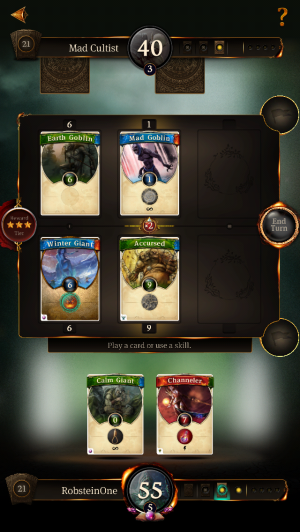
Posts Tagged cardFour Seasons Review+ Universal App - Designed for iPhone and iPadSprightly Software has translated a lesser known and rather difficult game of solitaire, ready or not. Read The Full Review » Ascension: Chronicle of the Godslayer ReviewiPhone App - Designed for the iPhone, compatible with the iPadAscension: Chronicle of the Godslayer successfully merges simplicity with strategy to create one of the most addicting and accessible card games in the App Store. Read The Full Review »
Inevitably, buying (or making) a dozen or more holiday cards feels superfluous and even a little silly. Should you really be spending this much money on cards? And what if you’re giving a digital gift, like a gift certificate—is a physical card necessary? E-cards are cool, but let’s admit it; most websites make mailing digital cards a hassle. Happy Hanukkah is yet another app attempting to bridge this dilema. It’s almost an e-card app, in that you’re sending a pretty picture instead of a few lines of text, but the image is embedded and thus requires no clicking through to an outside site. The app contains over 70 different cards to choose from, featuring dreidels, menorahs, hanukkiahs, and (naturally) the words, “Happy Hanukkah!” From the Happy Hanukkah app, you can pick which image to use, and then drop into into an email. Then, you can add a bit of personalized text above the embedded image if you want to before sending the virtual card on its way. Simple? Certainly, but that’s the aim of Happy Hanukkah anyway. The below video showcases some of the different images included in the app. If it appeals to you, check it out on the App Store for $0.99. Now if only it could buy presents for you, too… $0.99 ![]() iPhone App - Designed for the iPhone, compatible with the iPad Released: 2010-10-27 :: Category: Lifestyle
Announced today, the In2Pay solution allows iPhone users to make “contactless transactions” by positioning their iPhone in front of a contactless payment terminal. In order to use the service, the iPhone must be housed within DeviceFidelity’s protective case, which uses microSD technology. The case is said to allow “mobile contactless capability” to the iPhone and is compatible with the 3G and 3GS models. In a press release, Visa says: “By placing a removable In2Pay microSD into the protective case, iPhone users can take advantage of In2Pay’s secure contactless capabilities where contactless transactions are offered. They range from buying goods in retail stores and at unattended kiosks, to transit ticketing, and even securely accessing buildings and computers networks.” Trials of the service are scheduled to start during the second quarter of this year. The service builds on Visa’s payWave technology for contactless transactions and uses the DeviceFidelity In2Pay technology to make use of any mobile phones with a microSD memory slot. This suggests that the iPhone may not be the only device Visa is aiming In2Pay at. The iPhone, of course, does not currently support microSD and therefore needs a casing to house the microSD card. “The more than 200,000 apps on the App Store are an integral part of iPhone users’ lives.” said Amitaabh Malhotra, COO, DeviceFidelity. “With our In2Pay solution, we want to give both iPhone users and app developers the power to do even more, by putting the convenience of interactive secure mobile transactions, right at their fingertips, anywhere they are.” The In2Pay case is apparently designed to stay attached to the iPhone and offers a micro USB slot for charging and syncing their device. It will be interesting to see how the service will be priced by Visa when it comes to roll out the service and, whether or not the DeviceFidelity case will be free or part of a subscription package. While the additional case could be seen as a benefit to some, many iPhone users dislike the idea of any housing that adds weight or thickness to the device and others preferring specific cases.
Square is an ingenious app and payment service that allows anyone from a single user to businesses to accept credit card payments anywhere using just an iPhone, iPod touch or iPad. Those who sign up to the free Square service available at Squareup.com will receive a free card reader that plugs into the audio jack of your device and allows for cards to be swiped. Card details can be entered into the app manually if no reader is present. Receipts and photo verification are included with the service so users are sure of secure transactions with signatures signed on the iPhone screen. In an open letter on the Square website, Jack Dorsey said:
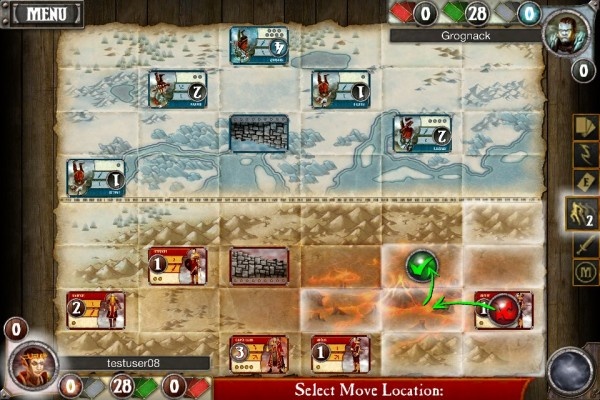
The environmental benefits of the service are also clear with no paper bills or receipts created from any transaction. Square also points out that it can inform businesses of its repeat customers meaning loyalty cards may be a thing of the past. So what’s the catch for this free service? It seems there really isn’t one. By comparison to other payment services, Square is a very reasonable option with no contracts or monthly minimums. Square takes a small percentage of each transaction, currently 2.75% +15 ¢ with the card present and 3.5% +15¢ when the card number is keyed in. That’s it! Of course, a service like Square may take a little time to grow but, if it’s as easy to use as is promised and continues to offer the environmental and financial benefits it does currently, we could likely see Square becoming the default payment service in stores around the world. After all, it’s not like Mr Dorsey’s other company is doing badly right now. StrongholdsiPhone App - Designed for the iPhone, compatible with the iPadA battle card strategy game that starts out feeling like challenging game of Chess but soon feels more like a simplistic game of Checkers Read The Full Review » CardSnapiPhone App - Designed for the iPhone, compatible with the iPadIn a couple of the cases I was genuinely surprised how well the software worked. Text that I could barely make out was interpreted perfectly. Conversely, perfectly legible text in standard fonts was not transferred at all. Read The Full Review » CrossbonesiPhone App - Designed for the iPhone, compatible with the iPadIf you like difficult games, you'll love Crossbones. This card-matching game might have a pirate's tenderness when it comes to serving up its learning curve, but once you learn how to play, it's a fast-paced, thrilling card game that requires some mental agility. Read The Full Review » Melody MatchiPhone App - Designed for the iPhone, compatible with the iPadMelody Match is a new twist on the classic card-matching game using—you guessed it—sound clips instead of flash cards. Some of the melodies are real treats for the ear, and the game uses a variety of themes, ranging from snippets of Bach and Mozart to upbeat Brazilian tunes to traditional songs like Yankee Doodle. Read The Full Review » Touchmaster Volume 1iPhone App - Designed for the iPhone, compatible with the iPadThe Touchmaster series is generally quite good on the Nintendo DS platform, and while the games here are also good, there isn't as much variety present. Furthermore, while the games Midway has included aren't all that exciting, if you are a puzzle fan you'll definitely find something here to like. Read The Full Review » MONOPOLY Here & Now: The World EditioniPhone App - Designed for the iPhone, compatible with the iPadMONOPOLY Here & Now: The World Edition includes updated properties which are far more expensive than those in the classic game. It takes some getting used to not having Boardwalk and Ventura, for example, but Instanbul and London serve as suitable substitues. The game loads quickly, looks great, and generally plays great. Includes modes for one player, multiple players by passing the iPhone around, as well as wifi multi-play (on the same router). Read The Full Review » Flash MemoryiPhone App - Designed for the iPhone, compatible with the iPadThis free matching game is worth every penny! Read The Full Review » TarotiPhone App - Designed for the iPhone, compatible with the iPadTarot is a fun party game tarot card application Read The Full Review » Baccarat ProiPhone App - Designed for the iPhone, compatible with the iPadJames Bond's casino card game on the iPhone Read The Full Review » Theta PokerTheta Poker is the hands down best poker AI available on the iPhoneRead The Full Review » |