Renowned author Elmore Leonard has written over 40 books in his time with many of them being adapted to the big screen and also the small screen in the case of critically acclaimed drama series Justified. So it’s probably about time that he also gets his own app.
The app, originally entitled Elmore Leonard, is a fun and free companion for fans of the author. There’s an excerpt of his latest novel, Raylan, following the experiences of US Marshal Raylan Givens, as well as synopsises of all his other books. A videos section is available for both Leonard and Justified, along with photos from the TV show and other bits and pieces for the fan to take in and enjoy.
It’s an app that’s bound to hook crime writing fans in, especially if they want some great insider information on the new season of Justified.
Elmore Leonard is out now and it’s a free download.
iPhone App - Designed for the iPhone, compatible with the iPad
Posted January 19th, 2012 by Kevin Stout Our Rating: :: COMPLETE
Legion of the Damned is a fully-featured turn-based strategy game. But a finite number of turns and repetitive storyline may turn a nice chunk of potential players away.
Graphic novels appear to be going through a bit of a renaissance period in recent times with increasing numbers of people intrigued by the very notion. So it’s pretty cool to see a cumulative effort between a BAFTA (the equivalent of the Emmys in the UK) nominated screenwriter, a BAFTA winning executive producer and an award-winning graphic artist come together in the form of a new iPhone based graphic novel.
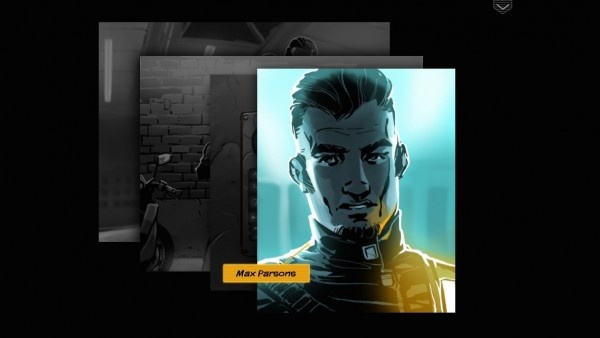
The novel entitled Exodus169 is all about an epic journey through space to the Planet Lumina, where humans hope to establish their first colony beyond Earth. Obviously things are bound to not quite go according to plan and it all makes for a gripping novel.
The novel is accompanied by stunning artwork and an original and fully-voiced soundtrack which all add a touch of class to proceedings. Depth is provided through a number of extras such as videos, character profiles, character blogs and even an on-board newspaper with new content uploaded weekly.
It’s interesting stuff and at a decent price too. The app along with Episode 1 and the regularly updated extras are free while Episode 2 and future instalments are only $0.99. Well worth a look for any graphic novel fan.
As a female technology buff I feel especially bad that I didn’t realise it was Ada Lovelace Day on 7th October, a day that aims to raise the profile of women in science, technology, engineering and maths. Ada Lovelace is widely regarded as the first computer programmer. Way back in 1842 she translated Italian Mathematician Luigi Menabrea’s description of Charles Babbage’s Analytical Engine. Her fascination in Babbage’s work led to her developing an early form of computer programming thanks to her powerful mathematical mind. She tragically died at the young age of 36 due to cancer.
The reason for this history lesson other than to educate? There’s a light hearted app out called Lovelace & Babbage that aims to provide part entertaining comic book, part informative and educational tellings of their lives and experiences. After all, the best way to learn is to not realise it’s happening!
The comic book is consistently funny and intelligent in its portrayal and certainly makes for a great change from more conventional graphic novels. It’s a free app so an ideal excuse to give it a read. Users then have the option of paying $2.99 for further storytelling in the form of The Client. For those who enjoy it, there’s a new adventure coming out in early 2012 entitled User Experience.
Books, we love them. So, apparently, do iOS users, bringing the Books category up to the second most popular category in the App Store (the first being Games, of course). Each week, we dip our toes into the book app waters so you don’t have to. Here are our four picks of the week.
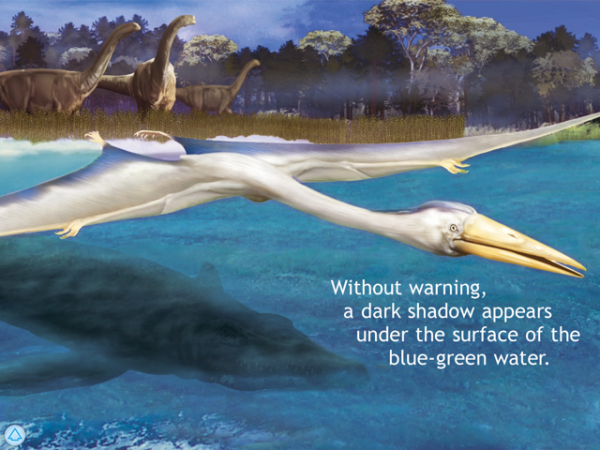
March of the Dinosaurs looks to be a glorious nonfiction look into the world of our saurian ancestors, by the makers of The Elements and Solar System for iPad, TouchPress. This book features realistic 3D dinosaurs that can be rotated and zoomed, video sequences and an optional narration, and over 65 pages of glorious Dino info across 12 chapters. Sign us up!
iPad Only App - Designed for the iPad
Released: 2011-09-29 :: Category: Books
Classicly HD ~ 26,416 books and audiobooks. The ultimate library. Spreadsong, Inc. may have named this app, but we choose it for the content, not the unwieldy title. Classicly HD puts together 23,469 classic books in ebook format, which alone is cause for celebration. What makes this app stand out is the almost 3,000 audiobooks and 61 handpicked collections of books included as well. If you want to carry around a library the size of which would astonish most of the authors of these classic books, this is the app for you.
iPad Only App - Designed for the iPad
Released: 2010-07-09 :: Category: Books
We’re constantly on the lookout for free ebooks, and Kindle eBooks purports to do alot of the legwork for us. The app gives users streamlined access to lists of Kindle free or inexpensive books, in either a top ten list or a list of ALL of them. Users can then send links to these books via email, so they or their friends can download to their actual Kindle or Kindle app. This seems pretty useful!
iPhone App - Designed for the iPhone, compatible with the iPad
Released: 2011-10-02 :: Category: Books
Science Fiction fans rejoice, as our next pick has 100 stories from this popular genre to share with them. Users can thrill to the 100 SciFi Stories by the likes of HG Wells, Edgar Rice Burroughs, Murray Leinster, and Jules Verne – classic authors in the genre. The app developers promise more of the short stories, novelettes and full length novels in the days to come, all from the SF field.
iPhone App - Designed for the iPhone, compatible with the iPad
Released: 2009-12-21 :: Category: Books
On almost the opposite end of the genre continuum sits the Jane Austen – Fan Kit, $0.99 app that includes a daily Jane Austen quote, almost every published work by this famous author, a “movie of the week” feature to suggest an adaptation of one of her works, and even a trivia game with questions about Jane Austen’s life, books, quotes and movie adaptations.
The Books category on the App Store is second only to Games, by application count. For real! In other words, besides games, books are the most numerous type of apps in Apple’s marketplace for iOS apps. That’s stunning for a device whose creator once famously said, “people don’t read any more.” Here are our choices for the best of the category this week.
Storyville, by Fatty Apps, Inc, brings users one story each week to this universal app. They publish stories from new collections in bookstores from indie publishing presses, like Graywolf Press, Soft Skull Press, and Archipelago Books. Writers and stories are from the past and the present – and the future, if we think about it.
+ Universal App - Designed for iPhone and iPad
Released: 2010-12-01 :: Category: Books
Dark Eden, by PC Studio, Inc., is a multi-episode teaser/enrichment app for a book due to be released in November of this year. This app will have 14 episodes, each at $0.99, or $9.99 for the whole run. The first episode, The Arrival, is free. Check out this multimedia experience with notes, maps, videos and audio diaries in the app store now.
iPhone App - Designed for the iPhone, compatible with the iPad
Released: 2011-08-08 :: Category: Books
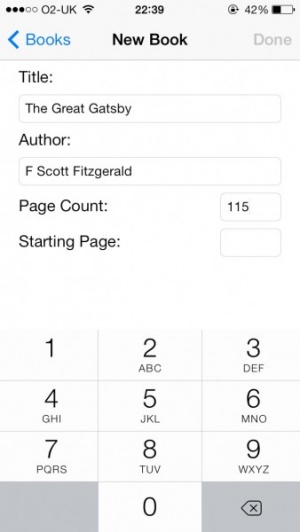
Book readers can always use a way to organize those large piles of dead tree, right? Book Crawler, by Jaime Stokes, aims to do just that. Adding books with the ISBN barcode scanner and search/organize by title, author, publisher, copyright, cover art, summaries, Goodreads reviews, and local library locations. Seems like a one stop collector’s paradise!
What would a list of recommended book apps be without a children’s book in it? We suspect a large number of book apps are bought by parents who want to bring the iPad into their family’s story time ritual. Harold and the Purple Crayon, published for iOS by Trilogy Studios, continues to be one of our favorite books for kids, and the universal version is available in the App Store for a good price. Keep on drawin’, Harold!
Readers, rejoice! Fall is here and Apple is celebrating the return of cold weather and variably colored foliage with a ton of pre-order books in the iBookstore, available via iTunes on the computer or through the free app download, iBooks. Here’s a quick peek at what’s on offer, as well as a few we’re looking forward to as well.
Fiction & Literature
Our pick: Stephen King’s11/22/63 promises to be a fine story from the fertile mind of a master storyteller. King brings us the tale of a time traveler, headed back to stop the assassination of JFK. This one sounds like it will be a classic Stephen King tale with plenty of nostalgia, character development and, of course, terror.
Other Books Of Note: 1Q84
Haruki Marakami – Part dystopian fantasy, part love story. The Marriage Plot
Jeffrey Eugenides – The author’s first book since Middlesex. The Night Circus
Erin Morgenstern – A fantastical debut about a magical circus.
Biographies & Memoirs
Our Pick: Life Itself, by Roger Ebert, shows the legendary film critic at his peak as a writer and commentator on film and, as a result, of life. Many of the stories here began on his blog, which should be required of any student of film or online writing.
Other Books Of Note: Seriously…I’m Kidding
Ellen DeGeneres – Ellen on her TV show, getting married, and more. Shaq Uncut
Shaquille O’Neal – Shaq offers candid thoughts about life on and off the court. Diary of a Player
Brad Paisley – How the country star became a musician and a man.
Teen Books
Our Pick: Christopher Paolini returns to the Eragon story with Inheritance, the highly anticipated and supposedly final chapter to the series. We’re looking forward to seeing how this one ends.
Other Books Of Note: Power of Six
Pittacus Lore – The remaining Loric unite to face the Mogadorions. The Son of Neptune
Rick Riordan – Demigods Jason, Piper, and Leo continue their quest. Wildwood
Colin Meloy & Carson Ellis – Modern city life meets a magical forest.
Science Fiction and Fantasy
Our Pick: Reamde, by Neal Stephenson – Sure, he made us all read way more than we wanted to with his Baroque cycle, but the author of Snow Crash is back with a new book about a tech entrepreneur caught up in his own online war games.
Other Books Of Note: How Firm a Foundation
David Weber – Book 5 of the Safehold series Snuff
Terry Pratchett – Continuing the Discworld saga, one hilariously poignant book at a time. The Omen Machine
Terry Goodkind – Back again to the world of Richard and Kahlan, facing a new and sinister threat to their realm.
Harold and the Purple Crayon is a wondrous and thoughtful adaptation of the classic 1955 children’s book of the same name that had been developed into an interactive storybook, now a universal application.
I remember Harold and the Purple Crayon from my childhood and have shared this story with my son as well. Few children’s books that I can think of beg to be turned into an interactive storybook as much as this one does, and I have been eagerly waiting for this to be developed into a universal app, knowing that at some point this was bound to happen.
I am very eager to introduce this app to readers who may not know of its existence. It is the perfect experience that I expected with every element thoughtfully conceived, making this book a joy to share with my son.
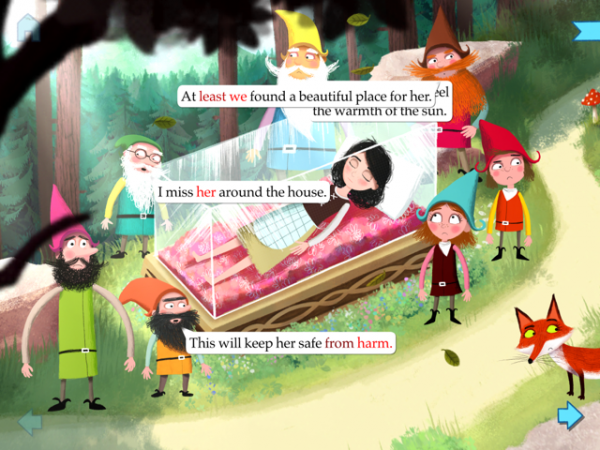
Ahh Snow White. A memorable tale for all, originally part of the Brothers Grimm’s collection and, years later, subsequently translated to the animated screen courtesy of Disney. It’s a tale that children of all ages know well. So how best to revitalize it for a modern era? By adding an anime spin to proceedings of course.
Momonga’s Snow White is the story we all know and love but illustrated in what is known as the Moé style, a slang term used by anime fans to describe the style of making each character adorable to look at. This app offers the book of Snow White with not just an anime twist in terms of looks but also music with the soundtrack composed by Kumi Tanioka, of Final Fantasy fame. As the screenshots show, the app looks glorious and the music is similarly of a high quality.
The entire package should make for an excellent re-envisioning of the classic fairy tale and will hopefully enthral anime and fairy tale fans alike.
Momonga’s Snow White is out now as an Universal app and is priced at $3.99.
Fierce Grey Mouse HD is a delightful interactive story about a grey mouse who wants to be fierce like a wild animal. It is simply delightful to watch this mouse practice his fierceness – the roaring, and the pouncing, along with the exercising and healthy eating habits that it takes to grow big and strong. The only pitfall is that all grand, fierce gestures have scared his friends, and now there is nobody to play with. Rest assured; all ends well in this charming story that kids will enjoy, and maybe even relate to. Versions are available for both iPhone as well as iPad.
Hildegard Sings is a really fun interactive storybook app from the developers at One Hundred Robots that includes a great story, some nice interactions and interesting extras. Options include narration or reading this book on one’s own, and it is nice that the sound effects and music used can still be enjoyed even with one reading this like a classic book, as well being able to turn on or off these sounds independently as well. Versions of this application are available for both iPad as well as iPhone.
If there is one thing on this planet that is about as un-gamelike as it gets, it would have to be books. The pages and pages of written word, while immensely entertaining for some, bore others (like yours truly) to absolute tears. So how could you take this potential entertainment kryptonite and turn it into something that could be fun for everyone? Why not try turning it into a game?
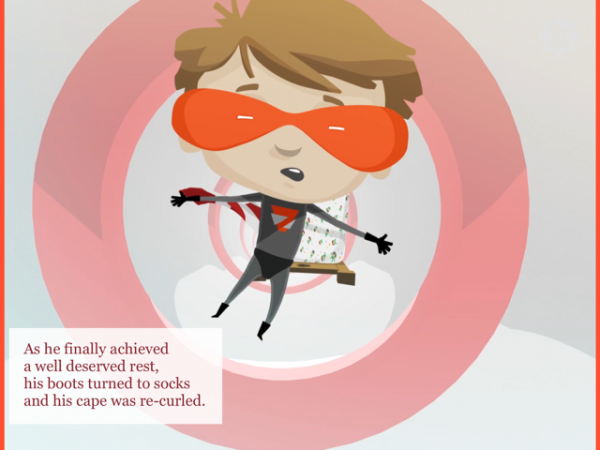
Cuing on this logic, a developer has actually gone out and made an action game that uses pages of words as a tapestry for gaming amusement. As improbable as it may seem, WordMan is a free title that offers players numerous chapters of page turning challenges, all of which can be played through on three different difficulty levels. To top things off, players will have the option to choose from three different super-heroes, complete with their own unique word-traversing super-powers.
Check out the trailer for the game below and let us know if you pick it up in the comments. I am curious to see if it lives up to the excitement!
Any app that has a description beginning with ‘Admit it – you’ve always wanted to write a novel.’ shouts at me. Because yes I do and I reckon somewhere deep inside me there is a great novel in there. Or at least one that more than five people would be willing to read. Lacking motivation however, I’m doomed to never achieve that dream.
I suspect I need to get downloading Novel in 30, an app that sets out to help users achieve their goal of completing a novel.
Besides offering a distraction-free writing environment, Novel in 30 encourages you to carry on. There’s a project dashboard ensuring that users can keep track of their progress and check how they’re doing so far quickly. Writing pace is also tracked so that the user can have a rough idea of what they need to do to maintain their target. Plus there’s the ever satisfying option of sharing progress via Facebook to show off how far the user has got.
Users don’t even have to worry about losing their witing so far as it syncs via iTunes ensuring easy access, and all writing can always be backed up to Dropbox.
Novel in 30 is available now for the iPad and is priced at $4.99.
Loris and the Runaway Ball is a simple and lovely universal storybook app about the dangers of running into the street after a run-away ball.
As a parent, one of my biggest concerns is that my fearless child will run into the street to collect a stray ball or other toy and get hit by an oncoming car. As much as we talk about this in order to reinforce this important lesson, I worry that it is never enough for this utterly crucial message to sink in.
This is a sweet story, told from the point-of-view of a loving older brother Lincoln, about how one day he is playing with his little sister Loris and their ball rolls into the street, and now lincoln needs to save his sister from her horrible decision to go after the ball. Luckily the older brother does get to his sister just in time, something I have not yet had to do, and hope I never have to.
Every now and then I think that I’ve finally become a proper adult, all responsible and doing away with childish things. Then I walk near a Disney store and all those allusions go out the window as I’m too busy exclaiming ‘awww’ at every single cuddly toy. A similar ‘awww’ came from me when I saw the latest update to Disney Princess Dress-Up: My Sticker Book.
It’s been updated as part of the excitement build up of the upcoming Royal Wedding at the end of the week. For those uninitiated in the app, you can use it to take photos of your children and ‘become’ part of the Princess storylines. This update adds a new Princess Tiana, 7 new stories as well as 25 new outfits and accessories that your children can dress themselves up with.
It’s a neat little idea anyhow that’s bound to be a big hit with young fans, even more so now that there are even more outfits to dress up in.
The update is available now for those who have already purchased the app, otherwise it’s $3.99 for newcomers to it. Oh and it’s an Universal app which is always convenient!
There are just some people out there that love to read, purely for the fun of it. For the rest of you normal people out there with lives and/or no free time, man created book clubs. What better way to force yourself through fifty pages of ‘Flowers for Algernon’ weekly than a group of that gives you dirty looks for coming unprepared. But what if there were a way to get a jump start on those bitter housewives by preparing like a true planner? This very prayer has been answered by the new app, Group Reads.
Featuring a multitude of functionalities, such as the ability to take notes before your weekly meeting, keeping track of notes for the group, or even recording an interactive log of your upcoming meeting dates, this is the kind of tool that should be in every reader’s arsenal. After all, $1.99 is just a small cost for going from the team slacker to the head of the class!
When you are a writer, a common piece of advice is to read as many books as you can to improve your writing. Though I don’t have the luxury of the free time to read these days, there was a time in my life when I used to churn through them by the shelf full. Now at the time, if you has asked me what I had read 3 days ago most likely I wouldn’t have been able to tell you, just because of the sheer volume of what my brain was absorbing. Well, it was either that or my chronic case of A.D.D.
I could have seriously used something like OCUBE‘s new app, FriendItem. The core concept behind the software is to keep track of all of the books you are currently, are planning to, or have read, in order to help keep your head straight. Once again, we have another reason why technology is such a godsend to those of us with the attention span of a sack of hammers. The developers are boasting some seriously helpful functionality, including:
Recognizing the barcode of a book with camera installed in iPhone
Google Books Mashup (Utilized as a basic data of books)
Book status (books that you already read, books that you are reading, books that you want to read) and book management function
Management of reading date and monthly reading statistics
Review and evaluation function
Underlining management function including photograph
Function of purchasing books in online bookstore, such as Amazon.com
Something like this would be an absolute dream from an academic that reads through an uncountable number of different publications at any given time. There are even ways to attach screen shots of important passages that you could refer back to at a moment’s notice. That sure beats my old “sticky note in the margin” solution.
But what would the benefit of having all of your back library of literature logged, without the ability to share that with the world? FreindItem even allows you to transfer any or all of the items in your library via Facebook, Twitter, Email, or even BUMP. Talk about having all of your bases covered. You should really take this app out for a test drive and see if it appeals to your inner bookworm. When the cost of entry is absolutely nothing, you can then afford to add a couple of new paperbacks to your library.
iPhone App - Designed for the iPhone, compatible with the iPad
Posted September 10th, 2010 by Brian Hudson Our Rating: :: JUST ANOTHER FREE BOOK READER
MegaReader is competing in a crowded and highly competitive corner of the App Store, and while it isn't a bad app, it doesn't have the weapons to win the war. It simply isn't offering enough to entice most users away from the likes of iBooks or Kindle.
The iPad is, along with the Kindle and the Nook, one of the first devices to bring the pleasures of eReaders to the masses. Unfortunately, it has brought the struggles of digital media along with it, casting users into a sea of confusion with new acronyms like ePub and mobi, among others. The most basic users will undoubtedly simply stick to Apple’s included solution and purchase all of their books directly from the iBooks store. This remains an incredibly simple and turnkey solution that even advanced users should consider. Other book sellers, like Amazon and Barnes & Noble, each include similar storefronts, allowing purchases from the desktop on their websites and simple delivery to the iPad. Each of these interactions requires little more than several clicks and files never need to be transmitted from the desktop to the iPad itself. But what’s the more advanced user to do if the iBooks/iTunes combination isn’t enough?
Calibre's Conversion Dialog
Those that dare to wade into the more advanced waters of eBook reading will need a quick primer on their device’s capabilities. The iPad’s native reader, iBooks, currently only supports the open ePub format, although support for PDFs is promised in a forthcoming version showcased at WWDC alongside iOS4. It’s important to note that eBooks downloaded from any of the aforementioned stores (Amazon, B&N, and iBooks) may come in the ePub format, but each is locked down with its own proprietary digital rights management system, making files from one online bookstore unreadable in another company’s reader.
Yet there are a multitude of sources for unencrypted eBooks, including stores who sell books without DRM. Formats may become an issue in this case, with lit, mobi, and more serving as the defaults for several other popular mobile readers. In this case, a user’s best option for books management is Calibre, a terrific open source program that works with a wide variety of eBook formats and readers. I’d say Calibre is the iTunes for your digital book library, but I like to think of it more as iBooks’ desktop companion.
iBooks’ Best Friend
Calibre, available free of charge, deftly converts eBooks from most formats to ePub, PDF, and more. It’s as simple as dragging and dropping into the app and selecting an output format. Calibre can also download metadata and covers so iBooks properly organizes your book when it’s displayed on your iPad. The app also centralizes your books on your hard drive so there’s always somewhere to go to find the original eBook, just as iTunes attempts to centralize your music library in a folder on your hard drive.
Calibre offers simple solutions for moving these books to your iPad, with a recently unveiled “push-to-iTunes” feature that will seamlessly add books to a connected iPad. Otherwise, users have to go into their Calibre library folder and drag the books to iTunes’ iBooks panel (when an iPad is syncing). If you’re not an iBooks user, Calibre works perfectly with Stanza, one of my favorite apps.
Like to Read? You’ll Love Calibre
Calibre does what any good app does – removes the strictures of formats and medium and instead leaves the text itself as the most important part of the reading experience. A simple drag and drop enables users to convert books from any format to any other format with ease. The developers are great and the app sees frequent and innovative updates. Like most open source projects, it makes me want to donate – the software’s almost too good to be true. It does much more than converting eBooks, though, and it’s worth a look for anyone interested in reading, whether on your iPad or off. Get it here.
Most people who have seen my new iPad react with the same question, “should I get this or the Kindle?” Apple, obviously, intended its iPad to be perceived as much more than an eBook reader. Yet the much publicized launch of the iBookstore, along with the iPad’s slim form factor, have led many consumers to perceive the iPad as an expensive eBook reader.
The Kindle is the Premier eBook Reader
Amazon's Kindle 2
The Kindle was launched solely as an eBook reader and is marketed as such. Jeff Bezos, on introducing the device, said of the Kindle that “it’s so ambitious to take something as highly evolved as the book and improve on it. And maybe even change the way people read.” Amazon has definitely done much of the legwork in improving the acceptability of the eBook as a new medium for written material. Amazon’s true innovation was bringing E-Ink technology to the consumer market, along with doing the technical legwork to simplify the reading experience. At its core, the Kindle is a delivery device – a user purchases a book as they would online and finds it available for reading seconds later.
The reading experience does everything it can to mimic the experience of paper, all of which is aided by E-Ink. The screen is technology’s response to those who complained that they would never be able to read a book on a traditional LCD screen or a laptop. The Kindle itself is merely the size of a large paperback and is lighter than most printed books. The Kindle is Bezos’ effort to translate the book for the digital age, and he has largely succeeded in providing a popular and widely accepted new platform.
The iPad as an eBook Reader
Apple's iPad with iBooks
The iPad has benefited from terrific interest from both book publishers and book retailers. As a consequence we’ve seen innovative new packages like the Vook and traditional books from retailers like B&N, Amazon, and more. While the Kindle has a terrific – and probably the largest – bookstore, the iPad offers more choices for where you get your ebooks.
There’s Apple’s iBooks, Amazon’s Kindle reading app, B&N’s new iPad reader, and more. The three largest players each offer different solutions to the eBook problem. iBooks tries to mimic the feel of a physical book, utilizing a color UI with beautifully rendered page turns. The Kindle’s UI is black and white and encourages the same type of user interaction as the physical Kindle – a simple tap on the side of the screen changes pages in a fluid transition not as visually distracting as that of iBooks. B&N’s app allows users to choose from dozens of different visual settings but maintains the same fluid page transitions as Amazon’s Kindle app. Only the iBooks app has a store in-app; the others force the reader to go to Safari to purchase books. This is a definite snag in the clear workflow Bezos presented with the original Kindle, but one that I’m sure both B&N and Amazon will surmount in future applications.
The iPad’s reflective LCD screen probably isn’t the best for simply reading a book. It’s a pain in the sun, where it’s nearly impossible to see the text on a page. E-Ink mainly solves this problem with its screen. People who have issues reading for long periods of time on their laptops may wish to reconsider an iPad purchase if it’s intended solely as an eBook reader. While the reading experience is cleaner and more enjoyable, it’s the same experience as the backlit screens most notebooks include. In addition, the iPad’s battery life is rated at 10 hours, enough for most commuters but nowhere near the weeks the Kindle can last for.
The iPad as a Platform: Bigger Than Books
A Vook on the iPad
The key differentiator between the two comes when we move beyond the simple eBook reading features. The Kindle includes a browser, but not one that functions nearly as well as the iPad’s. It’s black and white and renders incredibly slowly due to the E-Ink screen technology. The iPad’s Safari browser is widely regarded as one of the best on a mobile platform.
I’ve always seen the iPad as more than a traditional book reader as well. The Kindle simply translates the book reading experience into the digital age but strives not to completely alter the way we experience books. New features like Amazon’s Popular Highlights add subtle suggestions about the importance of a passage but do not redefine the reading workflow. Cool ideas like the aforementioned Vook change the reading experience by adding videos, multimedia, more information about certain topics (with links) and more. Could the iPad help the form of the written word change? Only time, and developers, will tell.
Decisions, Decisions
Those of you struggling with the decision to purchase an iPad or a Kindle might want to do some soul searching. What do you want from your portable device? Just books and nothing more? Buy a Kindle – that’s what it’s meant for. But if you’re looking for a small computer, with thousands of different and innovative new applications that could redefine reading, the iPad is for you.
Lexcycle, acquired last year by Amazon, released a version of their popular iPhone/iPod touch eReader Stanza for the iPad last week. Stanza was my eReader of choice on my iPhone and I’m thrilled it’s finally been ported to the iPad. It’s a terrific reader that’s compatible with a wide variety of different formats. Before Stanza for iPad was released, I used Calibre to convert my eBooks to iBooks’ required ePub format. Stanza allows users to read in a whole bunch of formats, and the 3.0 release adds PDF, DjVu, and Comic Book Archive support to Stanza’s already extensive library of readable files.
Stanza includes the most customizable reading interface I’ve seen on a mobile application. It allows you to customize nearly everything, from the page turning animations (a slide like the Kindle’s or a page turning animation like iBooks’) to the background and color of the text. Stanza really does make the experience all about the text – the user is able to customize everything about the way the book is viewed. Barnes and Nobles’ app was lauded earlier this week for including the same customization but their application locks you into using their bookstore. Stanza lets you load your own books onto the iPad or iPhone. It also, however, allows you access to a variety of other eBook stores directly from the phone.
Stanza's Text Descriptions
Perhaps the application’s best feature is Stanza’s Detail views for text. Highlighting text using the traditional copy and paste mechanism in iBooks yields a tooltip that lets you bookmark (highlight) and look things up in the dictionary. It’s a more complicated scenario in Stanza but one that offers one additional option – the ability to share text on Facebook, Twitter, and through email. The detail view pulls up the paragraph in question in an iPhone-sized window and makes it easier to select text.
Stanza works perfectly with Calibre, my app of choice for eBook conversion. It now allows for a really simple workflow to get eBooks from the desktop to an iPad. It’s possible to move books by utilizing a computer as a wireless server, or by pushing them from Calibre into iTunes. It’s also possible to drag books into iTunes and into Stanza.
Stanza is the ideal reading experience, with customizable colors, animations, and more and compatibility with dozens of different formats. The Lexcycle team has succeeded in bringing the great iPhone app to the iPad and I, as an avid reader, am glad they did so.
This week at 148Apps, Tweetbot was on a roll, a new storybook app joined the fold, and - oops - apps broke the Super Bowl. There's more to read, so get to it!