Posts Tagged storage

Files App Review

Files App Review

+ Universal App - Designed for iPhone and iPad
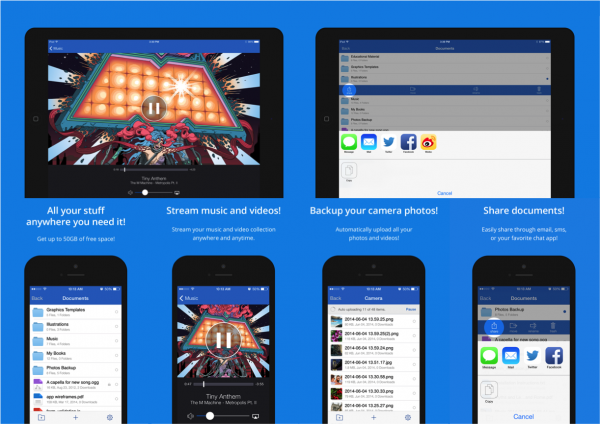
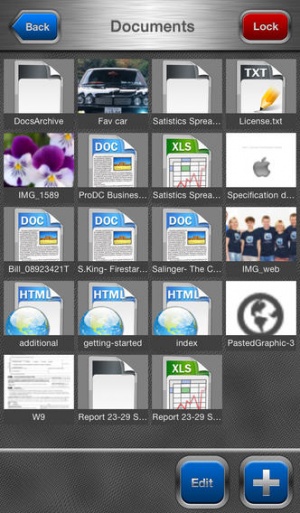
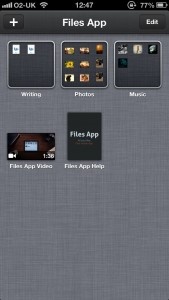
Simple and to the point, Files App is a handy way to transfer files between iOS devices and PCs and Macs, as well as view or edit them on the move.

Read The Full Review »
Oregano Recipe Manager Review

Oregano Recipe Manager Review

iPad Only App - Designed for the iPad
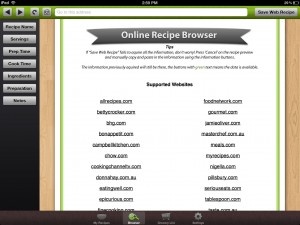
Is Oregano the recipe manager to end all recipe managers? Not quite.

Read The Full Review »

With the rise in popularity of “cloud” services like iCloud, Dropbox, and Box, another category of cloud services has started to pop up describing themselves as “personal clouds” or “private clouds.” PocketCloud, and it’s iOS app PocketCloud Explore, is one of those services.

These personal clouds often provide access to a remote computer instead of uploading all files to a “cloud” server in possession of the service. With the free version of PocketCloud Explore, users gain access to one remote computer, have 2GB of actual cloud storage, are limited in upload/download size, and audio and video streaming are restricted to 30 seconds. Subscribers can use ten remote computers, the upload/download limit increases to half a GB, and video and audio streaming becomes unlimited in length (Windows only, Mac coming soon).

PocketCloud comes with a companion program that must be installed on the remote computers users wish to access on the fly. The program is available for both Mac and Windows, but the Mac version is unable to stream audio and video as of now.

A PocketCloud subscription will cost $5 per month, but it’s currently on sale ($7.99 for three months and $23.99 for the year).

FREE!
+ Universal App - Designed for iPhone and iPad
Released: 2012-02-28 :: Category: Business

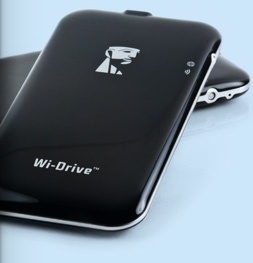
I’ve had all three iPads. My first iPad was the 32GB WiFi original, then the 16GB WiFi iPad 2, and now the 32GB WiFi iPad (third-gen). I made a huge mistake buying the 16GB version for my last iPad 2. The second I decided to start putting movies and TV shows on my iPad 2 was the moment I regretted it. Kingston now sells a “flash drive” that may help others in similar situations with their iOS devices.

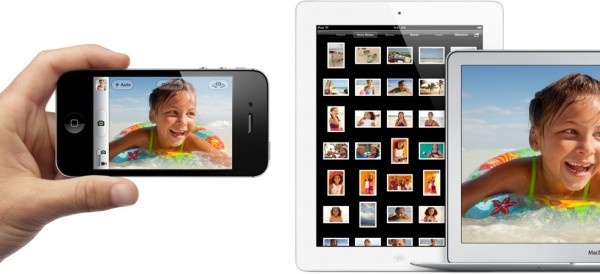
The Wi-Drive is a portable drive (16 or 32GB) that connects to WiFi and extends storage for iOS devices. Along with the free Wi-Drive app, the drive can be loaded up with files from a desktop or laptop and stream those files to an iOS device. It can even share the data with up to three different users at the same time.

The drive is about the size of an iPhone 4, so it fits in most pockets and bags. A USB cable transfers files from computers to the drive. The 16GB version is available on Amazon for $44 and the 32GB version for $95.

Howto: Moving to the iCloud

Apple’s new iCloud service is the promise of MobileMe made real. Imagine a PC-free future, traveling our world with an iPad, iPhone, iPod touch and yes, even a Mac or PC, without ever having to sync them together again. Apple’s got that future started with iCloud, and we spent a little time trying it out. We’ve untethered our iPhone and iPad and we’re here to tell you how to do it and how it works.

Before we start, though, here’s a quick video, right from Apple, explaining the concept.

iPhone Unleashed
iCloud wants to be the basis of our wireless future. The basics of iCloud are contained in the settings app on the iPhone and iPad, the System Preferences on a Mac, and the iCloud Control Panel on a Windows PC. First up, we needed to update our iTunes to version 10.5, then our iPhone 4 to iOS 5, via that new iTunes. When activating a new iOS device, users will see a couple of new screens to walk them through the iCloud setup. The best way to do this is to log in with an Apple ID, either one that already exists, or creating a new one from the iCloud screens.

For details on how to deal with Apple accounts in a family or work group, check our article iOS 5, iCloud, and iTunes – Set Up in a Multiple Device Family. If a MobileMe user, transition that account to an iCloud one here: Me.com. In addition, users can use the iCloud web interface if away from their own specific devices: iCloud.com.

Hit the jump for even more info about iCloud.

Continue reading Howto: Moving to the iCloud »

Dropbox

Dropbox

iPhone App - Designed for the iPhone, compatible with the iPad
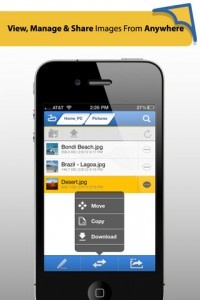
Keeping your files synchronized has never been easier. I'm already a devoted fan of Dropbox—this useful app is just the icing on the cake.

Read The Full Review »
    Advertisement    


Featured Apps

    Advertisement    


Developers

Would you like your application reviewed on 148Apps? See the About page for information.
    Advertisement    


Steel Media Network

148Apps - iPhone app reviews and news. The best gosh darn iPhone app site this side of Mars.
http://148apps.com :: @148Apps

The Portable Gamer - Coming soon.
http://ThePortableGamer.com :: @PortableGamer

Android Rundown - Android news and reviews. Where you get the rundown on Android apps and hardware.
http://AndroidRundown.com :: @AndroidRundown

Best App Ever - Yearly Mobile App Achievement Awards.
http://bestappever.com :: @BestAppEver

GiggleApps - iPhone applications reviews for kids and parents.
http://GiggleApps.com :: @GiggleApps

148Apps.biz - iPhone development news and information for the community, by the community.
http://148apps.biz :: @148AppsBiz

The App Hall of Fame - An archive of the very best in apps and games.
http://AppHallofFame.com :: @AppHallofFame

Pocket Gamer - Mobile game reviews, news, and features.
http://PocketGamer.co.uk :: @PocketGamer

Pocket Gamer.biz - Mobile games industry news, opinion, and analysis.
http://PocketGamer.biz :: @pgbiz

AppSpy - iOS game news and video reviews.
http://appspy.com :: @appspy

Smart TV Radar - For everything you need to know about Smart TV.
http://smarttvradar.com :: @smarttvradar