Avid Studio Review
iPad Only App - Designed for the iPadA powerful app for editing videos while on the move.
Read The Full Review »
Posts Tagged PhotographyAvid Studio ReviewiPad Only App - Designed for the iPadA powerful app for editing videos while on the move. Read The Full Review »
A photography app for switching around two faces in a photograph automatically, without any necessary configuration or input from the user? Sounds unlikely, right? Well, there are many, many apps out there for transforming our faces. Ones to make our faces fatter, ones to make our faces skinnier, Photo Booth is on the iPad for all kinds of crazy effects, and we can even turn ourselves into Star Wars characters now. But switching faces with someone else? Surely, that’s impossible! Face Fun says “No it’s not!” and “Don’t call me Shirley.” Face Fun works by taking pictures of two people, and then automatically processing the image and switching their faces around. This does require an internet connection to work, as it utilizes Face.com’s face recognition API. This creates an immediate swap of the two faces, which can look rather freaky at first, as people have different face sizes, or the subjects might not be facing entirely forward. Thankfully, the app does let users manually adjust the faces to get them perfect. Swapped faces can be moved about, pinched and expanded to scale them, double-tapped to flip them around, and rotated around with a two-finger-twisting gesture. Photos can be imported from the Camera Roll, but the app recommends taking photos directly from within the app itself. Face Fun comes with social features – photos can be saved to the Camera Roll, shared via email, Twitter, or Facebook. Facebook friends can also be tagged in photos with the app. Face Fun is thankfully and surprisingly universal – the iPad’s benefit for storing and viewing photographs is a selling point of the device, yet many photography apps tend to avoid iPad support, likely due to the iPad 2’s poor cameras and the iPad 1’s nonexistent cameras. So, while this might not be optimal for taking new photos on the iPad, importing and editing photos work very well on the larger screen. Face Fun is available now. $0.99 ![]() + Universal App - Designed for iPhone and iPad Released: 2012-01-17 :: Category: Entertainment Panorama 360 Camera Review+ Universal App - Designed for iPhone and iPadCreating a panoramic image just got a whole lot simpler. Read The Full Review » AirPics ReviewiPad Only App - Designed for the iPadAirPics is an app for displaying iPhoto libraries on iPad. Read The Full Review » AntiCrop Review+ Universal App - Designed for iPhone and iPadAntiCrop brings a content aware fill algorithm to iOS photo editors, but without other advanced features its application is limited. Read The Full Review »
Facebook Cover Designer is an app that makes it all the easier to implement. Offering a selection of filters and the ability to rotate, zoom in/out, shift or tilt, users can create an attractive Timeline cover and then publish it directly to their Facebook profile all from this one app. Users can either take a photo directly or use one from the camera roll, Facebook, Picasa, Flickr, Photobucket or Instagram. It’s all extremely easy to get to grips with and great results are achieved in hardly any time at all. Facebook Cover Designer is available for free and there’s the option to unlock pro mode for $0.99 which provides more filters. FREE! ![]() iPhone App - Designed for the iPhone, compatible with the iPad Released: 2012-01-17 :: Category: Social Networking Mattebox ReviewiPhone App - Designed for the iPhone, compatible with the iPadThere's plenty of potential in this photography app but also a few rough edges. Read The Full Review » GroupShot ReviewiPhone App - Designed for the iPhone, compatible with the iPadTaking family pictures can be a terrible experience. For some reason someone always forgets to smile or blinks in every picture. GroupShot makes it easy to edit the best elements from a group of pictures together to create that perfect shot. Read The Full Review » Kinotopic ReviewiPhone App - Designed for the iPhone, compatible with the iPadA fascinating concept that's let down slightly by execution and stability issues. Read The Full Review » Amopic ReviewiPhone App - Designed for the iPhone, compatible with the iPadA full-service photo editing app, without any instructions and limited screen size. Read The Full Review » Glmps Review+ Universal App - Designed for iPhone and iPadThis new app mixes photography and video in a fresh way. Read The Full Review »
Discovery of other users’ photos is also here, and can be explored using the same swiping and pinch-zooming commands. The most popular photos can be viewed; unsurprisingly a lot of them are self-shots of pretty girls. As well, the ability to search by Instagram hashtags is also here, and partial tags can also be found. When searching for “Megadeth” because I was listening for them and testing this app out, I found pictures of someone’s kitten that they named Megadeth. That’s metal. Instaflow is available as a free universal app. Master Your DSLR Camera ReviewiPad Only App - Designed for the iPadThe ideal companion app for new owners of DSLR cameras. Read The Full Review » Photogene² for iPhone ReviewiPhone App - Designed for the iPhone, compatible with the iPadPhotogene² is the latest version of the Photogene series of photo editing apps, bringing with it a whole new interface and new features. Read The Full Review » Last week we looked at the best camera replacement apps for the iPhone native app. So, this week we wanted to continue the theme, this time looking at apps that focus on adding those ever-popular effects and filters. Many of the choices feature a camera replacement component, but all do unique things to produce end results that are anything but the average cell camera shot, no matter how high the resolution. All of these apps will make even casual photographers look like virtual experts. Instagram is all about effects and sharing and it’s completely free. This long-time user favorite allows shutter bugs to shoot right from the app or use existing images in the photo album and easily add custom filters. Most photo apps have social media integration but Instgram can actually be classified as a social networking app. Users can share on Facebook, Twitter, Tumblr, Flickr, but also less common options ike Posterous and Foursquare and even has a huge community that interacts with likes and comments. FREE! ![]() iPhone App - Designed for the iPhone, compatible with the iPad Released: 2010-10-06 :: Category: Photography 360 Panorama For panoramic images 360 Panorama is our choice. This universal app allows users to take ad then patch together photos seamlessly to create breath-taking immersive images. The app uses the gyroscope to give users a full 360 view and stitches the images with amazing speed. $0.99 ![]() + Universal App - Designed for iPhone and iPad Released: 2010-07-30 :: Category: Photography Pro HDR For truly detailed images, high dynamic range photography (HDR) is the way to go. Pro HDR takes a lot of the hassle out of getting the images to look sharp and brilliant in all conditions. This app takes multiple pictures of the same thing with different settings to highlight or fix specific areas and them merges them together. The results are near 8 mega-pixel image quality. This is the only HDR camera app that automates the process, but for those with advanced photography skills there is also a manual option for setting exposure of the images that will make up the final composition. Hipstmatic For vintage effects like we got in the 1970′s with plastic encased toy-like cameras which gave very analog results, Hipstamatic is the go-to app for iPhone photographers. It uses what were once considered flaws – like overexposure, odd colour balance and blurring – to create photos with an authentic feel. The app comes with 10 effects for the initial price and five additional effects packs can be purchased in-app. Hipstamtic features a lot of social network integration as well. $1.99 ![]() iPhone App - Designed for the iPhone, compatible with the iPad Released: 2009-12-09 :: Category: Photography Apple has done a lot to improve the native camera app with iOS 5 and lucky iPhone 4S owners are already taking the highest quality iPhone images ever. But, even with the tune up, many of the most requested features from manual adjustments to photo bursts, darkroom effects to more sharing options (Facebook anyone?) are still lacking. But, the app store is filled with alternatives so this week we look at our favorite four camera replacement apps. Camera+ Camera+ has been the top camera replacement app almost since its launch in June 2010 and gets frequent updates keeping it at the top of the charts and this list. The app allows uses to users to set focus and exposure manually like a real camera, uses the iPhone 4 LED flash as a continuous fill light to brighten up dark settings, has image stabilization and a 6x digital zoom that really pulls the action in. Camera+ allows for photo editing, has a lot of effects, and has plenty of social media integration for easy photo sharing. $1.99 ![]() iPhone App - Designed for the iPhone, compatible with the iPad Released: 2010-06-06 :: Category: Photography Camera Genius For still and video Camera Genius replaces the native camera app with 6x digital zoom, a full screen button to make it easy to snap pics on the fly, a timer, image stabilization and a mini burst mode which will take three action shots rapidly. The app also helps iPhoneographers and videographers shoot clean with a Photo Composition Guide and of course, lots of sharing capabilities. $2.99 ![]() iPhone App - Designed for the iPhone, compatible with the iPad Released: 2009-02-07 :: Category: Photography Camera Plus Pro Camera Pro Plus is all about speed. The developers claim it is the fastest camera app, and while we can’t verify that, it is zippy. This app features live video and still filters so users can preview effects before snapping and add them in one step. Burst mode is particularly useful for action settings allowing for 40 shots to be taken in rapid succession and the app has an array of editing and darkroom effects, private photo and video collection storage, even photo transfer via Wi-Fi along with the requisite social network sharing options. $1.99 ![]() iPhone App - Designed for the iPhone, compatible with the iPad Released: 2009-12-17 :: Category: Photography King Camera King Camera is a newcomer to the App Store. It’s a powerful, fast and responsive app with some cool features missing from others on this list including the ability to shoot time lapse photography and stop motion animation. The app controls the video camera too and adds a big button to both along with a rule of 3rds grid and integrates a flashlight feature for low-lighting situations. For stills there is also exposure and white balance lock, a self-timer, anti-shake even photo backup. The app also has some fairly robust photo editing abilities, the requisite fun filters and, you guessed it, lots of easy social media sharing with a tap. The French Canadian company behind the app even had a commercial shot for local TV using only images taken with an iPhone and the King Camera app – judge for yourselves. FREE! ![]() iPhone App - Designed for the iPhone, compatible with the iPad Released: 2011-05-29 :: Category: Photography
As soon as the app is opened up, thumbnails of the top recent photographs are displayed, and can be cycled through. Users can vote up photos they like, favorite them, and add their comments to them from within the app. Photos can easily be swiped through, and the ability to view photos as a slideshow exists. The photos are all very high-quality, even the latest photos uploaded to the service all look like they were taken either with expensive cameras or run through the finest image processing known to man. The app supports sharing to Facebook (which can also be used to log in to rate photos), Twitter (though it does not use iOS5′s Twitter authentication yet), and even to Tumblr. Links can also be shared via Messages, email and opened in Safari. The last method is the only way to save photographs, especially as many of these photos would make for fantastic wallpapers on the iPad. 500px users with friends on the service can view their friends’ photos as well. While there are a lot of great photos in the 500px app, it is important to note that there are copious amounts of nude photography in this app – the photos are hidden and thumbnails not displayed unless the user chooses to, but it’s something to note when using the app. Those not wishing for these photos to be displayed will want to enable “Filter nude photographs” in the settings. 500px serves as a great introduction to the service, and as a great app for even just those looking to view some fancy photographs on the big iPad screen. Fontography HD ReviewiPad Only App - Designed for the iPadFontography is a photography app for the iPad that allows users to make custom "fontographs." With the ability to create custom letters and numbers, Fontography really lets the creative mind take hold to make unique word art. Read The Full Review » Nabit ReviewiPhone App - Designed for the iPhone, compatible with the iPadNabit is an easy to use app that lets users create action sequence photos as seen in action sports magazines. Creating a unique action sequence can be done in a matter of a few seconds with Nabit's user-friendly interface. Read The Full Review » This week at 148Apps.com, writer Blake Grundman offered part one of his developer interview with the folks behind Squishy’s Revenge, Toy Studio. Grundman writes, “Despite only having been in existence since September of 2009 the team working behind the scenes at Toy Studio have been hard at work, churning out an impressive thirteen games in that short span. Having successfully released titles on both the Nook Color and Facebook, it seemed like the next logical step was to transition into the iOS space.” Read the rest of part one at 148Apps.com, and keep checking in for parts two and three soon. FREE! ![]() + Universal App - Designed for iPhone and iPad Released: 2011-09-29 :: Category: Games Over at 148Apps.biz, founder Jeff Scott reported on Unity’s big announcement at Unite11. Scott says, “Shown during the Unite11 keynote, Unity 3.5 includes lots of new, very impressive sounding features like Multi-threaded rendering, Improved occlusion culling, and Radiosity Normal Mapping lightmaps. All in all, about 40 major new features. I’m thinking this will make some developers very happy — and me, as a game player will reap the benefits! For a full list of new features in Unity 3.5, check out the press release.” Read more about the big announcement on 148Apps.biz. GiggleApps writer Amy Solomon contributed a review of Snap and Share Kids Cam, stating, “I take a lot of photos of my son, who will also now ask me to take a snapshot many times of things he finds amusing, sometimes asking me to email them to family members. This app easily allows a child his age to take and send photos himself, as this app is very simple to use and contains nice spoken prompts explaining each event leading up to the emailing of photos. So easy to use in fact, that I plan to use it myself as this application is surely quicker than taking a picture, finding it on the camera roll, tapping to email, typing the recipient’s email address and tapping again to send the email on its way.” Read the rest of Solomon’s review on GiggleApps. $1.99 ![]() iPhone App - Designed for the iPhone, compatible with the iPad Released: 2011-09-06 :: Category: Photography And thus we come to another weekly round-up of 148Apps network goodness. There’s so much more to see on the various sites, so check them out for yourself – and don’t forget to follow our Twitter and Facebook feeds for daily news updates and contests galore. See you next time. We were pretty impressed by Camera Plus Pro when it was reviewed last summer. Clearly developers, Global Delight, didn’t want to rest on their impressive laurels as version 4.0 of Camera Plus Pro, released today, promises to the bring the best out of the iPhone camera in terms of photography and performance. Some of these changes are simple such as the fact that the app is now 30x faster, others are much more complex such as the UI makeover, new capture engine and a plethora of different filters. The main thing to take from all this is that Camera Plus Pro is all the more essential a purchase for anyone keen to use the camera functionality regularly.
9 Live Video Filters have been added for those creating videos with the app. The new Smooth Video Zoom functionality boosts video recording too thanks to its jerk-free promise. With the capture engine being so much faster than before, instant saving is possible with the ability to capture 40 back-to-back photos at full resolution. Re-adjusting images, rotating or cropping photos is just as simple with one single motion doing everything. It’s impressive stuff for an already excellent photography app. Camera Plus Pro is regularly priced at $2.99 but to celebrate the latest release, it’s priced at a mere $0.99 for the next week. An ideal time to check it out then. $1.99 ![]() iPhone App - Designed for the iPhone, compatible with the iPad Released: 2009-12-17 :: Category: Photography FX Photo Studio HD ReviewiPad Only App - Designed for the iPadThe bigger and better version of the successful iPhone photo editing tool. Read The Full Review » OSnap! Ultimate Time-Lapse ReviewiPhone App - Designed for the iPhone, compatible with the iPadOSnap! streamlines the pain of time-lapse video creation. Despite some hefty nuances necessary to properly utilize this app, it might inspire some new movie makers to get off the couch and into the field. Read The Full Review » Paparazzi Photo ReviewiPhone App - Designed for the iPhone, compatible with the iPadBordering on too simple, Paparazzi Photo is a useful way of taking photos very, very fast. Read The Full Review » Photo Academy ReviewiPhone App - Designed for the iPhone, compatible with the iPadPhoto Academy is a comprehensive guide to all things photography. Read The Full Review » FiLMiC Pro ReviewiPhone App - Designed for the iPhone, compatible with the iPadA feature rich video recording app that can make all the difference between a mediocre video and one that does the subject matter justice. Read The Full Review »
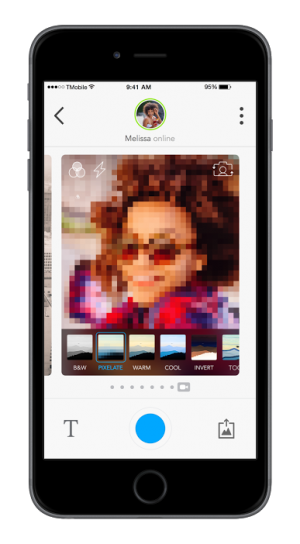
With Pixl, users can take existing photos and run them through a filter with variable settings that will reduce all of the textures and shades down to basic shapes and flat colors. In other words, instead of using a full image that’s predominantly blue (for the sake of argument) as blue for a larger image, it creates a blue box or circle for the same purpose. It’s the same basic idea, though. In either case, it results in a stylized abstraction of the image. Users are also able to take images from within the app, so if they’re out walking and see something that would make a good Pixl image they can open it up and get right to work. Photos can then be saved for later viewing in both portrait and landscape orientations. It sounds a little like a gimmicky photo filter app, and depending on the user that might be all it amounts to, but it can also be an incredibly useful learning tool. Specifically, Pixl seems to be designed more for artists or art students than for someone looking to mess around with their vacation photos. In breaking an image down into basic shades, it allows users to study the way colors react to one another when in close proximity. It also makes it easier to scrutinize color values without visual distractions like texture to get in the way. In short, it’s Color Theory. Anyone looking to have fun making the pictures on their phone look artsy, or those who could use a little help with their swatches, can download Pixl from the App Store right now. Photo 365 Review+ Universal App - Designed for iPhone and iPadOffering a great way to collate images across a year comes Photo 365. Read The Full Review » Pixlr-O-Matic Review+ Universal App - Designed for iPhone and iPadPixlr-o-matic offers plenty of different ways to add effects to photos but not quite as many ways to share them. Read The Full Review »
This is no mere camera filter. No, Photo Academy is a massive cross-referenced database absolutely full of tips, tricks and techniques for almost any imaginable photo-op situation. Within reason, of course. Users simply have to choose a topic, then can browse through a number of sub-categories that range from how to handle different lighting situations to what equipment to use. Useful tips can even be bookmarked for later/repeated use. Photo Academy also includes a “Photo 101″ guide for total greenhorns, example photos and a Shoot Diary for more adventurous users. The Shoot Diary lets them keep track of almost all the details surrounding a particular image, including weather, time of day, location and, of course, the photo itself. Diary entries can even be posted online through Twitter, email and Facebook in order to document personal achievements (i.e. brag) or offer up pointers for other users. I’m honestly quite interested in seeing if and how a community forms around this app. Again, this is no mere iOS camera app. This is a full-blown how-to encyclopedia of photographic knowledge. These tips apply to actual cameras, with aperture settings, shutter speeds and the like. Some of the basics can be applied to the little hole that sits in the corner of a given iOS device, but it’s meant more for the real thing. Which is something that all amateur photographers are probably more interested in anyway. $2.99 ![]() iPhone App - Designed for the iPhone, compatible with the iPad Released: 2011-08-18 :: Category: Photography |