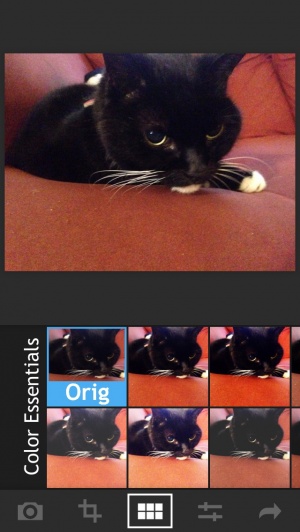
Facetune Review
iPhone App - Designed for the iPhone, compatible with the iPadFine tune that face of yours with this photo editing app that focuses solely on removing blemishes and other distinctions on the face.
Read The Full Review »
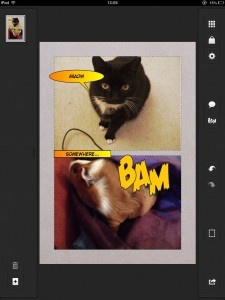
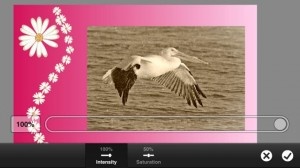
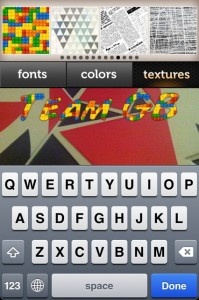
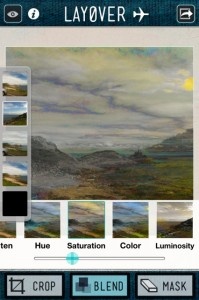
Posts Tagged photo editingFacetune ReviewiPhone App - Designed for the iPhone, compatible with the iPadFine tune that face of yours with this photo editing app that focuses solely on removing blemishes and other distinctions on the face. Read The Full Review » Adobe Photoshop Touch for phone ReviewiPhone App - Designed for the iPhone, compatible with the iPadPhotoshop Touch for phone gives serious photographers on-the-go editing solutions in a cramped but powerful package Read The Full Review » InstaFonts ReviewiPhone App - Designed for the iPhone, compatible with the iPadInstaFonts allows you to easily add attractive text to your Instagram photos before uploading them. It's not perfect but it is useful. Read The Full Review » Layover Review+ Universal App - Designed for iPhone and iPadLayover provides a way to blend up to five images together and create new stunning imagery. Read The Full Review » Layout ReviewiPad Only App - Designed for the iPadCollages are easy with this all-in-one iPad app that keeps things simple and fun. Read The Full Review » Photo Editor By Aviary ReviewiPhone App - Designed for the iPhone, compatible with the iPadA comprehensive photo editing app with a non-existent price tag. Read The Full Review » Pix: Pixel Mixer Review+ Universal App - Designed for iPhone and iPadAn effective yet slightly uninspired photo filtering app. Read The Full Review » iPhoto Review+ Universal App - Designed for iPhone and iPadiPhoto, Apple's photo editor, completes the iLife suite for the iPad. Read The Full Review » AntiCrop Review+ Universal App - Designed for iPhone and iPadAntiCrop brings a content aware fill algorithm to iOS photo editors, but without other advanced features its application is limited. Read The Full Review » Amopic ReviewiPhone App - Designed for the iPhone, compatible with the iPadA full-service photo editing app, without any instructions and limited screen size. Read The Full Review » Last week we looked at the best camera replacement apps for the iPhone native app. So, this week we wanted to continue the theme, this time looking at apps that focus on adding those ever-popular effects and filters. Many of the choices feature a camera replacement component, but all do unique things to produce end results that are anything but the average cell camera shot, no matter how high the resolution. All of these apps will make even casual photographers look like virtual experts. Instagram is all about effects and sharing and it’s completely free. This long-time user favorite allows shutter bugs to shoot right from the app or use existing images in the photo album and easily add custom filters. Most photo apps have social media integration but Instgram can actually be classified as a social networking app. Users can share on Facebook, Twitter, Tumblr, Flickr, but also less common options ike Posterous and Foursquare and even has a huge community that interacts with likes and comments. FREE! ![]() iPhone App - Designed for the iPhone, compatible with the iPad Released: 2010-10-06 :: Category: Photography 360 Panorama For panoramic images 360 Panorama is our choice. This universal app allows users to take ad then patch together photos seamlessly to create breath-taking immersive images. The app uses the gyroscope to give users a full 360 view and stitches the images with amazing speed. $0.99 ![]() + Universal App - Designed for iPhone and iPad Released: 2010-07-30 :: Category: Photography Pro HDR For truly detailed images, high dynamic range photography (HDR) is the way to go. Pro HDR takes a lot of the hassle out of getting the images to look sharp and brilliant in all conditions. This app takes multiple pictures of the same thing with different settings to highlight or fix specific areas and them merges them together. The results are near 8 mega-pixel image quality. This is the only HDR camera app that automates the process, but for those with advanced photography skills there is also a manual option for setting exposure of the images that will make up the final composition. Hipstmatic For vintage effects like we got in the 1970′s with plastic encased toy-like cameras which gave very analog results, Hipstamatic is the go-to app for iPhone photographers. It uses what were once considered flaws – like overexposure, odd colour balance and blurring – to create photos with an authentic feel. The app comes with 10 effects for the initial price and five additional effects packs can be purchased in-app. Hipstamtic features a lot of social network integration as well. $1.99 ![]() iPhone App - Designed for the iPhone, compatible with the iPad Released: 2009-12-09 :: Category: Photography We were pretty impressed by Camera Plus Pro when it was reviewed last summer. Clearly developers, Global Delight, didn’t want to rest on their impressive laurels as version 4.0 of Camera Plus Pro, released today, promises to the bring the best out of the iPhone camera in terms of photography and performance. Some of these changes are simple such as the fact that the app is now 30x faster, others are much more complex such as the UI makeover, new capture engine and a plethora of different filters. The main thing to take from all this is that Camera Plus Pro is all the more essential a purchase for anyone keen to use the camera functionality regularly.
9 Live Video Filters have been added for those creating videos with the app. The new Smooth Video Zoom functionality boosts video recording too thanks to its jerk-free promise. With the capture engine being so much faster than before, instant saving is possible with the ability to capture 40 back-to-back photos at full resolution. Re-adjusting images, rotating or cropping photos is just as simple with one single motion doing everything. It’s impressive stuff for an already excellent photography app. Camera Plus Pro is regularly priced at $2.99 but to celebrate the latest release, it’s priced at a mere $0.99 for the next week. An ideal time to check it out then. $1.99 ![]() iPhone App - Designed for the iPhone, compatible with the iPad Released: 2009-12-17 :: Category: Photography FX Photo Studio HD ReviewiPad Only App - Designed for the iPadThe bigger and better version of the successful iPhone photo editing tool. Read The Full Review » With the iOS 5 announcement, many have been speculating on the “death” of certain apps that provide some of the same features that iOS 5 will be coming out with. This week I’ll talk about four categories and specifically four of my favorite apps that might be killed off by iOS 5. Dropbox – Cloud Storage FREE! ![]() + Universal App - Designed for iPhone and iPad Released: 2009-09-29 :: Category: Productivity Camera+ – Photo editing Camera+ was the must-have, quick photo-editor for the iPhone. If anyone is even remotely interested in doing quick touches to his or her pictures, Camera+ was the app to buy. The Photos app in iOS 5 will now add quick touch-up features like cropping, red-eye removal, and an auto-enhance feature. Unless an editor is incredibly powerful or has specific features that I would want, I’m likely to just use the Photos app after the iOS 5 release. $0.99 ![]() iPhone App - Designed for the iPhone, compatible with the iPad Released: 2010-06-06 :: Category: Photography Wunderlist - To-do There are so many varying types of to-do apps on the App Store that I doubt Reminders (iOS 5’s to-do app) will kill off to-do apps. But there’s a specific to-do app that I just started using, Wunderlist, that does exactly what Reminders will do – cloud-based to-do. With a free, to-do list app synced with all iOS devices, I find it hard to believe that to-do list apps will be as popular as they once were. FREE! ![]() + Universal App - Designed for iPhone and iPad Released: 2010-12-09 :: Category: Productivity Instapaper – Offline Reading Instapaper isn’t the only service that provides an offline reading list (another popular one is Read It Later), but both services cost money. Built into the new and improved Safari on iOS 5 will be a reading list feature. The offline reading list in combination with the new “Reader” view (which presents text in an easy to read format) presents an experience similar to Instapaper. I’m a huge fan of Instapaper, but I tend to prefer native Apple apps over third-party apps if they’re available. I’ll definitely be checking out the reading list feature in the new Safari and I have a feeling that it may win me over. PhotoForge 2 ReviewiPhone App - Designed for the iPhone, compatible with the iPadPhotoForge 2 is a features rich photo manipulation app but one that might prove intimidating to casual users. Read The Full Review » TouchUp for iPad ReviewiPad Only App - Designed for the iPadTouchUp is a feature-filled photo editing app with numerous ways of exporting and sharing the finished product. Read The Full Review » HalfCamera ReviewiPhone App - Designed for the iPhone, compatible with the iPadSeam together double-photos with this new Camera app, offering standard photo effects and Twitter & Facebook sharing. This is a great idea, but a poor UI holds this one back a bit. Read The Full Review » |