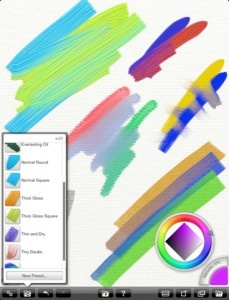
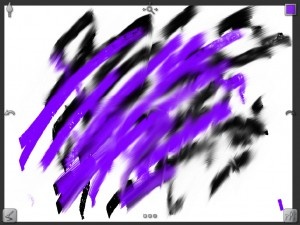
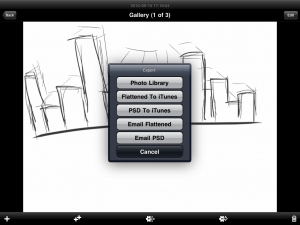
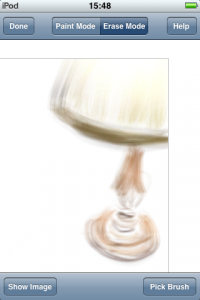
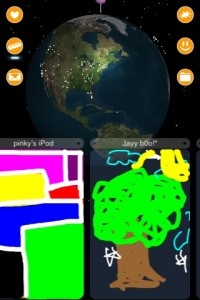
Brushes 3 Review
+ Universal App - Designed for iPhone and iPadIt's not the most technically advanced of drawing apps but Brushes 3 is an ideal place for amateur artists who want to dabble in the fun of drawing.
Read The Full Review »
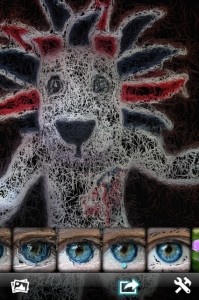
Posts Tagged paintingBrushes 3 Review+ Universal App - Designed for iPhone and iPadIt's not the most technically advanced of drawing apps but Brushes 3 is an ideal place for amateur artists who want to dabble in the fun of drawing. Read The Full Review » Glaze Review+ Universal App - Designed for iPhone and iPadGlaze makes it easy to add painting style effects to photos but it's not quite perfect yet. Read The Full Review » How To Draw! Review+ Universal App - Designed for iPhone and iPadA little heavy on talking rather than doing, How to Draw! does teach some great skills. Read The Full Review »
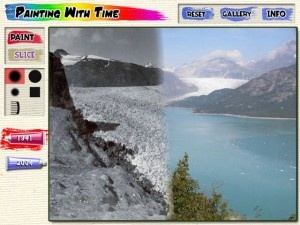
The passage of time is rather hard for one to notice while it’s happening. Seasons change gradually, climate change creeps at such a slow pace many actively deny its reality – even changes to a person we are close to are hard to perceive when we see them daily. Red Hill Studios, best known for educational and health games and behind the documentary “Exploring Time“, have launched an iPad app. Painting With Time, the gives users 14 remarkable environments to explore the concept and its impact. In the gallery are pastoral scenes, urban landscapes, even people, and we are invited by the simple GUI, to select a scene and then use a finger to paint it. The tubes in this app, however, don’t contain paint – they contain time. In minutes, days, seasons, or years users blend the effects of time right onto the image and then slice it in myriad ways to explore the juxtapositions. It’s time-lapse photography with an interactive twist. The results can be beautiful like seasons changing in a forest, amusing like playing with facial hair growth, and some are eye-opening like the glacier retreat in the arctic. Painting With Time is an aesthetic, creative, and mind-expanding app, ideally suited to starting a new year, and it’s free.
Artifact features two useable layers, one for the original image and the other for the image the user will be taking from. As soon as the image has been pinched into place, the user simply pants the image from the second image onto the first image for a new, unique photo. The app also allows a video frame to be used, multi-touch painting support, different brush shapes and painting modes and masking tape to block off and protect parts of the image from painting. And with the latest update, the user can undo multiple times, uses less RAM, takes images from Facebook and the opacity can be customized. Procreate ReviewiPad Only App - Designed for the iPadProcreate gives professional and amateur artists the tools they need and the simplicity they want to create their own masterpieces in real time. Read The Full Review » Look, it’s not your fault. You have a busy life. Go ahead and slow down, let us take care of running through all the crazy long price drop lists for you and find you the top three sweet deals for the day. You know you want to. Here’s what we have for you today:
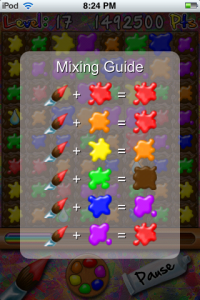
This is the premise of Paint in the Bugs, a simple casual game all about wiping out bugs in order to stop them damaging the beautiful paintings within the museum. Along the way, players can take in the sights of such classic masterpieces as the Mona Lisa and more. To do this, players must shoot their way through each level ensuring that they use the right color paint for the right creature in order to vanquish them. Good hand to eye coordination is required, as well as a keen eye to keep track of the color variants. This looks set to be one for the high score chasing fan. Paint in the Bugs is out now and priced at $0.99. $0.99 ![]() iPhone App - Designed for the iPhone, compatible with the iPad Released: 2011-08-05 :: Category: Games ArtRage ReviewiPad Only App - Designed for the iPadArtRage brings realistic painting to the iPad by emulating everything from canvas to crayons. Read The Full Review » Inspire Pro for iPad ReviewiPad Only App - Designed for the iPadiPad art programs continue to grow, and Inspire Pro may be the best yet. Read The Full Review » SketchBook Pro ReviewiPad Only App - Designed for the iPadSketchBook Pro is an impressive collection of drawing tools within an easy-to-navigate application. Read The Full Review » ImpressiPhone App - Designed for the iPhone, compatible with the iPadImpress is a painting app designed to let you turn your favorite pictures into paintings. Featuring zoom controls, brush, settings, and automatic color selection, with a little bit of patience and an eye for detail it allows you to make something not half bad. Read The Full Review » DappleiPhone App - Designed for the iPhone, compatible with the iPadIn Dapple, instead of swapping blocks, you have to use your paints to blend new colors and clear clusters of four or more. It's a fun new take on the color-matching formula that requires some new strategies and makes for loads of fun. If it weren't for the price, Dapple could be a real hit. Read The Full Review » |