Stream of Consciousness Review
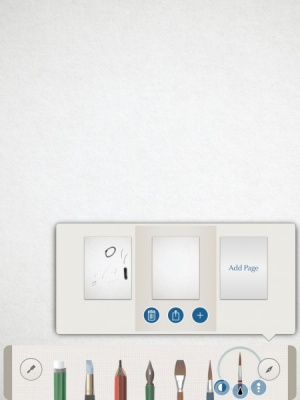
iPad Only App - Designed for the iPadUsers can combine different types of media into one 3D environment for endless creative possibilities.
Read The Full Review »
Posts Tagged notebookStream of Consciousness ReviewiPad Only App - Designed for the iPadUsers can combine different types of media into one 3D environment for endless creative possibilities. Read The Full Review » Simply Write ReviewiPad Only App - Designed for the iPadSince Simply Write isn’t packed with a ton of useless features, taking notes and jotting down thoughts is a breeze. Read The Full Review » Note Anytime ReviewiPad Only App - Designed for the iPadA free note taking and sketching app for the iPad that’s packed with many features to give users creative flexibility. Read The Full Review » CaptureNotes 2 ReviewiPad Only App - Designed for the iPadCaptureNotes 2 is a top notch note-taking app that lets users capture and organize virtually everything in their meetings or lectures with ease. Read The Full Review » Pento ReviewiPad Only App - Designed for the iPadPento is an electronic notebook that allows users to log their thoughts and ideas with rich media. Read The Full Review »
Today marks the release of a new app from the firm — one particularly aimed at business-focused users. Todo Exchange Tasks gives that same to-do list app quality that regular Todo provided but it also enables users to directly access their to-do list stored on a Microsoft Exchange server. Connecting up via Microsoft Exchange 2007 and 2010 using ActiveSync, it sounds so simple and that’s because it is. Users can quickly view their to-do lists via their iOS device as well as create new tasks and mark them as completed. Task organization is also possible and everything is automatically synced. For those who regularly access a Microsoft Exchange Server for work, this will be an essential purchase. Todo Exchange Tasks is out now priced at $9.99. $9.99 ![]() iPhone App - Designed for the iPhone, compatible with the iPad Released: 2012-05-29 :: Category: Business
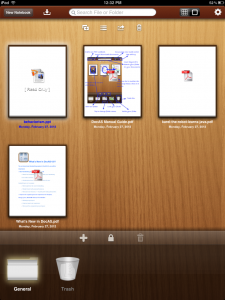
Probably the biggest feature in the new Springpad is the ability to create collaborative notebooks with friends. In the video below, the actors demonstrate making a notebook like “Book Suggestions” where only the friends with opinions users really care about would be invited to the notebook and make suggestions. Another feature that seems to have potential is the information automatically added to notebooks when a new entry is created. Price comparisons, maps, movie reviews, and more are added depending on what’s added to the notebook. Users only need to follow the notebooks from their friends that they’re actually interested in, not the friend themselves. Apparently, Springpad understands that I’m not interested in seeing my friends’ rap suggestions but book and movie notebooks will work. And now, Springpad has created an Explore section with content tags that makes it easier to find notebooks from other people that are curating content that users may be interested in. Springpad has a universal iOS app, so check it out on either the iPad or iPhone. DocAS ReviewiPad Only App - Designed for the iPadDocAS is a powerful, PDF-focused file manager for the iPad Read The Full Review »
Users can also opt for an in-app upgrade to Corkulous Pro for $4.99. The expanded version includes multiple cork boards, the ability to next boards, exporting and sharing options, and iCloud support. It also bears noting that both versions of Corkulous support Dropbox. Appigo is known for their productivity apps, but previous work such as Notebook and Todo were considerably drier and focused primarily on business users. Corkulous is still very business-friendly, but many will likely find it easier to use as a part of their day-to-day lives. The ability to quickly pin up pictures, notes and more makes the app ideal for practically any collaborative or brainstorming occasion. The app also comes along at an ideal time, as the explosion of Pinterest has many folks jumping at the idea of pinning things up and then chatting about it with others. Not saying this will happen, but if Appigo finds some way to integrate this app with the social media service then we may be witnessing the birth of a bona-fide juggernaut. At any rate, this is now a free app that you can use to get your life in order. What are you waiting for? Get corking!
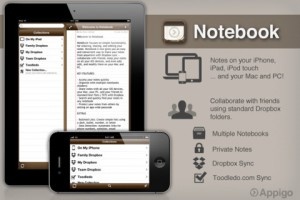
The update plays off the company’s thought that adding a powerful collaboration tool was necessary for its users. The new version adds a familiar notebook interface with full-screen editing capabilities and overall the update seems to be a cost effective productivity tool for users with multiple iOS devices. The notes are saved in standard text format and is compatible with PC and Mac text editing applications. Notebook is available on the iTunes App Store for $4.99. While futuristic technology is amazing, sometimes it’s nice to retreat back to a simpler time. A time where writing in notebooks was the big trend for expressing creativity. A time when it was possible to run out of space on a page rather than a document simply carrying users onto the next one automatically. Fancy relieving that? Try Molenotes.
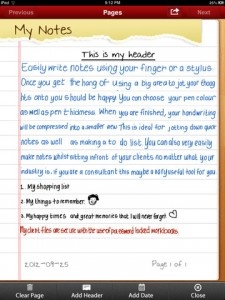
Limitations are there of course. Once a page is full, users must enter more information on the next page. There’s a 32 page limit too. That’s all part of the old fashioned charm, however. Molenotes is out now for all iOS devices and is priced at $0.99. Appigo NotebookiPhone App - Designed for the iPhone, compatible with the iPadAppigo Notebook differentiates itself from the competition by offering tight integration with Todo, a task management app also by Appigo. It also offers numerous formatting options, the ability to sync notes with a free online service, full text searching, the ability to create multiple notebooks, and more. Read The Full Review » Appigo TodoiPhone App - Designed for the iPhone, compatible with the iPadAppigo Todo is a task management app with a streamlined user interface. It includes ways to tag and otherwise set todo items apart, robust search and filtering, and is augmented by several synchronization options as well as tight integration with Appigo Notebook, a note taking app available from the same author. Read The Full Review » NoteskineryNoteskinery is a beautiful note organization utility that just needs a little stronger editorRead The Full Review » Noteskinery+Noteskinery+ is an absolutely beautiful note organization utility, but....Read The Full Review » |