Posts Tagged magazine

Did you get that long-coveted new iPhone 4s or iPad 2 for Christmas? Not sure what your new miraculous devices can do to improve your life? Or, maybe you’ve had an iOS device for quite a while and want a fresh perspective on its capabilities and the latest apps available for it. In either case, 148Apps and iPhone Life Magazine want to give you a chance to start 2012 off right by winning one of five magazine subscriptions to iPhone Life.

What do you have to do to enter? It’s simple! Just visit the following site: http://www.iphonelife.com/contest As a bonus, you’ll receive a free browser issue of iPhone Life.

That’s it! The contest will run until January 25th, and Winners will join iPhone Life’s over 500,000 readers in learning the latest news about iOS devices and apps. Learn more about the magazine by Liking them on Facebook, following them on Twitter, subscribing to their YouTube channel or visiting their web site at http://iphonelife.com/. Good luck!

Digital magazines appear to be on the rise with the likes of Newsstand encouraging such trends. That’s not the only place that such publications can be found, though, with many magazines pursuing things with their own app.

One such publication is that of PC Advisor Daily, an iPad-optimised magazine that promises all of PC Advisor’s latest content in real-time. The app features news, reviews, features, opinion pieces and how to guides galore.

Updated every minute of every day, fast access to all the latest articles from the magazine is available. Throughout, the content is interesting, current and expertly written. Adding extra interactivity is the ability to customize content so that favorite subjects can be prioritised. Articles can also be saved so they can be viewed offline, plus there’s Twitter and Facebook integration for the socially minded.

PC Advisor Daily is available now for the iPad and it’s a free download.

FREE!
iPad Only App - Designed for the iPad
Released: 2011-12-16 :: Category: News


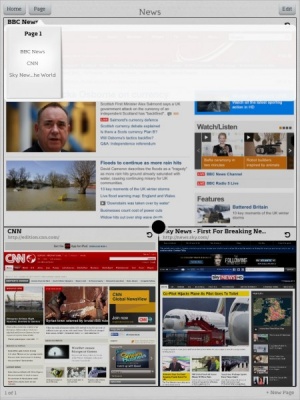
There are many out there who believe that the current mobile explosion will save the dying news industry. Newspaper and magazine publishers have been loving Apple’s Newsstand App for the increased visibility it gives their content. Now Google has released a rival, more Flipboard-esque, mobile reader of their own, Google Currents.

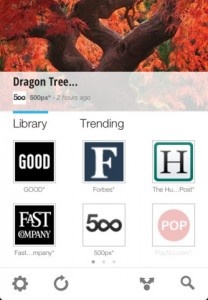
Google Currents offers optimized, magazine-style versions of articles from Forbes, TechCrunch, Saveur, Popular Science, Good, 500px, Fast Company and more. Google Reader subscriptions are also used to provide users content from the blogs and feeds they follow. Popular, trending stories are collected from all of these sources and given special placement with photos, slideshows, videos, live-maps and social streams intact.

Users can also save articles for “high speed offline reading”, share them, and sync them across all of their devices. Content scales to fit whatever sized screen a phone or tablet may have. Google Currents is available now for free and is compatible with iPhones and iPads.

FREE!
+ Universal App - Designed for iPhone and iPad
Released: 2011-12-08 :: Category: News

Flipboard, the iPad social magazine app, has announced that Comedy Central’s hit show “The Colbert Report” is becoming a content provider, Mashable reports. This marks a big step for what Apple proclaimed was the best iPad app of 2010 because it is the first video contributor to be added the service. Before this announcement, rumors had been circulating that Flipboard would make this move.

What sets Flipboard apart from other media aggregators is how it presents user data from social networks and websites in the form of magazines for users to flip through. It remains to be seen though how video will be integrated into this model beyond just having a dedicated video section. We do know that users won’t be able to watch full episodes, just clips and tweets from Colbert himself, a self-proclaimed iPad fan.

Flipboard’s video section is currently live. Although “The Colbert Report” is the only announced partner, with Paramount Pictures and Bud Light signed on as advertisers that should change soon. Flipboard is available for free now on the App Store.

[ via Mashable.com ]


FREE!
+ Universal App - Designed for iPhone and iPad
Our Rating: ★★★★☆ :: POTENTIALLY REVOLUTIONAY
Read Our Full Review >>
Released: 2010-07-21 :: Category: News

UPDATE: Edge has just announced via the Newsstand app that the October 2011 issue is now free to download. Head over to the App Store, download the free Edge app, and then download the free back issue today.

Having been a long time subscriber to Edge Magazine, I’m pretty excited to see it be one of the first titles to reach Newsstand.

Available through the app, Edge Magazine promises the same fantastic experience as before. Famous for its intelligent writing and in-depth looks at everything gaming related from reviews to unearthing the latest in the world of game development, Edge Magazine makes for a fascinating read for gaming fans. It’s a mature change of pace from glossier magazines but never fails to intrigue.

The Newsstand edition offers enhanced online content with extra insight, related content and screenshot galleries. Linked to the website, if there’s anything that can add to the reader’s enjoyment on the website, the app lets the user know.

Pricing through Newsstand is pretty respectable with individual issues priced at $4.99, a 3 month subscription available for $12.99, 6 months for $21.99 and a 1 year subscription priced at a very reasonable $39.99.

It’s a veritable bargain, given the quality of the writing and a must buy for fans.

FREE!
+ Universal App - Designed for iPhone and iPad
Released: 2011-10-12 :: Category: Lifestyle

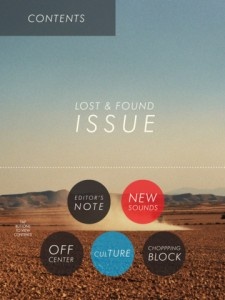
Perhaps not quite as prominant amongst the plethora of iOS5 offerings is that of Newsstand providing what is, basically, iBooks for magazines and newspapers. One such magazine that has taken advantage of such a feature is that of music publication SPIN Play, providing news and reviews from SPIN.com.

SPIN is renowned for offering plenty of fascinating music based content through the website and magazine. This edition allows users to watch and listen to artists and their work as they read articles about them.

Individual issues are priced at $1.99 each with an annual subscription priced at $7.99. Each issue offers over 60 streaming songs and over 30 streaming videos to add the interactive touch to the reading experience.

AirPlay support has also been provided with the potential to view the dozens of exclusive video interviews and performances either through the app or via an AirPlay supported device.

Together, it should provide the most immersive experience yet for music fans who also want the enjoyment of a magazine aimed at their interests.

FREE!
iPad Only App - Designed for the iPad
Released: 2011-03-14 :: Category: Music

Slate is a great website to read, offering analysis and commentary on all sorts of issues from politics, news and modern culture. It’s an entertaining site indeed and one I try to check in with every now and then. It seems that doing this has been made even simpler courtesy of the latest update of its free app.

The app has had a completely redesigned layout that showcases what’s new across the magazine at a glance. Everything has been made much simpler to browse throughout. There’s now the ability to view Slate’s collection of photo slideshows and access to the relaunched news blog, The Slatest, that promises regular story updates throughout the day. It’s also now possible to listen to Slate’s podcasts including the Political Gabfest, Culture Gabfest and Hang Up and Listen.

Extra content is provided through the daily videos that can also be watched through the app including the Trending News Channel.

The updated Slate app is an ideal way of keeping up to date with the website’s happenings throughout the day with a great new interface. It’s out now and it’s a free download.

FREE!
iPhone App - Designed for the iPhone, compatible with the iPad
Released: 2010-02-26 :: Category: News

Flying is something I very rarely get to experience but that doesn’t stop me being interested in the field thanks to having a father fascinated by all things aviation related. I’ll probably never get to experience many of the most impressive aircraft but that’s exactly where apps like Flighttest help to get me as close as possible.

Flighttest provides a collection of flight tests that have been carried out thus putting users into the cockpits of 10 aircraft including a particularly fascinating insight into the Space Shuttle at the end of its 30 year career.

The app features articles written by expert test pilots, pictures from numerous award winning photographers and exclusive videos and interviews all about aviation and flight. Over 250 photos are available through the app as well as nearly 40 minutes of video providing a great package of information for the aviation fan

Aircraft featured cover the likes of the Mustang jet, the Piper Super Cub, the R66 turbine helicopter, Piper PA-28 and the aerobatic plane the XtremeAir Sbach342. It’s a veritable feast of aircraft with even a feature looking at solo gliding in a weekend. A cockpit guide to the Space Shuttle also features along with the ability to see inside the control center for it. Such information has been provided by former Space Shuttle pilot, Hoot Gibson. Returning to more Earthly based aircraft, there’s also a feature on how to land on a glacier which is particularly fascinating considering the difficulties that come with such a surface.

The quality of the features is pretty impressive with visuals also being attractive and appealing. Videos are of a similar quality with the ability to view in either landscape or portrait mode without any detriment to the standard. It all makes for a great package for the aviation fan.

Flighttest is initially a free download with issues costing $2.99. Hopefully there will be many new issues arriving on the app store shortly.

FREE!
iPad Only App - Designed for the iPad
Released: 2011-06-14 :: Category: Lifestyle

TouchGen Releases iPad Magazine

We appreciate that sometimes you might want to read about iOS news on other sites as well as this delightful place. Hopefully you look towards other O.A.T.S member sites for the information. Why do I mention this? Because fellow O.A.T.S member TouchGen has released the first full issue of their iPad magazine, TouchGen Magazine.

The magazine sets out to provide the same high quality features and reviews that the TouchGen site conventionally provides, but with a print style gaming magazine feel to it. The first issue contains a preview of Gameloft’s new crime based shooter, 9mm, the making of Order & Chaos as well as reviews of many games such as Final Fantasy III, Bumpy Road and World of Goo. There’s even a nice dose of humor with the top five feature of the best games to play while on the toilet.

Throughout the magazine, there are some great visuals and magazine style nuances and TouchGen Magazine makes for a great read that encourages users to look forward to the next issue.

TouchGen Magazine – Issue 1 is available now for iPad owners and it’s a free download.

FREE!
iPad Only App - Designed for the iPad
Released: 2011-06-07 :: Category: Entertainment

As the advert loves to state, Red Bull gives you wings. It also now gives you a global sports, cultural and lifestyle magazine by the name of The Red Bulletin.

This new app for the iPad promises high end magazine content with up to an hour of video and animation throughout. It features numerous interviews with artists and athletes such as baseball star Tim Lincecum as well as features on the likes of art work from Banksy. Other subjects such as base jumping and formula 1 motor racing also feature.

It’s a new venture for the drinks company and it certainly makes for a pretty impressive looking magazine with the issue designed specially for iPad owners, taking advantage of the technology behind the device.

The Red Bulletin app also gives access to the international issue which contains a feast of the best stories from all the print editions as well as the exclusive content.

Best of all, it’s a free app for iPad owners enabling them to gain a free issue for the month of June.

It’s out now in English, German and Polish.

FREE!
iPad Only App - Designed for the iPad
Released: 2011-04-11 :: Category: News

Wallace & Gromit are quintessentially British indeed. Besides Wallace sounding typically Northern English and drinking plenty of tea, the series has that lovely quirky British humo(u)r that’s beloved by many. These fans may well be rather interested to hear about Aardmag, a free to read bi-monthly magazine for Wallace & Gromit and Aardman fans that’s newly available for iOS owners.

It’s an universal app that offers exclusive comic stories, news, articles, opinion pieces and reviews all about your favourite animated stars. Aardmag might be an unofficial magazine but it’s one that’s supported by Aaardman Animations so the content is of a pretty high quality. This isn’t a new project either with the folks at 62 West Wallaby Street having run the magazine as a PDF download for a while previously.

Immediately it strikes me as the ideal app for families and younger fans, much like a comic book. The latest issue contains games like a Spot the Difference as well as episode guides for more than just Wallace & Gromit covering the likes of Shaun the Sheep too. Even while the app is setting up or downloading a new magazine, Wallace & Gromit appear to keep things interesting and there are plenty of film references scattered around. Those worried about missing out on the next issue will be pleased to see push notifications to remind them.

Simply put, it looks like a great app for fans of the animators and considering it’s a free download, it’d be silly not to give it a try really.

FREE!
+ Universal App - Designed for iPhone and iPad
Released: 2011-02-15 :: Category: Books

I’m a news junkie. I read various news sites and blog posts for hours a day. And all of it is read on my iPad or iPhone. This week’s Favorite Four are apps for people who love to read news. Lined up are two RSS readers, a personalized magazine, and a must-have app for anyone who reads news online.

Reeder
I’ll start with the RSS readers. Reeder (available on both the iPad and iPhone) is one of the more popular RSS readers. The user simply enters their GoogleReader account (which is basically a requirement for anyone who uses RSS) and receives a simple interface that aggregates all desired news and blogs. Reeder is great for people who want a simple RSS interface.

$2.99
iPhone App - Designed for the iPhone, compatible with the iPad
Our Rating: ★★★★☆ :: IMAGINATIVE DESIGN
Read Our Full Review >>
Released: 2009-09-24 :: Category: News

$4.99
iPad Only App - Designed for the iPad
Our Rating: ★★★★½ :: REALLY SIMPLY SINGULAR
Read Our Full Review >>
Released: 2010-06-11 :: Category: News

Pulse
My RSS reader of choice is Pulse (iPad only). Pulse presents RSS feeds in a five page format (organized in any way the user chooses). The feeds are arranged in a way that only shows a few feeds at a time with only a few posts for each of those feeds. Thumbnails of pictures on each post are shown if available. The Pulse interface is great and is second only to Flipboard (which is more geared toward Twitter and Facebook than news reading).
FREE!
iPad Only App - Designed for the iPad
Our Rating: ★★★★½ :: PULSING WITH PROMISE
Read Our Full Review >>
Released: 2010-05-12 :: Category: News

Zite
Zite (iPad only) is the place to go when all of the RSS feeds have been read and more news is craved. Enter some topics upon downloading Zite and it creates an awesome mix of personalized “Top Stories” on the homepage. After finishing the top stories, more news can be read by specifying which chosen topic to read on. Zite’s interface is also great looking.
FREE!
+ Universal App - Designed for iPhone and iPad
Released: 2011-03-08 :: Category: News

Instapaper
The must-have app for anyone who reads news online is Instapaper (iPad and iPhone). Instapaper is a service, not just an app. A bookmarklet can be installed on any browser that allows any page to be saved for later. Instapaper downloads the text from that website (recognizing which text is the post) and saves it to be read offline at a later time. For someone with a WiFi only iPad, Instapaper is MANDATORY! Many news apps (like Pulse and Zite) have built-in Instapaper support that allows users to add posts to Instapaper without leaving the app. Boot up Instapaper, download some posts, and save them offline to read for later.
$4.99
+ Universal App - Designed for iPhone and iPad
Our Rating: ★★★★★ :: LITERARY BLISS
Read Our Full Review >>
Released: 2008-08-21 :: Category: News

$4.99
+ Universal App - Designed for iPhone and iPad
Our Rating: ★★★★★ :: LITERARY BLISS
Read Our Full Review >>
Released: 2008-08-21 :: Category: News

Zite is an iPad only app that reminds me just how desperately I need an iPad in my life. It’s not the only app that offers a personalised magazine style interface but it does offer some pretty cool looking features for the grand price of nothing.

Using a variety of different sources, both mainstream and niche, Zite collects everything up and provides a truly personalised experience for your reading needs. An added bonus is that you can sync both Twitter and Google Reader with Zite to give you even more to consult.

An auto-suggest tool intelligently recommends some great ideas, customising things to your interests.

Plus there’s the near obligatory ability to share content via Twitter, Facebook and email. Always handy if you want to let a friend know about something you’ve just read about.

Zite looks like a clean and useful app. One that’ll keep up to date with your ever changing interests and needs. The ability to simply tap if you want to see more about a certain genre, or to ‘like’ the particular article so Zite remembers in future is a great and simple touch.

Zite is available now for the iPad.

FREE!
+ Universal App - Designed for iPhone and iPad
Released: 2011-03-08 :: Category: News

Good Food Magazine Review

Good Food Magazine Review

iPad Only App - Designed for the iPad
BBC's Good Food application is the electronic version of the popular printed magazine, featuring a number of recipes and features for your reading pleasure.

Read The Full Review »

Introducing HDvision

From the developers of the Musée du Louvre application, one of the most downloaded educational applications in the App Store’s history, comes a new project: HDvision. The iPad-only magazine, second of its kind only to Virgin’s Project, immediately shot to the number one downloaded News application (and number seven overall) in its premiere in the French App Store. Now it’s available in the US and a number of different App Stores across the world.

HDvision is devoted to high definition media and technology. “Get the best of Cinema, Blu-ray, TV Shows, Video Games, VOD, Multichannel Sound and Technology on your iPad with the HDvision magazine” reads the official blurb, all through an interactive app that includes embedded HD video trailers, HD picture galleries and interactive slideshows. The first issue of HDvision is free to download. This month’s magazine weighs in at 619MB, heavy even for magazine standards but to be expected given HDvision’s focus on high definition content.

I spoke to David Fakrikian of HDvision earlier this week, asking him about the inspiration and development of the popular magazine. “The [printed] project was refused by every publishing company around for both costs reasons, and political reasons … until the iPad came about, and Mastery Pictures International offered to team up with us” he writes. “The idea was irresistible: iPad offered the possibility to blend both contents of the original magazine (features articles + video) into one package, and make an international (english) edition, offering us for the first time the possibility to be read worlwide, as well as by most directors and actors we interview.” The pricing strategy behind the magazine application is yet to be determined, given its early stages.

The magazine’s inception stems from DVDvision, a print magazine that Fakrikian created and edited between 1999 and 2003. You can download the first edition of its new counterpart, HDvision, for free. Just check out the link below the YouTube teaser.

FREE!
iPad Only App - Designed for the iPad
Released: 2011-01-04 :: Category: News

Apple has finally, formally announced its subscription service for apps. This formal announcement means that any app that provides a digital subscription outside an app must also do so inside the app.

The announcement to day basically comes down to this. If a service provides a method to receive a digital subscription on an iOS device (think Zinio, The Daily, The Times of London) that the option to subscribe needs to be offered inside the app at the same or lower prices. To clear one thing up, this does not mean that print subscription prices need to apply to digital subscriptions. While I’d love that rule, as a consumer, that would be overstepping Apple’s bounds a bit.

One thing to note is that this doesn’t just apply to digital print publications like magazines and newspapers. This also applies to music services like Rdio, Pandora, and Rhapsody. And it applies to video services like Netflix and Hulu+. We’ve reached out for comment from some of these companies to get their reaction.

The result is that services like the above will need to provide a method to subscribe inside the app as well as outside the app. And Apple wants their 30% cut when subscriptions are done inside the app. To ensure that publishers don’t just pass the 30% extra onto the user, Apple has noted that the subscription prices inside the app be the same or lower than those offered outside the app.

If a service provides a subscription outside the app, and doesn’t deliver the subscription in the app, they seem to be excluded from this requirement. The one key phrase from the Apple announcement is “Apple does require that if a publisher chooses to sell a digital subscription separately outside of the app, that same subscription offer must be made available, at the same price or less, to customers who wish to subscribe from within the app.” That does set the likes of Wired Magazine free to continue to only offer their magazine at an inflated per issue price. Wired offers their magazine at $3.99 per issue within the app while routinely offers the print edition at $10/year. But they don’t offer a digital subscription anywhere else.

Popular Science+ Review

Popular Science+ Review

iPad Only App - Designed for the iPad
Popular Science+ released an iPad edition of its popular print magazine earlier this year. With emphasis on a smart design and a few unique twists along the way, the developers have created an excellent reading experience. To top it all off, the content makes for fascinating reading.

Read The Full Review »

No one has ever accused media mogul Richard Branson of playing it safe, and today the multi-millionaire shook things up again by announcing the debut of Project, an iPad-exclusive magazine. While Project will publish a monthly “issue” it won’t be a bunch of static content like subscribers would get with a traditional periodical. Instead, the app will morph and change over the course of the month, adding new content and incorporating content from readers and bloggers. For instance, the mag is currently hosting a Facebook contest which is inviting users to redesign the front cover. The entries will be available for download in issue three and the winner will get to design a crowdsourced cover early next year.

If the idea seems hard to wrap your head around, that’s because it is, and even Branson had trouble figuring it all out at first. “When my daughter Holly, who is Special Projects Manager at Virgin Group, first told me that she had agreed to sponsor an iPad-only magazine idea from one of our young entrepreneurs, Giovanni Donaldson, I thought she was talking double Dutch!” he said. “It wasn’t until Anthony, Gio and Holly showed me the amazing, innovative editorial and advertising in PROJECT that I ‘got’ how groundbreaking digital publishing can be. To be frank it blew me away.”

The project is being overseen by former FHM editor-in-chief Anthony Noguera, who has big plans for the publication. “I must be the luckiest editor alive,” Noguera said. “To be given the opportunity to create a magazine that is completely unique and innovative, to work with like-minded journalists, contributors and advertisers who are just as passionate and excited as I am about PROJECT has been inspiring. I am proud of PROJECT. Proud of what we have achieved and delighted to have played a small part in determining what will become the future of what we as readers expect from the magazines of tomorrow. Today, PROJECT has set the standard.”

Project is available now for $2.99 an issue, so go ahead and take a peek if you’re curious. What do you think? Is this the future of magazines, or is Richard Branson just throwing away a lot of money on a really crazy venture?

FREE!
iPad Only App - Designed for the iPad
Released: 2010-11-30 :: Category: Lifestyle

Times Eureka Review

Times Eureka Review

iPad Only App - Designed for the iPad
The digital version of The Times' monthly science magazine is introduced to the iPad, where the two feel like they were made for each other.

Read The Full Review »

Sideways Is A Magazine Built For iPad

It’s hard not to envision a day when magazines are all made primarily for digital devices like the iPad. The form factor is right, digital gives all sorts of multimedia freedom, and I’m sure publishers are dying to cut down on production costs.

In what is surely the first of many, Sideways Magazine is a new start up that is designed and written specifically for the digital tablet. Unlike traditional print media, or even most of the stuff on the iPad, Sideways tells its stories with a blend of “video, audio, photos, text and even maps.” For example, the current issue (October) features a map based story by Professor Dinty Moore, director of creative writing at Ohio University, about his run-ins with famed author George Plimpton. In the article, each location that you travel through in the map offers up a new tale in the story, turning a typical story article into more of an interactive experience.

The issue also includes:

* Special spy gear advertising section with deep links to retailers, enabling instant purchase of advertised items
* A look at which colleges have the best fictional alumni
* Interactive guide to chili peppers and hot sauces with do-it-yourself recipe
* Feature article on how social media improves writing
* Overview of tablets being released as rivals to the iPad
* Feature on best ways to watch video on the iPad

“We created Sideways to demonstrate the iPad’s multimedia capabilities and deliver features that are immersive and engaging in ways that traditional magazines are not,” said Jim Sweeney, editor-in-chief of Sideways. “We continue to evolve the publishing platform for mobile devices with the October issue.”

Each issue of Sideways is available, in part, for free in the App Store and can be fully unlocked via in app purchase. Check it out, I think you’ll like it.

FREE!
iPad Only App - Designed for the iPad
Released: 2010-10-04 :: Category: Lifestyle

Popular Mechanics Interactive Edition Review

Popular Mechanics Interactive Edition Review

iPad Only App - Designed for the iPad
Popular Mechanics reveals the true power of the iPad with succinct design, seamless integration and smart content.

Read The Full Review »
Playboy Review

Playboy Review

iPhone App - Designed for the iPhone, compatible with the iPad
The Playboy app is great for those of you who really do love reading the articles, just don't expect typical Playboy pictures.

Read The Full Review »

Sports Illustrated for iPad Review

When it was released in December, the tablet demo of Sports Illustrated (see below) set off a firestorm online. The new SI promised interactivity, live sports scores, and the great sports coverage readers have come to expect, all wrapped in a beautifully designed application. Since the video’s introduction, the iPad has been released and dozens of magazine properties have taken their brands and content to the App Store. Few have succeeded in matching the design or functionality promised by SI’s initial prototype. Now, with the official release of the Sports Illustrated app, the video has finally come to life.

Delivering on Old Promises
Fortunately, Sports Illustrated’s app includes most of the features that were promised in the initial tablet demonstration. It far outperforms the official Time Magazine app, also published by Time Inc. One of the coolest features of the app is the “wheel,” a feature that enables sharing, emailing, player stats, and related photos and articles to be accessed simply by holding a finger down on an article. This means, however, that there’s no traditional copying and pasting available in the app. The share feature luckily makes up for this shortcoming,

Live Scores and Articles

Like Time Magazine’s application, the Sports Illustrated app also integrates nicely with live content from SI’s website to ensure that articles and issues are never out of date. Individual articles can pull up “related articles” or “related stats” from the aforementioned wheel. Better yet, users can get live stats and articles from SI.com directly within the app.

One of the Few Standouts
The Sports Illustrated app is an all star in the App Store. That said, it’s not difficult with the lackluster efforts from the magazine industry thus far. The SI app has great navigation and doesn’t bother with any of the more bizarre vertical and horizontal reading schemes. Instead, it sticks to the basics, presenting great content and adding interactivity and new features only where they’re of use to the reader. The SI app should serve as a great example to publishers of what their magazines should be like when ported to the iPad.

The iPad has been heralded by many as the future of magazines and the savior of the publishing industry. Magazines like Newsweek are losing circulation and being purchased at fire sale prices. The iPad provides a blank canvas for publishers, content producers, and anyone who wants to innovate. The problem is that the opportunity has not yet been realized.

I remember being thrilled at the prospect of iPad magazines even before the device itself was announced. Sports Illustrated has showcased a great teaser video of their application, and Bonnier’s Mag+ platform also appeared to have potential. The arrival of the iPad shows unrealized potential. Reading apps, like iBooks and Stanza, have shown great ability at translating the book reading experience for a tablet.

PDFs for iPad?
Many publishers have simply translated their magazines to the iPad by making them into PDFs of the print version. Some, like Wired, have added custom UI layers and slight multimedia additions to spruce up their publications. The vertical and horizontal reading interface present in magazines like Wired show that publishers are trying to think out of the box, but they haven’t quite succeeded yet. Unfortunately, the current workflow may not work. A series by Ad Age this week shows that magazine publishers are taking the content from their print editions and dropping them into templates for the iPad. What would happen if magazines were custom designed for the iPad? If the content was specifically designed to take advantage of the iPad’s features? I hope we’ll be able to find out in the coming months.

A Roundup
I’ve reviewed six iPad magazine apps so far, each with their own set of pros and cons:

    Wired: An interesting first attempt that falls short due to download size, quirky navigation, and its underlying architecture.
    Time: Interesting effort tying live content (News Feed) with magazine content but this is essentially just a PDFed magazine.
    Newsweek: The iPad-only edition it includes makes boastful claims, but the app itself can’t compete with the others listed here.
    GQ: The men’s interest magazine’s first iPad edition includes a bizarre navigation system but some useful innovations.
    Zinio for iPad: The popular and experienced magazine digitizers bring their platform to the iPad and make it one of the few viable options for those interested in magazines.
    Popular Science+: Like Wired’s app, bizarre navigation makes Pop Sci difficult to enjoy on Bonnier’s Mag+ platform.

Conclusion
So far, it appears that even lackluster efforts are producing success for publishers. There is clearly more potential for the medium and I’m sure content producers aren’t resting. I can’t wait to see what comes next.

Zinio for iPad Review

Zinio for iPad Review

iPad Only App - Designed for the iPad
Zinio, an old hand at digital magazines, gets it right on the iPad.

Read The Full Review »
Newsweek for iPad Review

Newsweek for iPad Review

iPad Only App - Designed for the iPad
Newsweek makes an audacious claim with its iPad app but is unable to back it up.

Read The Full Review »
TIME Magazine Review

TIME Magazine Review

iPad Only App - Designed for the iPad
Time's iPad app includes an interesting and commendable integration of their website but it's not enough to make the app a winner.

Read The Full Review »
Popular Science+ Review

Popular Science+ Review

iPad Only App - Designed for the iPad
The Bonnier Mag+ platform is great on video and in theory but isn't great as an iPad application.

Read The Full Review »
WIRED Magazine Review

WIRED Magazine Review

iPad Only App - Designed for the iPad
WIRED's first take on iPad magazines is ambitious but ultimately falls short of its goal of redefining the magazine for the digital age.

Read The Full Review »

It seemed like the much talked up Wired Magazine for iPad, made in collaboration with Adobe, had hit a major problem when Apple banned Flash-based apps from the App Store, but now it has arrived and with Adobe’s help.

Rumor has it that Wired and Adobe had to rewrite the app to comply with Apple’s Objective C requirements after Apple blocked the use of 3rd party creation tools, namely Adobe’s new Flash tools in CS5. Today, the app has gone live on the App Store and, it seems, all the blood sweat and tears were worth it. Wired Magazine for iPad looks to have set a benchmark among other publishers who have rushed out digital versions of their apps and uses interactive features as well as traditional page viewing techniques to show off the magazine’s content in an exciting new way.

The app does weigh in at a hefty 500Mb so you’re not going to be able to keep too many copies on your iPad at one time, however, if all magazines follow this model and perform this well, it looks like the digital publishing revolution, hailed when the iPad was still just a rumor, may have well and truly begun.

The video below is Wired’s official video for its app that, ironically, requires Flash.

FREE!
iPad Only App - Designed for the iPad
Our Rating: ★★★½☆ :: NOT QUITE WIRED FOR THE IPAD
Read Our Full Review >>
Released: 2010-05-26 :: Category: News

    Advertisement    


Featured Apps

    Advertisement    


Developers

Would you like your application reviewed on 148Apps? See the About page for information.
    Advertisement    


148Apps Network

148Apps - iPhone app reviews and news. The best gosh darn iPhone app site this side of Mars.
http://148apps.com :: @148Apps

The Portable Gamer - Mobile gaming magazine for the casual gamer.
http://ThePortableGamer.com :: @PortableGamer

The App Hall of Fame - An archive of the very best in apps and games.
http://AppHallofFame.com :: @AppHallofFame

Android Rundown - Android news and reviews. Where you get the rundown on Android apps and hardware.
http://AndroidRundown.com :: @AndroidRundown

148Apps.biz - iPhone development news and information for the community, by the community.
http://148apps.biz :: @148AppsBiz

Best App Ever - Yearly Mobile App Achievement Awards.
http://bestappever.com :: @BestAppEver

GiggleApps - iPhone applications reviews for kids and parents.
http://GiggleApps.com :: @GiggleApps