Most people are content to go through with their day-to-day activities without really considering how their bodies do what they do. It’s a complicated set of systems that keep us moving, and one that lends itself well to Edutainment. Which is probably why Helen Sell and frukti Games made Good Blood!
Players will embark on a first-person journey through the blood stream, learning about the circulatory system along the way. Of course, it’s not just about learning the ins-and-outs of blood cells and bacteria. There’s also gaming to be had, with viruses that need exterminating and wounds that need plugging. With white and red blood cells, naturally.
Curious about blood and they way it does what it does? Looking for a corridor styled “shooter” with a lot of blood (*rimshot*)? Then take a look at Good Blood!. Or at least check out the trailer below. This amalgamation of learning and video gaming is available in the App Store right now for $1.
It seems like more and more people are taking self defense classes these days. It’s a practical skill, sadly, but I also think some of them do it because it’s a lot of work and can burn off calories and tone muscles like nobody’s business. But unless someone’s nine, it can be hard to make time for lessons X number of times a week. Sometimes people just can’t make it to the dojo.
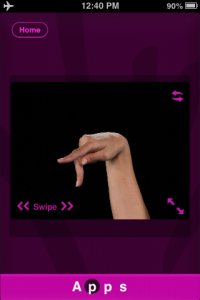
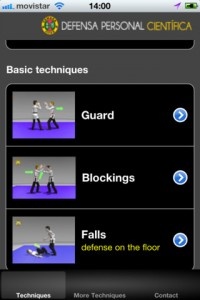
This is why we have Self Defense for All, courtesy of YawaraJitsu. This “interactive self-defense course” sticks to the basics with a chronicle of many different techniques to learn. Each one also includes 3D video (featuring models with MASSIVE HANDS) that can be viewed from multiple angles to help users to fully understand the motions.
I want to stress that I don’t believe this app will truly teach anyone to be a self defense master. Something like that requires a senei with years of experience to point out inconsistencies in forms and other students to toss around so as to get an idea for what the moves actually feel like. But I do think it’s a useful tool for students that want to keep practicing off the mat. Self Defense for All is available on the App store right now in English, Spanish and Dutch for $5.99.
This week at 148Apps, writer Gianna LaPin continued the 500,000 Apps Interview Series by chatting with Colin Lynch of Freeverse. Lynch says, “There are plenty of skill-sets that are helpful in creating great apps and great games. An eye for design, an ability to analyze the market and spot opportunities, speed of thought and action to take advantage of those opportunities, great coding skills, flexibility to work around problems or change directions when events warrant.”
Over at our kid-centric sister site GiggleApps, reviewer Amy Solomon took a thorough look at Practice Book, a new iPad app that uses a familiar connect-the-dot approach to helping children learn letters and words. Solomon writes, “Because my son is new to creating letters, this is an app we work on together. I may demonstrate the correct way to connect the dots in terms of the up or down motions commonly used to make letters or give him simple instructions that he can follow by himself. Sometimes I hold his hand and together we trace over template in the hope that his muscle memory for writing these letters will develop. We often use a stylus as well to get used to holding a pencil to write.”
iPad Only App - Designed for the iPad
Released: 2011-07-28 :: Category: Education
And at Android Rundown, Carter Dotson comments on the new that iOS superhit Instagram is coming to the Android platform…sort of…maybe…one day. He writes, “Instagram’s CEO Kevin Systrom has announced that an Android version of their photo sharing service is “on the horizon” for Android. The app is very close to being real, as they don’t even have a team assembled to develop the app for Android. That is also sarcastic.”
iPhone App - Designed for the iPhone, compatible with the iPad
Released: 2010-10-06 :: Category: Photography
Finally, here in the states, it’s the Labor Day weekend. That means scads of sales on tons of apps. Keep up to date with the latest and greatest changes by visiting our Huge Labor Day Weekend Price Drop Round-Up. There are great deals to be had, and some amazing games to play in between bites of char-broiled goodness.
That’s it for this week. Want to know the latest and greatest news about everything happening in the iOS world, including giveaways and contests? Join us on our Twitter and Facebook streams. You’ll be glad you did. See you next week!
Photo Academy, from the makers of PhotoCaddy, is a nifty little photo app that’s just been released on the App Store. Why is this worth mentioning? Because it’s looking to be a must-have for amateur shutterbugs, that’s why.
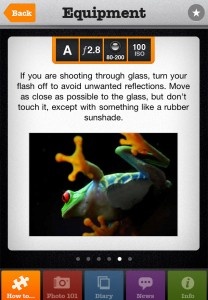
This is no mere camera filter. No, Photo Academy is a massive cross-referenced database absolutely full of tips, tricks and techniques for almost any imaginable photo-op situation. Within reason, of course. Users simply have to choose a topic, then can browse through a number of sub-categories that range from how to handle different lighting situations to what equipment to use. Useful tips can even be bookmarked for later/repeated use.
Photo Academy also includes a “Photo 101″ guide for total greenhorns, example photos and a Shoot Diary for more adventurous users. The Shoot Diary lets them keep track of almost all the details surrounding a particular image, including weather, time of day, location and, of course, the photo itself. Diary entries can even be posted online through Twitter, email and Facebook in order to document personal achievements (i.e. brag) or offer up pointers for other users. I’m honestly quite interested in seeing if and how a community forms around this app.
Again, this is no mere iOS camera app. This is a full-blown how-to encyclopedia of photographic knowledge. These tips apply to actual cameras, with aperture settings, shutter speeds and the like. Some of the basics can be applied to the little hole that sits in the corner of a given iOS device, but it’s meant more for the real thing. Which is something that all amateur photographers are probably more interested in anyway.
Well, maybe not. But there’s no denying that “abc PocketPhonics” is an amazing app. A universal app—it works with both iPhone and iPad—PocketPhonics teaches the basics of reading and writing to young kids. Most surprising? It seems to work.
With reading, the app uses the “synthetic phonics” method supported by US, UK, and Australian governments. Kids are first taught letter sounds (instead of the names of the letters), including hybrid sounds such as “ch” and “sh.” US and UK pronunciations are both included, so you don’t have to worry about your kid picking up the “wrong” accent. (Darn!)
And for writing, the app demonstrates how to draw the letters, instead of just presenting pictures. Kids can then trace the letters’ outlines on the iPad or iPhone using their finger. If you chose, the app will then grade their accuracy. I can see this being very useful for young learners especially—tracing with a finger is infinitely easier than using a pencil. Cursive and print alphabets are both included.
Finally, PocketPhonics rounds out its offering with a sound-based word “spelling game,” which includes over 170 words with accompanying pictures. There’s also a “ParentZone” area where parents can tweak the app’s settings.
Oh, and it’s only $0.99.
While I doubt that a single app will ever be able to replace real-life teaching, abc PocketPhonics certainly looks like a competent, comprehensive app. It won’t teach letter names, but it can get pre-readers “hooked on phonics.”
You do remember those old commercials, right? Don’t you?
iPhone App - Designed for the iPhone, compatible with the iPad
Posted February 18th, 2009 by Christine Morris Our Rating: :: HIGHLY RECOMMENDED
This application is a singing book designed to entertain a young child. However, it is much more than that. It has multiple languages, instruments and recording support, turning it into a great educational tool.