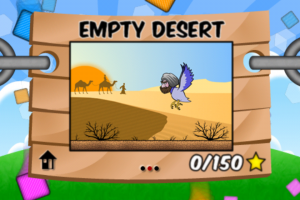
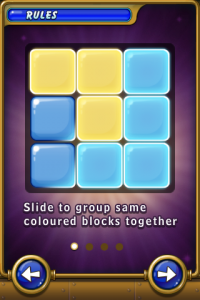
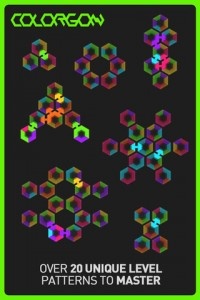
If you’ve tired of solving a Rubik’s Cube, it’s time for something new. Colorgon takes the simplicity of the match three genre and the challenge of mind-bending puzzles and combines the two into a unique brain training exercise. And now, Colorgon has updated to version 1.1, adding the ability for users to create their own puzzles and share them with their friends. Even better, right now it’s free on the App Store.
In the universal app Colorgon, players manipulate interconnected, multicolor hexagons in an attempt to get colors to match up. Puzzles range from the simple to the sublime, and with the addition of player-created puzzles, the challenges are endless. Players can also compete against friends asynchronously to see if they can solve a puzzle faster than anyone else.
Can you make all the colors gone in Colorgon? It’s available now in the iTunes App Store – what are ou waiting for?
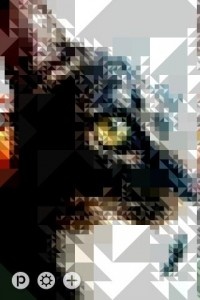
Remember those posters that were pretty big in the 90′s? The ones made up of a bunch of teeny tiny images that, when positioned correctly, created a slightly abstract-looking larger image (i.e. Star Wars stills created a portrait of Darth Vader)? Pixl is a photo app designed by Innoiz to do something very similar, just without the pictures-within-a-picture concept.
With Pixl, users can take existing photos and run them through a filter with variable settings that will reduce all of the textures and shades down to basic shapes and flat colors. In other words, instead of using a full image that’s predominantly blue (for the sake of argument) as blue for a larger image, it creates a blue box or circle for the same purpose. It’s the same basic idea, though. In either case, it results in a stylized abstraction of the image.
Users are also able to take images from within the app, so if they’re out walking and see something that would make a good Pixl image they can open it up and get right to work. Photos can then be saved for later viewing in both portrait and landscape orientations. It sounds a little like a gimmicky photo filter app, and depending on the user that might be all it amounts to, but it can also be an incredibly useful learning tool.
Specifically, Pixl seems to be designed more for artists or art students than for someone looking to mess around with their vacation photos. In breaking an image down into basic shades, it allows users to study the way colors react to one another when in close proximity. It also makes it easier to scrutinize color values without visual distractions like texture to get in the way. In short, it’s Color Theory.
Anyone looking to have fun making the pictures on their phone look artsy, or those who could use a little help with their swatches, can download Pixl from the App Store right now.
iPhone App - Designed for the iPhone, compatible with the iPad
Posted June 17th, 2010 by Brian Hudson Our Rating: :: CLEVER PUZZLER
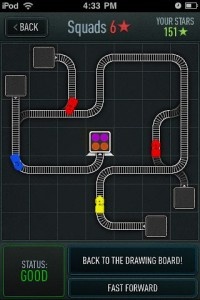
Trainyard is a clever, casual puzzle game that challenges you to both plan routes and match colors. In an App Store glutted with Doodle Jump clones and match-three retreads, it offers a novel puzzle experience.
iPhone App - Designed for the iPhone, compatible with the iPad
Posted July 28th, 2009 by Bonnie Eisenman Our Rating: :: LIMITED USE
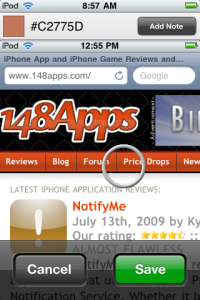
Loupe is a simple and straightforward color-picking tool designed to help you keep track of "inspirational" or useful colors. Unfortunately, its already narrow audience might be turned off by its lack of additional features.
iPhone App - Designed for the iPhone, compatible with the iPad
Posted June 1st, 2009 by Bonnie Eisenman Our Rating: :: SMASHING GOOD TIME
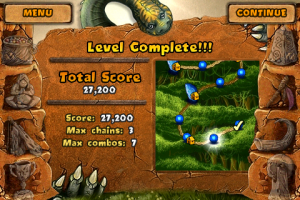
Stoneloops! sets a new standard for Zuma-style match-3s. While the gameplay will be very familiar to most, Stoneloops! of Jurassica brings a new level of finesse and polish to the table.
iPhone App - Designed for the iPhone, compatible with the iPad
Posted March 12th, 2009 by Donna Harrison Our Rating: :: HIGHLY RECOMMENDED
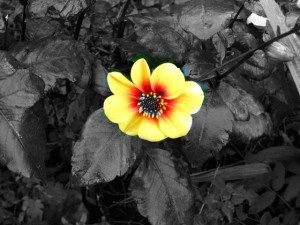
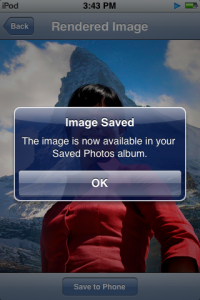
This neat photo editing application lets you selectively highlight areas of your photos with color. It produces such nice results with so little effort that you may actually find yourself putting photos onto your iPhone just to use it!
iPhone App - Designed for the iPhone, compatible with the iPad
Posted March 12th, 2009 by Bonnie Eisenman Our Rating: :: RECOMMENDED
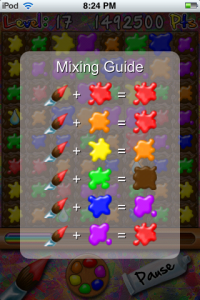
In Dapple, instead of swapping blocks, you have to use your paints to blend new colors and clear clusters of four or more. It's a fun new take on the color-matching formula that requires some new strategies and makes for loads of fun. If it weren't for the price, Dapple could be a real hit.
iPhone App - Designed for the iPhone, compatible with the iPad
Posted February 10th, 2009 by Gary Lucero Our Rating: :: ABOVE AVERAGE
When given exactly the right starting photograph, PicTricks can create funny or interesting pictures. Like any image manipulation app, though, it requires time and effort to master, and will just as often frustrate as satisfy. It's definitely worthwhile, although you can't expect it to magically create great photographs regardless of what the author claims.
iPhone App - Designed for the iPhone, compatible with the iPad
Posted February 5th, 2009 by Gary Lucero Our Rating: :: AVERAGE
The Touchmaster series is generally quite good on the Nintendo DS platform, and while the games here are also good, there isn't as much variety present. Furthermore, while the games Midway has included aren't all that exciting, if you are a puzzle fan you'll definitely find something here to like.
iPhone App - Designed for the iPhone, compatible with the iPad
Posted February 4th, 2009 by Gary Lucero Our Rating: :: AVERAGE
Although Multipad bills itself as a "stylish program that is always at your hand," it's actually a clunky little app that does little more than hold a limited number of hand written notes. While most note taking apps give you an unlimited number of pages to work with, here you have 72 scratch pads separated into 8 different pad sets. What does one do when he or she runs out of space?
iPhone App - Designed for the iPhone, compatible with the iPad
Posted February 2nd, 2009 by Gary Lucero Our Rating: :: RECOMMENDED
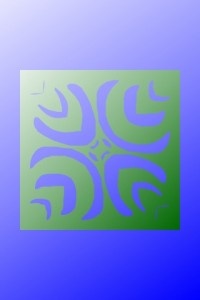
The word Kirie speaks of traditional Japanese cut art work, where paper is folded and then cuts are made so when it is opened again, geometric patterns emerge. The app Ki-Ri-e serves the same purpose. Choose from a number of folds, styles of origami paper, as well as backgrounds and then use you finger to make cuts. Finally, open the paper to view your creation.