Posted by Rob LeFebvre on January 30th, 2013 + Universal App - Designed for iPhone and iPad
THX tune-up is a new app from the folks behind modern-day cinematic sound, THX, which hopes to help you calibrate your HDTV to its best visual and aural settings. Connect your iPhone 4 or iPad 2 and up to your TV with an HDMI cable or AppleTV/AirPlay and point the camera at your screen to have THX tune-up help you get the best of each.
THX tune-up features custom video test patterns, carefully selected photos and tutorials to help you adjust and confirm the best picture settings on your display based on your room lighting. Using special test sounds, THX tune-up also lets you check your external speakers to make sure they are working in phase and are connected properly for 2-channel stereo or 5.1 surround sound systems.
THX tune-up is completely interactive and you will be able to go through it at your own pace and in any order. Use your iPad 2 (or later) or iPhone 4 (or later) to connect to your display or sound system with an AppleTM Digital AV Adapter and HDMI cable or through a wireless Apple TV.
It’s quite frustrating to be the owner of older generations of iOS devices. iPhone 3G and 3GS (and sometimes even 4!) owners or original iPad or iPad 2 owners are often kept from using certain apps (mainly games) that require more powerful devices. But now, for some users that were upset that they couldn’t play the 3D audio adventure, BlindSide, that’s no longer a problem. BlindSide now supports older devices for their game.
The game used to only be playable on the iPhone 4S, iPad 2, and the third-gen iPad (this left quite a few iPhone users out). The game has now added the iPhone 4 and iPod Touch (fourth generation) to its list of supported devices. Though, epicycle still highly suggests using one of the original three supported devices for the game as the two new devices are supported using a lower quality mode. So for optimal performance, use a new device.
BlindSide is a 3D audio adventure from epicycle. Players never actually see the world that they explore. The game requires uses to put headphones on and navigate around in the darkness based on what they hear. BlindSide detects where players are in the world based on their movements using the device’s gyroscope.
BlindSide is available for $2.99. Check out the new trailer for the game below.
With all of Apple’s relatively recent success in the smartphone and tablet market, we can forget sometimes that what kicked off their modern dominance was a device that simply played music. BICOM, Inc. has been recognizing how important music is to the company with their playGo series of iOS receiver systems. The newest model, the playGo AP1, is their biggest leap forward yet.
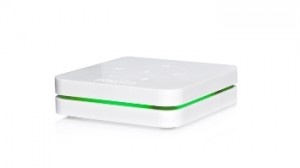
Previous playGo models used USB interfaces but the playGo AP1 instead streams audio wirelessly using Wi-Fi, Ethernet, and Apple’s own AirPlay functionality. Music from iOS devices, iTunes and other services like Pandora, Rhapsody, and Spotify are wirelessly pushed to speakers with their high-fidelity audio intact. The playGO AP1 also retains built in USB for compatibility with older devices.
Unfortunately, the project is still in need of funding. However, interested buyers can check out the playGo AP1 Kickstarter page and purchase one early for $199. The funding deadline in July 5th and if it’s a success, expect to see the playGo AP1 released shortly thereafter.
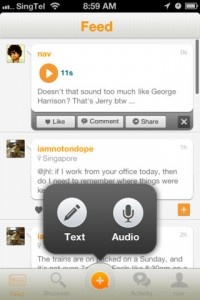
Bubbly, a popular micro-blogging service in Asia, is now a global service and was released in the U.S. App Store on April 11th. Unlike Twitter and its 140 character limit, Bubbly users have the option of posting audio or text updates. The service includes “like” and commenting features similar to Facebook.
Voice posts are the driving feature of Bubbly. Users are encouraged to use the audio option when posting to convey the emotion and feeling behind what they’d like to say. I’ve grown particularly accustomed to the fact that sarcasm and irony aren’t always apparent in a text-only platform. Something like Bubbly remedies that confusion.
The service has a strange in-app purchase option. To unlock access to celebrity Bubbly-ers (Bubblers?…Bubbly users), users must pay $2.99 as an in-app purchase. I’m not sure any other service has ever done something like this. I’m trying to imagine Twitter being free, but needing to pay for popular users.
Bubbly has reached 16 million users (1 million just in the last month). On average, users post three times per day and 75% of that content are audio posts. Bubbly is a free service (except for the in-app purchase for premium user access) and the app is available to download for free.
A new tool for musicians is slated to be released by Alesis. The Alesis iO Mix is a mixer/recorder accessory for the iPad.
The Alesis iO Mix lets musicians mix and record four channels of audio into GarageBand (all Core Audio apps are compatible). Alesis previously released the iO Dock, which made the iPad compatible with studio equipment. But with the iO Mix, the iPad basically becomes the studio.
The iO Mix has four input channels (combo XLR-1/4”) and stereo outputs (1/4”). It even has video output for live show videos. It has a guitar-direct (DI) switch for recording a guitar without an amp. And an Alesis Module Mount (sold separately) can mount the iOS Mix to a mic stand.
The iPad is enclosed securely and the power supply keeps the iPad charged during recording.
The Alesis iO Mix currently has no release date or pricing available.
One of the most common laments of audiophiles is how badly iTunes compresses music files. While the average listener may not notice the drop in quality, to those who appreciate music in its most pristine form it’s like listening to nails on a chalkboard. The good news is that now not only can fidelity be restored, but users can make their music sound even better thanks to the newly-launched MyTunes Pro.
The app comes from the crew at SRS Labs and builds on the company’s already-existant MyTunes app. Not only does MyTunes Pro clean up audio and restore it to near-studio quality, but those with a true ear for sound can further tinker with tracks, adjusting the balance, bass, tone and more until they get their music sounding just right. There are other bells and whistles as well, including Party Mode and Workout Mode, each of which adjust the tempo of your music without warping the audio.
The app is free to download for the basic version, with in-app purchases available for users who want to try out the more advanced features. Why listen to music at an inferior quality ever again?
The built in Voice Memos app does its best to help those who need a voice recording app. It is pretty limited in its execution, however, and frequently lacks functionality that would make it essential for the likes of journalists and voiceover artists in need of recording an audition. This is precisely where iAudition springs into action.
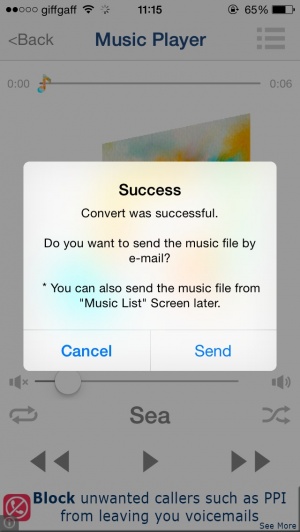
As the name suggests, iAudition enables users to record and edit audio files wherever they are. One of the neatest functions is the ability to send completed files as MP3s directly to anyone via email or FTP site. Such functionality immediately makes iAudition a much faster app than those that rely on a PC connection to convert and send files.
Controls are simple yet effective with the ability to record multiple takes and cut and paste segments together. It all works just right, removing all the effort for the user. There’s even the ability to perform background recording sessions so that the user can read something from the iOS device while recording at the same time.
A voice recording app that constantly throws away recorded audio doesn’t immdiately strike me as the most useful of apps. Fortunately, there’s a very important reason as to why Shiftcorder does precisely that. It’s an app that, much like fast recording camera apps, focuses on capturing moments in time.
We’ve all been there, especially those with children. An amazing thing is uttered but it’s too late, fumbling to turn the stock app on and the moment is gone. In Shiftcorder‘s case, the app constantly records audio while not taking up any of the iOS device’s storage space. Once something worthy of being kept is uttered, users can then just hit the save button and the last 30 seconds of audio can be saved. It’s as simple as that.
Configurable options are available with audio quality adjustable as well as shifting times of 30 or 60 seconds available. Wi-Fi sharing is particularly handy as it means users can download their recordings using an internet browser, making things very simple indeed.
Priced at $0.99, Shiftcorder sounds like an inexpensive way of capturing some memorable audio bites to me!
It’s difficult to overstate just how important our eyesight is to every day activities. While the likes of iOS devices will be incredibly restrictive to those who are blind, apps like Voice Reader Web ensures that the partially sighted have a much needed tool to help them read web sites.
Voice Reader Web is a regular web browser with a very important feature: it can read all text displayed aloud in up to 21 languages with 32 different voices. It means that users can understand what’s on a website without reading it themselves, making it incredibly useful for the partially sighted as well as those who just want to listen in rather than read.
An added benefit comes from Voice Reader Web‘s ability to save sites for offline viewing/listening at a touch of a button. As part of the browser’s text mode, images and advertising can be faded out to ensure the focus is on the text helping those trying to read the information displayed.
As a disability aid, Voice Reader Web looks to be fantastically useful. There are other benefits to for the likes of car drivers or people who just want to relax and listen to a website rather than read huge amounts of text. Audio segments can be saved in a variety of different formats too for later consultation. It’s an all round useful app indeed.
Voice Reader Web is out now priced at $1.99. In-app purchases are available for those wanting to buy different voices. Each is priced at $0.99 per voice.
Wi-Fi has given technology buffs a huge amount of freedom. It’s not that long ago that we were all constricted by cables making the likes of video streaming possible but a little awkward and requiring plenty of forward planning. Now we’ve got the wonders of Wi-Fi and apps like Air Playit.
Air Playit is an app that enables its users to stream any video or audio files that are stored on their PC straight to their iOS device. Video conversion tools mean that video libraries can be converted instantly to a format that iOS devices can read. Users aren’t restricted to being on the same Wi-Fi network either with it being possible to set up the server to work across the internet too.
The app also supports Apple TV-Out so that users can stream content to their TV via their iOS device. Options to customize output quality and audio parameters are also available. It’s a pretty comprehensive app indeed and one that offers tons of convenience.
Air Playit is out now in iPhone and iPad varieties. Both are free.
It’s not everyday that we write about hardware on 148Apps. So when we do, you know it’s about something awesome.
Today, Sonos, one our favorite iOS friendly audio hardware makers have released a new, smaller device, the Play3. It’s the little brother to the fantastic S5, now called the Play5 that we reviewed last year. This smaller version has 3 speakers instead of the 5 found in the Play5. It still maintains the features of the Play5 in that it connects with your home network to stream music from iTunes and a huge variety of online services like Spotify, Rdio, Pandora, etc.
I had a chance to test out the new Play3 for a few minutes earlier this week. And I’m impressed. It does a great job, in a smaller package, of still sounding great. You can use this in addition to a Play5, on it’s own, or create a stereo pair between two like devices. The Play5 is a great machine that I’ve grown to love. The Play3 will be a great first device for new Sonos users considering it’s retail price of $299. It will also make a good second device to extend your Sonos range into another room.
We hope to be able to bring you a full review of the Play3 in the next couple weeks.
When devices that supported AirPlay started showing up at CES this year it left Sonos at a bit of a disadvantage. Airplay requires special hardware for it to be supported in a consumer device and the Sonos devices didn’t have that chip. But that’s not the end of the story.
The engineers at Sonos put their heads together to find a way to make AirPlay work on Sonos devices like the S5 which we looked and loved at last year. It’s a bit of software and a bit of hardware. But if you have an Apple AirPort the you have all the hardware you need.
To make AirPlay work on the Sonos, you connect an AirPort Express directly to your Sonos S5, both the Ethernet and audio cable. Once connected and configured properly, when you play something on the AirPort via AirPlay, the Sonos will pick it up and switch to play the audio from that device automatically. Boom, instant AirPlay.
Ok, it’s a bit of a kludge, but damn, it works great.
At Macworld this year, I got a chance to try out the new SRS iWow 3D. It’s an interesting little dongle that fits on your iPhone, iPad, or any iPod, including the touch, that has the 30 pin connector. When you connect it, plug in your headphones to it, and click the on button, it enhances the sound coming from your device in some interesting ways.
I have no idea what’s behind the magic that this little device does. What I do know is that it seems to enhance the sound impressively. The stereo separation seems much greater. The highs brighter, and the bass deeper. Works great with music, but the enhancement when playing videos was even more dramatic.
SRS has also created an iWow 3D app that lets you tailor the sound to your preferences. You can set the output for different devices such as headphone or speakers, and you can increase the treble and base to your preferences.
If the sound is important to you, it may be worth carrying around an extra piece to you. You can pre-order the SRS iWow 3D now from SRS directly.
Recording audio is great, except when you play it back and realize, with some frustration, that you can’t see what’s being talked about—whether it’s a reference to diagrams on a blackboard, a lecture slide, or even a person. As for video, well, it requires a lot more storage space, as well as a steady hand.
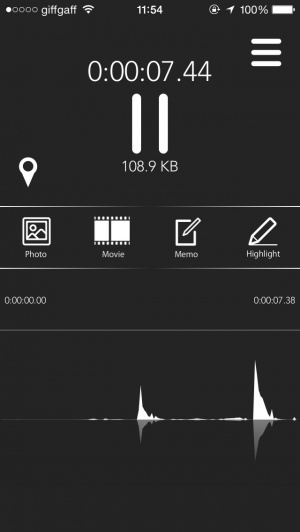
Eidetiq aims to combine the best of both worlds with their new iPhone app. The name “Eidetiq” is a play on the real term, “eidetic memory,” or what pop culture calls a photographic memory. Loosely termed a “note-taking” application, Eidetiq allows you to record audio as well as snapping pictures. Turn the app on, and then take pictures when necessary. The app then plays back the recording with the pictures synchronized in time to the audio. A free piece of desktop software allows you to sync those recordings to your Windows or Mac machine as well.
The developers have plenty of suggestions for how to use Eidetiq. These range from the standard lecture recording—record audio, plus pictures of relevant diagrams or problems—to medical applications, such as a doctor recording a patient’s description of their symptoms along with photos of the injury. Despite its “note-taker” moniker, the developers intend for Eidetiq to be much more.
“Never ask again – what did the teacher just say?” said Jason Novak, CEO, Chubby Weasel Technologies…”The app allows you to focus on what you’re listening to in the moment, and then go back and document the highlights.”
Eidetiq is now available on the App Store for $4.99.
Now this is what apps are for. Have you ever been in need of a particular sound byte, only to give up after trying to putz around in Garageband for 20 minutes? No? Well, darn. I thought I really had something there.
However, if you’ve ever tried to put together a podcast, run a radio show (web or otherwise), or just needed a few clips for a presentation, you know how much of a hassle it is to extract clips from audio tracks. Many programs can accomplish the task, but none are iPad apps expressly designed for making this happen, and happen easily. Snipster for the iPad is just the app, one that will easily snip up audio tracks into bite sized bits, which is perfect for any sort of presentation. All you have to do is set start and end points for every file and violá, your clip is made. If only making the rest of the podcast or radio show was that easy.
Snipster can handle up to 480 audio files at a time, and has a slew of features that will make your snipping life so much simpler. Clips fan be faded, looped, moved, searched through, and played back at a moments notice. The clips can even be organized into named blocks, so you could prepare a package of clips for all sorts of events. For example, if you were running a podcast with four guests, you could assemble a clip package for each individual guest, allowing for a level of ease and customization not provided by some of the larger apps that can snip audio files (i.e. Garageband).
Snipster obviously isn’t for everyone, nor is it on the low-end of the App Store price wise, but if you are in need of a pro-level audio snipper be sure to check out Snipster for the iPad. It’ll save you a lot of time in the long run.
“Come out to the MONSTER JAM this sunday, Sunday, SUNDAY to see some RIP ROARING ACTION and EXTREME CRASHES!”
I love monster truck commercials, and now I can make my own. Monster Truck Commercial Generator (I got carpal tunnel writing the name) “uses hundreds of little bits of speech to make random monster truck rally commercials.” You can use all of the professional clips and play your own iTunes music (or the pre-made tunes) to make over “one TRILLION possible commercials”.
We recently got our hands on iSaidWhat?!, a smart new audio tool by Tapparatus. The app lets you record what your friends are saying, and then rearrange it for your amusement. Billed as a way to embarrass your buddies, iSaidWhat?! works surprisingly well when put to the test.
The first thing you’ll notice about iSaidWhat?! is the overall polish and cleanliness of design. It is an expertly crafted front-end. You can easily record anything and save it within the app. iSaidWhat?! shows you the waveform of what you’ve recorded, and you can then zoom to and cut select pieces using a very simple interface.
Once you’ve extracted and compiled a variety of snippets, iSaidWhat has an arrange mode where you can choose from words or phrases within any of your recordings in order to construct a new saying. The goal is to string together funny new sentences at your friend’s expense, although you can use it to combine any sounds you’d like. Once you’ve created your masterpiece, you can then share it via a variety of ways, including Twitter and Facebook. There is also a script mode that lets you type up a message beforehand that you’d like someone to read while you record.
iSaidWhat?! operates rather seamlessly from recording to sharing. It is a tad too easy to accidentally lose a recorded message at first, but you soon get the hang of saving your sound bites immediately upon taking. For my testing purposes, I recorded some bits of an interview with Microsoft CEO Steve Ballmer, and pretty effortlessly rearranged them to have him proclaiming his love for Apple. Childish for sure, but fun nonetheless!
While iSaidWhat?! may be somewhat of a novelty tool, it delivers on everything it promises with a high level of quality. You can see it in action via the screenshots and demo video below…
iPhone App - Designed for the iPhone, compatible with the iPad
Posted April 1st, 2009 by Bonnie Eisenman Our Rating: :: AVERAGE
Radio Flare is a musical side-scrolling shooter with a soundtrack that dynamically morphs as you play, responding to your actions. While I love the audio and believe that its spot as an IGF finalist in Audio Achievement is definitely deserved, the core gameplay ultimately failed to hook me.
Strategy game creator, Slitherine, unleashes Armageddon, its first Warhammer 40,000-based title. Warhammer 40,000: Armageddon is set during the Second War of Armageddon as players lead Imperial forces of the Armageddon Steel Legion, along with a few Space Marines, against Ghazghkull Thraka’s massive Ork Waaagh! invasion, says Pocket Gamer. The game will feature over 30 turn-based [...]