Posts Tagged 99.99

Developer: Logitech
Price: $99.99
Device Reviewed With: iPhone 5, iPad mini

Usability Rating: ★★★★½
Integration with iPad/iPhone Rating: ★★★★½
Hardware Design Rating: ★★★★☆
Re-Use Value Rating: ★★★★☆

Overall Rating: ★★★★½

When I received the Logitech Bluetooth Illuminated Keyboard K810, I was excited. HEre was a keyboard that I could use with my iPad and iPhone, as well as my Macbook, on the go. I end up hanging out in quite a few places where I need to write, and a fuller sized keybaord makes that possible with the iPad mini I seem to be carrying around, as well. I’ve taken my Apple wireless bluetooth keyboard around with me, so wanted to see how this K810 illuminated model would do in comparison.

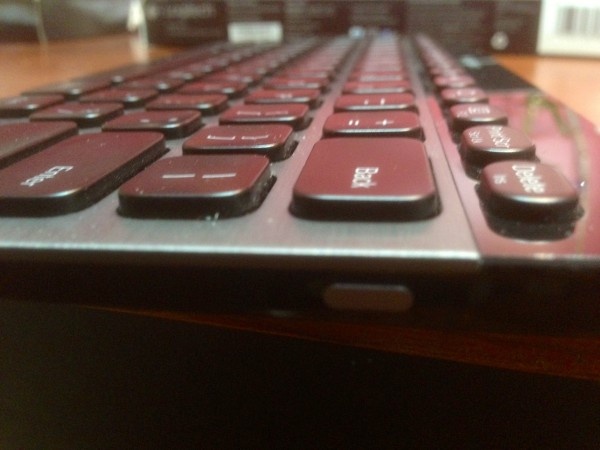
As a typing platform, the K810 shines. Pun intended. It’s solidly built, feels well-engineered and produced, and is a delight to type on. the keys are spaced far enough apart that it feels comfy to use in any configuration; even on my lap (which is how I’m typing this review right now: iPad mini on the arm of my recliner, Logitech keyboard in my lap). The battery is rechargeable, another leg-up on the Apple keyboard, via a micro USB port on the left hand side of the unit. The power toggle switch is on the right side of the unit on the vertical face. It’s a solid-feeling toggle, too; very well put together.

Where the keyboard really blasts past my previous favorite Apple bluetooth keyboard is in the three-device switching ability. ONce the keyboard is initially paired to one device, it can then be paired with up to two more at the same time. Switching between devices is then handled via the F1, F2, F3 keys. I was able to pair the Logitech Illuminated Keyboard to my iPad, my iPhone, and my MacBook Air all at once; pressing the corresponding F key allowed me to type first on the iPad, then the MacBook Air, then the iPhone in a text message, then back to the iPad. It’s no muss, no fuss configuration and wow is it useful.

The illumination is a nice extra, even in low light. It doesn’t seem to affect the battery life too much, as I’ve only charged this bad boy once in a two week period. I’d say it has aa much if not more battery life than the Apple keyboard, though I didn’t measure the specific times each needed a recharge or new batteries (in the Apple keyboard’s case).

My only niggling issue is the Windows-centric labeling on the bottom row–Alt for Option, Windows symbol instead of an Apple Command key symbol. If Logitech makes a version of the K810 with Apple symbols on it, then it would be my perfect keyboard. THey do, however, make something similar for the Mac, called the Easy Switch keyboard, but I was not sent that unit to review.

For now, the Logitech Illuminated Bluetooth Keyboard K810 is still my go-to keyboard for all applications: writing on the iPad, using my MacBook Air with an external monitor and mouse, and for answering text messages on my iPhone wile working on the computer at the desk, or using the iPad in my armchair. My accuracy and speed is not affected at all, especially since I’m used to using the smaller format of the Apple wireless keyboard.

iRig Keys Review

Developer: IK Multimedia
Price: $99.99
Device Reviewed With: new iPad, iPhone 5

Usability Rating: ★★★★☆
Integration with iPad/iPhone Rating: ★★★★☆
Hardware Design Rating: ★★★★☆
Re-Use Value Rating: ★★★★☆

Overall Rating: ★★★★☆

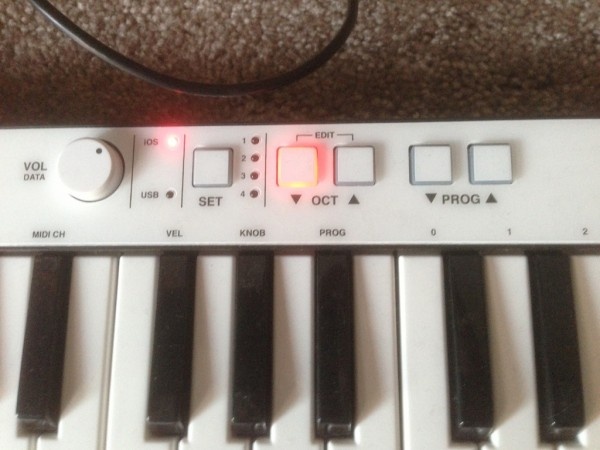
IK Multimedia might be trying to take over the music peripheral world. The company has a wide range of apps, instruments, and support items that could, in theory, be used to build a band entirely out of iOS instruments. The latest offering from this prolific manufacturer is titled iRig Keys, a super portable iOS keyboard with 37 velocity-sensitive keys, modulation and pitch wheels, low power consumption, and core MIDI compliance. The iRig is aimed at the portable musician, the composer on the go, the backpack virtuoso, and as such, it succeeds brilliantly.

The manufacturer offers the free version of iGrand Piano or SampleTank, both IK Multimedia, as the apps to use with the iRig Keys, but this unit will work with any MIDI app on the iPad, iPhone or iPod touch. It comes with an included USB cable to plug into a Mac or PC as well, opening up the use of any core MIDI compliant app on a laptop. I was able to make the keyboard work with iGrand, SampleTank, and GarageBand. The setup was as simple as plugging in the keyboard via the 30-pin dock connector and firing up any one of the keyboard apps on my iPad 3. I didn’t notice a significant battery drain while using the iRig Keys unit, either.

The small size of the iRig Keys is the killer feature, of course, as it can easily fit into a backpack or even just carried by hand. It’s small, light, and the controls and keyboard keys all feel well-made. The keys are indeed velocity sensitive, and the handy data send/volume knob feels solidly attached. The octave up/down buttons don’t feel chintzy at all, and the two expression wheels don’t wobble when used. All in all, the iRig Keys shows a superior build quality that should help it hold up over time as it moves from place to place, in and out of backpacks and shoulder bags.

For on-the-go composition, song recording, or piano practice, iRig Keys works well for an attractive price. The unit is powered by the included iOS or USB cables, but does not draw excessive amounts of power to drain the iPad or iPhone attached to it. The keys are easy to play, feel solid enough for mobile use, and will allow musicians at any level to create and record music as inspiration strikes.

Developer: Logitech
Price: $99.99 (retail), around $80 on discount
Hardware Tested On: iPad AKA new iPad AKA iPad 3

Usability Rating: ★★★★☆
Sound Quality Rating: ★★★★☆
Re-use Value Rating: ★★★★½

Overall Rating: ★★★★☆

While the Logitech Mini Speakers won’t fill a concert hall with sound, they aren’t meant to. They are meant to be a great option to carry with you and use at the office, in a hotel room, the car, etc. For that, we are very impressed with the Logitech Mini Speakers.

With their compact size comes surprisingly great sound. This makes the Logitech mini speakers a great, convenient, and cheap way to broadcast sound from your iPhone or iPad.

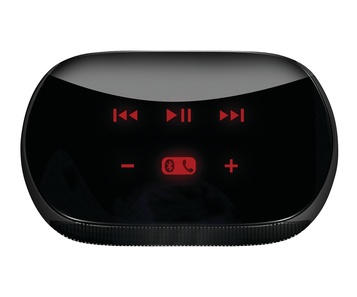
Using Bluetooth to receive sound from your iOS or other compatible device, it’s an easy setup. Once paired, you can select the Mini Speakers for sound output like you would any Bluetooth or AirPlay output device. You can control these speakers either from your device or from the capacitive buttons on the top of the speakers. Volume, next/previous track, play/pause and a speakerphone feature are available. Using this for a Bluetooth speakerphone is a secondary, yet very useful feature.

The size is great and not indicative of the sound these speakers produce. A little bigger than a slightly squished baseball, these red and black or all black speakers are easy to toss in a bag or drawer. They charge via USB and can hold a charge for up to 10 hours of playback. Also impressive for the size.

While there are other options for small Bluetooth speakers, these easily come in on the low end of the price scale at only $99 retail. A great deal when other small portable speakers of this quality are up to twice the price.

If you are looking for a good set of portable, personal, Bluetooth speakers, the Logitech Mini Speakers are a great, and cheap option. Give them a shot.

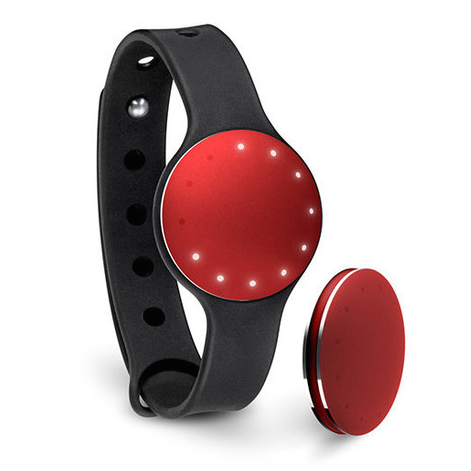
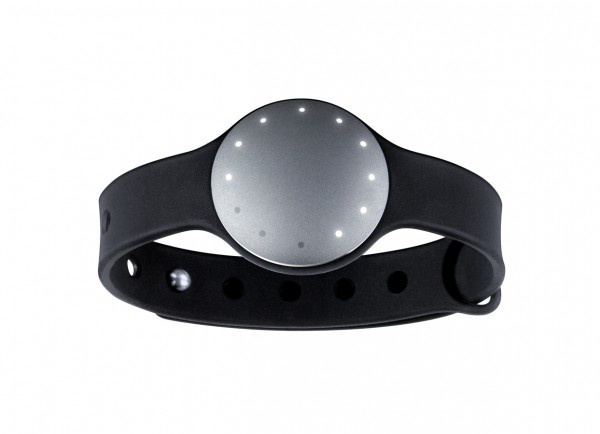
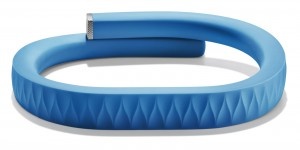
Jawbone, known for their award-winning Bluetooth headsets, has announced UP, a wristband and app combo that tracks daily activity such as sleep, motion and eating habits. The goal of it is to help people live a healthier life.

For those who follow Ted Global, they’ll remember that UP was previewed at the event this past July. Tracking sleep, eating habits and motion, the wristband is worn 24/7 and wirelessly communicates with the iPhone app via MotionX technology. The app then calculates daily totals, displays them and works to give users a better understanding of their health, what drives it and ways to improve it. And no, it’s not another weight loss gimmick. It is about visually displaying the hundreds of decisions made every day to be healthy and gives the user the motivation to alter their behavior for an all-around healthier lifestyle.

UP also includes a social aspect with the ability to challenge friends. Within the app friends can send encouragement and challenge each other for most hours slept, who had the healthiest meals and more. The wristband will be available on November 6 for $99.99 while the app is available for free as of today.

FREE!
iPhone App - Designed for the iPhone, compatible with the iPad
Released: 2011-11-03 :: Category: Healthcare & Fitness

Team Viewer Free Review

Team Viewer Free Review

+ Universal App - Designed for iPhone and iPad
TeamViewer Free is a remote desktop app that allows iDevice users to log onto a remote computer to perform an array of functions. Near flawless execution, combined with top-notch customer service/support make this app a must-have for those needing a good, solid remote desktop application. But for those who need the ability to access more than only one account, having to shell out $90 dollars for the Pro version can be a huge turn-off.

Read The Full Review »

Cast your mind back to August 5th 2008. The sun was shining, and the birds where singing. That was until the (now iconic) ‘I Am Rich’ app rocked the App Store sideways. Officially becoming the most expensive application to of hit the App Store ever, and priced at $999.99, the app hit the mainstream for being controversial to the highest level. Offering nothing more than a ‘souvenir’ of personal wealth, the app was designed to show how ‘rich’ you were. The premise being, if you owned it, you were rich.

On August 6th 2008, following it’s release, and in response to the huge amount of media coverage and bad press the title had garnered, Apple pulled the application completely, from all 72 countries iTunes operated in. Now fast forward.

Just when we thought it couldn’t happen again, it has. October 16th 2009. Developed by 15 year-old Mark Gurman, You Are Rich hit the App Store. Designed to be a complete copy of the original, You Are Rich is the absolutely bare bones of iPhone development. After you get past the shock of spending $99.99 on a picture of a glowing red gem-like fire-ball thingamajig, maybe the ‘Secret Mantra’ will make you feel a tad better? Then again, maybe not ..

I was lucky enough to grab a review copy from Mark, making me – not really that rich. However, if this is your type of app, you’ll be glad to know this version will cost you ten times less than the previous, at just $99.99, and has a slightly different ‘secret’ mantra than the original. For those of you who can’t afford this app, or simply can’t afford to throw your credibility out the window with this app, the new mantra is below for your viewing pleasure:

“If you see this: You are Brave, You are a Success, You are Bold, You are Flashy, You are Amazing, You are Rich.”

On the mantra screen you’ll find a button which states ‘Play Mantras’. Doing so throws up three options, including: Mantra, You Are Rich and I Am Rich. Tapping each one seeing the app play a different sound, with the first reading out the already written ‘mantra’ aloud, in this kinda eery hypnotic voice.

The fact is, I’d get this app while you still can! No really – Since being exposed to the app’s mantra, my personal wealth has grown hugely. In fact, I’m typing this here now from a small yacht on the Caribbean, while sipping a Margareta. While I’m here I might actually start a new business – “You Are Rich” branded handkerchiefs. Think it’ll take off?

TomTom US & Canada

TomTom US & Canada

iPhone App - Designed for the iPhone, compatible with the iPad
TomTom first announced their GPS app at the 2009 WWDC in June. Hotly anticipated, it's finally here. But, it came in at the most expensive option available. $100 seems to be a lot for an app these days. Is it worth it?

Read The Full Review »
    Advertisement    


Featured Apps

    Advertisement    


Developers

Would you like your application reviewed on 148Apps? See the About page for information.
    Advertisement    


Steel Media Network

148Apps - iPhone app reviews and news. The best gosh darn iPhone app site this side of Mars.
http://148apps.com :: @148Apps

The Portable Gamer - Coming soon.
http://ThePortableGamer.com :: @PortableGamer

Android Rundown - Android news and reviews. Where you get the rundown on Android apps and hardware.
http://AndroidRundown.com :: @AndroidRundown

Best App Ever - Yearly Mobile App Achievement Awards.
http://bestappever.com :: @BestAppEver

GiggleApps - iPhone applications reviews for kids and parents.
http://GiggleApps.com :: @GiggleApps

148Apps.biz - iPhone development news and information for the community, by the community.
http://148apps.biz :: @148AppsBiz

The App Hall of Fame - An archive of the very best in apps and games.
http://AppHallofFame.com :: @AppHallofFame

Pocket Gamer - Mobile game reviews, news, and features.
http://PocketGamer.co.uk :: @PocketGamer

Pocket Gamer.biz - Mobile games industry news, opinion, and analysis.
http://PocketGamer.biz :: @pgbiz

AppSpy - iOS game news and video reviews.
http://appspy.com :: @appspy

Smart TV Radar - For everything you need to know about Smart TV.
http://smarttvradar.com :: @smarttvradar