Safari is an app that’s been around for a long, long time, having been on iPhones since the original one! It’s easy then to get into a rut where you use it and don’t consider what else it can do. Well, let’s go through Safari’s section in Settings to poke through some of the options that can tweak your Safari experience to be much better.
Search Engine allows you to set Bing or Yahoo as your search engine. Sorry, AltaVista fans and Pawnee residents.

AutoFill makes it easy to enter passwords and personal info in website forms. Enable Use Contact Info with your contact card, set as the iOS default but something that can be changed from here, to have names and addresses in forms filled automatically with your data. Names & Passwords will fill in usernames, passwords, and other info from your contacts in forms as appropriate. Tapping Clear All will reset this data.

Private Browsing changes a Safari session to not store any history or browsing data once completed. Open tabs can be saved or closed when switching back and forth. If anyone gets suspicious as to why you’re using private browsing, just tell them it’s for the sleek dark interfaced that indicates you’re in private mode.

Clear History will clear your list of previously-visited sites. Clear Cookies and Data will delete any tracking cookies stored on your device, and also clear out any logins. Reading List’s Use Cellular Data toggle will allow for you to save on data usage by only letting Reading List sync over wi-fi. Fraud Warning will warn when you’re on a suspicious website. JavaScript allows you to disable this for any sites that may be slowed down by this. Block Pop-ups allows you to let pop-ups open as new tabs.

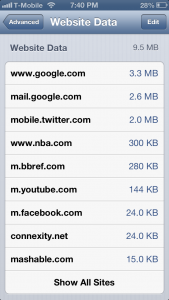
Finally in Advanced, the Website Data section allows you to clear up some storage space by deleting saved data from websites. Web Inspector is a feature for developers who are working to optimize their sites for Safari on iOS.
Hopefully this guide has shown you some useful features for Safari that you never even knew existed or had no idea how to use!


Voice Reader Web is a regular web browser with a very important feature: it can read all text displayed aloud in up to 21 languages with 32 different voices. It means that users can understand what’s on a website without reading it themselves, making it incredibly useful for the partially sighted as well as those who just want to listen in rather than read. 
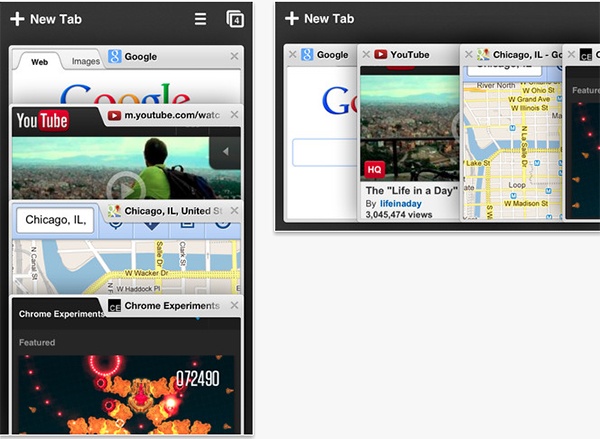
Having tried out Dolphin Browser for a time, the app feels like a much more fully fledged browser than Safari. There’s ‘proper’ tabbed browsing just like on a desktop, a bookmark folder that’s as easy to access as on any PC or Mac. Auto-completing of URLs is fast and efficient too. For even faster access, a speed dial system ensures that users can consult their favorite websites at the tap of one button for maximum ease.
Unlike the iPhone, the iPad is used in many households as a mobile computer that is used by many, if not all, members of a family. While many households have an iPhone per family member, it doesn’t seem nearly as common to have each person with a personal iPad. I don’t know whether it’s because of price, size, or a combination of both, but the iPad seems to be used as much more of a family device. 


]
]