Posted December 5th, 2011 by Oliver Haslam Our Rating: :: SSH-TASTIC
Panic's Prompt offers server administrators a windows into their networks right from an iPhone, iPad or even iPod touch. Offering customisable keys and support for Bluetooth keyboards, Prompt is ideal for road warriors.
It’s surprising sometimes, after accumulating so many apps, to see what we actually use on a regular basis. While setting up so many new iPhones recently, we really had to think – in a post iOS 5 world that rendered many staples obsolete – which of the dozens of utility apps we’ve stockpiled we still actually use. Here are our favorite four “classics” that we can’t get through most days without.
Flashlight
If you have an iPhone or iPod touch with a front-facing camera, no flashlight app we have seen is better or simpler than this one. The app uses the LED camera flash and a simple slider as a switch to provide bright reliable illumination in dark parking lots, while stumbling for door keys after a late night, or when trying to make a quiet escape from a dark room.
iPhone App - Designed for the iPhone, compatible with the iPad
Released: 2010-07-07 :: Category: Utilities
Mobile Mouse Pro
Many people use larger widescreen iMacs as TVs, alarm clocks or to manage urgent morning reminders. We’ve tried pricey wireless controllers that work with no flat surface, say from a bed, but none are more comfortable, much less so affordable – particularly for browsing and playing media – than Mobile Mouse Pro. Setup is so simple and the interface so intuitive, using it feels like something Apple would, or more aptly should, have made. The shake-to-toggle keyboard feature is wonderful, particularly when a locked screensaver kicks in after a period of inactivity. An iPad version is sold separately.
iPad Only App - Designed for the iPad
Released: 2010-04-01 :: Category: Utilities
Pastebot
While not iPad native, we use Pastebot on all our Apple gear, and can’t imagine getting much done at all with out it. Aside from being a robust iOS clipboard manager, it integrates seamlessly with Macs so users can instantly send copied links, text or anything else including images, back and forth from pad to phone to ‘puter with no effort after simple set-up.
We’ve all set up iCloud and like what we’ve seen, but when it comes to simple file sharing there is still no better app around than Evernote. The cloud storage app and its integration both into iOS and OS X are so smooth, users will forget it’s not just part of their hard drive that they can share with anyone, anytime. For work, for sharing photos, or just to send notes to oneself, it’s still our go-to cloud app and the GUI is as gorgeous and intuitive as ever.
We at 148apps know how tough it is to find the right games and apps for children. That’s why we have sister site GiggleApps. For those looking for a different sort of guidance, however, Apps For Girls and Apps For Boys might just be what they need.
Both freely available, these are apps that offer gender specific versions of the app store, presenting apps that have been recommended by other parents for children of the relevant gender. Different categories include the likes of Games, Fashion (for girls), Books, Utilities and Education. For users who have spotted an app worthy of being featured, there’s a handy app recommendation section which ensures others can discover exceptional apps.
While having always been a bit of a tomboy as a child, I’m not so sure about the color schemes available for the two types of apps. If you can get past the stereotypical color scheme, there’s no denying that this is bound to be a helping hand for many parents and children.
Keeping track of everything that needs doing to maintain a car can get a little overwhelming, which is precisely why there’s an app for that. MyCarCare remembers everything any automobile owner could possibly need to know.
Users can store numerous vehicles and their information within the app ranging from cars to motorcycles and scooters. Information can then be added to include maintenance information such as when the last service was performed, how long since the tyre pressure was checked or the oil and water in the engine. The user can keep track of upcoming deadlines such as when the car tax or MOT is coming up to expiration time and needs to be conducted once more.
Expenses can also be tracked from within the app allowing users to keep an eye on just how much their finances are going to be stretched by their vehicle in the coming months. It’s all available in one very convenient package.
MyCarCare is available now priced at $0.99 for the universal app.
Augmented reality apps are steadily increasing in complexity, letting users do more and more with the cameras in their devices. One such app is the new app MagicPlan, developed by Sensopia. What MagicPlan does is that it lets you create floor plans for homes simply by using your camera in your iPhone 4 or iPod touch 4th Generation. While the iPad 2 isn’t mentioned, the app would presumably work with it as its cameras are 720p, just as the other 2 devices, which is likely why the iPhone 3GS is not supported.
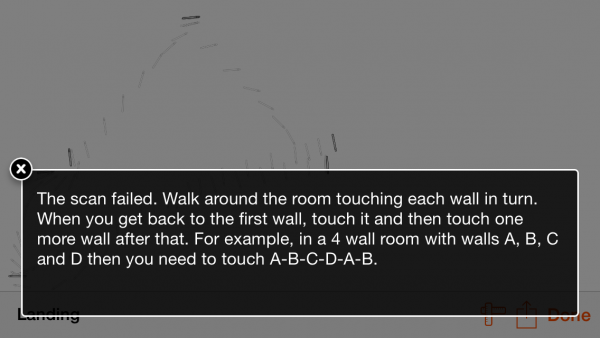
While I recommend watching the tutorial videos the app provides to figure out how the app works and how you are supposed to use it, you basically are supposed to stand in the center of a room, and aim at the floor corners of a room, lining up the 3-dimensional corner lines with the actual corener lines. You go around the room, taking a picture of each corner, including door positions, until you get back to the first corner of the room. This creates a floor plan for the room, which you can then edit to correct any errors that may have popped up through the photography process. You do this for every room of your property until you’ve created a complete floor plan. There are plenty of options for a variety of rooms and specific door types to make as accurate a floor plan as possible.
The app is free to download, and it gives you a watermarked JPG, PDF, or web published version of the floor plan when you’re done for free. For $4.99, you can remove the watermark, and can pay $9.99 to have the file hosted on the web for 6 months by Sensopia, so other people can view your floor plan directly on the web – this is useful for people who would want to show off a floor plan to potentially interested buyers. This app is a unique use of augmented reality to try and bring some definite utility to augmented reality apps, which have otherwise been used to enhance location-based searches, and for gaming. This could also potentially make an otherwise difficult task much simpler thanks to the advanced technology we can carry around in our pockets.
With the current “retro” trend refusing to die down, especially on the App Store, one of the first and best videogames, Space Invaders, is making a return but not in the form you might expect.
Instead of simply porting the relentless, pixilated aliens to the iPhone platform, Taito has introduced a novel set of utilities (Gizmos) themed with Space Invaders graphics.
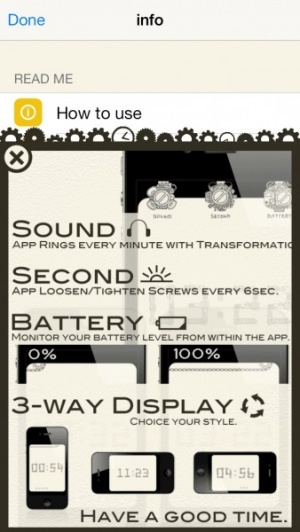
Available now on the App Store, iPhone users can take advantage of Space Invaders business card swapper, a calculator, battery meter, memory status tool, clock, flashlight and a timer. Each app offers a unique Space Invaders design and incorporates the 8-bit graphics of the classic game into buttons and displays.
Of all the apps available, Space Invaders Business Cards looks the best featured with the ability to create and customize personal business cards and share them between devices via Bluetooth.
All of the apps, bar the premium version of the calculator are free and provide a fun way to perform basic tasks on your iPhone while remembering simpler times back when a phone just made calls.
iPhone App - Designed for the iPhone, compatible with the iPad
Posted March 14th, 2010 by Jason Fanguy Our Rating: :: APTLY NAMED
50 In 1: APPZILLA is a multi-purpose utility-housing app containing a whopping 51 well-developed, quality utilities equal to, if not better than, their separate counterparts. Its crisp sound effects and visually-appealing, clean, fluid, user-friendly interface/ animations/icons allow it to “out-shine” its competition and stand out as the current front-runner in a growing genre.
iPhone App - Designed for the iPhone, compatible with the iPad
Posted February 16th, 2010 by Arron Hirst Our Rating: :: FEATURE PACKED!
Atomic Web Browser features a number of aspects which really make it look and feel like a desktop browser on your iPhone. While it probably won't be the choice of the visually picky, the app offers many features and user configurables which are not yet present in the iPhone's native browser, Mobile Safari.
iPhone App - Designed for the iPhone, compatible with the iPad
Posted February 13th, 2010 by Arron Hirst Our Rating: :: MUST HAVE
PositionApp™ allows developers and consumers alike to visually see the ranking status, rise and fall increments and more of each app they own in the store - and all on the move. This app is pure genius.
iPhone App - Designed for the iPhone, compatible with the iPad
Posted November 19th, 2009 by Arron Hirst Our Rating: :: BETTER THAN I IMAGINED
Can't seem to get up on time? You probably need this. With it's great UI and a wide range of settings, it is a great solution for your waking needs. I really like Alarm Clock Pro... even if it DOES have a flashlight attached.
iPhone App - Designed for the iPhone, compatible with the iPad
Posted August 11th, 2009 by Chris Hall Our Rating: :: EGOTISTICALLY SATISFYING
Ego is the perfect app for the stat junky in everyone. Whether it be to ogle over your Google Analytics stats or your crazy amount of Twitter Followers, Ego will surely satisfy your egotistical needs.
iPhone App - Designed for the iPhone, compatible with the iPad
Posted July 28th, 2009 by Bonnie Eisenman Our Rating: :: LIMITED USE
Loupe is a simple and straightforward color-picking tool designed to help you keep track of "inspirational" or useful colors. Unfortunately, its already narrow audience might be turned off by its lack of additional features.