Posts Tagged task management

Pocket Informant HD Review

Pocket Informant HD Review

iPad Only App - Designed for the iPad
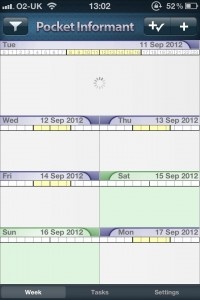
Pocket Informant keeps tasks and meetings all in one place for easy time management.

Read The Full Review »
Next! Review

Next! Review

iPad Only App - Designed for the iPad
It's pricey but Next! certainly helps its users manage their workload.

Read The Full Review »
MagicalPad Review

MagicalPad Review

iPhone App - Designed for the iPhone, compatible with the iPad
MagicalPad is an essential iPad app for taking freeform notes as well as creating outlines and checklists.

Read The Full Review »

Favorite Four: To Do Apps

There is a lot to get done at this time of year and dozens of apps to help us stay on top of all of everything. There are some great full-featured task-managing systems and calendars on the App Store, but this week we wanted to focus on apps that keep it simple. Here are four to do list apps that will keep users on task and on budget. If we missed your favorite be sure to let us know.

Wunderlist

Wunderlist is a robust cross-platform task management app . It uses cloud syncing to keep information up-to-date across all of a user’s iOS devices. Wunderlist allows for list sharing, email reminders and push and badge notices and even lets users customize the look. The app allows for a lot of detail, sorting is easy and best of all it’s not ad-supported and there are no in-app purchases. Wunderlist is completely free.

FREE!
iPhone App - Designed for the iPhone, compatible with the iPad
Released: 2010-12-09 :: Category: Productivity

FREE!
iPad Only App - Designed for the iPad
Released: 2011-02-22 :: Category: Productivity

InstaTodo

InstaTodo allows users to quickly enter and manage a to do list. The app uses task hierarchies to keep a user focused on what’s most important and allows for sub-task lists to handle complicated projects. It also has reminders, sharing and all the task management features expected from a full-features to do app. What sets InstaTodo apart, however, is its use of templates. The app comes with dozens of general use templates that can be further customized, or any user-created list can be saved as a template for future use.

$4.99
iPhone App - Designed for the iPhone, compatible with the iPad
Released: 2011-02-21 :: Category: Productivity

Do It (Tomorrrow) HD

A procrastinator’s friend, Do It (Tomorrow) is the simplest of task managers. This has a gorgeous GUI and a single focus- what needs to be done today, and what can be put off until tomorrow. Users quickly and easily create a to-do list that looks handwritten, and either tick off completed tasks or shunt projects to tomorrow. While it sounds simple, it actually is really helpful when managing the small details that come up every day – the ones that no one has time to enter into a complicated calendar app. The paid HD version syncs lists across devices.

$1.99
+ Universal App - Designed for iPhone and iPad
Released: 2011-02-20 :: Category: Productivity

FREE!
iPhone App - Designed for the iPhone, compatible with the iPad
Released: 2010-07-16 :: Category: Productivity

List Buddy

This to do app prides itself on simplicity and flexibility. The GUI is clean and uncluttered and the app allows unlimited list and sub-list creation. List Buddy has “One Touch Delete” for removing multiple lists or items at a time and an internal search function. List Buddy even remembers previous entries – when it recognizes the first few letters of a new item it will fill in the rest. The sorting options are extensive, sharing is easy and multiple list management is built right in.

$1.99
+ Universal App - Designed for iPhone and iPad
Released: 2011-01-05 :: Category: Productivity

Since I currently live in what can be considered “The City,” I haven’t had much need for a car in the past 6+ years. However, I still remember how extensive a trip to the gas station could be: pump gas, check the oil levels, squeegee the windshield, check tire pressure, buy snacks and whatever else the occasion called for. Now I can relive that experience any time I want, minus the snacks (*tear*), thanks to Treat Yourself Apps’ Panic At The Pump.

Panic At The Pump is a hectic, multitasking, time management game that tosses players into the roll of an over-worked gas station attendant. Cars file in one-by-one, each one with a laundry list of demands, and it’s up to the player to take care of it all. They have to be quick and efficient, however, because the clock is always ticking down. Soon it won’t be enough to simply fill the tank; they’ll have to pump gas while refilling oil and putting air in the tires.

Weirdos like me who sometimes miss the full automotive experience, or even just the curious, can check out Panic At The Pump in the App Store right now for free.


$0.99
iPhone App - Designed for the iPhone, compatible with the iPad
Released: 2011-08-30 :: Category: Games
Supermarket Management HD Review

Supermarket Management HD Review

iPad Only App - Designed for the iPad
Supermarket Management HD is an obvious riff on the Diner Dash games. It's not a bad game, but it fails to offer anything new or original.

Read The Full Review »

Ok, so maybe hotly anticipated is a little overstated for most people. But very understated for task management nerds like myself. OmniFocus for the iPad has finally made it’s way into the App Store and I couldn’t be happier! This amazingly detailed task management application has been my most anticipated iPad application since the announcement of the iPad.

OmniFocus is a powerhouse of a task manager. Providing great organization tools if you have lots of things going all the time like I seem to. The ability to quickly capture thoughts, ideas, and tasks and then organize them, track them, and now review them while on the go is invaluable.

This release of OmniFocus is a hybrid of sorts. Bringing more of the features of the desktop to the app than what we have with the iPhone version, while still focusing on what you need to help you get things done while mobile. The iPad version is focused on helping you capture information with it’s quick entry system, define that information once you have it, and then, of course, get it done.

Two big additions to the iPad version are the Forecast and Review features. Forecast lets you see, with a quick touch, exactly what you need to be doing and where you need to be today. You can also take a look ahead and see what’s coming later in the week. The Review feature is great for being able to do a quick check-in on all of your projects, figure out where they are going, and then update their status. Think of it as a quick-fire rapid card deck of your projects with you tapping yes or no on each one as they flip into view.

One of the things that sets OmniFocus apart from it’s competitors is the rock-solid syncing. Now with the addition of the iPad version you have three-way sync from your desktop, to your mobile phone, and to your iPad. You can keep all three in sync all the time, even when traveling.

OmniFocus for the iPad is available now, in the App Store, for $39.99. Some will consider this expensive, I consider it a huge value for all of the time it saves me.

To take a look at a quick into movie for OmniFocus for the iPad, take a look on the OmniGroup server or hit the jump for more screenshots from the app.

$39.99
iPad Only App - Designed for the iPad
Our Rating: ★★★½☆ :: ON STEROIDS
Read Our Full Review >>
Released: 2010-07-30 :: Category: Productivity

Zombie Wonderland Review

Zombie Wonderland Review

iPad Only App - Designed for the iPad
Chillingo attempts to put a new spin on the zombie survival game with Zombie Wonderland by adding task management and tower defense elements. They only partially succeed; while there's some fun to be had in blasting away zombies, the game suffers from being short and repetitive.

Read The Full Review »
    Advertisement    


Featured Apps

    Advertisement    


Developers

Would you like your application reviewed on 148Apps? See the About page for information.
    Advertisement    


148Apps Network

148Apps - iPhone app reviews and news. The best gosh darn iPhone app site this side of Mars.
http://148apps.com :: @148Apps

The Portable Gamer - Mobile gaming magazine for the casual gamer.
http://ThePortableGamer.com :: @PortableGamer

The App Hall of Fame - An archive of the very best in apps and games.
http://AppHallofFame.com :: @AppHallofFame

Android Rundown - Android news and reviews. Where you get the rundown on Android apps and hardware.
http://AndroidRundown.com :: @AndroidRundown

148Apps.biz - iPhone development news and information for the community, by the community.
http://148apps.biz :: @148AppsBiz

Best App Ever - Yearly Mobile App Achievement Awards.
http://bestappever.com :: @BestAppEver

GiggleApps - iPhone applications reviews for kids and parents.
http://GiggleApps.com :: @GiggleApps