It’s a plight suffered by many. I want to be fitter. I want to be able to run a 5k without feeling like I’m going to die. Heck, I want to be able to run any distance without feeling like I’m going to collapse into a wheezy heap. I’m not overweight, I don’t smoke, drink or anything else particularly negative. I am lazy, though. Given the choice between hitting the gym or playing a video game, I’ll take the latter every time. I suspect I’m not alone there. However, this is starting to change, courtesy of my iPhone and the wealth of apps I can pick up to encourage me to achieve my goals.
Last year, I discovered the Fitocracy website. It turned exercise into experience points, it offered me awards and challenges to work towards. It immediately boosted my motivation levels. Relatively soon afterwards, the iOS app for Fitocracy was released.
iPhone App - Designed for the iPhone, compatible with the iPad
Released: 2012-03-29 :: Category: Healthcare & Fitness
It’s great. I can enter all my activities while I’m in the gym. Reps take a second to enter and I can watch the points flow in. It’s not perfect, though. Given my weak cardio exercises, the points aren’t massive. Longer runs or cycles are needed, and that takes time and effort. I needed an extra carrot to tempt me along.
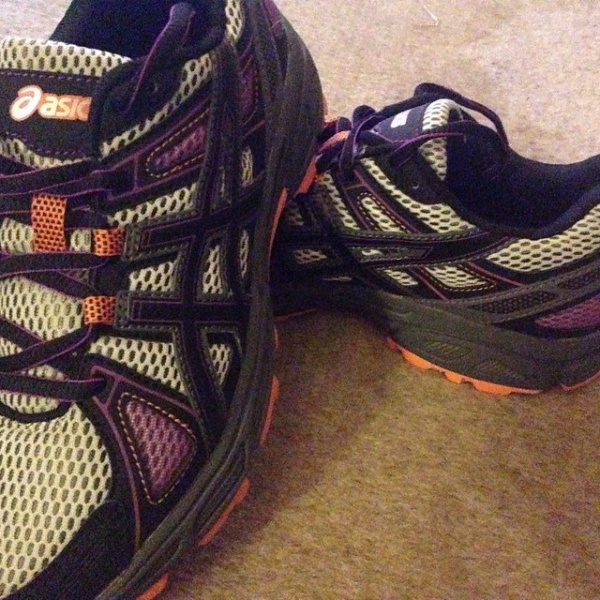
I dabbled with MiCoach, a great gadget that connects to your trainers tracking my every move.
iPhone App - Designed for the iPhone, compatible with the iPad
Released: 2010-08-01 :: Category: Healthcare & Fitness
It’s a useful app and gadget. Tracking how I was performing was great and I could also use my stats to progress in MiCoach Soccer. I needed more newbie focused guidance, though.
Two of my all round favorites are Two Hundred Situps and Get Running, the apps that I recommend to anyone vaguely interested in pursuing such things. They do a great job of keeping me exercising while not exhausting me, reminding me not to push myself too far.
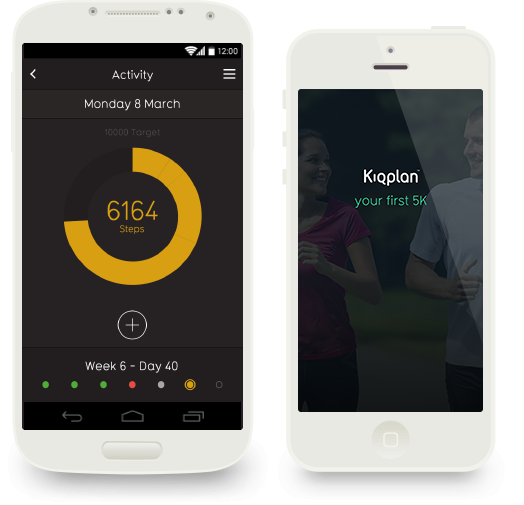
As a zombie loving gamer though, I have a huge soft spot for Zombies, Run! 5k Training. It’s quite new compared to the competition, but it’s great. It offers a similar set plan to Get Running but with a zombie themed storyline to follow. It’s the little things like that which make me keen to ‘play’ the next section and actually look forward to the next treadmill session.
iPhone App - Designed for the iPhone, compatible with the iPad
Released: 2012-02-27 :: Category: Healthcare & Fitness
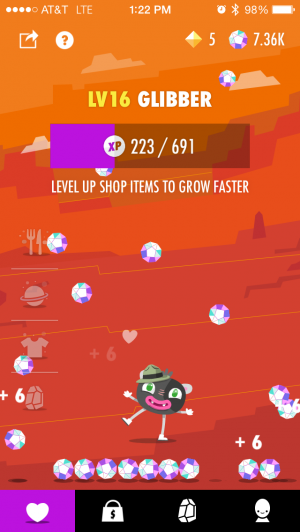
For those days where I’m not on the treadmill but I want to keep track of my progress, I stick to Striiv. Offering me a steady trickle of trophies and rewards for walking a lot, it gives me a nice sense of satisfaction, even if I’m just walking around the grocery store. Even better, it’s free and helps me resist the temptation to pick up a more expensive solution such as a Nike+ FuelBand.
While I might still need the motivation to get out of bed on a cold, wintery morning in the name of getting fit, such apps encourage me to do it. Sure, I should have the willpower alone but no one’s perfect! Fitocracy, in particular, has changed my outlook immensely. Turning potentially tedious work into a game is guaranteed to help matters.
Tempted? Go sign up and feel free to follow me on there to see my progress. I’m slightly behind at the moment, as no app can yet keep you 100% healthy at all times!
Posted by Jeff Scott on August 16th, 2012 iPhone App - Designed for iPhone, compatible with iPad
Michael The Boxer is an expert boxing fitness coach. He is also the proprietor of the world’s only Boxing Gym & Barbershop. This app can’t help you with a haircut, but it can help you get in shape.
Exercise workout videos have been around since the days of VHS and, more recently, DVDs. It makes perfect sense that the next evolutionary step is workout videos through an iOS device. Even better, an app that offers AirPlay support so you can see the videos via your AppleTV. That app is FitPlay.
FitPlay isn’t the cheapest of apps, with in-app purchases priced from $14.99, but it does provide some high quality advice from some of the world’s best coaches. Plenty of different activities are covered here from Kettlebell training to Yoga, Tennis and Soccer. Professional trainers, sportspeople and even Gold Medallists offer advice with tips on how to avoid injury and boost nutrition, as well as their chosen talent.
For those in need of some video based motivation and advice, FitPlay should be an ideal place for help. The ability to stream the content makes it all the more useful for the home set up.
As someone desperate to get fit, I’ve been an avid user of the Fitocracy website since its beta launch. I’ve also been keen to gleefully discuss it with anyone willing to listen and been eager for an iOS app. So, the announcement that it’s been launched for all to use, and alongside an iOS app is pretty exciting stuff.
Fitocracy turns getting fit into a game of levelling up and watching the experience points shoot up. It’s an ideal gamification model for those who need a gentle kick to get them to pursue their goals.
Besides simply offering users points and level ups for completing numerous fitness based tasks, there are achievements to gain and quests to complete. With a huge support network of other users, it’s pretty satisfying to compare progress with others and race friends to the next level up.
Everything about Fitocracy is free with both website and app linking together nicely. Give it a try and watch how you get excited to see what routines invoke the biggest gains.
Good weather season is here and, along with that, the urge to look good and get in shape for it. One such way is through new workout app Pushing Weight.
Pushing Weight is designed for beginners to intermediate levels and dispenses with teaching users how to do relevant moves, instead focusing on providing a means to log and plan workouts.
Essentially, it means that the user can track and visualize their workout patterns, working out what works best for them. Training frequently rewards the user with a streak for each session they complete, represented by charge bars that fill up. It’s a neat touch that helps users check at a glance what they need to work on to keep those bars full.
For those in need of an easy way of tracking their workout routines, Pushing Weight is an ideal and easy to use solution.
Anyone can start a diet, but sticking to it is a different story. Between watching what one eats, doing scheduled weigh ins and generally making sure that they are staying on track, a diet can be a hard thing to maintain. To make getting in shape a little easier, as well as prove that the internet can be used for more than just lazy web browsing, Body Chef has released Diet and Weight Loss Buddies.
The app calls itself “the world’s first social network app for people who want to lose weight and feel great.” Through the app, users can put in their personal diet information and schedule reminders to make sure they stay on the wagon. They can also look up new diets and strategies online by connecting with fellow dieters around the world. It has everything dieters need: information, encouragement, and support from others.
Diet and Weight Loss Buddies is available now on the App Store for free. It can help make up for that lost time spent sitting down, playing with an iPhone.
For the sake of clarity, some of these ‘apps’ are simply added to the RunKeeper service (e.g. Clever Run. Though some are standalone, iPhone apps, like Cycle Log and, of course, the official RunKeeper app.
The new apps have ranging functions from a coaching app for both the coaches and their athletes, like Coachya, to turning fitness into a game, like Fleetly and Nexercise. Many of the apps track some sort of activity. CleverRun tracks running-related items, Cycle Log is a comprehensive cycling tracker and companion, Pedometer Ultimate is self-explanatory, Scosche myTREK keeps an eye on the user’s pulse, and Weighty keeps track of weight and fat percentage. Vitogo is a personal trainer app that creates a workout program tailored to the user.
RunKeeper and its apps could be beneficial to a fitness-related New Year’s resolution. Go to RunKeeper.com to sign up for the service and click the “Apps” link to see the 45+ apps including the most recent nine.
Was your New Year’s resolution to get back in shape? The iPad and iPhone can be great workout companions, especially with apps like iMuscle from 3D4Medical.com.
iMuscle is a workout aid that can be used to find exercises that coincide with specific muscles in the body. The muscles are displayed in a visually appealing 3-D view that the user can rotate 360 degrees. Users can create custom workouts and receive hints and tips for specific exercises. The exercises are even performed by a 3-D model.
iMuscle has added some features in its 2.4 update. Users can now share workouts between the iPhone and iPad apps. The overall experience of the app has been improved with larger buttons, the workout creation process made easier, the ability to edit an exercise within a workout, and more flexibility in moving between exercises within a workout.
iMuscle won Apple’s best iPad app in the Medical category in 2011 and was listed as one of TechCrunch’s top 20 apps of 2011. iMuscle is available as both an iPad and iPhone app.
Abvio, an iPhone fitness app developer, demonstrated its version 7.0 update for Runmeter, Cyclemeter and Walkmeter last week in San Francisco at Macworld 2012. The new update overhauls the stopwatch display to be completely configurable to display data from more than 150 different data items, from total mileage to average heart rate for the previous split. Users will be able to customize and swipe through additional pages of information, including stats, graphs, maps, a music player, and more.
The update also adds a new history navigation feature that provides detailed reports. In addition, all workout information is saved directly to the device so users do not have to navigate to a sister website. The company also demonstrated new app support for the Wahoo Fitness Blue HR Heart Rate Strap (for iPhone 4S) in the Mobile Apps Showcase making it the first to adopt the technology.
Bloodnote isn’t the most exciting sounding of apps but it is extremely useful for those people who need to keep an eye on their blood pressure.
The app provides an easy way of entering blood pressure measurements as and when the user wants them to. It’s all laid out in a clear and concise manner so that the systolic, diastolic and pulse can all be consulted at a quick glance. All the user has to do is drag their finger to the relevant reading through a sliding scale. It takes seconds to enter figures.
Bloodnote keeps track of the readings according to the date so it’s easy for the user to see how things have changed over the passage of time.
Besides being useful purely for personal reference, it’s ideal for those who have been asked by their doctor to keep an eye on how things are progressing.
A diet and fitness app that I have continued to use since it first launched. It's not perfect but offers a very wide range of nutrional info, custom menu/items, and overall - it gets the job done.
Last week, as part of our Health & Fitness themed month, Lisa looked at how apps can help people keep track of the calories they consume. That’s great but weight loss and general improved fitness levels won’t be achieved without some exercise thrown into the equation. While iOS apps can’t force anyone to exercise but they can go a long way to encouraging someone to work harder to achieve their goals. We round up four of the best apps when it comes to tracking progress.
RunKeeper
RunKeeper should be the first port of call for anyone planning on partaking in some outside exercise such as running, walking or cycling to get fit. Other exercises are catered for like swimming, skiing and rowing too with the app’s strength stemming from its GPS functionality although indoors use is also possible. RunKeeper tracks more than just how far the user has travelled with speed, pace and calories calculated. Via the GPS functionality, the app even tracks the route taken. All that information is then synced to the RunKeeper website for additional stats and profiling. Interval workouts and target pacing can also be set for the competitive user.
iPhone App - Designed for the iPhone, compatible with the iPad
Released: 2009-01-13 :: Category: Healthcare & Fitness
Fleetly
Fleetly is an incredibly simple idea that taps into one key thing that all humans react well to: a feeling of achievement. Within Fleetly, users enter the workout that they’ve previously performed with the app then allocating points according to how tough the exercise was. Those points then go towards a levelling up system and a global leaderboard with numerous challenges to join and medals to gain. There’s a workout generator and coaching side to the app too but the real beauty is in the way it makes its users compete with themselves as much as with others.
iPhone App - Designed for the iPhone, compatible with the iPad
Released: 2010-11-19 :: Category: Healthcare & Fitness
All-in-Fitness
All-in Fitness sets out to encompass everything possible fitness wise with 100 ready-made workouts, 1000 fitness & yoga exercises and a calorie counter. The focus here however is on its tracking. The app allows its users to enter numerous different kinds of exercise in order to track calorie consumption and general performance levels. It’s a very in-depth app that seems determined to miss nothing (it even includes sex in exercise type) so it might take a little time to fully figure out, but it’s ideal for those who need both guidance and a way of tracking all in one app.
iPhone App - Designed for the iPhone, compatible with the iPad
Released: 2010-07-10 :: Category: Healthcare & Fitness
Gym Hero
In comparison to the previous app, Gym Hero is incredibly simple. That’s where it’s ideal for experienced gym rats. For those who don’t need to be told what exercises will work for them or how to achieve better results, Gym Hero enables a simple and quick way of entering workout progress without the need to repeatedly enter words like sets and reps. It’s even possible to set up different workouts making it incredibly quick to use for those juggling different routines depending on the day.
RunKeeper is one of my favorite apps - I always suggest it to anyone thinking of tracking not only their running and jogging, but all sort of gym activities. Simple, easy to use and socially integrated, it's one of the best apps for starting or keeping a fitness routine or resolution.
Whether your New Year’s resolution is to lose weight, have more energy, or just take better care of yourself, the iOS App Store has lots of fitness and health apps to help. We’ve taken a closer look at the best from Apple’s own New Year, New You list to help you pick the ones right for you.
P90X – By Beachbody, LLC
The P90X can be a punishing workout. Use this app to keep on track and keep the muscles burning with a schedule, track and sync progression with the P90X website, and purchase P90X workout bundles with video and audio guides.
iPhone App - Designed for the iPhone, compatible with the iPad
Released: 2011-11-08 :: Category: Healthcare & Fitness
Gorilla Workout : Athletic Fitness Training on a Budget – By Heckr LLC
Working out is great, but unless a substantial in-home gym is available, it usually requires a trip to the gym. However, this app will instruct users on tons of different workouts at 4 different levels that require no equipment at all. A great way to get fit on a budget.
+ Universal App - Designed for iPhone and iPad
Released: 2011-06-25 :: Category: Healthcare & Fitness
Pocket Yoga – By Rainfrog, LLC
Yoga is a great way to workout out at home, but unless a trained yoga instructor is handy it can be hard to do it right. This app will guide users through various yoga workouts with voice instructions and illustrated instructions. Airplay can also be used to play on a larger screen.
If there is one thing that stinks about exercising, it is that it’s nearly impossible to work out and game at the same time. Hoping to make the arduous task of physical fitness slightly more tolerable, developer BitGym has released an awesome new game to make the minutes fly by. Racing fans will be glad to know that Fit Freeway will now allow them to get their daily dose of pedaling in while indulging their inner competitor, all at the same time.
Finding an outstanding use for the front facing camera, the on-screen car can actually be controlled using head tracking. As for the accelerator, the iOS device will use the inner sensors to monitor the vibrations of the workout equipment. So the harder you pedal the faster the car moves. This is an amazing idea that we can’t believe that someone didn’t think about sooner.
Be sure to give the game a download and put the pedal to the metal in your next workout! Let us know what you think of it in the comments.
The award-winning Scosche MyTrek Pulse Monitor is an arm band that communicates wirelessly with the free myTREK health and fitness app. The app displays real-time pulse, target training zone, calories burned, distance and speed of run, total workout time and provides voice prompts during the workout. At $129.99, the pulse monitor works exlusively with the above mentioned app and seems to greatly reduce the bulkiness of the many chest and watch combinations.
With accurate pulse monitoring, the user can easily assess the intensity of their workout and adjust which training zone they’re in by using the five color coded options to quickly identify the desired intensity level. Based on personal health information, each workout zone is represented in a different color, including Resting Zone (White), Weight Loss Zone (Green), Fitness Zone (Yellow), Performance Zone (Orange) and Red Line Zone (Red). Each training session can be customized by adjusting the type of activity, target training zone and type of workout all within the app. It also includes motivational voice prompts to get the user to the finish line as well as makes it easy to control music via the integrated buttons on the Scosche myTREK Wireless Pulse Monitor.
This week at 148Apps, we took your New Year’s resolutions seriously and started our “Health and Fitness” month. Editor Rob LeFebvre writes, “We’ve already taken a look at some apps that help us all acheive our goals, and we plan to continue that trend for the entire month, with personal stories from our crack writing team, continued reviews, and focused features like our Favorite Four.”
iPhone App - Designed for the iPhone, compatible with the iPad
Released: 2010-05-19 :: Category: Healthcare & Fitness
Our apps-for-kids site, GiggleApps, offered a review of Odd Spotting. Reviewer Amy Solomon says, “Odd Spotting, developed by Micromicon Media Limit, is an “odd one out” game with 144 levels, the goal of each being to spot the object that is different from all the others in the group. As I began to explore how Odd Spotting works, I couldn’t help but to remember the lyrics from a classic Sesame Street song, “One of these things is not like the others, one of these things just doesn’t belong.”
iPhone App - Designed for the iPhone, compatible with the iPad
Released: 2011-09-21 :: Category: Games
Finally, on 148Apps.biz, writer Jeff Hughes commented on Apple’s recent (and quiet) changes to app categorization on the App Store, saying “Just like Google, when iTunes makes the slightest change to their App Store search algorithm, it has an impact on how many people see your app. The recent changes to the category ordering have also impacted sales for many app vendors for better or worse. Some developers have been helped because their app is now in a category that is displayed higher on the mobile screen…Other developers may be adversely impacted due to the decrease in exposure for their app because their category now appears further down the list.”
And that, my friends, completes our rundown of happenings across the 148Apps network for the week of January 9-13. Keep track of all the latest news, reviews and contests by following us on Twitter or Liking us on Facebook. See you in a week!
New Year, resolutions, and the like. Everyone, from local papers to Apple to us here at 148Apps are getting the word out about ways to create and maintain a healthy lifestyle. We’ve already taken a look at some apps that help us all acheive our goals, and we plan to continue that trend for the entire month, with personal stories from our crack writing team, continued reviews, and focused features like our Favorite Four.
Here’s what we have for you from the past couple of weeks. Stay tuned right here for even more Health and Fitness goodness for your iPhone, iPad, and iPod touch.
Abs Workout For iPad Review
“Abs Workout for iPad is definitely a good place for the user to start on their quest for a better body, although Levels 2 and 3 will need to be purchased after a while, as abs gets stronger, and exercises become easier.”
iPad Only App - Designed for the iPad
Released: 2011-07-24 :: Category: Healthcare & Fitness
All-in-Pedometer Review
“For the walker, All-in Pedometer is ideal, focusing on one key aspect and doing a fine job of keeping the user informed throughout.”
iPhone App - Designed for the iPhone, compatible with the iPad
Released: 2011-07-06 :: Category: Healthcare & Fitness
Favorite Four iPhone Apps for Sticking to a New Year’s Diet
“As we mentioned in our favorite four apps for keeping New Year resolutions, weight loss (as well as getting into and staying in good healthy shape) tops most people’s list of desired self-improvements. Few other goals are harder to achieve, however. We don’t have the secret formula, but we do have four iPhone apps that make getting into the right shape a lot easier.”
As we mentioned in our favourite four apps for keeping New Year resolutions, weight loss (as well as getting into and staying in good healthy shape) tops most people’s list of desired self-improvements. Few other goals are harder to achieve, however. We don’t have the secret formula, but we do have four iPhone apps that make getting into the right shape a lot easier. Hit the break for our favorite four apps to do just that.
4iiii Innovation has introduced a new set of glasses for athletes, called the Sportiiiis. The Sportiiiis’ strength, especially for iPhone users, will come when the glasses are paired with ANT+ devices. ANT+ is a hardware specification for wireless sensor devices, such as heart rate monitors, that can interact with devices like the Sportiiiis. The app can be used to configure the way ANT+ devices interact with the lights on the Sportiiiis; for example, certain lights can come on at certain heart rates on a heart rate monitor. Or, an ANT+-based pedometer could be used to track distance using the LED lights. Up to 8 sensors can be paired with the Sportiiiis, with the ability to switch between them with a double tap of the unit. These functions can all be programmed in from 4iiii’s upcoming app. The Sportiiis will be available soon from 4iiii’s website, and are on sale at their CES 2012 booth in the North Hall’s ANT+ Pavilion.
OK, so it’s already five days into 2012, and if you are like some of us, it’s very likely you are already off track, or about to get there. But, of course, there are a slew of iPhone apps that can help. Whether you are looking to make a proactive change for the better or eliminate an old habit, now or any time of year, here are our favourite four apps to help.
Commit
Commit is a new app, and we love it. The simple iPhone offering is all about keeping the most important commitments: the ones we make to ourselves. There is little to this great app – upon launch users are greeted by a simple fill-in-the-blank. “I will ___ every day.” Just pick something, jogging, writing, mediation, whatever, and set a reminder time. A push notice will prompt the action, and the app will log streaks. The unobtrusive GUI makes it fun to try again too.
iPhone App - Designed for the iPhone, compatible with the iPad
Released: 2011-12-22 :: Category: Productivity
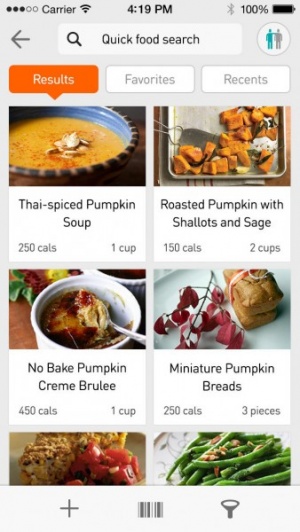
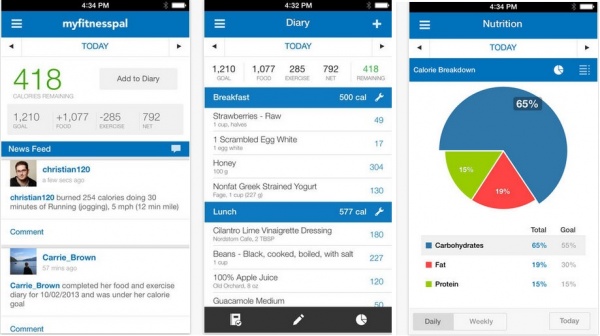
Calorie Counter & Diet Tracker by MyFitnessPal
If there is one resolution that is repeated annually – almost ritually for every big occasion in fact – by most everyone it is losing weight and to getting into or staying in good, healthy shape. No app makes all that possible, and does it as well, as this one by MyFitnessPal. It’s easy to use, has a vast database of calorie counts and other important nutritional information on food choices, and has 350 exercises for strength and cardio fitness goals. The app is social, feature packed, as has so much important information anyone serious about health should check it out.
iPhone App - Designed for the iPhone, compatible with the iPad
Released: 2009-12-07 :: Category: Healthcare & Fitness
LIVESTRONG MyQuit Coach – Dare to Quit Smoking
Ok, so in 2012, are people even allowed to admit they smoke anymore? It may not be on TV and in movies much today, at least not here in North America, since there are laws in place making it costly to show people doing it, but statistics suggest the reality may be better than 20 years ago, but millions worldwide are still hooked on coffin nails. No one really needs to tell a smoker why quitting is a good idea, but cancer avoidance tops most lists. So what better branding, and in this case, a system and an app worthy of it, to help make the very difficult process easier than LIVESTRONG. MyQuit Coach helps identify triggers, set a realistic quitting schedule, has social network support and even game-like achievements to reward progress.
iPhone App - Designed for the iPhone, compatible with the iPad
Released: 2010-11-08 :: Category: Healthcare & Fitness
Ideal Me
Ideal Me is ideally suited to anyone who anyone wanting to stop or start a common or wholly unique habit or goal. The app has some suggestions for a broad range of users from students to travelers, to those facing serious addictions, but encourages us to create our own aspirations as well. After a goal is set, the app allows users to create a step-by-step plan including a time frame, for, say the stages of writing a novel, or adhering to a work out regimen, and positively reinforces reaching benchmarks – their apt term for not just starting a New Year’s resolve, but getting it done too. A free “lite” version is available too.
A new visual redesign has made its way to Rhapsody, putting artists front and center on the new home screen. It’s always nice to have easier access to the music you listen to as it provides a simpler way to browse new releases, popular artists, and featured albums. You can also check out enhanced album [...]