Christmas is very nearly upon us and with it, the time of year where we all eat too much and enjoy relaxing with our families. While I’m lucky that I have no significant food allergies or special dietary needs, much of my extended family isn’t so fortunate. Various meals have to be adjusted accordingly for those with allergies, intolerances or medical conditions that restrict what can be eaten. Here’s a look at four of my favorite apps for making finding relevant recipes a little simpler.
Allergy Free Entertaining
Covering most of the bases, Allergy Free Entertaining isn’t quite as perfect as its name suggests but it does a good job, regardless. The app offers 124 recipes, each with gluten free options and ways to substitute ingredients for those who have a dairy, egg, wheat or nut free requirements. Each recipe is easy to read through and understand, plus there’s a comprehensive search facility for those after inspiration.
+ Universal App - Designed for iPhone and iPad
Released: 2011-02-27 :: Category: Lifestyle
21-Day Vegan Kickstart
Aimed at those who are starting out on the path to Veganism, 21-Day Vegan Kickstart also offers some handy ideas for those trying to cater to vegans’ needs. Divided up according to meal type, it’s simple to check for ideas for breakfast, lunch or dinner. In each case, there are some delicious ideas, whether you’re a Vegan or not. Attractive photography rounds things off nicely.
iPhone App - Designed for the iPhone, compatible with the iPad
Released: 2010-09-09 :: Category: Healthcare & Fitness
So Simple Gluten Free Recipes
It’s not quite the most attractive of apps to look at, but So Simple Gluten Free Recipes offers plenty of recipes for those suffering from a gluten intolerance. Including over 75 recipes, there’s a particularly great Holiday themed section ensuring that there are plenty of cookie and cake based ideas that are perfect for everyone, not just those on a gluten free diet.
+ Universal App - Designed for iPhone and iPad
Released: 2011-08-04 :: Category: Lifestyle
iCookbook Diabetic
Diabetics have a particular challenge on their hands, having to juggle their sugar levels so carefully. iCookbook Diabetic offers a selection of free recipes for users to read through, as well as the option to spend money for the full selection. Each recipe is attractive and easy to browse through, with AirPrint support and voice commands make things all the more convenient. Best of all, though, the recipes are high quality and the kind of thing that ensures that no diabetic feels like they’re missing out this Holiday season.
This week in the 148Apps Network, we help you fill up that new iPad mini, keep you informed as you head to the voting booths across the US, and help your kids learn more about the highest office in our nation.
At 148Apps.com, Jennifer Allen found some great games to fill up the new iPad mini you may have picked up on Friday. Here’s what she had to say:
“Were you one of the lucky people to pick up a shiny new iPad Mini? Wondering what gaming delights are worth buying for it? There’s a whole bunch. You’re going to have an awesome time discovering them. To start you off, though, we’ve rounded up our four favorite titles that should give you a great idea of just how many hours of quality gaming can be had on the iPad Mini.
Fieldrunners 2
It’s a personal favorite of mine mostly because it’s so darn addictive. Fieldrunners 2 is the creme de la creme of tower defense gaming, offering just enough challenge to keep you playing while still always feeling inviting. This is thanks to its wide selection of difficulty levels, mission types and a trickling of new towers and power-ups that can be unlocked throughout. There’s hours of fun to be had. It looks stunning, too.”
Amy Solomon reviewed Thud! Presidents over at GiggleApps this week, and she had this to say about the kids’s presidential trivia app:
“Thud! Presidents is a fun trivia game with a balancing puzzle aspect and includes over 1,000 questions within 40 levels that will keep older children and their families busy for quite some time.
Children and adults alike will enjoy answering these multiple choice questions where they will need to choose the president (from a provided list) who best answers questions such as Who was the earliest president?; Who was the heaviest president?; and Who said certain famous quotes?”
Once again at 148Apps, senior writer Jennifer Allen writes up our favorite four apps to keep you informed this coming Tuesday.
“In less than a week, the USA goes to the polls for the 57th time with the two main contenders for President being Democratic candidate and current President, Barack Obama, and Republican candidate, Mitt Romney. While there’s no telling what might come about on Tuesday November 6, there are some great apps out there to help voters remain informed as to any latest developments and see just how each candidate feels about certain subjects. We round up the four best ones currently out there.
PollTracker PollTracker keeps users informed in real time while offering a stats heavy interface of new polls and figures that have come out about the election race. Tracking everything from voter subgroups to swing state opinions, PollTracker is a statistician’s idea of heaven. There’s analysis, too, courtesy of the app’s editors, plus the ability to see how contests for Congress are going.”
Were you one of the lucky people to pick up a shiny new iPad Mini? Wondering what gaming delights are worth buying for it? There’s a whole bunch. You’re going to have an awesome time discovering them. To start you off, though, we’ve rounded up our four favorite titles that should give you a great idea of just how many hours of quality gaming can be had on the iPad Mini.
Fieldrunners 2
It’s a personal favorite of mine mostly because it’s so darn addictive. Fieldrunners 2 is the creme de la creme of tower defense gaming, offering just enough challenge to keep you playing while still always feeling inviting. This is thanks to its wide selection of difficulty levels, mission types and a trickling of new towers and power-ups that can be unlocked throughout. There’s hours of fun to be had. It looks stunning, too.
+ Universal App - Designed for iPhone and iPad
Released: 2012-09-13 :: Category: Games
SpellTower
Be warned, SpellTower is going to cut into your productivity levels. That five minute session will turn into hours, easily. Players simply swipe words together with extra points gained for using bonus tiles and creating long words. It’s a simple Boggle style idea but one that’s perfectly implemented. Five different game modes, including local multiplayer, will hook you in for a long time to come.
+ Universal App - Designed for iPhone and iPad
Released: 2011-11-17 :: Category: Games
Bumpy Road Bumpy Road is an adorably, charming endless runner style game. Players must clear the path and keep the road bumping along in order to keep an ageing couple safe on their journey down memory lane. The further you play, the more you discover things about the couple and their family. It’s that sweet and delightfully heart warming.
+ Universal App - Designed for iPhone and iPad
Released: 2011-05-19 :: Category: Games
Real Racing 2 HD
Consistently on the cutting edge of iOS technology, Firemint’s Real Racing 2 HD demonstrates the power of your iPad Mini while also offering a great racing game. No other game has surpassed it in terms of its extensive career mode, impressive visuals and use of licensed cars. And? If you have an Apple TV, you can zap the gaming up to the big screen in your living room. There’s multiplayer functionality available, too, to seal the deal.
In keeping with the recent mass transit theme, this Favorite 4 is all about maintaining personal space. While many of us might enjoy occupying our commute time with bird-flinging or hack n’ slash action this can sometimes invite some unwanted attention. Lining up that final shot can be difficult enough without some complete stranger leaning over us and watching our every move. This is where games that appear uninteresting, but are actually quite fun, can come in handy.
Organ Trail:Director’s Cut
Like it or not, a number of people dislike “retro” visuals. Whether it’s a general lack of appreciation or some self-imposed snobbery depends on the individual, but regardless not everyone thinks pixels are neat. It frustrating, sure, but it can also mean the difference between someone you don’t know trying to awkwardly start up a conversation on the bus about the game you’re playing and being left alone.
+ Universal App - Designed for iPhone and iPad
Released: 2012-08-09 :: Category: Games
Mission Europa
I’ve gone on at length about how much I love Mission Europa, and also about how downright ugly it is. But that’s the “beauty” of it. It’s a fantastic action RPG with some incredibly deep and rewarding systems, but it looks so bizarre and low tech it won’t draw much attention from the guy standing in the doorway just over your shoulder.
+ Universal App - Designed for iPhone and iPad
Released: 2011-03-16 :: Category: Games
DragonSlasher DragonSlasher is another game with visuals that belie a much more complex experience. It looks like a simple action game with solid color cutouts for characters. It’s most definitely not much to look at and at best might draw a curious glance or two for a moment before any would-be gawkers shift their attention elsewhere. And while they’re busy reading some other poor commuter’s newspaper, you get to enjoy what is essentially a side-scrolling portable Demon’s Souls in peace.
iPhone App - Designed for the iPhone, compatible with the iPad
Released: 2011-04-02 :: Category: Games
Game Dev Story
This really applies to all Kairosoft games but I wanted to stick with the one we all fell in love with first. Although it’s certainly cute to look at and sports some pretty colorful visuals, Game Dev Story is only really interesting when you’re playing it. Watching it, especially when you have no idea what’s going on, is much less interesting. Which means less random people breathing down your neck and more planning a new console launch.
This particular commuter-centric Favorite 4 might lean more to the train side of mass transit than the bus side, but that doesn’t make it any less relevant. Anyone who’s used a commuter train to get to work knows just how noisy they can be. Screeching wheels, blaring overhead announcements, business folk screaming into their cell phones, and so on. That’s why it can be important to have a couple of time-absorbing iOS games that can be enjoyed with or without sound waiting in the wings.
Infinity Blade II
Okay so this might seem like a bizarre choice but there’s logic behind it. Completing Infinity Blade II’s story doesn’t generally take long, and once it’s finished it becomes a kind of meta-game about loot grinding. Not much call for atmospheric music and sword clangs there. Besides, the developers themselves suggest that turning off the sound can even improve performance on older devices. Bonus!
+ Universal App - Designed for iPhone and iPad
Released: 2011-12-01 :: Category: Games
Hook Worlds
Rocketcat’s refinement of their hook-swinging formula is a fantastic “endless runner” kind of game that offers up four unique variations on the formula. While the music and sound effects are certainly top notch it’s the one-of-a-kind visuals and character design that really make these worlds feel complete.
iPhone App - Designed for the iPhone, compatible with the iPad
Released: 2010-12-16 :: Category: Games
Wizorb
I still think combining brick-breaking with RPG elements is ingenious. Doing so with a fantastic 16-bit retro aesthetic is even more brilliant. With or without the sound muted it’s a treat to play, but without the sound it gives us the added benefit of not getting the music stuck in our head for the whole day.
+ Universal App - Designed for iPhone and iPad
Released: 2012-08-03 :: Category: Games
Legends of Yore Full
This cute and simple-looking Roguelike is actually much more complex than it first appears. It’s even got pets! However none of its complexities involve the audio, which is about as simple as one would expect given the visuals. Relevant to the pixilated theme, yes. Necessary to enjoy the all the massive amounts of content, no.
Anyone who takes the bus, train, or subway to work has had this problem at least a few times: You’re in the middle of a game and before you know it you’ve arrived at your stop. You hurriedly close out the game, turn off the screen, stuff the iPhone into your pocket and bolt out the door. Once you have a moment to start it back up you realize that your progress has been wiped. Bummer. If only there were some iOS games that allowed players to save whenever they wanted!
Ascension: Chronicle of the Godslayer Ascension was quite honestly the first deck-building game I’d ever played, and it totally made me fall in love with the concept. I also fell in love with the way it saves all the time. No prompts and no menus to browse. The game automatically saves progress at the start of each hand, and it can do so for multiple games whether they’re solo or against other players.
+ Universal App - Designed for iPhone and iPad
Released: 2011-06-29 :: Category: Games
Solitaire by Backflip
I’ll admit that most solitaire iOS games will keep track of a player’s progress at all times, but I like Backflip’s offering so that’s what I’ve decided to go with. Again, there’s no need to do anything in order to save a game and come back to it later. Simply exit the game and the next time it’s started up things will be just as you left them; most likely a step or two away from failure and needing to start another round.
iPhone App - Designed for the iPhone, compatible with the iPad
Released: 2011-08-18 :: Category: Games
Aliens Versus Humans
It’s an homage to one of the greatest strategy games of all time, and it faithfully reproduces many of the mechanics that even the new contemporary remake has done away with. But more important than that – and the sheer enjoyment of fending off an alien attack without losing a single soldier – it allows players to save their game at any time. Whether they’re in the middle of a mission or on the Geoscape, opening up the options menu and quickly saving progress is always an option. Reloading after getting a soldier named after loved one killed is also just as fast.
+ Universal App - Designed for iPhone and iPad
Released: 2011-11-24 :: Category: Games
Junk Jack
Aside from the fantastic art style and clever adaptation of the block/world-building ideas popularized by Minecraft, Junk Jack also brings constant saving to the table. Pausing the game saves progress. Quitting the game saves progress. It does prevent reloading after losing some favored items or getting killed, but it also makes hopping off the bus or train in a hurry far less detrimental.
There are a lot of folks out there who take mass transportation to work on their daily commute. Kicking back and enjoying your favorite iOS game is easy enough when you manage to nab a seat, but that’s not always an option. In situations like this – one hand gripping a railing for balance, the other attempting to awkwardly handle an iPhone – having a game or two with simple one-handed control inputs can be a godsend. Which is exactly why we’re providing you with a list of some of our favorite iOS games that won’t require you to sacrifice your balance for entertainment.
Tower of Fortune
I’m still somewhat in awe of just how cleverly implemented this RPG/slot machine hybrid turned out to be. I’m also very impressed by just how much fun I’ve had with a game that pretty much boils down to the repeated use of a single button. This reliance on one button for most of the “action” (i.e. spinning) turns out to be a major selling point when you factor in situations that only leave you with the use of a single thumb.
iPhone App - Designed for the iPhone, compatible with the iPad
Released: 2012-04-27 :: Category: Games
Puzzle Craft
People like town building and people like matching puzzles. Throw them together and we have an excellent mash-up of genres with the added benefit of being playable in just about any situation. I can’t tell you how many times I’ve been stuck on a crowded train and relied on Puzzle Craft’s gloriously simple interface to kill time. It sure has been a lot, though.
+ Universal App - Designed for iPhone and iPad
Released: 2012-08-16 :: Category: Games
The Last Rocket
Looking for a game that can be enjoyed on a crowded bus but offers up a bit more complexity than simply tapping a single button every now and then? How about a complex and rewarding puzzle-platformer about a sentient missile? The beauty of The Last Rocket’s interface is that it’s all gesture-based (tap, swipe, hold, etc) and can be performed on any part of an iOS device’s screen. Making it perfect for holding on for dear life and playing a game at the same time.
+ Universal App - Designed for iPhone and iPad
Released: 2011-08-11 :: Category: Games
Trigger Knight Trigger Knight is another game that keeps the interface as simple as possible, thus making it ideal for packed buses and trains. Tapping the screen is all a player has to do in order to play, and it can be tapped anywhere. No buttons and no context sensitive swiping, just tap to activate various items or shops at key moments. Then hope it’s enough to get you to the next “refueling station.”
This week at 148Apps.com, we pondered life after the change from Google Maps to Apple Maps. Carter Dotson took a look at his Favorite Four alternatives to Apple’s built-in guidance system: “So, there’s a bit of a brouhaha over iOS 6 switching its maps provider from Google Maps to TomTom and other Apple sources. Yes, the 3D flybys in the maps are pretty, but the lack of details once had in Google Maps and loss of transit directions is a backbreaker for some. Sure, Google Maps has a mobile website that can be added as a web app, but maybe it’s time for something all new. Unless or until a separate Google Maps application is released, here’s four fine alternatives for mapping and directions.”
iPhone App - Designed for the iPhone, compatible with the iPad
Released: 2009-06-11 :: Category: Navigation
GiggleApps writer Amy Solomon got cooking with a kids’ game called Dr. Panda’s Restaurant: “My son and I are thoroughly enjoying Dr. Panda’s Restaurant as this app has so much to offer in cooking fun for children of all ages. This app consists of a two-story restaurant, each containing a two-person table to be filled with the animals who get welcomed by Dr. Panda, now the chef of this restaurant as well as the one who greets these animals before they are sent to their table. Eight animals are included, as are ten recipes to cook.”
+ Universal App - Designed for iPhone and iPad
Released: 2012-09-01 :: Category: Games
And finally, AndroidRundown.com featured a KickStarter Spotlight on Lifx. Joseph Bertolini writes, “Lifx is an LED light that connects to any home wireless network and is controlled by a smartphone. It would have been easy for the developers to just simply stop at changing the color, and I, frankly, would have been satisfied. But seeing as this is a KickStarter project, it is a safe bet that these developers did not become complacent. Some simple additions, such as dimming and batch operation are included, but the one that I am most impressed by is the ability for the light to deliver phone notifications. Imagine every time a text message comes in the room blinks green or blue for Facebook notifications. There is also an option to program lights onto specific actions and cycles, such as dimming over a period of time or turning on every day at 8 am.”
And that about covers it for the week that was. Joins us every day for the latest news, reviews and contests – and keep track of it all by following us on Twitter and liking us on Facebook. See you in 7.
Are you ready for some football, in particular the 2012–2013 season of the premier American football league, the National Football League? Well, with the season kicking off tonight with the Super Bowl champion New York Giants playing the Dallas Cowboys, I’ve collected four apps to help make the game-watching and fantasy-football-playing experience better. No matter what, they’re better than the replacement refs are going to be!
NFL ’12: The NFL’s official app offers video, including a single screen scoreboard of all the week’s games on the iPad. Get score alerts for individual games. See highlights and analysis videos from NFL.com, along with news stories. Is that significant other clueless about sportball, and expects you to leave the house on Sunday afternoons? Or do you live outside your favorite team’s market, and don’t want to pay for Sunday Ticket, which costs about as much as operating J.P. Morgan’s yacht? Then for $29.99, you can listen to every game from your iPad, iPhone, or iPod touch.
+ Universal App - Designed for iPhone and iPad
Released: 2010-09-09 :: Category: Sports
NFL Game Rewind: Every fan of their team has plenty of things to say about what they think they saw while watching. However, there’s a reason why NFL coaches don’t eat buffalo wings and drink beer while coaching, because it doesn’t provide them cogent analysis. So sober up, and subscribe to NFL Game Rewind, a service that provides the ability to rewatch past games on a play-by-play basis. The $69.99 subscription offers even coaches’ film, which will provide more in-depth looks at games, with deeper archives available. The $49.99 subscription offers this year’s games, available commercial-free and in condensed forms, to relive games in short time frames.
iPad Only App - Designed for the iPad
Released: 2012-08-30 :: Category: Sports
Thumb: Fantasy football is an integral part of the football fandom experience. After all, nothing makes a meaningless blowout more exciting than when your wide receiver scores a touchdown in garbage time to win your matchup that week. But deciding who to start is a pain. Why not rely on the wisdom of random internet strangers? Use Thumb’s fantasy football section to post simple thumbs-up-or-down questions on whether someone should be started on your team, and watch as the guy you benched scores 3 touchdowns in one game and the guy you started sets the NFL fumbles record your fantasy team is led to victory by listening to the opinions of others!
iPhone App - Designed for the iPhone, compatible with the iPad
Released: 2010-05-03 :: Category: Social Networking
Fantasy Football ’12: You’re the Ludacris of fantasy football, in that you have fantasy football teams in different area codes, or at least on ESPN, Yahoo, and NFL.com. If only there was one app that could manage teams on all those different sites! There is! Based off of Fantasy Monster, this is designed solely for managing fantasy teams from all across different leagues. Remember, the more fantasy leagues you’re in, the more likely you’ll be able to call yourself a fantasy football champion.
Casual gamers need never look far to find a Hidden Object based treat on the App Store. It’s one of the most plentiful of genres with each title involving a series of puzzles and a variety of different scenes to explore. Because there’s so much choice, this seemed like the perfect time for us to round up our four favorite titles and explain just why they’re so great.
Time Trap HdO Time Trap is a particularly distinctive title thanks to its beautiful if surreal landscapes. Deviating away from more conventional Hidden Object settings, the game sticks with a Sci-Fi post apocalyptic style theme for its suitably long story. Its moodiness juxtaposes with its hidden object ways but that makes it stand out all the more. It gains extra value through its spooky soundtrack.
+ Universal App - Designed for iPhone and iPad
Released: 2012-08-20 :: Category: Games
Little Things Forever Little Things Forever is the antithesis of Time Trap. It’s immensely colorful and cheery. There’s no storyline to follow with the focus entirely on solving Hidden Object based puzzles, but there’s plenty of fun within. Players find objects within intricate pieces of artwork, simply for the joy of doing so. The game’s lists are randomly generated, also, so there’s limitless fun to be had.
+ Universal App - Designed for iPhone and iPad
Released: 2012-05-31 :: Category: Games
Midnight Mysteries: Devil On The Mississippi
The Midnight Mysteries series is great for combining Hidden Object elements with adventure gaming tropes. Devil On The Mississippi offers precisely that. There’s a spooky story to be told but alongside that are plenty of puzzles to be solved and objects to be found. In each case, such interactive elements are some of the finest you can discover within the genre.
iPad Only App - Designed for the iPad
Released: 2011-07-25 :: Category: Games
Strange Cases: The Lighthouse Mystery
What stands out most about this title is the variety of types of objects to be found. It’s a fairly typical but enjoyable title from Hidden Object experts, Big Fish Games, but it keeps things interesting. Some scenes offer a standard list of objects to find while some offer merely the silhouette or clues to what needs finding. It’ll keep players on their toes but happy.
Arguably the biggest and most famous of soccer leagues, the English Premier League begins once more tomorrow with fans eagerly awaiting a season of soccer that will last them until May 2013. Will Manchester City retain the title once more or will Manchester United manage to snatch it from their grasp? Either way, I’ll be keen to see if Swansea City can stay up for another season. We’re celebrating the start of the season by taking a look at the four best apps to use alongside your soccer watching experience.
Caught Offside Caught Offside has been an immensely popular independent soccer website for a while now and its app supplements matters all the more. It offers a wide variety of content from up to the minute news, video highlights, rumors to in-depth features and analysis. As expected, there are also the all important live scores and stats to keep fans up to date.
iPad Only App - Designed for the iPad
Released: 2012-06-10 :: Category: Sports
Live Score Addicts
The ideal way to check the latest scores at speed, Live Score Addicts is guaranteed to keep fans up to date on scores for 420 different leagues and cups around the world, as well as the crucial English Premier League. Push Notifications means you’ll never miss a change of score or the presence of an ominous red card. Other information such as substitutions, attendance and even Head2Head comparisons are available.
+ Universal App - Designed for iPhone and iPad
Released: 2012-02-12 :: Category: Sports
Premier League 20 Seasons Premier League 20 Seasons won’t keep you informed on the latest developments this season but it will give you fantastic insight on the past 20 seasons of the Premier League. The app offers more than 100 classic moments from that time, along with interactive quizzes to test your knowledge of the Premier League. It’s not always perfect at streaming the content but there’s no denying it’s exciting stuff checking back on the iconic moments that have been and gone.
+ Universal App - Designed for iPhone and iPad
Released: 2012-04-11 :: Category: Sports
FourFourTwo Soccer Stats Zone
Predominantly UK based soccer magazine FourFourTwo has released an app that stat fans will absolutely adore. Soccer Stats Zone doesn’t stop where other apps do, it provides every stat imaginable from passes and tackles completed to a broken down analysis of every single manoeuvre performed during a match. Analysis on how a match has changed after a key incident such as a goal or red card is included as well as player versus player and team versus team comparisons. Your head will explode with facts in no time.
Many of us don’t solely game on our iPhones or iPads, we game on consoles and PCs, too. Coinciding with that is one of the most exciting developments when it comes to iOS: apps that tie into other games. Whether it be through providing the latest match statistics while on the move, or through providing a new and cool way of controlling a console, there are some great crossovers going on. We take a look at the four best out there at the moment.
My Xbox Live My Xbox Live ably demonstrates just how an official app for a console should deal with things. It leaves the currently EU only Official Playstation app behind in terms of functionality. Users can easily track and compare their achievements, change their Xbox Live avatar and check in with friends, all via the app. Most excitingly, iPad users can control their Xbox 360 with the app with media controls as well as access to a quick list of recent console activity.
+ Universal App - Designed for iPhone and iPad
Released: 2011-12-07 :: Category: Games
World of Warcraft Mobile Armory
Despite a lull in subscriber numbers, World of Warcraft has continued to dominate the hearts and free time of many MMO gamers. The Mobile Armory means that even away from your PC, you can’t escape the allure of the game. The app provides a way to view all your characters, along with stats, equipment and achievements. Guild stats and the in-game calendar are also viewable, so there’s no excuse to miss that all-important raid. For the aspiring auctioneer, it’s also possible to view how the latest auctions are progressing.
iPhone App - Designed for the iPhone, compatible with the iPad
Released: 2009-07-15 :: Category: Utilities
Call of Duty Elite
The biggest multiplayer FPS of them all? Maybe. Call of Duty Elite requires an Elite subscription but the app provides a plethora of statistics to make it worthwhile. Users can review recent matches, check how they’re improving over time and what areas of the game they need to work on, such as if they excel at a particular weapon or not. It’s also possible to view and edit custom classes, ready to implement when you’re back in front of a console or PC.
+ Universal App - Designed for iPhone and iPad
Released: 2012-01-10 :: Category: Games
Halo Waypoint
Another hugely popular multiplayer FPS is Halo. Unlike Call of Duty, there’s no need for a separate subscription, users can dive right into Halo Waypoint. The app provides similar stats, offering game history breakdowns, campaign progress, weapon stats, as well as overhead views of all the maps. Challenges can also be created and tracked from the app, making it an ideal tool to dabble in during a lunch break.
Last week, we brought you a list of apps to watch and track the London 2012 Summer Olympic Games from anywhere in the world, because let’s face it – most of us are not going to the UK for the games. For those of us who are able to get there, or who already live there, here’s a nice list of four of our favorite apps to help you get around the Games this year.
London 2012: Official Join In App for the Olympic and Paralympic Games
This app, by The London Organising Committee of the Olympic Games and Paralympic Games, is for the folks at the games this year. It provides a full-featured guide to being there, including maps, event and venue schedules, and up-to-date calendars of the events happening around the Olumpic games themselves, with free and paid local and cultural events listings. There are searchable maps, facilities details, and even augmented reality views to help you get the most out of your trip to the London games. Create a personalized schedule and then share with friends on Facebook, Twitter, and FourSquare. This is a pretty comprehensive app for the Olympic visitor this summer.
+ Universal App - Designed for iPhone and iPad
Released: 2012-05-16 :: Category: Sports
London 2012 Information
In addition to the Olympic information contained in this app, like medal and athlete info, London 2012 Information includes something the other big apps don’t: the ability to search for nearby useful things, like banks, bars, take-out food stalls, ATMs and the like. Get stuck without cash when on the way to a particular event? Use this app to search near the venue and find one that doesn’t take you too far out of your way.
+ Universal App - Designed for iPhone and iPad
Released: 2012-04-20 :: Category: Sports
Journey Pro – London UK by NAVITIME
Available in both free, ad-supported and ad-free paid versions, Journey Pro covers the London tube, London bus, DLR, Overground, Tramlink, River Service, National Rail, Birmingham Tram, Glasgow Subway and domestic flights. Trying to see an out-of the way event? This app will help you plan your route across all these public transportation services. The app includes interactive, zoomable maps if you have an internet connection, live departure information, and real-time push notifications for London tube service updates and weekend closures. You can even share your routes with friends from within the app itself.
+ Universal App - Designed for iPhone and iPad
Released: 2010-09-13 :: Category: Travel
London Bus Checker Live Countdown
London Bus Checker offers a live countdown for all of London’s 20,000 bus stops. That’s got to be helpful in getting around the city by bus, right? And surely any olympic event trip will involve some bus travel at some point. This app doesn’t use schedules, but real-time information relayed to servers from each bus as it travels around London. It includes route maps of all 700 bus routes, letting you search by name or post code. Heck, it’ll even notify you with an alarm when you reach your destination.
This week at 148Apps.com was all about the red, white, and blue as we celebrated the 4th of July. Writer Lisa Caplan contributed to the festivities with her list of Favorite Four apps for Independence Day. She writes, “It’s July 4th, so we hope most Americans are out celebrating and reading this on an iPhone or iPad or between activities. But if you are still looking for apps to help make the day even better, we’ve rounded up four of our favorties that commemorate everything from US History to the traditional BBQ for you here.”
+ Universal App - Designed for iPhone and iPad
Released: 2011-06-22 :: Category: Education
GiggleApps stayed on a vacation theme with its review of Miny Moe Car. Reviewer Amy Solomon says, “Miny Moe Car is a charming and fun simulated driving app that toddlers and children in preschool will enjoy. I have always been a fan of this type of toy, both as an arcade game as well as a simple children’s plaything. I remember when my son was just a year old, I bought him the most realistic driver I could find – a toy he still enjoys today. A search on iTunes will find a few applications of this type that mostly show a POV from the driver’s seat of a car or other vehicle. This is also the case for this application which does a really nice job of recreating the driving experience for toddlers.”
+ Universal App - Designed for iPhone and iPad
Released: 2012-05-09 :: Category: Education
And finally at 148Apps.biz, Carter Dotson reported on a new study revealing the iPad as the number one gaming platform. Dotson writes, “Tablets and phones are vastly different devices. This seems obvious, but in reality, they really aren’t: the difference between the iPhone 4S and the iPad 2 is basically different sized screens. However, the way that users, especially gamers, use the two devices is still dramatically different, according to PlayFirst, via Pocket Gamer. Tablet users are playing more games than phone users are, and they’re spending more on games.”
That’s the end of this week’s happenings, but there’s always more news, reviews and contests headed your way across the 148Apps network. Just follow us on Twitter or Like us on Facebook to keep track of all the goings-on. Until next week, enjoy the fireworks!
This week at 148Apps.com, writer Lisa Caplan helped all of us out by providing her Favorite Four apps for Mother’s Day. Caplan says, “Mother’s Day means so many different things to so many different people that it’s hard to create a list of just four apps for the occasion. There are great gifts to purchase right from iTunes and the App Store, and tons of apps to help you find the right present. But we decided to keep the focus on free or inexpensive apps that will make moms feel special this Sunday and leave them with more than a memory to treasure all year long.”
iPhone App - Designed for the iPhone, compatible with the iPad
Released: 2012-01-20 :: Category: Utilities
And what’s Mother’s Day without children? GiggleApps appeals to the younger crowd with a review of Color Dots. Reviewer Amy Solomon writes, “Color Dots is a bright and fun universal application that the youngest of app users will enjoy. Color Dots is very simple and is geared towards babies and toddlers as colored dots are popped with a tap of a finger as they move around the screen.”
+ Universal App - Designed for iPhone and iPad
Released: 2011-03-14 :: Category: Education
148Apps.biz reporter Kevin Stout writes about the latest research into American app spending habits: “International market research firm Newzoo has just released a report concerning mobile gaming in the U.S. The report claims that the amount of American mobile gamers has risen by over 25 million gamers in the last year and the number of paying players has gone up to 36% of all mobile gamers.”
And that’s the week that was! Join us here next week for another quick recap, but until then make sure you check out our Twitter and Facebook feeds for the latest news, reviews and contests. Now go see Dark Shadows and enjoy the rest of your weekend!
It’s coming down to the time for us procrastinators to either suck it up and do our taxes or file an extension. Taxes, and finance in general, are not the most exciting of tasks. And on a yearly basis, I seem to wait until the last minute to get this done (just did mine today). When taxes and finance are put into app form, they can be a little less boring. Check out our four favorite tax season apps for taxes and generally being in a better mood about finance and budgeting.
Tax Receipt Log: The most important thing about finance apps is speed and organization. Tax Receipt Log makes the process of saving receipts both quick and organized. Users snap a picture of the receipt, enter an amount, and tag it under a category. Text and voice notes can also be added to the entries. And when tax season comes around, all of the expenses can be exported as a spreadsheet and sent out via email. It may be a little late to organize receipts in this way this year, but now’s a great time to start for next tax season.
iPhone App - Designed for the iPhone, compatible with the iPad
Released: 2011-03-31 :: Category: Finance
CoinKeeper: This is a recent favorite of mine and we even awarded it an Editor’s Choice award here at 148Apps. CoinKeeper does what most finance and budgeting apps fail to do, it makes the process of entering all transactions into an app make sense. CoinKeeper has a beautiful and unique interface. The motion of dragging a coin from an income to an account and from an account to a budget just simply makes sense. It’s a quick motion and is intensely visual. Seeing a monthly budget in terms of colors and coins filled up by percentage is exactly what I need to keep my money in check. Anyone serious about their budgeting absolutely must have this app.
iPhone App - Designed for the iPhone, compatible with the iPad
Released: 2011-10-17 :: Category: Finance
PocketMoney: I reviewed this one back in 2009. Like CoinKeeper, PocketMoney is a way to keep track of all transactions through the year. It has budgeting options, multiple accounts, and everything most would need out of a budgeting app. There are even advanced options like category splitting which allows users to put parts of a transaction in one category and other parts in another (like buying a DVD while grocery shopping… partially in entertainment and partially in food). Unlike CoinKeeper, PocketMoney doesn’t have a unique and revolutionary interface. It has the more traditional iOS interface with simple rows of transactions and bottom buttons. I would suggest this one for users that can’t get attached to the CoinKeeper interface.
+ Universal App - Designed for iPhone and iPad
Released: 2008-07-11 :: Category: Finance
Mint.com: Mint is a service that helps users track all of the information that PocketMoney and CoinKeeper need inputted manually. Mint keeps track of accounts and transactions automatically and does its best to sort the transactions into categories. Budgeting is fairly easy with Mint but the automation isn’t exactly perfect. Transactions will sometimes be categorized in the wrong place and need to be manually fixed. Also, Mint doesn’t work with all banks. Billy Miller, who reviewed Mint on 148Apps back in 2009, had some trouble with the app supporting small banks and credit unions, “A lot of people who prefer small banks or credit unions will probably run into the same situation.”
Whether you chalk it up to climate change or not, it’s been one heck of a strange winter. Now it’s March, notorious for its leonine bitter entry and mild sheepish departure. With everything else turned on its head, who knows what’s in store as we make our annual seasonal transition. We’ve put together our favorite four iOS weather apps to keep you informed of what’s coming your way as we bid goodbye to old man winter.
AccuWeather for iPhone
From AccuWeather.com comes a feature rich app which bears the same name. Accuweather for iPhone provides local and international hourly and 15-day forecasts with radar animations, satellite imagery and storm warnings. Cool features include Pin Location for tracking friends and family, social media griping, er, sharing on Twitter and Facebook and all kinds of special health and lifestyle forecast categories ranging from allergy and arthritis reports to dog walking and early golf course conditions. The app’s sleek utilitarian design takes maximum advantage of iOS 5′s best features too. From iCloud support to Notification Center and calendar integration, this app does it all. An iPad version is also available, but it gets less enthusiastic user reviews.
iPad Only App - Designed for the iPad
Released: 2010-04-01 :: Category: Weather
Weather+
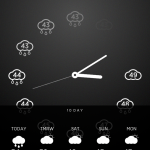
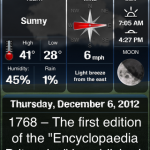
Presently on sale to celebrate the end of winter, Weather+ is a universal app that wows critics and users. This app balances function and design with something near perfection. According to the developers every worldwide weather station is included, and the app serves up five-day forecasts for them all with stunning fullscreen video. Along with the basics this app gives users wind direction and speed information along with the humidity index, and rain and snowfall expectations. The app includes a gorgeous old-school flip-style alarm clock and swipe gestures switch locations with ease.
+ Universal App - Designed for iPhone and iPad
Released: 2010-11-23 :: Category: Weather
Magical Weather
Optimized for the big iPad display and meant to be left running to show off its good looks, Magical Weather is still feature-packed. Along with the visual representations of 16 weather conditions it has daily, even hourly, forecasts for up to nine of two million locations world-wide. It dishes on highs and lows, humidity, wind speeds, UV indexes and atmospheric pressure and displays in Celsius or Fahrenheit. It’s eye candy to a meteorological end.
iPad Only App - Designed for the iPad
Released: 2011-09-27 :: Category: Weather
Weather Live
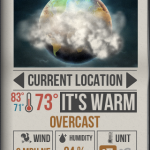
Ignore that Santa’s hat, Weather Live’s icon and app have just been updated. This beautiful universal package is feature dense too. The app puts form first, in that it’s like looking out a magic window at something akin to what’s out the kitchen window. But, alongside the amazing design are current conditions and seven-day forecasts. It has the 411 on the humidex or windchill – and in March we can easily see both – with sunrise and sunset details, wind, visibility, all that good stuff. The app lets users search for locations by postal/zip code, IP, and geo-positioning and the icon has a badge indicating the current temperature. Weather Live speaks Metric and Imperial and has customizable widgets so users see as much, or as little, as they prefer.
Last week, as part of our Health & Fitness themed month, Lisa looked at how apps can help people keep track of the calories they consume. That’s great but weight loss and general improved fitness levels won’t be achieved without some exercise thrown into the equation. While iOS apps can’t force anyone to exercise but they can go a long way to encouraging someone to work harder to achieve their goals. We round up four of the best apps when it comes to tracking progress.
RunKeeper
RunKeeper should be the first port of call for anyone planning on partaking in some outside exercise such as running, walking or cycling to get fit. Other exercises are catered for like swimming, skiing and rowing too with the app’s strength stemming from its GPS functionality although indoors use is also possible. RunKeeper tracks more than just how far the user has travelled with speed, pace and calories calculated. Via the GPS functionality, the app even tracks the route taken. All that information is then synced to the RunKeeper website for additional stats and profiling. Interval workouts and target pacing can also be set for the competitive user.
iPhone App - Designed for the iPhone, compatible with the iPad
Released: 2009-01-13 :: Category: Healthcare & Fitness
Fleetly
Fleetly is an incredibly simple idea that taps into one key thing that all humans react well to: a feeling of achievement. Within Fleetly, users enter the workout that they’ve previously performed with the app then allocating points according to how tough the exercise was. Those points then go towards a levelling up system and a global leaderboard with numerous challenges to join and medals to gain. There’s a workout generator and coaching side to the app too but the real beauty is in the way it makes its users compete with themselves as much as with others.
iPhone App - Designed for the iPhone, compatible with the iPad
Released: 2010-11-19 :: Category: Healthcare & Fitness
All-in-Fitness
All-in Fitness sets out to encompass everything possible fitness wise with 100 ready-made workouts, 1000 fitness & yoga exercises and a calorie counter. The focus here however is on its tracking. The app allows its users to enter numerous different kinds of exercise in order to track calorie consumption and general performance levels. It’s a very in-depth app that seems determined to miss nothing (it even includes sex in exercise type) so it might take a little time to fully figure out, but it’s ideal for those who need both guidance and a way of tracking all in one app.
iPhone App - Designed for the iPhone, compatible with the iPad
Released: 2010-07-10 :: Category: Healthcare & Fitness
Gym Hero
In comparison to the previous app, Gym Hero is incredibly simple. That’s where it’s ideal for experienced gym rats. For those who don’t need to be told what exercises will work for them or how to achieve better results, Gym Hero enables a simple and quick way of entering workout progress without the need to repeatedly enter words like sets and reps. It’s even possible to set up different workouts making it incredibly quick to use for those juggling different routines depending on the day.
This week at 148Apps, we took your New Year’s resolutions seriously and started our “Health and Fitness” month. Editor Rob LeFebvre writes, “We’ve already taken a look at some apps that help us all acheive our goals, and we plan to continue that trend for the entire month, with personal stories from our crack writing team, continued reviews, and focused features like our Favorite Four.”
iPhone App - Designed for the iPhone, compatible with the iPad
Released: 2010-05-19 :: Category: Healthcare & Fitness
Our apps-for-kids site, GiggleApps, offered a review of Odd Spotting. Reviewer Amy Solomon says, “Odd Spotting, developed by Micromicon Media Limit, is an “odd one out” game with 144 levels, the goal of each being to spot the object that is different from all the others in the group. As I began to explore how Odd Spotting works, I couldn’t help but to remember the lyrics from a classic Sesame Street song, “One of these things is not like the others, one of these things just doesn’t belong.”
iPhone App - Designed for the iPhone, compatible with the iPad
Released: 2011-09-21 :: Category: Games
Finally, on 148Apps.biz, writer Jeff Hughes commented on Apple’s recent (and quiet) changes to app categorization on the App Store, saying “Just like Google, when iTunes makes the slightest change to their App Store search algorithm, it has an impact on how many people see your app. The recent changes to the category ordering have also impacted sales for many app vendors for better or worse. Some developers have been helped because their app is now in a category that is displayed higher on the mobile screen…Other developers may be adversely impacted due to the decrease in exposure for their app because their category now appears further down the list.”
And that, my friends, completes our rundown of happenings across the 148Apps network for the week of January 9-13. Keep track of all the latest news, reviews and contests by following us on Twitter or Liking us on Facebook. See you in a week!
As we mentioned in our favourite four apps for keeping New Year resolutions, weight loss (as well as getting into and staying in good healthy shape) tops most people’s list of desired self-improvements. Few other goals are harder to achieve, however. We don’t have the secret formula, but we do have four iPhone apps that make getting into the right shape a lot easier. Hit the break for our favorite four apps to do just that.
OK, so it’s already five days into 2012, and if you are like some of us, it’s very likely you are already off track, or about to get there. But, of course, there are a slew of iPhone apps that can help. Whether you are looking to make a proactive change for the better or eliminate an old habit, now or any time of year, here are our favourite four apps to help.
Commit
Commit is a new app, and we love it. The simple iPhone offering is all about keeping the most important commitments: the ones we make to ourselves. There is little to this great app – upon launch users are greeted by a simple fill-in-the-blank. “I will ___ every day.” Just pick something, jogging, writing, mediation, whatever, and set a reminder time. A push notice will prompt the action, and the app will log streaks. The unobtrusive GUI makes it fun to try again too.
iPhone App - Designed for the iPhone, compatible with the iPad
Released: 2011-12-22 :: Category: Productivity
Calorie Counter & Diet Tracker by MyFitnessPal
If there is one resolution that is repeated annually – almost ritually for every big occasion in fact – by most everyone it is losing weight and to getting into or staying in good, healthy shape. No app makes all that possible, and does it as well, as this one by MyFitnessPal. It’s easy to use, has a vast database of calorie counts and other important nutritional information on food choices, and has 350 exercises for strength and cardio fitness goals. The app is social, feature packed, as has so much important information anyone serious about health should check it out.
iPhone App - Designed for the iPhone, compatible with the iPad
Released: 2009-12-07 :: Category: Healthcare & Fitness
LIVESTRONG MyQuit Coach – Dare to Quit Smoking
Ok, so in 2012, are people even allowed to admit they smoke anymore? It may not be on TV and in movies much today, at least not here in North America, since there are laws in place making it costly to show people doing it, but statistics suggest the reality may be better than 20 years ago, but millions worldwide are still hooked on coffin nails. No one really needs to tell a smoker why quitting is a good idea, but cancer avoidance tops most lists. So what better branding, and in this case, a system and an app worthy of it, to help make the very difficult process easier than LIVESTRONG. MyQuit Coach helps identify triggers, set a realistic quitting schedule, has social network support and even game-like achievements to reward progress.
iPhone App - Designed for the iPhone, compatible with the iPad
Released: 2010-11-08 :: Category: Healthcare & Fitness
Ideal Me
Ideal Me is ideally suited to anyone who anyone wanting to stop or start a common or wholly unique habit or goal. The app has some suggestions for a broad range of users from students to travelers, to those facing serious addictions, but encourages us to create our own aspirations as well. After a goal is set, the app allows users to create a step-by-step plan including a time frame, for, say the stages of writing a novel, or adhering to a work out regimen, and positively reinforces reaching benchmarks – their apt term for not just starting a New Year’s resolve, but getting it done too. A free “lite” version is available too.
It’s four days until Christmas and if you are like many of us, you likely have some last minute holiday shopping to do. Inside stores lines are long and prices change daily, and at this point if you order online you might want to upgrade shipping, but if you still have some people on your “nice” list here are our four favorite apps to help you find a great gift at a great price even at this late date.
Amazon Mobile
What’s there to say. If you want to find anything, and get last minute shipping the best place online is amazon.com. Amazon Mobile allows iPhone shoppers to navigate Amazon’s labyrinthian site quickly, compare prices, read reviews and purchase directly through the app. Search options include keyword searches, as well as barcode scanning or even upload a picture.
+ Universal App - Designed for iPhone and iPad
Released: 2008-12-03 :: Category: Lifestyle
Bakado
With Bakodo on their iPhones shoppers can scan barcodes for in-store price checking , but there that’s not all. Bakado includes product reviews, and can search by keywords too. The app makes shopping social allowing the indecisive to post what they are looking for on Facebook and get feedback from their friends.
iPhone App - Designed for the iPhone, compatible with the iPad
Released: 2010-06-11 :: Category: Utilities
Gilt on the Go
Have a taste for the finer things in life, but not necessarily the budget? Gilt has been providing a service that offers deep discounts on highly sought after items for some time, and they also have several apps. To use Gilt, you need to be a member and have an account on their site, but in-app shoppers can browse before they decide to sign up. For the brand name bargain hunter, Gilt is a guilt-light shopping experience.
iPhone App - Designed for the iPhone, compatible with the iPad
Released: 2009-09-24 :: Category: Lifestyle
Target
Target is not only considered upscale compared to Wal-Mart, while still offering deep discounts, their app is preferred too. The Target app allow seasonal spenders on a budget to shop at any Target store. The app sends daily deals straight to the iPhone, locates the nearest store and keeps track of gift lists with TargetLists. This app also includes a bar code scanner to make extra sure Target’s deals are the best.
Apple has done a lot to improve the native camera app with iOS 5 and lucky iPhone 4S owners are already taking the highest quality iPhone images ever. But, even with the tune up, many of the most requested features from manual adjustments to photo bursts, darkroom effects to more sharing options (Facebook anyone?) are still lacking. But, the app store is filled with alternatives so this week we look at our favorite four camera replacement apps.
Camera+
Camera+ has been the top camera replacement app almost since its launch in June 2010 and gets frequent updates keeping it at the top of the charts and this list. The app allows uses to users to set focus and exposure manually like a real camera, uses the iPhone 4 LED flash as a continuous fill light to brighten up dark settings, has image stabilization and a 6x digital zoom that really pulls the action in. Camera+ allows for photo editing, has a lot of effects, and has plenty of social media integration for easy photo sharing.
iPhone App - Designed for the iPhone, compatible with the iPad
Released: 2010-06-06 :: Category: Photography
Camera Genius
For still and video Camera Genius replaces the native camera app with 6x digital zoom, a full screen button to make it easy to snap pics on the fly, a timer, image stabilization and a mini burst mode which will take three action shots rapidly. The app also helps iPhoneographers and videographers shoot clean with a Photo Composition Guide and of course, lots of sharing capabilities.
iPhone App - Designed for the iPhone, compatible with the iPad
Released: 2009-02-07 :: Category: Photography
Camera Plus Pro
Camera Pro Plus is all about speed. The developers claim it is the fastest camera app, and while we can’t verify that, it is zippy. This app features live video and still filters so users can preview effects before snapping and add them in one step. Burst mode is particularly useful for action settings allowing for 40 shots to be taken in rapid succession and the app has an array of editing and darkroom effects, private photo and video collection storage, even photo transfer via Wi-Fi along with the requisite social network sharing options.
iPhone App - Designed for the iPhone, compatible with the iPad
Released: 2009-12-17 :: Category: Photography
King Camera
King Camera is a newcomer to the App Store. It’s a powerful, fast and responsive app with some cool features missing from others on this list including the ability to shoot time lapse photography and stop motion animation. The app controls the video camera too and adds a big button to both along with a rule of 3rds grid and integrates a flashlight feature for low-lighting situations. For stills there is also exposure and white balance lock, a self-timer, anti-shake even photo backup. The app also has some fairly robust photo editing abilities, the requisite fun filters and, you guessed it, lots of easy social media sharing with a tap. The French Canadian company behind the app even had a commercial shot for local TV using only images taken with an iPhone and the King Camera app – judge for yourselves.
For those accustomed to adding feeds to their Google Reader account as they surf the web, finding the right iPad client is essential. Some focus more on features, some on the reading experience and others combine elements of both. This week we look at our favorite four Google Reader apps for iPad. If we missed your favorite please let us know in the comments.
Feedler
Feedler RSS Reader for iPad and iPhone is a free zippy Google Reader client with a lot of functionality. The app supports multiple accounts, allows for extensive feed management, and caches feeds for offline reading. The support for notes and comments is especially handy. The Pro version also includes syncing subscriptions, photo caching and much more social media support.
+ Universal App - Designed for iPhone and iPad
Released: 2010-04-01 :: Category: News
Reeder for iPad
For a simple, clean Google Reader experience Reeder for iPad is a great choice. Feeds are displayed as stacks of unread paper. The reading experience is smooth, marking items read or unread is all done with a single finger swipe and articles can be saved to ReadItLater, Instapaper or Readability for offline access. An iPhone version is sold separately.
iPhone App - Designed for the iPhone, compatible with the iPad
Released: 2009-09-24 :: Category: News
Mr Reader
Mr. Reader has both style and substance. The interface is intuitive and clean, and background updating makes it very fast. The app allows for a great deal of feed management and has a thumbpad for easy navigation. Like most readers, there is support for offline reading via the likes of Instapaper and social network integration, but Mr. Reader even allows articles to be sent to a Kindle, Mac and more.
iPad Only App - Designed for the iPad
Released: 2011-04-01 :: Category: News
River of News – RSS Google Reader
A critical darling, River of News focues on simplicity. The key feature, “infinite scrolling” allows readers to navigate their feeds using simple gestures in a clean interface. The app syncs with Google Reader in real time, has extensive social network integration and just looks good.
There is a lot to get done at this time of year and dozens of apps to help us stay on top of all of everything. There are some great full-featured task-managing systems and calendars on the App Store, but this week we wanted to focus on apps that keep it simple. Here are four to do list apps that will keep users on task and on budget. If we missed your favorite be sure to let us know.
Wunderlist
Wunderlist is a robust cross-platform task management app . It uses cloud syncing to keep information up-to-date across all of a user’s iOS devices. Wunderlist allows for list sharing, email reminders and push and badge notices and even lets users customize the look. The app allows for a lot of detail, sorting is easy and best of all it’s not ad-supported and there are no in-app purchases. Wunderlist is completely free.
iPad Only App - Designed for the iPad
Released: 2011-02-22 :: Category: Productivity
InstaTodo
InstaTodo allows users to quickly enter and manage a to do list. The app uses task hierarchies to keep a user focused on what’s most important and allows for sub-task lists to handle complicated projects. It also has reminders, sharing and all the task management features expected from a full-features to do app. What sets InstaTodo apart, however, is its use of templates. The app comes with dozens of general use templates that can be further customized, or any user-created list can be saved as a template for future use.
iPhone App - Designed for the iPhone, compatible with the iPad
Released: 2011-02-21 :: Category: Productivity
Do It (Tomorrrow) HD
A procrastinator’s friend, Do It (Tomorrow) is the simplest of task managers. This has a gorgeous GUI and a single focus- what needs to be done today, and what can be put off until tomorrow. Users quickly and easily create a to-do list that looks handwritten, and either tick off completed tasks or shunt projects to tomorrow. While it sounds simple, it actually is really helpful when managing the small details that come up every day – the ones that no one has time to enter into a complicated calendar app. The paid HD version syncs lists across devices.
iPhone App - Designed for the iPhone, compatible with the iPad
Released: 2010-07-16 :: Category: Productivity
List Buddy
This to do app prides itself on simplicity and flexibility. The GUI is clean and uncluttered and the app allows unlimited list and sub-list creation. List Buddy has “One Touch Delete” for removing multiple lists or items at a time and an internal search function. List Buddy even remembers previous entries – when it recognizes the first few letters of a new item it will fill in the rest. The sorting options are extensive, sharing is easy and multiple list management is built right in.
The multi-touch screen has allowed the creation of apps that make digital painting feel as natural as dragging a finger across a canvas. That’s because that is precisely what they do. The iPad changed the digital painting scene even further with its large bright screen capable of replicating the size and feel of a sketchpad or canvas. This week we’ve collected or four favorite apps that let us paint and draw like the pros.
Procreate
With a powerful paint engine, desktop-quality tools and brushes Procreate is a standout. Work effortlessly with up to 16 layers with 100 undo/redo levels. There is zero lag –painting is in real time. The interface is clean and intuitive. What separates procreate from other painting apps is the brush selection. There are 12 pre-sets, which allow for an amazing amount of configurability, but Procreate is also the only app that allows users create and import their own brushes. This gives the serious and detail-oriented artist the tools to create precisely what they need.
iPad Only App - Designed for the iPad
Released: 2011-03-16 :: Category: Entertainment
Sketch Club
Aside from offering high quality standard painting and sketching features Sketch Club also lets users create pixel-art. Another feature that makes Sketch Club an original is that users can record themseves making art and upload the video to YouTube from within the app. There is also an active user-community where are masterpieces can be shared and even critiqued.
+ Universal App - Designed for iPhone and iPad
Released: 2010-11-23 :: Category: Entertainment
Zen Brush
Whether for sketching, doodling or calligraphy, Zen Brush is an amazingly simple, elegant and fluid app. Background templates simulate 29 surfaces, many porous most distinct. Users control brush size and opacity, but that’s about it. Its simplicity is truly Zen and the results anyonecan achieve regardless of training or experience are stunning. Easy posting to Twitter is incorporated.
+ Universal App - Designed for iPhone and iPad
Released: 2010-07-20 :: Category: Entertainment
ArtRage
ArtRage may not the professional’s choice, but no other painting app we’ve tried does so much so easily. It keeps track of how much paint is on the canvas, so users can blend colors under the brush, or lay down thick lines of pigment from a tube for flattening with palette knives. Watercolors react to the wetness of the brush and paper beneath, and canvas grain affects the look of brushstrokes. Drier pigments break up on the surface to create textured effects. ArtRage allows photo to be imported and converted them to oils for smearing. Pics can also be pinned to the canvas to serve as a guide.
Stocks took a serious tumble this week, and it’s no secret the global economy is precarious to say the least. But there are small things we all can do to make at least our home finances and debt management work better and start saving for the future. We have collected our favourite four apps for that purpose, with the hopes that making small local changes prompts everyone to push for big global changes too.
Economy
For most of us, making heads or tails of all the information, and misinformation, on the US economy is all but impossible. Cascade Software offers a quality at-a-glance solution for making sense of the headlines and reports, and more importantly, what they mean to us. The app, while not officially endorsed by any federal or state agency, is powered by FRED API which is the Economic Research Division of the Federal Reserve Bank of St. Louis. The app provides users with information on key economic indicators and visual data in the form of easy-to-read graphs that track everything from GDP over time, to which party was in power during any dips. Find employment, housing, inflation, manufacturing and other stats, as well as current North American exchange rates. All 50 states are tracked by five key economic indicators as well, to make sure local information is as clear as national trends.
iPad Only App - Designed for the iPad
Released: 2010-10-29 :: Category: Finance
Pageone Pro – Money And Bills
Pageonce – Money and Bills allows users to track and organize credit cards, investments, bank accounts and cash. The app sends real-time alerts when a payment is due or other action is required. It’s a very versatile expense tracker allowing for monitoring of frequent flier miles, cell minutes, data usage and other features, iOS will users will find especially helpful. The app even alerts users to potentially fraudulent charges, and helps track and mange debts, The free version is ad-supported, for the $12.99 Pro users get an ad-free interface as well as a “refresh all” option and unlimited tracking of manually entered expenses and bills. Both versions sync securely with many major US banks, credit unions and credit card providers.
+ Universal App - Designed for iPhone and iPad
Released: 2008-07-11 :: Category: Finance
Bills ~ on your table
Looking for something a bit simpler to just stay on top of recurring bills? Bills ~ on your table has a beautiful interface, especially on iPad. This award winning financial app lets users track regular expenses with ease. The app is not meant to track one time charges, it’s a monthly (or weekly) reminder system that sends a push notification and accompanying sound-alert to remind users when it’s time to pay that credit card bill, mortgage or car payment or tuition. The app uses clound syncing to make sure all members of the household have the same information, and it allows for partial payments which is helpful for managing large debts. There are 170 currencies supported making it a truly global app. A free online user account is required.
iPad Only App - Designed for the iPad
Released: 2011-01-14 :: Category: Finance
iAllowance (allowance and Chore Tracker w/Sync)
Remember piggy banks? Well, while teaching kids the value of money has never been more important, leave the breakable cute containers in the past and get serious about money with kids using iAllowance. It’s a universal app that allows parents to create banks for multiple children and sync those accounts with the rest of the family across devices. The app can handle automatic payments, chore tracking and even calculate interest on the various banks as required. This app allows not just for multiple kids, but multiple accounts, so if your teen has an iTunes allowance and a recreation allowance they can be easily created, managed, and funded separately. In lieu of actual money, parents can opt for a star rewards system, and the app has AirPrint and Dropbox support and parental controls.
Trivia games are always crowd pleasers, and just about every game show has a iOS game counterpart. So do the biggest board games. But, while often top sellers, they don’t always represent the best games. We’ve collected our favortie four trivia games for you here. If we missed your favorite let us know.
Big Brain Quiz
For traditional trivia buffs looking for a broad range of subjects, we really like Big Brain Quiz. It’s free and the questions are all over the map from technology to music, sports to celebs. The animations are well done and there is Facebook integration with a decent-sized community. The game comes with over 3000 questions, and there are a lot of add-on packs available for purchase in-app. The developers add seasonal content for free and host periodic contests with deluxe question sets as prizes.
+ Universal App - Designed for iPhone and iPad
Released: 2010-08-10 :: Category: Games
You Don’t Know Jack
If genuine humor served up with anything from Shakespeare to flatulence is more appealing than straight trivia, You Don’t Know Jack is a fantastic option. The game is done in a pseudo tv-show style, like something you might find on MTV – it did actually lead to a short lived broadcast. The game is clever and polished with real laugh-out-loud moments and integrated Facebook score posting. A free light version is also available.
iPad Only App - Designed for the iPad
Released: 2011-04-14 :: Category: Games
MovieCat!
MovieCat! may actually be funnier than You Don’t Know Jack – at least it gives it a good run for the money. It’s certainly the most original title of the bunch. Instead of clips from actual films players get movie trivia from scenes performed by the “kitty cast of players” and nine lives to beat five rounds of inventive puzzles and trivia challenges. There are additional puzzle packs for in-app purchase with extra “cat scenes” included and Facebook bragging is built in.
iPhone App - Designed for the iPhone, compatible with the iPad
Released: 2010-09-11 :: Category: Games
Animal Planet: Trivia Challenge
Ok, so we have to forgo Facebook with this one, but animal lovers can still show off their skills in Game Center with the trivia game brought to iOS by the cable television channel that bears the same name. As one would expect, the variety of animals and facts have outstanding breath and the app has a library of high-quality images of animals in their natural habitats from the channel’s archives. The game comes with 2000 questions and an additional 1000 for in-app purchase, has multiple difficulty settings to engage kids but challenge adults, and has great video.
There are so many different types of travel apps we decided to focus this week not only on those that simplify travel in general, but those geared to air travel and travel abroad. Most of the apps are useful for road trips and or as general reference apps as well. These are our top picks that work on all iOS Devices and will help make getting to, staying at, and getting home from any destination easier.
TripIt – Travel Organizer
Travel can be a hassle, especially when flying and dealing with delays and cancellations and landing in a new place with a rental car and no idea where to go. Tripit is a one-stop app for travel organization and flight information. Users can access all their travel plans on a single device no matter where a flight was booked. Fliers do have to forward their confirmation numbers to the tripit website, but then they get “smartineraries” which include driving directions and maps to relevant destinations. The app will send alerts if a booked flight is late or off the tarmac altogether – even provide alternative travel options. There are additional services available to pro users for an annual subscription fee.
+ Universal App - Designed for iPhone and iPad
Released: 2011-02-14 :: Category: Travel
Flight Track Pro
Import flight data automatically from any airline confirmation email and get push notifications of real-time changes to any flight. Also access flight itinerary updates, and detailed zoomable maps that work offline. FlightTrack has fewer bells and whistles than the Pro version, and is suitable for occasional travellers. The Pro version has everything frequent fliers need to stay on top of the most complicated intineraries. Features include automatic itinerary synching with TripIt (see above,) iPhone calendar sync, and the ability to share flight status by email, Facebook or Twitter.
+ Universal App - Designed for iPhone and iPad
Released: 2008-11-16 :: Category: Travel
Packing Pro
Packing Pro is a must-have travel app. As the name suggests, the app ensures a single traveller or someone packing for a group doesn’t forget anything at home. The universal app is feature-packed with packing features. There is expert list assistance which are essentially several packing templates for both genders and different ages. Also, users have the ability to create up to eight lists at once. The app has themes and includes suggested lists for everyone from campers to business travellers. There is a master list of over 400 items and of course, users can add their own items. The best part – the app syncs across devices so users can create lists for everyone in their party or family and share them easily.
+ Universal App - Designed for iPhone and iPad
Released: 2009-04-16 :: Category: Travel
XE Currency
Travelling internationally this summer? Then we hope you remember how many Euros there are in a US Dollar. Having the right currency and understanding its worth in Dollars or Pounds or Rupees can make the difference between an easy trip full of shopping and even saving, to being left without local currency when needed most. No app can guarantee exact rates, but XE Currency has close to real-time information and generally trusted information. This a great app for day-to-day international commerce as well.
With my recent review of Music Hunter, I’m in the mood to share my favorite apps for music discovery in this weeks Favorite Four.
Music Hunter
Since I already mentioned Music Hunter, let’s start with that. Despite its cheesy name, Music Hunter provides an experience rivaled by no other music app. The app is visually pleasing and has an almost limitless potential (I think the samples it uses are pulled from iTunes). I’ve already browsed for a few hours in my couple of days with the app and added a ton of songs to my favorites list. While the app is only $0.99, it will lead to MUCH more spending from leading users to buy tons of music (except for those those shady pirates). Unfortunately for iPhone users, Music Hunter is iPad only.
iPad Only App - Designed for the iPad
Released: 2011-04-23 :: Category: Music
Rdio
Rdio isn’t a direct music discovery tool, but it definitely aids the music discovery process. Rdio is one of three major music subscriptions services (Rhapsody and MOG being the other two). For $9.99 a month (for mobile access), Rdio allows access to millions of songs and even allows downloading to mobile devices (stop paying for the service and the songs are no longer available). After finding new songs on Music Hunter, I went right over to Rdio and added nearly all of them to my collection. Rdio has a free 7-day trial; it can’t hurt to check it out.
+ Universal App - Designed for iPhone and iPad
Released: 2009-12-17 :: Category: Music
Discovr
Discovr, like Music Hunter, provides a visually stimulating music discovery experience in an audio-focused app. I enjoy Music Hunter more, mainly because I can sit back and it will play through samples until I tell it something (Discovr’s samples must be tapped each time). But Discovr’s mindmap-ish view of artists takes a fun angle to the browsing experience. One thing Discovr has over Music Hunter is the sheer volume of information provided for each artist: samples from most albums, blog posts, reviews, biographies, links, and YouTube videos. Discovr is geared toward people who are interested in finding artists and Music Hunter toward people interested in finding songs.
+ Universal App - Designed for iPhone and iPad
Released: 2011-01-12 :: Category: Music
Aweditorium
I can’t talk about music discovery without bringing up Aweditorium. Aweditorium was the first music discovery app I used that focused on the visual experience. Pictures of artists are tiled on a huge moving wall. Tapping on one starts one of their songs and provides information on the artist. What’s unique about Aweditorium compared to the other music discovery apps is that it’s filled with independent artists. So Aweditorium is a must-have for any music discovery enthusiast; the songs on Aweditorium aren’t likely to be found on other apps. This one is iPad only like Music Hunter.