| |
Posted by Rob LeFebvre on January 16th, 2013
+ Universal App - Designed for iPhone and iPad

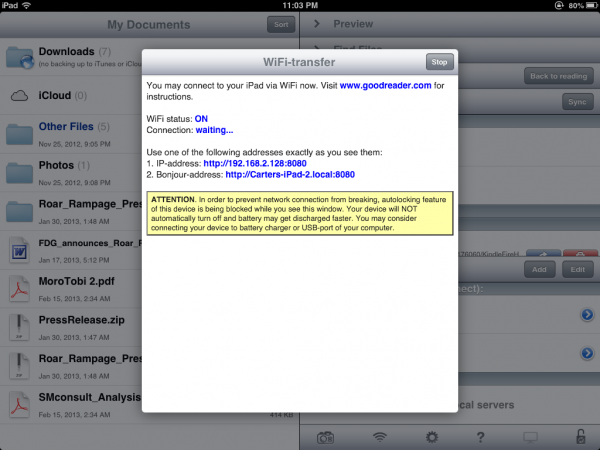
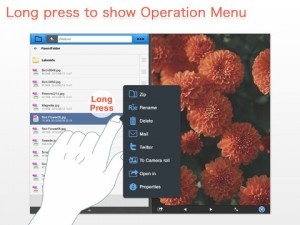
Got a slew of documents and other media across all those different cloud systems, like Dropbox, iCloud, Google Drive, and even email? Documents.me hopes to alleviate the stress of remembering which system the file you want is stored in by aggregating it all into one app, available for iOS devices as well as Mac and PC.
Documents.Me increases productivity by allowing users to search for a file or browse all of their files or file content from public or private clouds right from their mobile device. It also offers offline access to users’ files and folders as well as downloaded files. Additionally, Documents.Me employs strict security and control measures to keep personal and company documents safe. Documents.Me works on WIFI, 3G and 4G networks.
source: Documents.me Website
Posted by Rob LeFebvre on December 13th, 2012
+ Universal App - Designed for iPhone and iPad

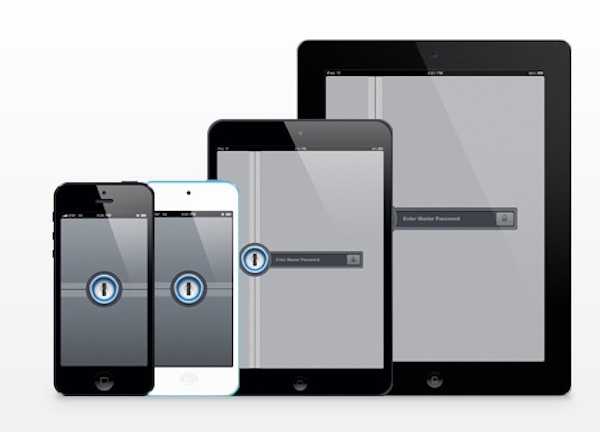
Popular password manager 1Password updated today to version 4.0.2, bringing iCloud and Dropbox support, a secure browser, and a Universal app. Purchase it for 50 percent off the normal price today, and install it on all your iOS devices to create and manage passwords, website browsing, and secure data.
Every day there are new passwords to remember. They are often forgotten. Using weak passwords or re-using them makes it easy to remember, but criminals love it when you do this. 1Password solves all these problems.
✓ Generate strong, unique passwords for every site
✓ Protect your data behind a single Master Password
✓ Secure with military grade 256-bit AES encryption
✓ Cryptographic operations use standard iOS libraries to ensure no security gaps or backdoors
✓ Auto-Lock keeps your data protected even if your device is lost or stolen
source: AgileBits Website
Posted by Jeff Scott on August 15th, 2012
+ Universal App - Designed for iPhone and iPad
One of the better iCloud or Dropbox synced text editor, and the one that I use is on sale for $0.99 for the Universal version. It’s a great app for keeping text documents synced over iCloud or Dropbox on the iPhone, iPad, and OS X desktop. Highly recommended.
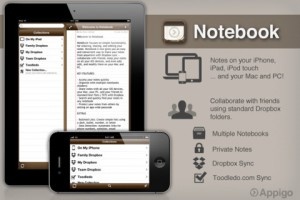
Originally designed for the iPhone, Appigo’s Notebook app has gone through a major update and is now a universal app designed to play nicely with the iPad as well. The productivity app is well known for offering a simple user interface and solid feature set to create, share and edit notes. The new 2.0 version is now optimized for Dropbox syncing, which allows the user to share notes on all iOS devices as well as Mac and PC platforms. In addition to sharing between the user’s devices, this new support makes sharing with friends, family or colleagues even easier.
The update plays off the company’s thought that adding a powerful collaboration tool was necessary for its users. The new version adds a familiar notebook interface with full-screen editing capabilities and overall the update seems to be a cost effective productivity tool for users with multiple iOS devices. The notes are saved in standard text format and is compatible with PC and Mac text editing applications. Notebook is available on the iTunes App Store for $4.99.
$4.99  + Universal App - Designed for iPhone and iPad
Released: 2008-09-12 :: Category: Productivity
As a writer and iPad owner, I’m always looking for ways to use my iPad to write effectively. I do not need complex word processing software for my work – I just need simple plaintext editors that can sync with Dropbox, as I need a way to get my text on to an actual computer! WordPress is still a pain to use effectively on mobile, though an app like Blogsy helps out tremendously. Here are my favorite 4 solutions for cloud-based text editing on iOS.
iA Writer: This text editor’s greatest strength is its simplicity: pretty much the only setting that needs to be configured is Dropbox syncing, because it’s the only setting. Files can be saved anywhere on Dropbox, and there’s even iCloud support, which works with the Mac version of the software. The focus mode makes it much easier to just type without distraction, and the additional controls above the software keyboard make typing and editing text on the iPad screen far easier than any other app.
$0.99  + Universal App - Designed for iPhone and iPad
Released: 2010-09-21 :: Category: Productivity
Notesy: This app’s strengths are twofold: first, it features great automatic saving to Dropbox. While it only can sync up to one directory for saving files, it does have subdirectory support. The app also offers universal support, something that iA Writer lacks, which makes it easy for me to type up articles on my iPod touch when I’m not near my iPad, or in a situation where it’s easier to use than the iPad.
$4.99  + Universal App - Designed for iPhone and iPad
Released: 2010-09-08 :: Category: Productivity
Daedalus: What this app does differently is that it uses a stack-based interface, where text documents can be stored in logically-arranged groups of files. This works well for multitaskers who need to work on just specific sections of text at a time, like when composing lists, or for those who want some kind of visual arrangement of their work. Daedalus also has multiple display themes, customizable buttons above the keyboard, and multiple file export options.
$4.99  + Universal App - Designed for iPhone and iPad
Released: 2011-05-21 :: Category: Productivity
Nocs: This app is designed for those who use Markdown; while it does type up plaintext and support editing of txt files in Dropbox, what this app brings to the table is the ability to convert Markdown to HTML easily. For those unaware of Markdown, it’s essentially a variety of HTML formatting commands that are designed to be easier to type in than most HTML formatting is, and to look presentable when viewed as plaintext. Nocs can convert Markdown-formatted text into HTML files, suitable for pasting into WordPress or anywhere else needed. Did I mention it’s also free and universal?
FREE!  + Universal App - Designed for iPhone and iPad
Released: 2010-10-24 :: Category: Productivity

The App Hall of Fame (the original App Hall of Fame, not the Apple knock off) is an independent initiative launched by 148Apps that includes selection committee members from over 40 web and print publications.
Our goal is to archive the very best mobile apps by honoring only 12 applications per month. To be eligible, applications must be available for download from the App Store for at least 6 months. Applications are nominated and voted on monthly by the selection committee with the applications that get the most votes being inducted into the hall of fame.
We want you to join in on the celebration. We’ll be giving away copies of the newly inducted applications to subscribers of our mailing list later this week. Subscribe now for a chance to win.
We are very proud to announce the November inductees into the App Hall of Fame:
Harbor Master from Imangi Studios, LLC
OmniFocus from The Omni Group
Reeder from Silvo Rizzi
Yelp from Yelp
Pocket God from Bolt Creative
Real Racing from Firemint
Tilt To Live from One Man Left
Facebook from Facebook
Bebot – Robot Synth from Normalware
Fruit Ninja from Halfbrick Studios
Dropbox from Dropbox
Blue Defense! from John Kooistra
| |