
What's New
We’re back to you with a handful of important fixes.
The most prominent one is a better sync! No more scans lost in space.
Update to the latest version of Scanner Mini on all your devices for swift and reliable access to your documents.
Keep your feedback coming at [email protected].
App Description
Scanner Mini is the best place for your important documents. It transforms your iPhone and iPad into portable scanners.
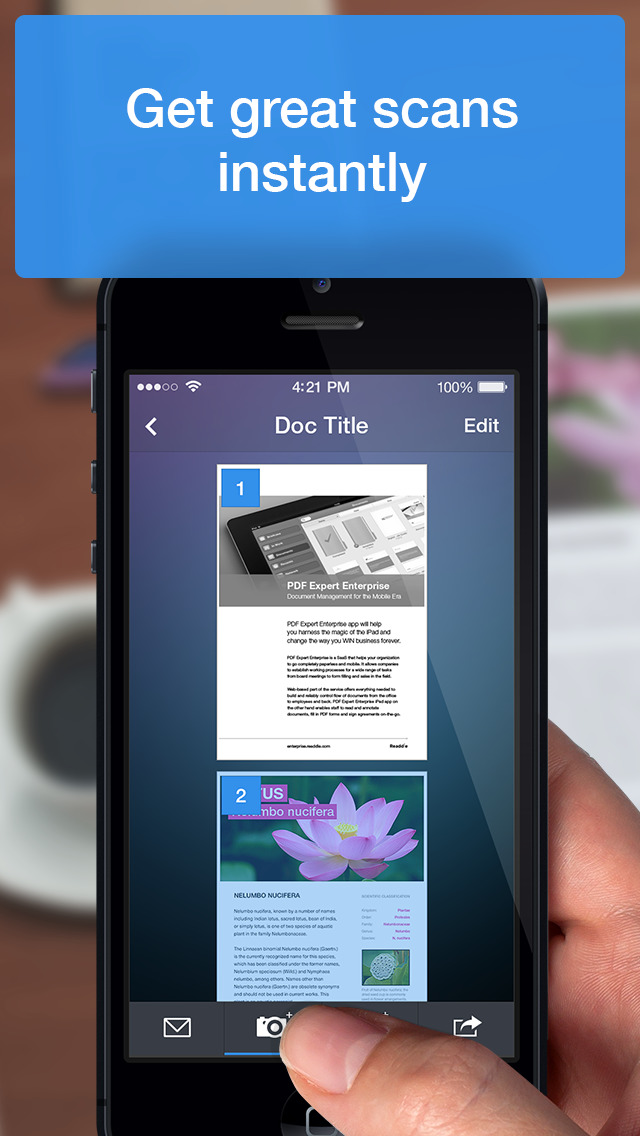
Scan agreements, receipts, IDs, books, and more using your device and turn them into high-quality PDFs, so you can safely store and share them anywhere.
"Scanner Mini turns your iPhone into a scanning boss" – The Next Web
"Scanner Mini is very, very nice. It’s simple and fast." – Mark Gurman, 9to5Mac
*** WITH SCANNER MINI YOU GET FREE ACCESS TO ***
EASY SCANNING
Sсan any kind of paper documents into multi-page PDFs or JPEGs.
ADVANCED IMAGE PROCESSING
Create great-looking documents with original pictures, color stamps and signatures. Scanner Mini will automatically detect borders in real time, correcting distortion and geometry. You can also adjust the crop area manually, by tapping on the screen.
MAKE ORGANIZING EASY
All your scans are automatically organized into useful categories: bills, receipts, books or magazines, IDs, forms, etc.
ANNOTATE YOUR SCANS
You can draw, write, and highlight text in your scans right in Scanner Mini without jumping to another app.
MAGIC ERASER
Get rid of staples, holes, or fingers that got into the scan while scanning. Scanner Mini’s AI-powered eraser makes unwanted objects disappear as if they were never there.
iCLOUD SYNC ACROSS ALL YOUR DEVICES
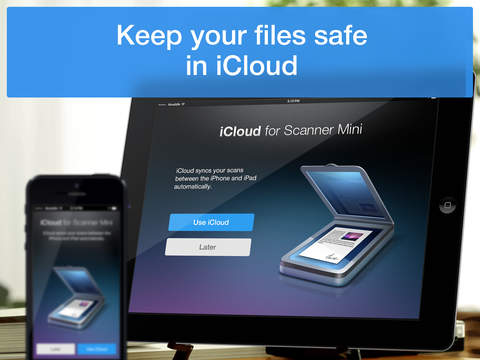
Access to all your scanned documents on your iPhone, iPad and Mac. Scan a document on your iPhone or iPad and it will be uploaded to iCloud Drive automatically.
*** SCANNER MINI PLUS UNLOCKS THE ADVANCED FEATURES ***
WORK WITH TEXT (OCR)
Turn scans into text, so you can read, copy, and export it to other apps. Scanner Mini supports 25+ languages: Catalan, Croatian, Simplified Chinese, Traditional Chinese, Czech, Danish, Dutch, English, Estonian, Finnish, French, German, Greek, Hungarian, Italian, Japanese, Latin, Norwegian, Polish, Portuguese, Romanian, Russian, Spanish, Swedish, Tagalog, Turkish and Ukrainian.
SHARE YOUR SCANS
Send scanned documents via email, export to Photos or open in any 3rd party apps. Also, you can print your documents or even fax them to most countries and territories.
FULL-TEXT SEARCH
Search through the text of your scans or by category, not just by titles. Quickly find any scan no matter how it’s named.
REMOVE WATERMARK
Create clean and professional scans without watermarks.
AUTO UPLOAD & WORKFLOWS
Automate your flow and perform multiple actions in just one tap. First, choose your actions – rename documents, send an email, auto upload to Dropbox, save to the required folder and much more. Then, with just one tap Scanner Mini will complete all of these actions, while you solve more important problems.
PROTECT YOUR PDFs
Protect your document library with a secure password, Face ID, or Touch ID. Share password-protected scans to shield them from prying eyes.
We give you 7-DAY FREE TRIAL to Scanner Mini Plus, so you can download it now and check it in action.
* Current Scanner Mini Plus subscription price starts at $29.99/year with a 7-day trial.
* If you choose to purchase Scanner Mini Plus, payment will be charged to your iTunes account, and your account will be charged for renewal within 24 hours prior to the end of the current period.
* Subscriptions may be managed by the user and auto-renewal may be turned off by going to the user’s Account Settings after purchase.
* Prices are in US dollars, may vary in countries other than the US, and are subject to change without notice.
* Any unused portion of a free trial period, if offered, will be forfeited when the user purchases a subscription to that publication.
Have any feedback or comments? We’d love to hear from you at http://readdle.com/contact
Privacy Policy: https://readdle.com/scannermini/legal/privacy
Terms of Service: https://readdle.com/scannermini/legal/terms
iPhone Screenshots
(click to enlarge)




iPad Screenshots
(click to enlarge)


App Changes
- December 19, 2012 Initial release
- January 03, 2013 New version 1.0.1
- February 14, 2013 New version 1.1
- May 21, 2013 New version 1.2
- July 31, 2013 New version 1.6.1
- August 21, 2013 New version 1.6.2
- September 11, 2013 New version 1.6.3
- October 09, 2013 New version 2.0
- October 10, 2013 New version 2.1
- November 18, 2013 New version 2.1.1
- November 26, 2013 New version 2.1.2
- December 11, 2013 New version 2.1.3
- December 28, 2013 New version 2.1.4
- January 20, 2014 New version 2.1.5
- January 30, 2014 New version 2.1.6
- February 10, 2014 New version 2.1.7
- February 17, 2014 New version 2.1.8
- March 10, 2014 New version 2.1.9
- April 18, 2014 New version 2.1.10
- July 15, 2014 New version 2.2
- August 27, 2014 New version 2.2.1
- September 26, 2014 New version 2.5
- October 08, 2014 New version 2.5.1
- January 06, 2015 New version 2.5.3
- July 02, 2015 New version 6.0
- August 15, 2015 New version 6.0.1
- August 28, 2015 New version 6.0.2
- September 23, 2015 New version 6.1
- October 25, 2015 New version 6.1.4
- December 07, 2015 New version 6.2
- December 21, 2015 New version 6.2.1
- July 05, 2016 New version 7.0.3
- November 07, 2016 New version 7.1.1
- June 13, 2019 New version 7.5.4
- June 24, 2019 New version 7.5.5
- July 02, 2019 New version 7.5.6
- August 16, 2019 New version 7.5.8.
- September 24, 2019 New version 7.5.9.
- September 30, 2019 New version 7.5.10
- November 04, 2019 New version 7.5.12
- November 11, 2019 New version 7.5.13
- November 26, 2019 New version 7.5.14
- July 14, 2020 New version 7.7
- October 22, 2020 New version 7.8.1
- December 09, 2020 New version 7.8.2
- September 16, 2023 New version 8.14.4
- November 03, 2023 New version 8.15.1
- November 15, 2023 New version 8.16
- April 25, 2024 New version 8.18.2
Other Apps From Readdle Technologies Limited