
What's New
Quick fixes to our iCloud Drive release. This update fixes a bug with the Slice tool and a crash trying to drop files to iCloud Drive when it’s not enabled on the device.
With the introduction of iCloud Drive, you can now
- Sync your work across all your Apple devices and safely store backups in the cloud
- Manage projects in the Files app
- Drag+drop entire folders or individual drawings into iCloud Drive
- No longer worry about losing your drawings if you delete the app or lose your device
- Open files from a shared iCloud folder (not-collaborative)
Read more at https://concepts.app/en/how-to-use-icloud. If you appreciate what we’re doing, send us feedback or leave a review!
App Description
Think, plan & create – Concepts is a flexible vector-based sketchbook where you can take your ideas from concept to reality.
Concepts reimagines the ideation process – offering a safe and dynamic workspace to iterate and explore your ideas, organize your thoughts, and experiment with designs.
With our infinite canvas, you can:
• Sketch plans and whiteboard ideas
• Make notes, doodles, and mindmaps
• Draw storyboards, product sketches and designs
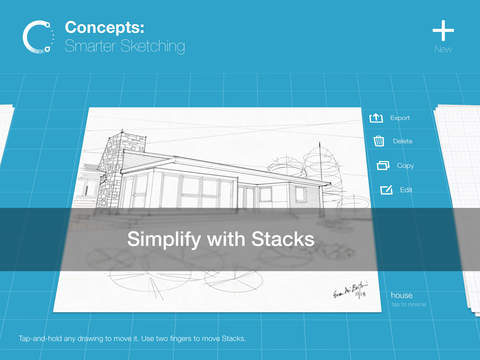
Concepts is vector-based, making every stroke editable and scalable. With our Nudge, Slice and Select tools, you can easily change any element of your sketch without redrawing it.
Talented creators at Disney, Playstation, Philips, HP, Apple, Google, Unity and Illumination Entertainment use Concepts to develop and realize extraordinary ideas. Join us!
Concepts has:
• An infinite canvas with optional paper types and grids
• Realistic pens, pencils and brushes that flow with pressure, tilt and velocity or create your own
• A tool wheel or bar you can personalize
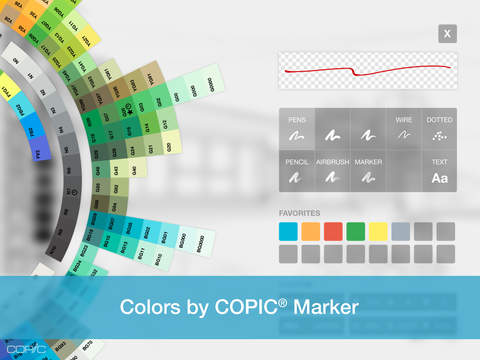
• HSL, RGB and COPIC color wheels
• Editable vector-based sketching – move, organize and edit the tool, color, size, scale, smoothing, opacity; transform or nudge lines to shape them
• Unlimited layers
• Scale and measurement tools that calculate real-world dimensions
With Concepts, you can:
• Drag + drop images + PDF files
• Create, store and share vector Object libraries
• Export images, vector SVG + PDFs to scale for printing or efficient flow between apps (including Procreate, Sketchbook, AutoCAD and Adobe)
• Share directly to email, text, Files, cloud, photos, or your favorite social apps and present with AirPlay or a second screen
• Store your work safely in your personal iCloud Drive
FREE FEATURES
• Infinite canvas
• A selection of paper, grid types & tools to get you started
• The full COPIC color spectrum, RGB and HSL color wheels
• Five layers
• Unlimited drawings
• JPG exports
PAID FEATURES
Subscription:
• 200+ brush and Object libraries, features, and services
• Enjoy Team Sharing for smooth collaboration, including live-sharing of object libraries, color palettes & brushes, with new updates arriving all the time
• Unlocks everything across platforms
• TRY PREMIUM FREE FOR 7 DAYS
One-time-purchases:
• Buy the Essentials for life and unlock selection & editing tools, infinite layers, shape guides, custom brushes, custom grids, and exports to PNG / PSD / SVG / DXF.
• Pay for advanced features as you need them – object packs, professional brushes & PDF workflows are sold separately
• Limited to the platform you purchase on
Terms & Conditions:
• Monthly and yearly subscription payments are charged to your iTunes account at the time of purchase.
• Your plan will renew automatically at the end of the billing period unless canceled 24 hours before the billing period ends.
• You can cancel or make changes to your subscription at any time in your iTunes Account settings.
• Unused portions of any free trial period are forfeited if you make changes to your subscription.
We’re dedicated to quality and update frequently based on your feedback. Your experience matters to us. Chat with us in-app via Ask Us Anything, email us at [email protected], or find us anywhere with @ConceptsApp.
COPIC is the trademark of Too Corporation. Many thanks to Lasse Pekkala and Osama Elfar for the cover art!
iPhone Screenshots
(click to enlarge)


iPad Screenshots
(click to enlarge)



App Changes
- October 18, 2012 Initial release
- November 02, 2012 New version 1.2
- November 14, 2012 New version 1.2.1
- November 28, 2012 New version 1.3
- January 19, 2013 New version 1.4
- January 31, 2013 New version 1.4.1
- March 16, 2013 New version 1.5
- July 19, 2013 New version 1.6
- August 14, 2013 New version 1.6.1
- September 17, 2013 New version 2.0
- October 09, 2013 New version 2.0.2
- November 28, 2013 New version 2.1
- December 21, 2013 New version 2.2
- January 15, 2014 New version 2.2.1
- February 27, 2014 New version 2.2.2
- April 11, 2014 New version 2.3
- April 17, 2014 New version 2.3.1
- October 06, 2014 New version 3.0
- November 03, 2014 New version 3.0.1
- November 14, 2014 New version 3.0.2
- December 20, 2014 New version 3.1
- January 24, 2015 New version 3.1.1
- February 03, 2015 New version 3.1.2
- April 29, 2015 New version 3.2
- May 10, 2015 New version 3.2.1
- July 25, 2015 New version 3.3
- August 13, 2015 New version 3.3.1
- August 22, 2015 New version 3.3.2
- November 07, 2015 New version 4.0
- November 10, 2015 New version 4.0.1
- November 14, 2015 New version 4.0.2
- December 19, 2015 New version 4.0.4
- January 16, 2016 New version 4.1
- February 19, 2016 New version 4.1.1
- March 24, 2016 New version 4.1.2
- June 22, 2016 New version 4.1.5
- July 11, 2016 New version 4.2
- August 11, 2016 New version 4.2.1
- October 05, 2016 New version 4.3
- November 05, 2016 New version 4.3.2
- November 08, 2016 New version 4.3.3
- December 10, 2016 New version 4.4
- December 20, 2016 New version 4.4.1
- June 13, 2019 New version 5.4.8
- June 27, 2019 New version 5.4.9
- August 16, 2019 New version 5.4.11
- August 28, 2019 New version 5.5
- September 04, 2019 New version 5.5.1
- September 23, 2019 New version 5.6
- September 26, 2019 New version 5.6.1
- October 05, 2019 New version 5.6.2
- October 28, 2019 New version 5.6.3
- December 09, 2019 New version 5.7
- December 24, 2019 New version 5.7.1
- July 14, 2020 New version 5.8
- July 15, 2020 New version 5.8.1
- October 23, 2020 New version 5.8.6
- December 09, 2020 New version 5.8.7
- August 05, 2021 New version 5.10.3
- October 08, 2021 New version 5.10.4
- September 16, 2023 New version 6.7.1
- October 04, 2023 New version 6.7.2
- November 15, 2023 New version 6.8.1
- April 25, 2024 New version 6.12.1
Other Apps From TopHatch, Inc.