What's New
Updated for iOS 13.1
Fixed screen layout issues on some newer iPhone models running iOS 13.1.
App Description
Scientifically validated as a highly effective approach to improving spelling skills through our phonics approach, a published study revealed that students demonstrated an average spelling improvement of 1.9 grades among children in a classroom setting who regularly used Simplex Spelling over a 18 week period. The largest student improvement observed over the same time period was 4.4 grade levels as assessed by administering the Schonell Spelling Test.
Linda Chmiliar, "Improving the Spelling Skills of Students with Learning Disabilities using Apps on the iPad", International Journal of Technology and Inclusive Education, pp. 962-971. Special Issue Volume 3, 2016.
Simplex Spelling Phonics 1 teaches a full year of spelling curriculum with over 450 high frequency words divided into 42 lists that are organized by spelling patterns and difficulty levels. Each of the 42 lists comes with a lesson that teaches one of the basic building blocks of spelling in the English language. These basic building blocks include the different phonograms, sounds, and spelling rules.
Our spelling lists focus on some of the highest frequency words in the English language to help students establish a base foundation of literacy and confidence with spelling and reading.
Students learn a new concept for each lesson building on the skills learned from previous lessons. Simplex Spelling Phonics 1 guides the student and acts as a personal spelling coach with every word, while teaching "how to spell" English words.
Memorization may be sufficient to pass a spelling test, but it often does not transfer into good long term reading and spelling skills. Our goal with Simplex Spelling Phonics 1 is to not only teach a list of words, but to teach students “how to spell” these words, thus building long term skills that can be used for over 84% of the words in the English language that follow phonetic patterns.
Many studies show that students who learn to read through phonics have a higher level of literacy than students who learn to read by using flash cards and the whole word approach. Also, that not all readers are good spellers, but almost all good spellers are also good readers. This is why Simplex Spelling's comprehensive unique phonics approach to spelling really works to create both better spellers and better readers.
Note: Now supports both North American and British accents.
Note: You can not create your own spelling lists.
Features:
- Over 450 high frequency words to help build literacy.
- A starting assessment/placement test.
- Review lists.
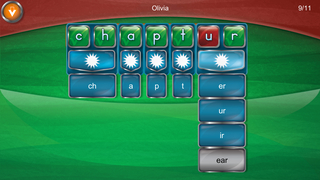
- 42 instructional lessons teach phonics, phonograms, and spelling rules.
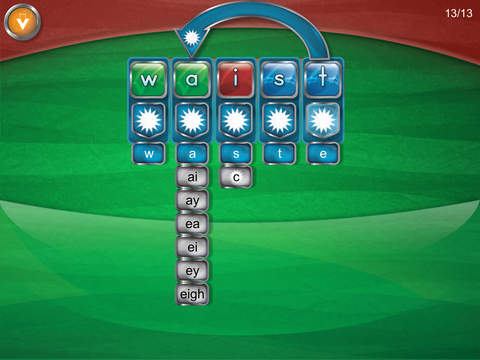
- A full “reverse phonics” approach that includes sounds made by all the different letter combinations.
- Contextually relevant spelling rule hints that help explain “how to spell” English words.
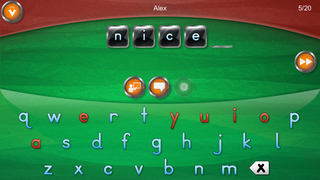
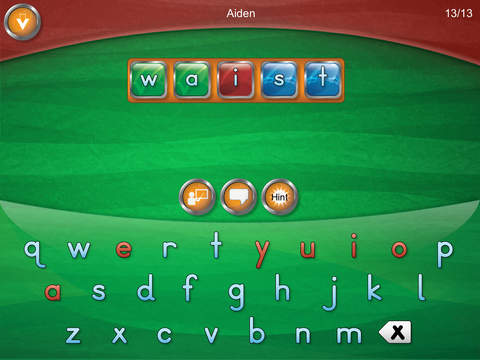
- Letter by letter feedback system provides immediate feedback.
- Guaranteed success on every word.
- Support for 40 user accounts.
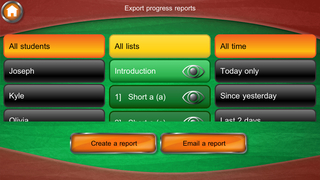
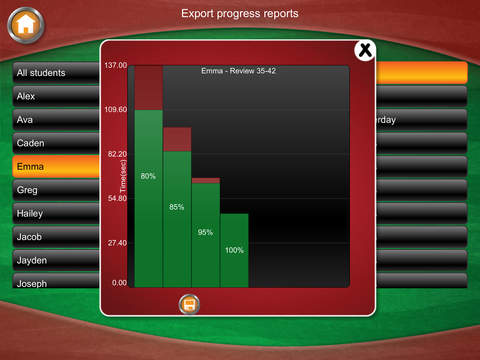
- Export and email student progress reports.
- Remembers each user’s progress in every list.
- User stats screen to see mastered words and words that require further practice.
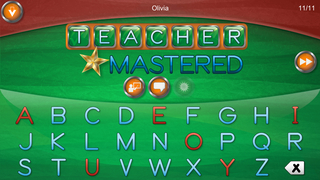
- Supports both upper and lower case letters.
- Supports both alphabetic and QWERTY keyboard layouts.
- Supports US, UK and Canadian English spelling of words.
- Featured previously by Apple in New & Noteworthy, What's Hot, Words for the Wise and Spelling & Grammar.
- Placed 3rd in the 2012 Best App Ever Awards - Best Elementary Student App.
- Honorable mention in the 2012 Best App Ever Awards - Best Special Needs App.
- AppsforHomeschooling (5/5, Golden App Award, 2011 Readers Choice Award)
- Academics' Choice Award
- Parents' Choice Award
Privacy Disclosure:
- No 3rd party ads
- Does not share any data
- No In-App purchases
- No links to social media
- Contains child protected links to a kid safe version of the developer's website, email support and to rate the app.
COPPA Compliant
iPhone Screenshots
(click to enlarge)

iPad Screenshots
(click to enlarge)


App Changes
- January 11, 2013 Initial release
- October 09, 2013 New version 2.0.2
- December 29, 2014 New version 3.0.2
- December 17, 2015 New version 3.5.0
- June 15, 2019 New version 4.0.2
- October 15, 2019 New version 4.1.0
Other Apps From Pyxwise Software Inc.