

What's New
* Fixed layout problems on iPad in landscape.
* Fixed crash when sharing from built-in browser on iPad.
* Fixed error saving Twitter searches.
App Description
Tweet Library -- the advanced Twitter app with archiving, collections, and filters. If you have ever wished that you could find an old tweet after it fell out of the Twitter search index, Tweet Library was designed for you.
Important note: Tweet Library is 4 years old and a mature app, updated for iOS 7 and 8, but development is now winding down. It will only be available for purchase until the end of 2014.
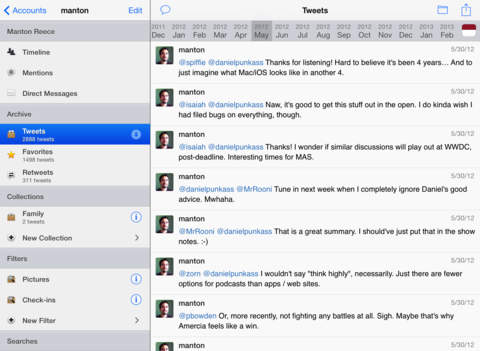
Tweet Library keeps a local searchable archive of your own tweets, favorites, and retweets so that you can find important tweets later. It adds collections so that you can curate your timeline by organizing related tweets together. And it includes custom filters to automatically group or hide tweets.
"Tweet Library for iPad makes Twitter useful." - Brett Terpstra, TUAW
"As a Twitter companion and curation tool, Tweet Library is a huge deal." - Federico Viticci, MacStories
Features:
* Download up to 3200 of your own tweets on first launch so that you have a personal archive on your iPad.
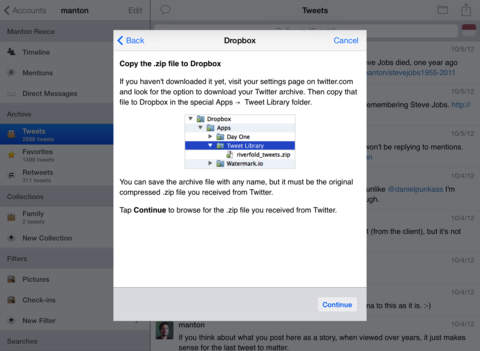
* New! Import the .zip export archive from Twitter to load your complete tweet history.
* Search across your own tweets, favorites, and retweets.
* Filter by month with the calendar to find old tweets.
* Organize tweets into collections around events or topics.
* Publish your collections to Watermark.io or Storify to share with friends.
* Create filters to view matching tweets or hide them from your timeline.
* Export your archive, timeline, or collections to a text file on Dropbox or sync with iTunes on your Mac or PC.
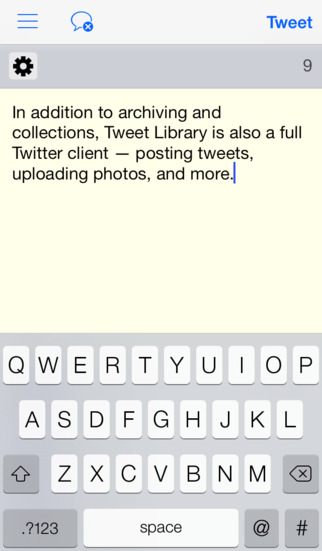
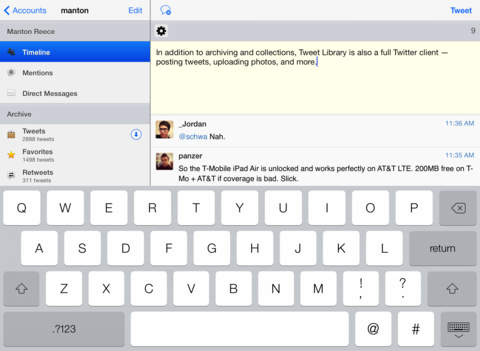
And Tweet Library is also a great Twitter client:
* Multiple accounts.
* Posting, replies, and direct messages.
* Conversation view.
* Inline pictures and a web browser.
* Saved searches and lists.
* Tweet Marker last-read syncing.
* Username auto-complete while composing tweets.
* Shorten links in tweets before posting.
* Photo upload to Twitter, Yfrog, and TwitPic.
* Instapaper, Read It Later, Pinboard, and TextExpander support.
If you have access to Twitter's export feature, you can now load your entire tweet history into Tweet Library. Click the blue arrow icon next to Archive to get started.
Click the web site link for more documentation, frequently asked questions, and a screencast video.
Questions or feedback? Email [email protected].
iPhone Screenshots
(click to enlarge)


iPad Screenshots
(click to enlarge)


App Changes
- May 20, 2011 New version 1.3
- March 03, 2011 New version 1.2.2
- February 16, 2011 New version 1.2.1
- January 24, 2011 New version 1.2
- November 16, 2010 New version 1.1.1
- November 12, 2010 New version 1.1
- November 20, 2011 New version 1.4
- November 22, 2011 New version 1.4.1
- December 06, 2011 New version 1.4.2
- February 15, 2012 New version 2.0
- February 16, 2012 New version 2.0.1
- April 14, 2012 New version 2.0.2
- May 02, 2012 New version 2.0.3
- October 10, 2012 Price decrease: $9.99 -> $4.99
- October 16, 2012 New version 2.1
- January 17, 2013 New version 2.2
- January 22, 2013 New version 2.2.1
- March 13, 2013 Price increase: $4.99 -> $7.99
- May 04, 2013 New version 2.3
- May 11, 2013 New version 2.3.1
- May 31, 2013 New version 2.3.2
- October 31, 2013 New version 2.4
- October 31, 2013 Price decrease: $7.99 -> $4.99
- November 06, 2013 New version 2.4.1
- November 25, 2013 New version 2.4.2
- January 16, 2014 New version 2.4.3
- April 24, 2014 New version 2.5
- April 27, 2014 New version 2.5.1
- May 01, 2014 New version 2.5.2
- May 10, 2014 New version 2.5.3
- May 11, 2014 New version 2.5.4
- August 01, 2014 New version 2.5.5
- August 11, 2014 New version 2.5.6
- October 04, 2014 New version 2.6
- October 11, 2014 New version 2.6.1
Other Apps From Riverfold