





What's New
Update your app for bug fixes and performance improvements.
Check out new sources and community Magazines in your Explore tab.
Tune your For You or Topic feeds using the three-dot action to personalize your experience.
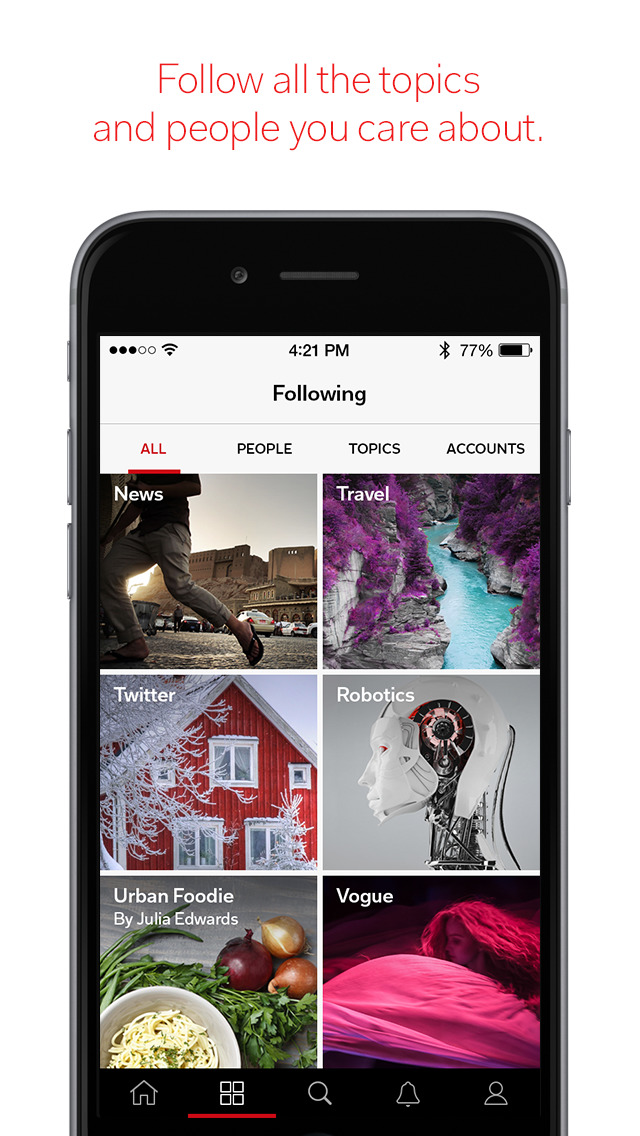
Add your Mastodon feed to Flipboard; go to your Following tab (four squares icon) and select “Accounts”.
App Description
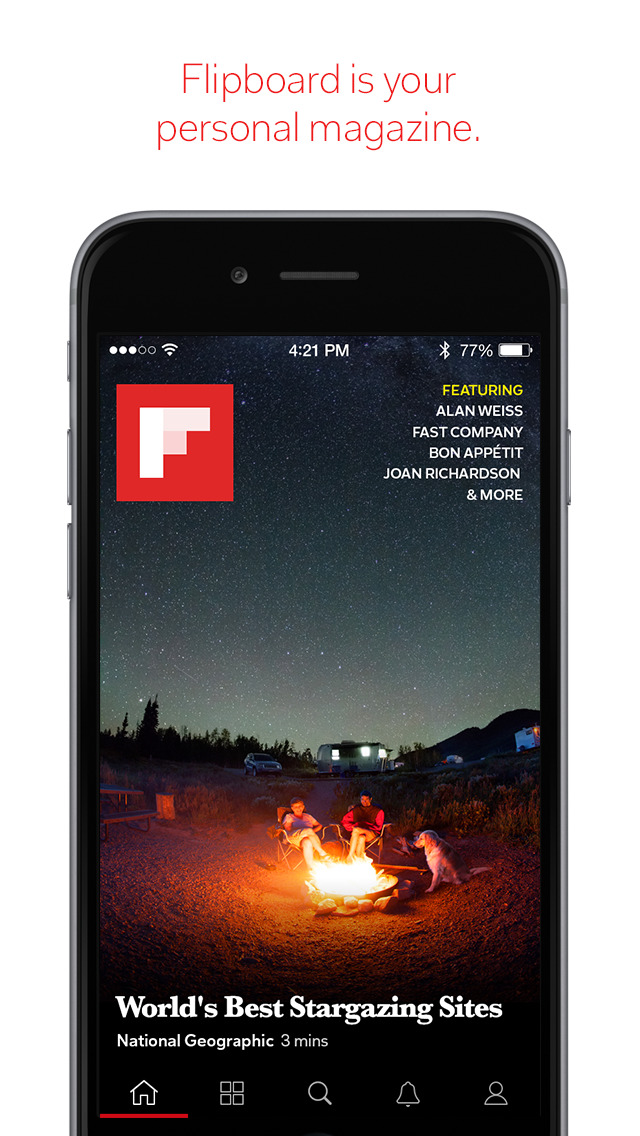
Go beyond the headlines and hot takes, and dive deeper into the stories that matter to you with the award-winning Flipboard app. Flipboard is made for and by enthusiasts, with content curated on thousands of topics from world renown publishers, local outlets and the community.
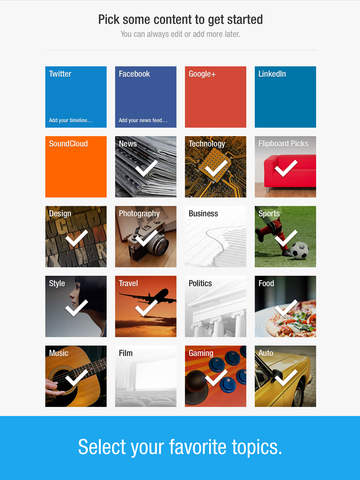
Personalize Flipboard to get just the content you care about. Follow business, health, tech, sports, cooking, travel and more to stay up-to-date, dive deeper into the things you love or discover something new. You can even follow local news and events. Just enable location services to get a list of towns and cities near you.
Collect stories you like into your own Flipboard Magazine. Use the + (plus) button on any story in Flipboard to add it to your own Magazine. Make your Magazine public to share ideas and insights with an ever-growing community of enthusiasts curating on Flipboard.
USE FLIPBOARD TO:
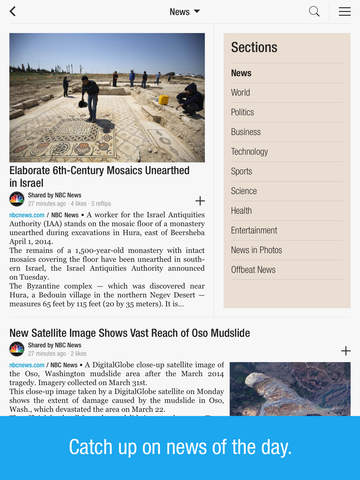
- Keep up on all your interests with the latest stories from leading national publishers including Associate Press, The Washington Post, ESPN, National Geographic, NPR, TIME, The Atlantic, BBC, CBS, NBC and thousands more.
- Follow your city for local updates, regional news, weather, commute, sports, and dining.
- Curate stories you find informative or inspiring and share with others: Use the + (plus) button on any article to save it to your own Flipboard Magazine.
- Follow other experts and enthusiasts who are curating about topics you love.
- Turn on notifications and use the Flipboard widget to get stories delivered to you everyday.
GET FLIPBOARD IN YOUR INBOX:
Now get the amazing content and curation on Flipboard delivered to your Inbox. There’s a Flipboard Newsletter for our most popular topics. Sign up for The Tastiest for foodies, the Tech Briefing for tech enthusiasts, the Climate Briefing for environmental news, Wanderlust for travelers, The Shot for photographers and many more.
Visit flipboard.com/newsletters to view and subscribe to all of the Flipboard Newsletters.
KEEP UP WITH FLIPBOARD:
For product updates, the latest from our blog, and tips on how to use Flipboard, follow us on Flipboard and other social platforms:
https://flipboard.com/@flipboard
www.twitter.com/@flipboard
www.facebook.com/Flipboard
https://www.instagram.com/flipboard/
We’d love to hear what you think! Reach out to our support team under Settings > Help & Feedback. For any other technical issues or questions, contact us at http://flip.it/support.
iPhone Screenshots
(click to enlarge)


iPad Screenshots
(click to enlarge)



App Changes
- April 14, 2011 New version 1.2.1
- March 10, 2011 New version 1.2
- December 23, 2010 New version 1.1.1
- December 16, 2010 New version 1.1
- December 07, 2010 New version 1.0.3
- September 17, 2010 New version 1.0.2
- July 22, 2010 New version 1.0.1
- August 06, 2011 New version 1.5.1
- October 14, 2011 New version 1.5.2
- November 02, 2011 New version 1.5.3
- November 18, 2011 New version 1.6
- November 19, 2011 New version 1.6.1
- December 07, 2011 New version 1.7
- December 08, 2011 New version 1.7.1
- January 05, 2012 New version 1.7.2
- March 01, 2012 New version 1.8
- March 07, 2012 New version 1.8.1
- March 17, 2012 New version 1.8.2
- March 22, 2012 New version 1.8.3
- April 10, 2012 New version 1.8.4
- May 16, 2012 New version 1.9
- May 19, 2012 New version 1.9.1
- June 10, 2012 New version 1.9.2
- June 22, 2012 New version 1.9.3
- June 29, 2012 New version 1.9.4
- July 18, 2012 New version 1.9.5
- August 03, 2012 New version 1.9.6
- September 21, 2012 New version 1.9.7
- November 02, 2012 New version 1.9.8
- March 27, 2013 New version 2.0
- April 16, 2013 New version 2.0.1
- May 14, 2013 New version 2.0.2
- June 13, 2013 New version 2.0.3
- June 28, 2013 New version 2.0.4
- August 16, 2013 New version 2.0.5
- August 31, 2013 New version 2.0.6
- September 18, 2013 New version 2.0.7
- October 01, 2013 New version 2.0.8
- October 02, 2013 New version 2.0.9
- October 09, 2013 New version 2.0.10
- November 02, 2013 New version 2.1
- November 14, 2013 New version 2.1.1
- December 18, 2013 New version 2.2
- December 20, 2013 New version 2.2.1
- January 04, 2014 New version 2.2.2
- January 30, 2014 New version 2.2.3
- March 15, 2014 New version 2.2.4
- March 29, 2014 New version 2.2.6
- May 10, 2014 New version 2.3
- May 22, 2014 New version 2.3.1
- June 22, 2014 New version 2.3.2
- July 03, 2014 New version 2.3.3
- July 08, 2014 New version 2.3.4
- August 04, 2014 New version 2.3.6
- September 13, 2014 New version 2.3.7
- September 18, 2014 New version 2.3.8
- October 07, 2014 New version 2.3.9
- November 03, 2014 New version 3.0
- November 07, 2014 New version 3.0.1
- November 21, 2014 New version 3.0.2
- December 12, 2014 New version 3.1
- February 03, 2015 New version 3.1.2
- February 26, 2015 New version 3.1.3
- March 01, 2015 New version 3.1.4
- April 16, 2015 New version 3.2.6
- June 17, 2015 New version 3.3
- June 23, 2015 New version 3.3.1
- July 18, 2015 New version 3.3.2
- July 27, 2015 New version 3.3.3
- August 22, 2015 New version 3.3.5
- September 02, 2015 New version 3.3.6
- September 16, 2015 New version 3.3.7
- October 18, 2015 New version 3.3.8
- October 26, 2015 New version 3.3.9
- November 15, 2015 New version 3.3.10
- November 30, 2015 New version 3.3.11
- December 15, 2015 New version 3.3.12
- December 21, 2015 New version 3.3.13
- January 16, 2016 New version 3.3.14
- February 15, 2016 New version 3.3.15
- March 01, 2016 New version 3.3.16
- March 08, 2016 New version 3.3.17
- March 21, 2016 New version 3.3.18
- July 04, 2016 New version 3.3.22
- July 15, 2016 New version 3.3.23
- August 12, 2016 New version 3.3.24
- November 07, 2016 New version 3.3.29
- November 18, 2016 New version 3.3.30
- December 09, 2016 New version 3.3.31
- December 14, 2016 New version 3.3.32
- June 14, 2019 New version 4.2.39
- June 15, 2019 New version 4.2.40
- June 25, 2019 New version 4.2.41
- July 03, 2019 New version 4.2.42
- August 16, 2019 New version 4.2.47
- August 19, 2019 New version 4.2.48
- September 11, 2019 New version 4.2.50
- September 26, 2019 New version 4.2.51
- September 27, 2019 New version 4.2.52
- September 30, 2019 New version 4.2.53
- October 02, 2019 New version 4.2.54
- October 09, 2019 New version 4.2.55
- October 15, 2019 New version 4.2.57
- October 21, 2019 New version 4.2.58
- October 28, 2019 New version 4.2.59
- November 11, 2019 New version 4.2.60
- November 18, 2019 New version 4.2.61
- November 26, 2019 New version 4.2.62
- December 10, 2019 New version 4.2.63
- December 24, 2019 New version 4.2.64
- January 21, 2020 New version 4.2.65
- July 15, 2020 New version 4.2.77
- October 28, 2020 New version 4.2.87
- November 12, 2020 New version 4.2.89
- December 10, 2020 New version 4.2.91
- August 06, 2021 New version 4.2.112
- September 16, 2023 New version 4.3.13
- October 04, 2023 New version 4.3.14
- November 03, 2023 New version 4.3.19
- November 15, 2023 New version 4.3.21
- March 26, 2024 New version 4.3.24
- April 24, 2024 New version 4.3.25