
What's New
– Support for iOS 13 & dark mode
App Description
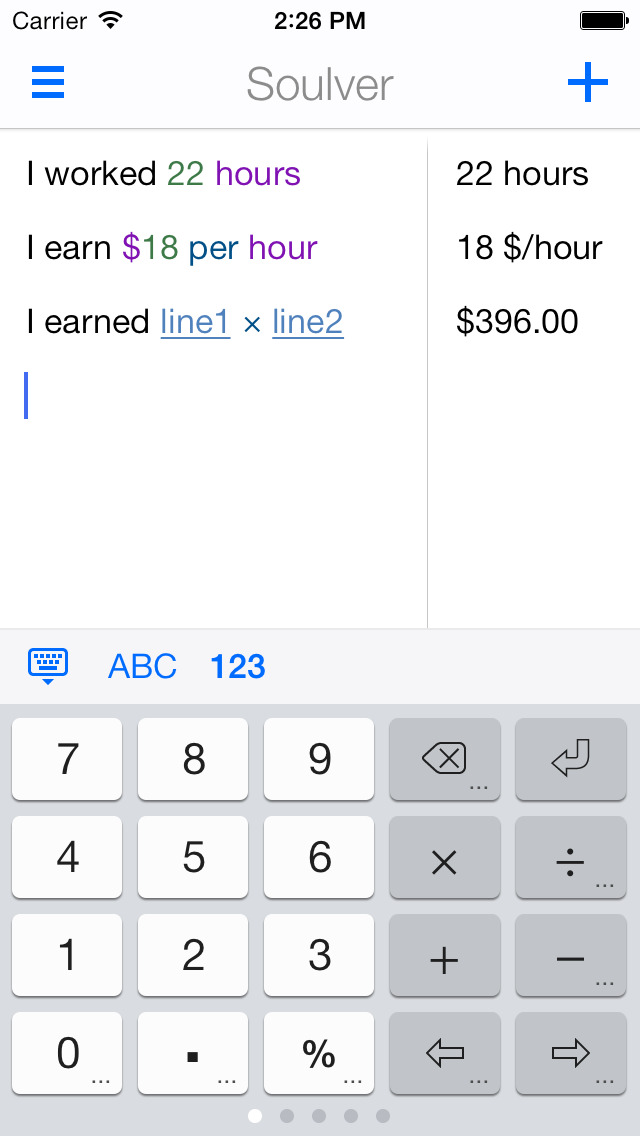
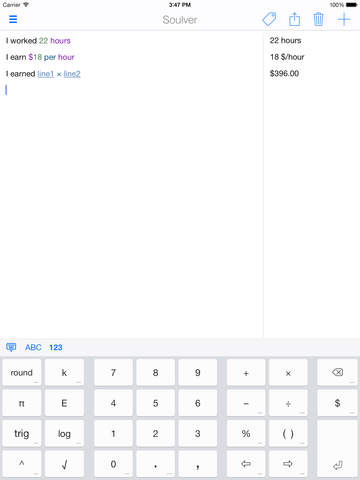
Soulver is a beautiful notepad calculator app that you will love. It has a new kind of interface that is far more useful than a traditional calculator. It lets you use words alongside numbers, so that they make sense and do calculations over multiple lines. Use Soulver for quick calculations, number problems involving variables, unit conversions, and for thinking through problems that involve math.
WHY SOULVER IS BETTER THAN A TRADITIONAL CALCULATOR:
– Instant answers as you type.
– Spread your calculations over multiple lines, and edit mistakes if you make them.
– Reference previous answers by tapping on them. These are live references, like in a spreadsheet.
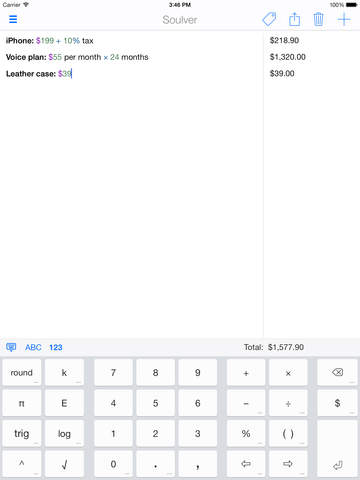
– Easy percentage calculations using natural phrases like "15% off $350”, or "$250 + 12% tax", or "40 as a % of 390".
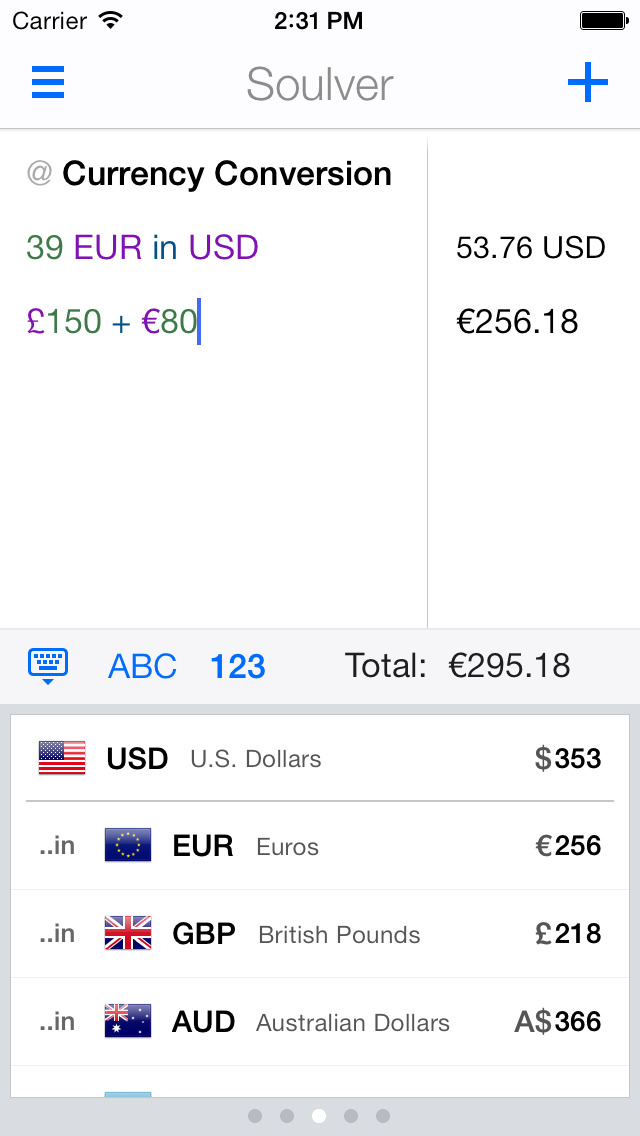
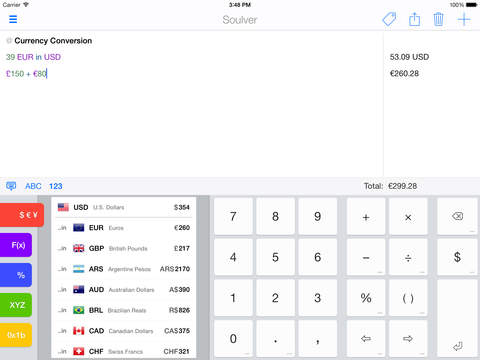
– Supports over 150 currencies (including Bitcoin), and has a specially designed currency keyboard for quick conversions.
– Custom variables across all your documents, and a special keyboard for quick access to them.
– All standard math and programming functions, also available on specially designed keyboards.
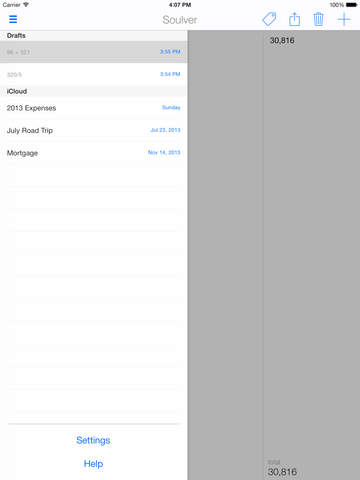
– Save your calculations into documents, and sync with iCloud between your Mac, iPhone & iPad.
iPhone Screenshots
(click to enlarge)



iPad Screenshots
(click to enlarge)

App Changes
- June 24, 2011 New version 2.0.3
- November 24, 2011 Price decrease: $3.99 -> $0.99
- November 26, 2011 Price increase: $0.99 -> $3.99
- May 26, 2012 New version 2.1
- May 26, 2012 Price decrease: $3.99 -> $2.99
- June 16, 2012 New version 2.1.1
- July 26, 2012 New version 2.1.2
- November 04, 2012 New version 2.1.3
- December 02, 2012 New version 2.1.4
- August 29, 2013 New version 2.2
- September 06, 2013 New version 2.2.1
- September 16, 2013 New version 2.2.2
- October 12, 2013 New version 2.2.3
- November 01, 2013 New version 2.3
- November 03, 2013 New version 2.3.1
- November 12, 2013 New version 2.3.2
- December 12, 2013 New version 2.4.0
- December 12, 2013 Price decrease: $2.99 -> $1.99
- October 16, 2014 New version 2.5.1
- October 16, 2014 Price increase: $1.99 -> $4.99
- November 11, 2014 New version 2.5.2
- November 19, 2014 Price decrease: $4.99 -> $0.99
- December 08, 2014 Price increase: $0.99 -> $4.99
- December 16, 2014 Price decrease: $4.99 -> $2.99
- January 05, 2015 Price increase: $2.99 -> $4.99
- July 15, 2015 Price decrease: $4.99 -> $0.99
- July 31, 2015 Price increase: $0.99 -> $4.99
- September 16, 2015 Price decrease: $4.99 -> $0.99
- October 09, 2015 New version 2.5.3
- November 01, 2015 Price increase: $0.99 -> $2.99
- December 23, 2015 Price decrease: $2.99 -> $0.99
- December 28, 2015 Price increase: $0.99 -> $2.99
- July 10, 2016 New version 2.5.4
- December 16, 2016 Price increase: $2.99 -> $3.99
- December 22, 2016 Price decrease: $3.99 -> $0.99
- December 26, 2016 Price increase: $0.99 -> $3.99
- June 14, 2019 New version 2.7.3
- June 14, 2019 Price decrease: $3.99 -> $2.99
- June 14, 2019 Price decrease: $3.99 -> $2.99
- June 15, 2019 Price decrease: $3.99 -> $2.99
- June 15, 2019 Price decrease: $3.99 -> $2.99
- June 15, 2019 Price decrease: $3.99 -> $2.99
- June 16, 2019 Price decrease: $3.99 -> $2.99
- September 24, 2019 New version 2.8.0
Other Apps From Acqualia Software