

What's New
Tips and Tricks
New User Tips: Users on iOS 17 and above will now see handy tips in a popover format, designed to help you discover and make the most of Pocket's features. This release includes tips for:
Swipe to Archive: Swipe left on an article in your Saves screen to quickly archive it.
Swipe Highlights: In the Reader, swipe left on a paragraph to highlight it, or select 'Delete Highlights' to remove any existing highlighting.
Improvements and Fixes
Highlighting Accuracy: Resolved an issue where the wrong text segment was highlighted under certain conditions.
Spotlight Search: Enhanced functionality so that searching via Spotlight now directly opens articles, not just the app.
Tag Management: Fixed a bug that incorrectly triggered the edit tags sheet when tapping a single tag in Saves.
App Description
KEEP UP WITH WHAT YOU CARE ABOUT.
Use Pocket to stay on top of your interests, and curate your own space filled with only the topics you care about. Discover and save the latest stories, articles, news and videos from any device, and any publisher or app. Then fuel your mind with a reading, watching and listening experience designed for calm eyes, free hands and fresh focus.
DISCOVER MORE OF WHAT YOU LOVE.
Find articles you’ll love on the Home tab. Pocket surfaces 'best of the web' content discovered by our readers, verified by our curators and approved by our editors. Find all kinds of topics from all kinds of publishers, including quality magazines and news sources like Fast Company, Rolling Stone, Slate, The Atlantic, Atlas Obscura, Harvard Business Review and more.
SAVE FROM ANYWHERE.
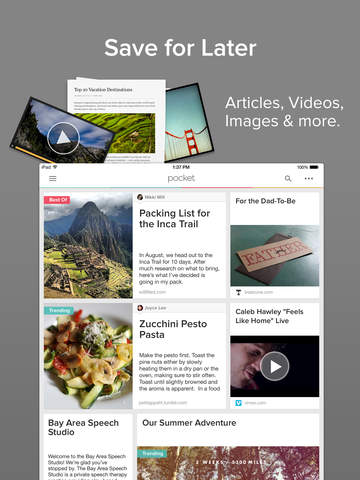
Tap the Pocket button in your iPhone’s share menu while you’re in any app to save the latest news, magazine articles, videos, recipes, how-tos — anything you come across online from any publisher — right to your saves. Frequently-saved publications include: New York Times, The Guardian, Washington Post, The Atlantic, Lifehacker, Business Insider, The Verge, Google News, Buzzfeed, Vox, Medium, Twitter, and Youtube.
LISTEN TO ARTICLES.
Pocket's listen feature turns any news story, article, or blog post into a hands-free, eyes-free learning experience. Now you can keep up with your articles while you cook, commute, work out, walk, or just relax and listen.
REST YOUR EYES. FIND YOUR FOCUS.
Pocket's clean layout and customizable display make for a relaxing reading experience that clears out the visual clutter, gives your eyes a rest and lets your mind focus on the information at hand. Love long reads? Pocket's elegant typography and minimal layout keep reading comfortable for longer stretches.
READ EVERYWHERE.
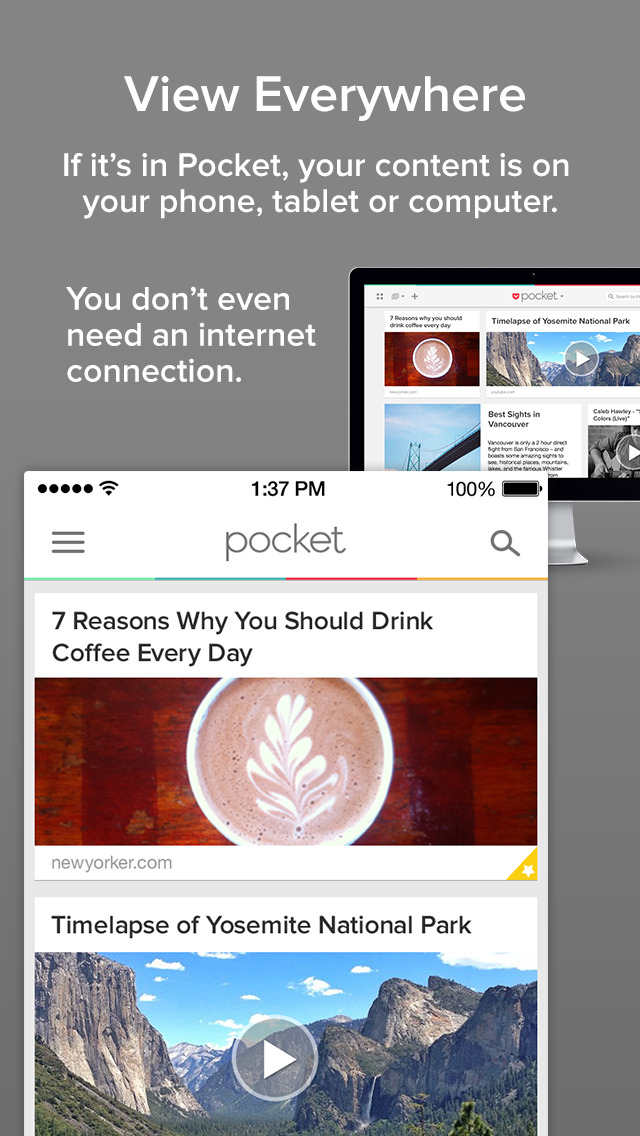
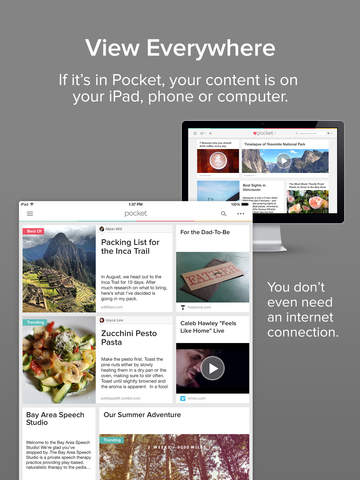
If it's in your Pocket, it's on your phone, tablet and computer — even when you're offline. Whether you're taking a news break, reading from bed, or breezing through articles on your commute, Pocket makes the most of your time by getting you straight to the newsfeeds, magazine articles, stories, information, news, and sports that are compelling to you. And estimated reading times help you turn any time into quality time.
MAKE IT PREMIUM. AND PERMANENT.
Power users can upgrade anytime to Pocket Premium for features like advanced search, unlimited highlights and automatic article backups.
Pocket is available for iPhone, iPad, iPod Touch, the web, and any other phone or tablet.
You can also save to Pocket with our browser extensions for Chrome, Firefox, or Safari
Learn more at https://getpocket.com/.
••••••
Upgrade to Pocket Premium for a more powerful Pocket experience ($4.99 monthly, $44.99 annually):
• Permanent Library to keep a personal backup of what you save
• Full-Text searching to find anything in your list
• Suggested Tags to get organized fast.
Price may vary by location. Subscriptions will be charged to your credit card through your iTunes account. Your account will be charged $4.99 (monthly) or $44.99 (yearly) for renewal within 24 hours prior to the end of the current period. Subscriptions will automatically renew unless canceled at least 24 hours before the end of the current period. It will not be possible to immediately cancel a subscription. You can manage subscriptions and turn off auto-renewal by going to your Account Settings after purchase. Refunds are not available for unused portions of a subscription.
Pocket Privacy Policy: https://getpocket.com/privacy
Pocket Terms of Service: https://getpocket.com/tos
iPhone Screenshots
(click to enlarge)



iPad Screenshots
(click to enlarge)


App Changes
- April 11, 2011 Price increase: $0.99 -> $2.99
- February 23, 2011 Price decrease: $2.99 -> $0.99
- February 18, 2011 New version 2.4.1
- February 02, 2011 New version 2.4.0
- December 21, 2010 Price decrease: $4.99 -> $2.99
- December 17, 2010 New version 2.3.1
- November 30, 2010 New version 2.3
- September 01, 2010 New version 2.2.1
- August 24, 2010 New version 2.2.0
- June 18, 2010 New version 2.1.1
- June 10, 2010 New version 2.1.0
- March 03, 2010 New version 2.0.5
- February 22, 2010 New version 2.0.4
- February 11, 2010 New version 2.0.3
- January 19, 2010 New version 2.0.2
- December 29, 2009 New version 2.0.1
- December 14, 2009 Price increase: $2.99 -> $4.99
- December 14, 2009 New version 2.0.0
- July 04, 2009 New version 1.3.1
- June 24, 2009 New version 1.3.0
- May 21, 2009 New version 1.2.0
- April 19, 2009 New version 1.1
- September 21, 2011 New version 2.4.2
- September 22, 2011 New version 2.4.3
- October 18, 2011 New version 2.4.4
- October 25, 2011 New version 2.4.5
- November 09, 2011 New version 2.4.6
- November 16, 2011 New version 2.4.7
- March 29, 2012 New version 2.4.8
- April 17, 2012 New version 4.0.0
- April 17, 2012 Price decrease: $2.99 -> FREE!
- May 11, 2012 New version 4.1
- June 17, 2012 New version 4.1.1
- July 03, 2012 New version 4.1.2
- September 07, 2012 New version 4.1.3
- September 20, 2012 New version 4.2
- October 03, 2012 New version 4.2.2
- October 09, 2012 New version 4.2.3
- October 24, 2012 New version 4.2.4
- November 08, 2012 New version 4.2.5
- November 30, 2012 New version 4.2.6
- February 01, 2013 New version 4.3
- March 21, 2013 New version 4.3.1
- April 18, 2013 New version 4.5
- April 24, 2013 New version 4.5.1
- May 07, 2013 New version 4.5.2
- July 17, 2013 New version 4.5.3
- September 20, 2013 New version 4.6
- September 26, 2013 New version 4.6.1
- October 31, 2013 New version 4.6.2
- November 14, 2013 New version 5.0
- December 03, 2013 New version 5.0.1
- January 23, 2014 New version 5.0.2
- February 28, 2014 New version 5.1
- March 19, 2014 New version 5.2
- April 09, 2014 New version 5.2.1
- May 29, 2014 New version 5.5
- June 19, 2014 New version 5.5.1
- June 25, 2014 New version 5.5.2
- September 19, 2014 New version 5.6
- October 09, 2014 New version 5.6.1
- November 20, 2014 New version 5.6.2
- February 23, 2015 New version 5.6.3
- April 27, 2015 New version 5.6.4
- May 30, 2015 New version 5.6.5
- June 18, 2015 New version 5.6.6
- July 17, 2015 New version 5.6.7
- August 27, 2015 New version 6.0
- September 17, 2015 New version 6.0.1
- September 29, 2015 New version 6.0.2
- October 27, 2015 New version 6.0.3
- December 09, 2015 New version 6.1.0
- December 22, 2015 New version 6.1.1
- February 05, 2016 New version 6.2.0
- February 20, 2016 New version 6.2.1
- February 20, 2016 New version 6.2.1
- July 03, 2016 New version 6.3.0
- July 06, 2016 New version 6.3.1.0
- July 30, 2016 New version 6.3.2
- November 06, 2016 New version 6.4.3
- November 30, 2016 New version 6.4.5
- December 02, 2016 New version 6.4.6
- December 14, 2016 New version 6.4.7
- December 19, 2016 New version 6.4.8
- June 14, 2019 New version 7.5.0
- August 17, 2019 New version 7.7
- August 29, 2019 New version 7.8
- September 11, 2019 New version 7.9
- September 24, 2019 New version 7.10
- September 26, 2019 New version 7.10.2
- October 22, 2019 New version 7.11
- November 05, 2019 New version 7.12
- November 19, 2019 New version 7.13
- November 26, 2019 New version 7.13.1
- December 17, 2019 New version 7.14
- December 24, 2019 New version 7.14.1
- January 14, 2020 New version 7.14.2
- July 15, 2020 New version 7.26
- October 22, 2020 New version 7.28.3
- December 10, 2020 New version 7.28.4
- September 29, 2021 New version 7.29.3
- September 15, 2023 New version 8.1.0
- April 25, 2024 New version 8.7.0
Other Apps From Mozilla Corporation