
What's New
Version 2.60 brought many exciting new features to Pocket Informant including:
-Improved interface in many areas
-iOS Reminders Support for both iOS 5 & 6
-A new Setup Assistant that makes it easy to set up PI right away
-Task Smart Filters can now use relative dates
-Contact Group support
-Improved performance
-Much more...
In version 2.63, we have made a number of improvements and fixes across various parts of the app. This release includes minor interface improvements, added ability for Smart Groups to reference iOS Reminder Lists, fixed an isolated issue with the password screen, and resolves some issues with Daylight Savings Time transitions in specific countries. Additionally we have addressed some rare issues that could occur when editing recurring iOS events, made a number of syncing improvements, and improved overall stability (including a specific stability issue when running on iOS 5).
In version 2.64, we have fixed a regression with timezones from 2.63.
We hope you enjoy this release and, as always, we appreciate your feedback.
App Description
NOTE TO NEW CUSTOMERS: If you haven't purchased Pocket Informant yet, you are encouraged to purchase either Pocket Informant Pro or Pocket Informant Go!. This version of Pocket Informant (iPhone only) is not intended to be purchased. It is provided explicitly for existing users to be able to upgrade to the latest release. We are simplifying our product line and the next release (version 3.0) will be released as a Pocket Informant Go! and Pro upgrade only.
--------------------------------------------
Calendar, Tasks, Notes & Contacts - Fully Integrated.
This is the time of year that we all reflect on our lives; examine, make resolutions for change, clean out the old to make room for the new. Pocket Informant is just the tool you need to enable these changes. Whether it's creating a "Workout" calendar to track your fitness plan, or creating a Task list to help you clean out the garage, Pocket Informant is what you need. Download today, and get started on the path to productivity!
Eliminate the “app shuffle” with a fully integrated Calendar, Task, Contacts and Notes Manager available for the iPhone. Built with over 10 years of mobile calendaring prowess we've focused on the best user experience. Customer focused - for you!
Key Features:
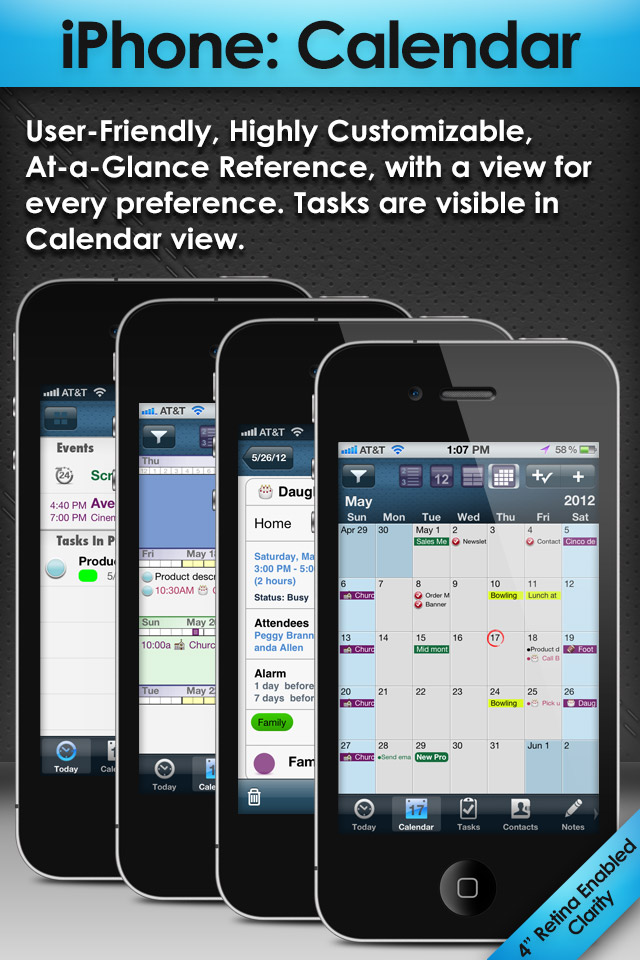
• VIEWS - Today, List, Daily, Weekly, Monthly, Task, Notes, Contacts Views at your disposal to access all your data
• INTEGRATED - show Tasks and Events together either In Progress or just what's Due
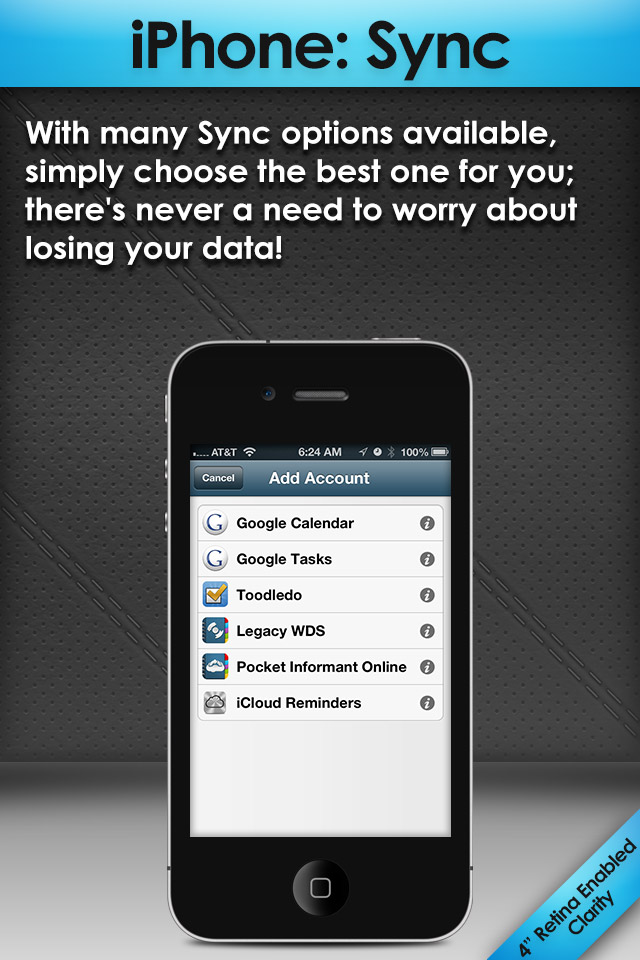
• SYNC - access iOS Events and Reminders directly, or sync with Google Calendar/Tasks, Toodledo, and our very own paid-subscription Pocket Informant Online service for the ultimate access!
• FILTER - use Tags or Calendars to filter your events, tasks, or notes
• TEMPLATES - create Templates to quickly generate events or tasks - even tasks with subtasks!
• RECURRENCES - create repeating events AND tasks! You can create simple repeating patterns (every day/week/month/year) or complex ones (e.g. 4th Friday of every other month)
• SWIPE ACTIONS - swipe an event, task, note, or contact to quickly access common actions like changing a date, skipping a recurring task or even creating an event directly from a contact!
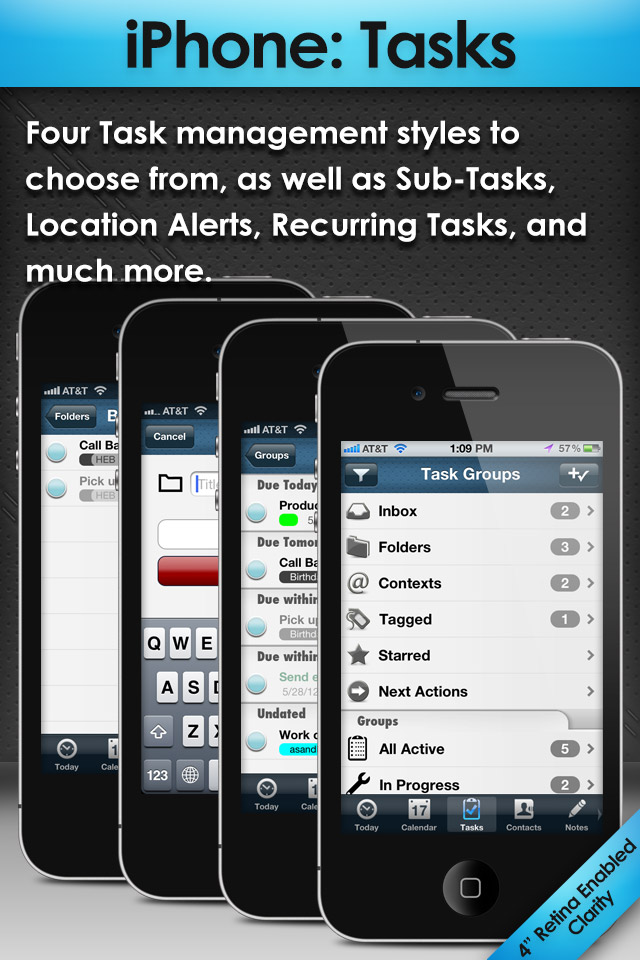
• TASKS - powerful task manager supports subtasks, recurrences - go full bore with a full GTD-style task management or simplify with our "Simple Tasks" mode
• SMART GROUPS - create your own dynamically filtered groups of tasks
• EVENT LOCATION MAPS - tap a button and show today's events mapped out for you, tap on the event and get directions (integrates with iOS Maps and Navigon)
• TASK LOCATION ALERTS - get alerted when you get near a location for a specific task, or assign a location to a Context and get alerted for a group of tasks
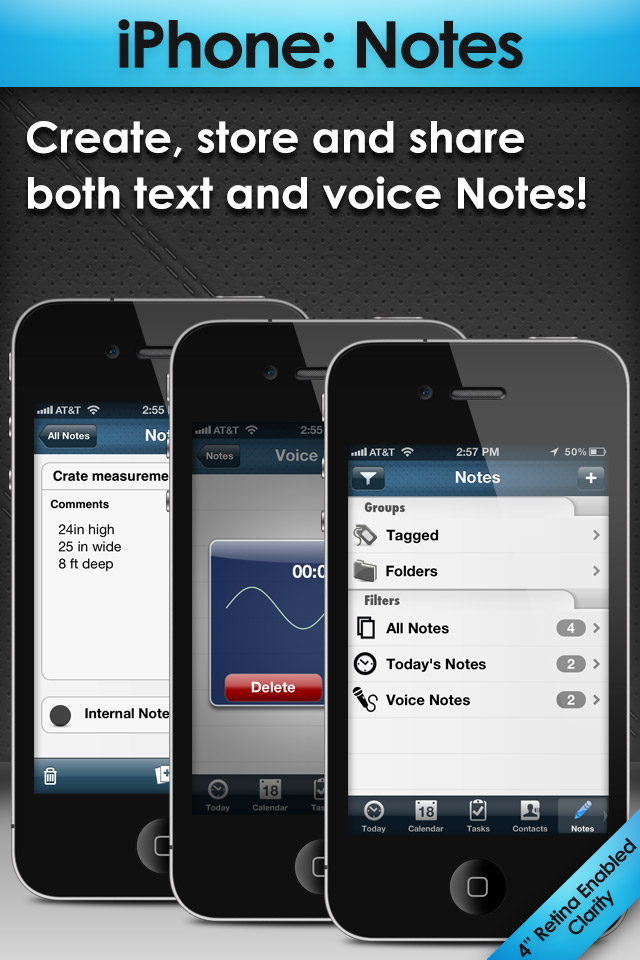
• NOTES - create text based notes organized however you like it – and even VOICE NOTES!
• CONTACTS - view your contacts by letter or by company; create events or tasks from a contact
• ATTACHMENTS - link contacts and pictures to an event or task (not available for iOS events or reminders)
• CUSTOMIZABLE - we give you the options you need to customize important features such as task methodology (GTD, Franklin Covey, standard, and simple), ISO week numbers, event & task defaults, month & week view layouts, and much much more
• THEMES - on iPhone you can pick leather-based themes or iOS-style themes
• COLORS/ICONS - use Calendar or Tag coloring to visually make your organized calendar or task list more readable
----------
Pocket Informant is trademarked Web Information Solutions, Inc.
Getting Things Done is copyright David Allen
iPhone Screenshots
(click to enlarge)

App Changes
- June 19, 2011 Price increase: $4.99 -> $12.99
- June 17, 2011 Price decrease: $12.99 -> $4.99
- April 24, 2011 Price increase: $5.99 -> $12.99
- April 23, 2011 Price decrease: $12.99 -> $5.99
- April 18, 2011 Price increase: $5.99 -> $12.99
- April 13, 2011 Price decrease: $12.99 -> $5.99
- March 11, 2011 New version 1.67
- February 25, 2011 New version 1.66
- February 04, 2011 Price increase: $4.99 -> $12.99
- January 26, 2011 Price decrease: $12.99 -> $4.99
- January 05, 2011 New version 1.64
- December 29, 2010 Price increase: $4.99 -> $12.99
- December 21, 2010 Price decrease: $12.99 -> $4.99
- November 30, 2010 New version 1.63
- November 27, 2010 Price increase: $7.99 -> $12.99
- November 25, 2010 Price decrease: $12.99 -> $7.99
- November 16, 2010 New version 1.62
- October 06, 2010 New version 1.61
- September 25, 2010 New version 1.60
- August 25, 2010 New version 1.53
- August 06, 2010 New version 1.52
- August 03, 2010 Price increase: $5.99 -> $12.99
- July 21, 2010 Price decrease: $12.99 -> $5.99
- July 21, 2010 New version 1.51
- July 08, 2010 New version 1.50.19
- July 06, 2010 New version 1.50
- July 05, 2010 Price increase: $5.99 -> $12.99
- July 03, 2010 Price decrease: $12.99 -> $5.99
- June 01, 2010 New version 1.41
- May 21, 2010 New version 1.40
- April 16, 2010 Price increase: $9.99 -> $12.99
- April 16, 2010 New version 1.30
- March 04, 2010 New version 1.22.20
- February 24, 2010 New version 1.22
- February 17, 2010 Price increase: $7.99 -> $9.99
- February 12, 2010 Price decrease: $12.99 -> $7.99
- January 27, 2010 New version 1.21.12
- January 22, 2010 Price increase: $6.99 -> $12.99
- January 20, 2010 Price decrease: $12.99 -> $6.99
- January 20, 2010 New version 1.21.11
- January 12, 2010 New version 1.21
- December 29, 2009 Price increase: $9.99 -> $12.99
- December 29, 2009 New version 1.20
- December 18, 2009 Price decrease: $12.99 -> $9.99
- November 30, 2009 Price increase: $9.99 -> $12.99
- November 28, 2009 Price increase: $6.99 -> $9.99
- November 26, 2009 Price decrease: $12.99 -> $6.99
- October 03, 2009 New version 1.11
- September 25, 2009 New version 1.10
- September 07, 2009 Price increase: $9.99 -> $12.99
- August 25, 2009 Price decrease: $12.99 -> $9.99
- July 07, 2009 New version 1.04
- June 23, 2009 New version 1.03
- May 27, 2009 New version 1.02
- April 13, 2009 New version 1.01
- July 02, 2011 Price decrease: $12.99 -> $8.99
- July 05, 2011 Price increase: $8.99 -> $12.99
- August 17, 2011 Price decrease: $12.99 -> $4.99
- August 25, 2011 Price increase: $4.99 -> $12.99
- September 04, 2011 Price decrease: $12.99 -> $8.99
- September 07, 2011 Price increase: $8.99 -> $12.99
- September 21, 2011 New version 1.68
- November 04, 2011 New version 2.0
- November 15, 2011 Price decrease: $12.99 -> $6.99
- November 15, 2011 New version 2.01
- November 26, 2011 Price increase: $6.99 -> $11.99
- November 27, 2011 Price increase: $11.99 -> $12.99
- November 28, 2011 Price decrease: $12.99 -> $5.99
- November 29, 2011 Price increase: $5.99 -> $12.99
- December 07, 2011 New version 2.02
- December 10, 2011 New version 2.02.10
- December 21, 2011 Price decrease: $12.99 -> $7.99
- December 30, 2011 Price increase: $7.99 -> $12.99
- January 27, 2012 New version 2.02.41
- January 27, 2012 Price decrease: $12.99 -> $9.99
- January 31, 2012 Price increase: $9.99 -> $12.99
- February 15, 2012 Price decrease: $12.99 -> $7.99
- February 18, 2012 New version 2.02.58
- February 21, 2012 Price increase: $7.99 -> $12.99
- February 25, 2012 New version 2.02.61
- March 13, 2012 New version 2.02.71
- April 06, 2012 Price decrease: $12.99 -> $6.99
- April 10, 2012 Price increase: $6.99 -> $12.99
- May 11, 2012 Price decrease: $12.99 -> $6.99
- May 15, 2012 Price increase: $6.99 -> $12.99
- May 28, 2012 Price decrease: $12.99 -> $6.99
- June 26, 2012 Price increase: $6.99 -> $9.99
- July 19, 2012 New version 2.50
- August 09, 2012 New version 2.51
- August 29, 2012 Price decrease: $9.99 -> $5.99
- September 05, 2012 Price increase: $5.99 -> $9.99
- September 12, 2012 New version 2.52
- October 18, 2012 New version 2.53
- November 26, 2012 New version 2.60
- December 21, 2012 New version 2.61
- January 15, 2013 New version 2.62
- February 23, 2013 New version 2.63
- March 01, 2013 New version 2.64
Other Apps From Web Information Solutions, Inc.