Posts Tagged readdle

PDF Expert Adds New Editing Annotations Features

Posted by on May 8th, 2013
iPad Only App - Designed for iPad

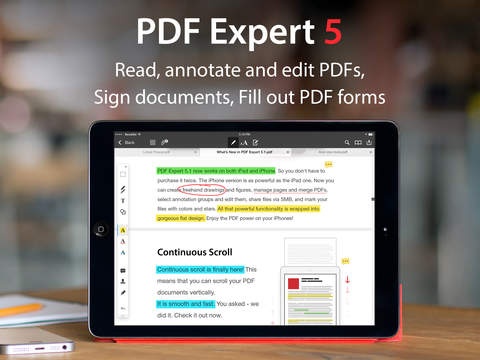
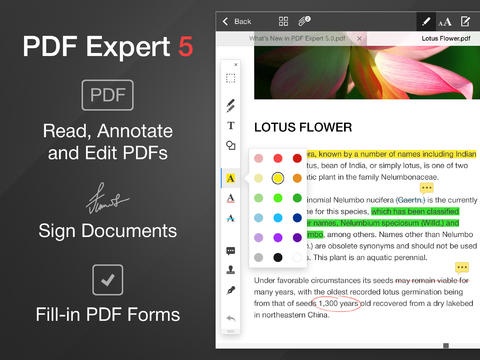
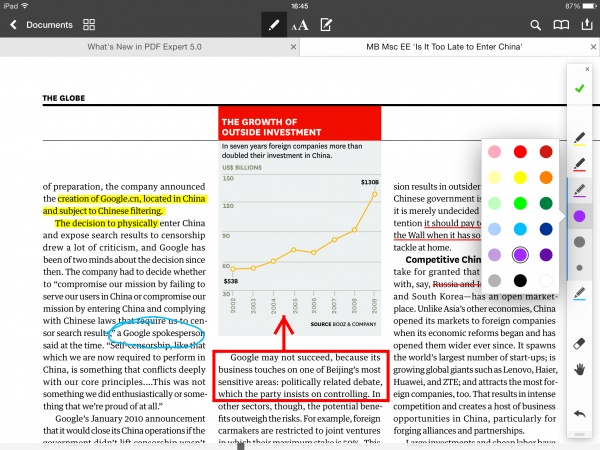
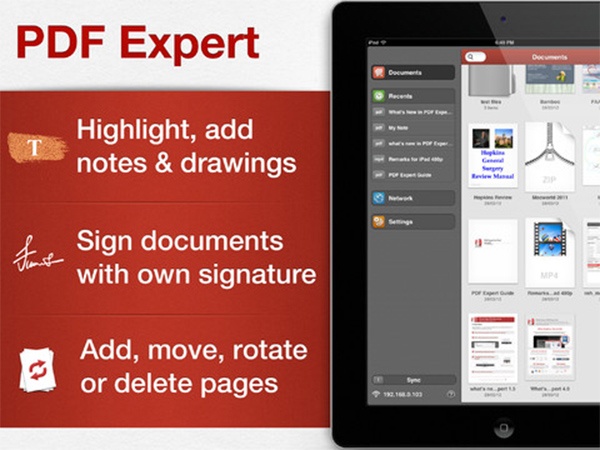
CultofMac reports, PDF Expert – Fill forms, annotate PDFs gets a new update and adds many new features, including the ability to copy, paste, move, resize, and change the properties of annotations. Users will also notice a new layout in the annotations toolbar as well as a new keyboard to make it easier for entering in the time and date.

pdfexpert

via: CultofMac source: App Store

Documents by Readdle Brings Easy iOS File Management To The iPhone

Posted by on April 11th, 2013
+ Universal App - Designed for iPhone and iPad

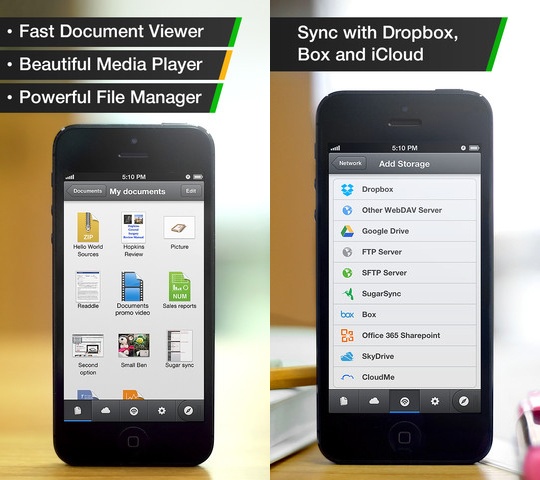
Documents by Readdle was originally released in January for the iPad only. Since that time, it has accumulated over 1 million users. Now, the app is available on the iPhone as well, letting users save and access their files from anywhere.

documentsbyreaddle

– View any document you get on your iPhone or iPad: MS Office and
Apple iWork files, PDFs and text documents.
– Listen to favorite music, watch movies, show photos to you friends.
The application supports a wide range media files.
– Browse and download files from the Web via built-in browser. It’s
also possible to save the whole page to read it later.

New Calendars By Readdle App Offered Free

Posted by on March 13th, 2013
+ Universal App - Designed for iPhone and iPad

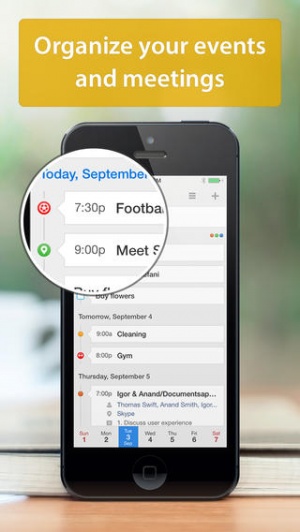
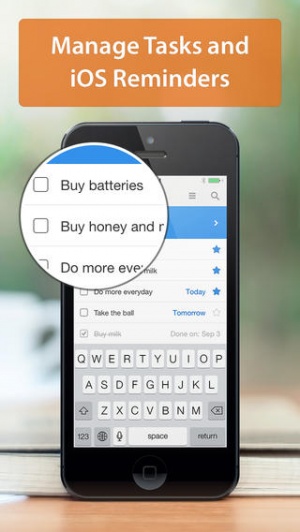
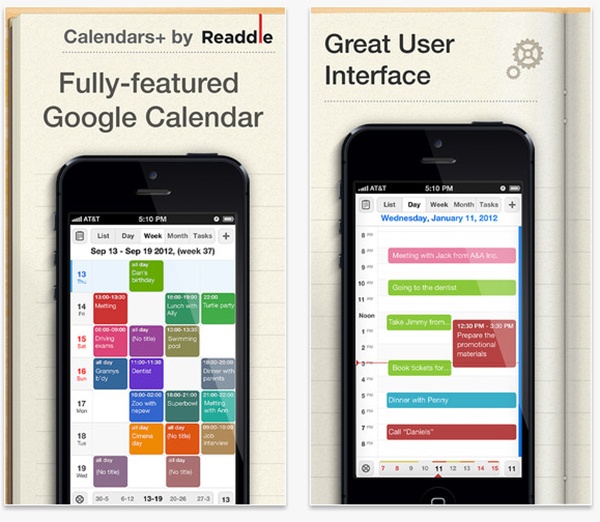
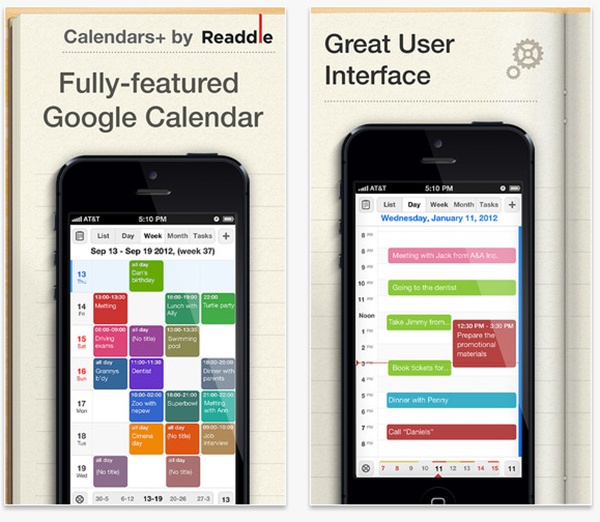
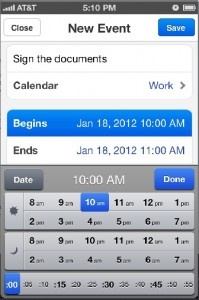
Readdle made changes to their Calendars by Readdle app and renamed it to Calendars+. Then they released a brand new app with the original name, Calendars by Readdle, for free. Calendars by Readdle is a fully functioning app available for iPhone and iPad that allows you to manage your events while Calendars+ costs $6.99 and features additional options such as recurring events, multiple reminders, a task manager and the ability to invite people.

PDF Expert for iPhone Free for 24 Hours

Posted by on February 24th, 2013
iPhone App - Designed for iPhone, compatible with iPad

I find PDF Expert to be really useful. It’s great for organizing, editing, and even digitally signing of documents. The iPhone version is available for free for the next few hours and is normally $9.99. Grab it!

ReaddleDocs Becomes Documents by Readdle In New Update

Posted by on January 16th, 2013
+ Universal App - Designed for iPhone and iPad


Reinventing ReadddleDocs as a whole new app, Documents by Readdle promises to be a fantastic, free way to manage and view Office documents, movies, photos, PDFs and books on your iPad.

Amazing attention to details, unmatched stability and design differs Documents from any app you have on the iPad. You will use it constantly, at home, office, university or on the road, every single day.

Documents is the most capable application on your iPad. It replaces a document viewer, pdf reader, download manager, music player, “read it later” and bunch of other applications as THE one elegant app.

source: Readdle Web Site
Scanner Mini Review

Scanner Mini Review

+ Universal App - Designed for iPhone and iPad
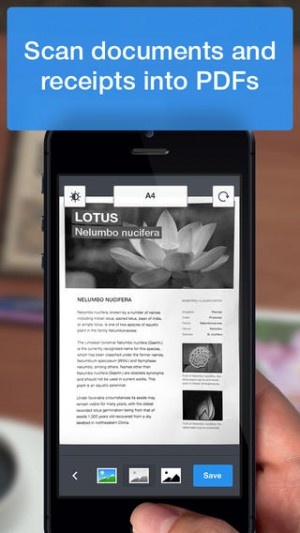
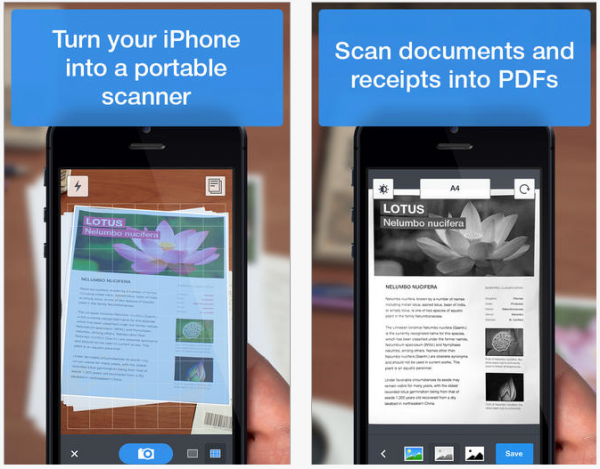
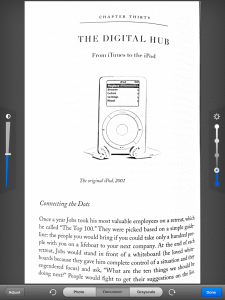
Simple yet useful app that turns pictures of documents into scanned PDF images.

Read The Full Review »

Calendars by Readdle Review

+ Universal App - Designed for iPhone and iPad
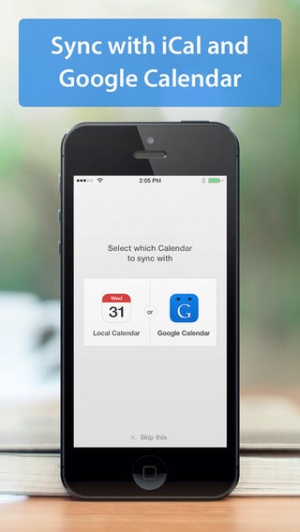
Calendars by Readdle seamlessly syncs Google Calendar and the built-in iOS calendar to let users manage events online or offline through its easy-to-use and elegant interface.

Read The Full Review »

Now Free: ReaddleDocs

Posted by on August 24th, 2012
iPhone App - Designed for iPhone, compatible with iPad

ReaddleDocs goes free until September 10. Grab it if you don’t have it. It’s a great multi-format document reader for your iPhone and iPod touch.

Scanner Pro 4, released in April of this year by developer Readdle, just got an update to version 4.1. Scanner Pro 4 brought a newly re-designed interface to the iPhone, as the app became a Universal binary, able to be used on any iOS device.

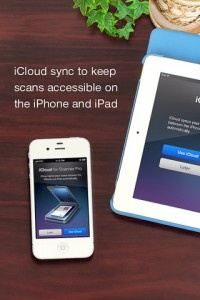
Today, Readdle touts iCloud integration as the next big feature to hit its document scanning app. iCloud auto sync allows any document that is scanned via the iPhone or iPad to be available on any other iCloud enabled device, all automatically and such. No more emailing documents from one device to the next, beaming, or copying to Dropbox, though those options and more are still supported.

Scanner Pro 4.1 also includes an updated iPhone interface, making it look and work more like the recently redesigned iPad UI.

Since launching in 2009, Readdle boasts that Scanner Pro has over 350 000 users using Scanner Pro regularly to scan documents, receipts and whiteboards, so you know it’s a fairly good app. If those numbers don’t sway you, our own reviewer called this one a best in class scanner, awarding it four stars in his review.

$6.99
+ Universal App - Designed for iPhone and iPad
Released: 2009-10-09 :: Category: Business

Remarks Review

Remarks Review

iPad Only App - Designed for the iPad
Remarks has the raw ingredients of a great app, but lacks some basic features.

Read The Full Review »

Readdle has a new app for the iPad to allow users to create PDFs directly on the iPad from a wide variety of souces, entitled PDF Converter. Users can convert documents from Microsoft Office and Apple’s iWork suite directly into PDFs. Web sites can be loaded using the app, and saved as PDF files to be easily read later or saved in a permanent state. Information and photos from a user’s contacts and photo library can be loaded into PDF Converter, and attachments in emails can be easily loaded into it as well. Files can also be loaded from a linked Dropbox account, so they don’t have to be stored directly on the iPad in order to be used with PDF Converter.

Once files are converted to PDFs, users can easily save them in the app to be viewed and transferred from the app. As well, PDF Converter supports AirPrint for easy printing directly from the iPad. The document can also be emailed and opened in other apps that can open PDF files.

What is the usage of PDF Converter? This app makes it easy for business users to create permanent static files from editable documents to easily print out, like if there is a contract that needs to be signed, it can now be converted from an editable file to a PDF directly on the iPad. This could also make it easy for writers to print out their articles or stories that they were typing up on their iPad, without having to work with a PC. They can also control how they want their viewers to see what they have written when it is printed out. Really, that’s the potential strength of this app; it is another mechanism to usher in the post-PC era, to help make the iPad a more productive device, and to allow people to work directly from it.

$6.99
iPad Only App - Designed for the iPad
Released: 2011-07-07 :: Category: Business

Readdle Giving Away iPads

If you’ve already checked out our massive list of Black Friday sales then you may have noticed a few cool apps from Readdle available for great prices. Well it seems they’re a company that keeps on giving, as they’ve also announced that they’ll be giving away three lucky winners a free iPad.

In order to enter into the sweepstakes you must answer me these questions three. No wait, that’s not right, but you do have to take the following steps:

1. Own any Readdle app
2. Follow @Readdle on Twitter
3. Send out the following Tweet sometime between November 24-30: “Readdle Apps #BlackFriday Sale. Follow @readdle, RT to win an #iPad: http://readdle.com/blackfriday”

Once you’ve completed all the tasks set before you you’ll be entered to win one of Apple’s wonder tablets. In order to cause general jealousy amongst friends and family we recommend if you win that you wrap the iPad and then place it under the tree with a card addressed to you from Santa. Then act shocked when you open it and snidely comment how you must have been so much nicer over the past year than everyone else in order to be worthy of such an amazing present.

We’ll take this opportunity to say good luck to everyone who enters and please know that we’re already jealous of you even before you’ve won. Just because we write about the iPad doesn’t mean we can actually afford it so congratulations, you’re better than us.

If you’ve got any questions or want to check out the official rules then head on over to Readdle’s Black Friday page and have a look around. Otherwise enjoy your Thanksgiving weekend, especially since you’ll be using it to gather up as many horseshoes, rabbits’ feet and four-leaf clovers as you can find.

Readdle’s PDF Expert Review

Readdle’s PDF Expert Review

iPad Only App - Designed for the iPad
PDF Expert offers a clean and professional reading environment, with a host of notation and sharing options. Read the full review to get the overview of this robust app.

Read The Full Review »

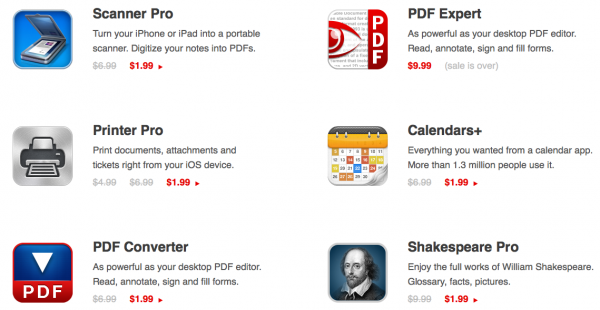
Readdle, the developer best known for Readdle Docs and Scanner Pro, is turning 3 in August. In celebration, they are dropping all of their apps to $0.99 for 48 hours starting August 1st and the giving away 3 iPad’s via Twitter.

The iPad giveaway starts on August 1st and ends on the 7th. To participate, users should:

- own any Readdle app (a free one is fine too, e.g. Shakespeare)
- follow us on twiiter (@Readdle)
- tweet the message: “Readdle turns 3: RT to win an #iPad. $0.99 for any app (48 hours sale). http://readdle.com/3years”

For more information, head over to their giveaway website.

Have fun celebrating your first 3 years Readdle! Hopefully we’ll see some iPad winners come from 148apps.

Readdle, creators of ReaddleDocs, an excellent file viewer/manager for iPhone, are dipping into the calender app arena with the simply-named Calendars.

Calendars is powered by Google Calendar and features a slew of features and a lovely interface. You can drag-and-drop events just like in Google Calendar, set SMS reminders, and add events with a single tap. List, month, and day view are all available; you can invite others to your calendar; a handy undo button lets your reverse accidental drag-and-drops.

Perhaps most importantly, however, Calendars downloads your data to the app itself, so you can access and edit your data offline or online. For WiFi-bound iPod Touch users like me, this one is particularly important.

Calendars is available for $6.99 in the App Store and will run on any device with iOS 3.0 or later.

$6.99
+ Universal App - Designed for iPhone and iPad
Released: 2010-06-14 :: Category: Productivity

Readdle Docs

Readdle Docs

iPhone App - Designed for the iPhone, compatible with the iPad
Readdle Docs is a brilliant file viewer and document manager. It's a very mature app with some impressive capabilities, and I recommend it wholeheartedly.

Read The Full Review »
    Advertisement    


Featured Apps

    Advertisement    


Developers

Would you like your application reviewed on 148Apps? See the About page for information.
    Advertisement    


Steel Media Network

148Apps - iPhone app reviews and news. The best gosh darn iPhone app site this side of Mars.
http://148apps.com :: @148Apps

The Portable Gamer - Coming soon.
http://ThePortableGamer.com :: @PortableGamer

Android Rundown - Android news and reviews. Where you get the rundown on Android apps and hardware.
http://AndroidRundown.com :: @AndroidRundown

Best App Ever - Yearly Mobile App Achievement Awards.
http://bestappever.com :: @BestAppEver

GiggleApps - iPhone applications reviews for kids and parents.
http://GiggleApps.com :: @GiggleApps

148Apps.biz - iPhone development news and information for the community, by the community.
http://148apps.biz :: @148AppsBiz

The App Hall of Fame - An archive of the very best in apps and games.
http://AppHallofFame.com :: @AppHallofFame

Pocket Gamer - Mobile game reviews, news, and features.
http://PocketGamer.co.uk :: @PocketGamer

Pocket Gamer.biz - Mobile games industry news, opinion, and analysis.
http://PocketGamer.biz :: @pgbiz

AppSpy - iOS game news and video reviews.
http://appspy.com :: @appspy

Smart TV Radar - For everything you need to know about Smart TV.
http://smarttvradar.com :: @smarttvradar