Posts Tagged file transfer

myPhoneDesktop Review

myPhoneDesktop Review

+ Universal App - Designed for iPhone and iPad
myPhoneDesktop won't win any prizes for its looks, but it's a useful app for those who want to transfer information between their PC or Mac and their iOS device.

Read The Full Review »

I was recently perusing the internet, and saw a question from a Reddit user that would make for a great how-to article. User “highdefinition3” asked how to transfer documents between computers using the iPhone.

Now, there’s no way to do this with methods that are built-in to iOS. Apple doesn’t provide a way to use an iOS device as disk storage like the old iPods did. However, there are definitely ways to do this through various apps. One good way to do this is through the app GoodReader. It’s available on both iPhone and iPad, though through separate apps, although both function in similar ways.

There are two primary ways to transfer files between computers using GoodReader as an intermediary: through iTunes, and through a web browser.

iTunes file transfer is simple, and can be done through both over USB and wifi. Select the device from the sidebar in iTunes, then click on the Apps tab. Scroll down to iTunes file transfer. Then select GoodReader. Either use the “Add…” button or drag and drop any files into the directory.

Repeat this process on the other computer to download files from the iOS device. Note that while it’s possible to download entire folders from iTunes, opening and downloading individual files from a folder is not quite possible in iTunes yet. Packaging folders as a ZIP file is the easiest way to transfer folders.

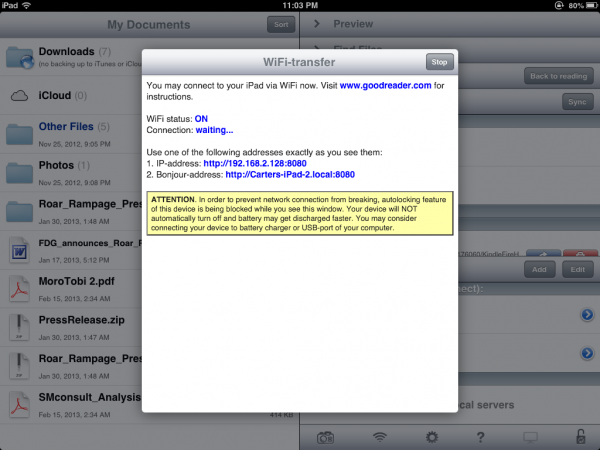
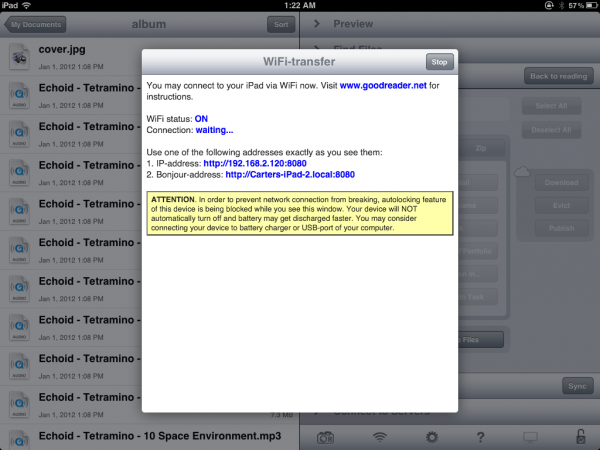
The other method is to use GoodReader’s wifi transfer capability. Launch GoodReader, and select its wifi option. This sets up a wifi server that can be used to upload files to the device from a web browser, and then any other computer on the network can also download files from that device. It is also possible to map the drive as a network drive, allowing for files to be transferred to and from the iOS device as if it were an actual storage device.

The downside to this and many other apps is that they are all essentially stuck in the app – if the app is deleted, then the files disappear. Public computers may not have USB access, or limited permissions that would make downloading the files or setting up the network file server difficult. As such, this may be best not be a serious method of file transfer, but as a matter of convenience in a pinch.

$4.99
iPhone App - Designed for the iPhone, compatible with the iPad
Released: 2009-02-28 :: Category: Productivity

$4.99
iPad Only App - Designed for the iPad
Released: 2010-04-01 :: Category: Productivity

Videos, games, photos, GPS functionality and more. The iPhone can do a heck of a lot, especially considering the fact that it’s a phone and not a PC. One thing it’s not quite adept at is integrating a lot of that into the actual “phone” part. Enter MetaSwitch and their clever little app, Thrutu.

Thrutu makes true on-the-phone multitasking possible. Users can take and share photos, contact information, their current location and more with a tap or two. The mileage one gets out of this largely depends on how they tend to interact with people over the phone, but certain aspects of its usefulness are pretty obvious. Sharing location info makes random, and even planned, meet-ups much simpler than “I’m standing over by the big duck.” Getting a friend’s opinion remotely on a new outfit can be done instantly. It even cuts down the time needed for those “Let me get you the number” situations.

It’s important to note that Thrutu does require some initial setup. Users have to register their phone number in order to use the service, and it can only work when both ends of the conversation have the app installed. Fortunately, it’s also set up to sort through contact lists for Thrutu users (with default contact lists still available), and there’s a handy Invite button for anyone without it.

Keep in mind that, because Thrutu is designed to send various amounts of digital information, it also requires a 3G or wi-fi connection. There are bound to be some areas where it’s largely ineffective (like when on a camping trip or on the subway) and some contacts who just won’t be able to make proper use of it. Then again, if these people have a smart phone chances are they have access to at least one of the two.

Thrutu certainly shows enormous potential, both as a personal use app and one for more business-oriented users. There are a few small hoops to jump through in order to get it going, but once everything is set up it’s smooth sailing. The real trick is to get everyone using it. I guess that means I’ve just done my part.

FREE!
iPhone App - Designed for the iPhone, compatible with the iPad
Released: 2011-07-20 :: Category: Utilities

Unless you are considered an above average photographer or videographer, it’s likely that the iPhone is your main digital media device. Instead of holding a large camera and an unwieldy video recorder, you can just lug around your phone and take pictures and video with ease. The problem for some, if not most, is that they never plug their phone into their computer, causing a giant buildup of media that can’t be controlled.

To alleviate this, many companies have created online file storage applications, but they are typically slow, ugly, and cumbersome. Last week, Ricoh Company released “quanp”, a visual online storage interface that “provides 10GB of free online storage, easy ways to share large files up to 500MB, and advanced search and tagging capabilities for quick and easy management of files and documents.” A neat addition is the new “Flick File” functionality that lets you perform local media sharing.

On the computer side, there is a Windows and a browser platform that lets you access the saved files online, complete with simple drag and drop file transfer.

quanp is free in the App Store, so if you are hoarding or need to be able to transfer files in a flash, give it a whirl.

FREE!
iPhone App - Designed for the iPhone, compatible with the iPad
Released: 2010-06-28 :: Category: Productivity

    Advertisement    


Featured Apps

    Advertisement    


Developers

Would you like your application reviewed on 148Apps? See the About page for information.
    Advertisement    


Steel Media Network

148Apps - iPhone app reviews and news. The best gosh darn iPhone app site this side of Mars.
http://148apps.com :: @148Apps

The Portable Gamer - Coming soon.
http://ThePortableGamer.com :: @PortableGamer

Android Rundown - Android news and reviews. Where you get the rundown on Android apps and hardware.
http://AndroidRundown.com :: @AndroidRundown

Best App Ever - Yearly Mobile App Achievement Awards.
http://bestappever.com :: @BestAppEver

GiggleApps - iPhone applications reviews for kids and parents.
http://GiggleApps.com :: @GiggleApps

148Apps.biz - iPhone development news and information for the community, by the community.
http://148apps.biz :: @148AppsBiz

The App Hall of Fame - An archive of the very best in apps and games.
http://AppHallofFame.com :: @AppHallofFame

Pocket Gamer - Mobile game reviews, news, and features.
http://PocketGamer.co.uk :: @PocketGamer

Pocket Gamer.biz - Mobile games industry news, opinion, and analysis.
http://PocketGamer.biz :: @pgbiz

AppSpy - iOS game news and video reviews.
http://appspy.com :: @appspy

Smart TV Radar - For everything you need to know about Smart TV.
http://smarttvradar.com :: @smarttvradar