Posts Tagged share

Pop Camera Review

Pop Camera Review

iPhone App - Designed for the iPhone, compatible with the iPad
Take some retro-looking shots in a fun way with this stylish camera app.

Read The Full Review »
MusicStatus for Facebook Review

MusicStatus for Facebook Review

iPhone App - Designed for the iPhone, compatible with the iPad
MusicStatus for Facebook has been designed from the ground up to give users a smooth and easy way to keep their friends in the loop.

Read The Full Review »

Everyone does it. They’re sitting there listening to music, doing whatever else while the sweet melodies relax or empower them, and then they get The Urge. Suddenly, it becomes extremely important to let other people know what they’re listening to. I can’t even begin to explain this phenomena but it’s a real thing and it happens all the time. Thanks to James Shaw, the 16 year-old app wiz, the process will be getting even more streamlined.

MusicTweet is an app designed to do just that: tweet music. When a user starts up the app, it will automatically find the song and album information on what they’re currently listening to. When the tracks change, it’ll track down the info for the new one, too. From there it’s simply a matter of tapping the “Tweet” button. The app will automatically add the title, artist and other miscellaneous bits. Tracks can be changed in-app, along with the volume, so there’s little reason for tweet-happy music lovers to not keep it running all the time.

MusicTweet is available on the App Store now for $0.99.


$0.99
iPhone App - Designed for the iPhone, compatible with the iPad
Released: 2011-11-29 :: Category: Social Networking

Some time ago, a man by the name of Frank Warren started a little project. He invited people to send him anonymous postcards with a personal secret attached, and a lot of people ended up sending in a lot of cards. In fact, he received so many responses he was able to put all of these secret confessions into several books. And now, the project has entered the world of social networking.

PostSecret, the app, allows users to take pictures and type out accompanying words as they bare any hidden part of their life they choose. Other users can also send replies if they want to. The anonymity this app affords people is no joke: no personal information is ever revealed, exact locations (via GPS) are never stored, it’s possible to choose a general location such as a city or school, no sign up is required and secrets don’t have to be stored on the device. Granted, they need to be stored if a user wishes to monitor responses, but accessing them requires a personalized code. PostSecret takes the privacy of its users very seriously.

Those interested in confessing anonymously to the entire world, or those content to silently dig through random strangers’ dirty laundry, can check out PostSecret on the App Store right now.


$1.99
iPhone App - Designed for the iPhone, compatible with the iPad
Released: 2011-09-04 :: Category: Social Networking

Videos, games, photos, GPS functionality and more. The iPhone can do a heck of a lot, especially considering the fact that it’s a phone and not a PC. One thing it’s not quite adept at is integrating a lot of that into the actual “phone” part. Enter MetaSwitch and their clever little app, Thrutu.

Thrutu makes true on-the-phone multitasking possible. Users can take and share photos, contact information, their current location and more with a tap or two. The mileage one gets out of this largely depends on how they tend to interact with people over the phone, but certain aspects of its usefulness are pretty obvious. Sharing location info makes random, and even planned, meet-ups much simpler than “I’m standing over by the big duck.” Getting a friend’s opinion remotely on a new outfit can be done instantly. It even cuts down the time needed for those “Let me get you the number” situations.

It’s important to note that Thrutu does require some initial setup. Users have to register their phone number in order to use the service, and it can only work when both ends of the conversation have the app installed. Fortunately, it’s also set up to sort through contact lists for Thrutu users (with default contact lists still available), and there’s a handy Invite button for anyone without it.

Keep in mind that, because Thrutu is designed to send various amounts of digital information, it also requires a 3G or wi-fi connection. There are bound to be some areas where it’s largely ineffective (like when on a camping trip or on the subway) and some contacts who just won’t be able to make proper use of it. Then again, if these people have a smart phone chances are they have access to at least one of the two.

Thrutu certainly shows enormous potential, both as a personal use app and one for more business-oriented users. There are a few small hoops to jump through in order to get it going, but once everything is set up it’s smooth sailing. The real trick is to get everyone using it. I guess that means I’ve just done my part.

FREE!
iPhone App - Designed for the iPhone, compatible with the iPad
Released: 2011-07-20 :: Category: Utilities

Share Digital Lives With Bump 2.0

As the one billionth app sold in the app store, Bump got a whole bunch of publicity for being a really cool app that really didn’t do a whole lot. With Bump 2.0, the app takes sharing to a whole new level by letting you share the equivalent of your entire digital life.

Instead of simple contact sharing, Bump 2.0 lets you share photos and calendars, as well as instant “friending” on Facebook, LinkedIn, and Twitter. No more waiting for people to accept friend invitations, now just “bump” your way into people’s lives. With the new “chat view” feature, you can even even “keep sharing after the bump”.

Go grab the Bump 2.0 update as soon as you can and let us know what you think.

FREE!
iPhone App - Designed for the iPhone, compatible with the iPad
Released: 2009-03-28 :: Category: Social Networking

[Source: Gizmodo]

For those of us of legal age and discerning taste, there’s nothing better than a decent glass of wine. We’re also big fans of social networking and can often be found enjoying a tipple with Twitter of an evening. If you’re following this train of thought so far, why not take it to the next level by combining the two disciplines with one iPhone app? That’s what you get when you download the free GrapeVine app, a social network for wine lovers.

Whether you know your Pinot from your plonk or not, GrapeVine aims to bring the world’s wine drinkers together to share new flavors and find out more about the drink they love.

Friends can quickly be found within the app and categorized by the types of wine they drink. Comments can be added to wine picks and networks created as well as friend lists. As one reviewer says, GrapeVine is “like Twitter for us wine folks”.

The app itself is neatly designed and offers a range of customization options including skinning and profile creation. You can even add friends from your iPhone’s Address Book to begin sharing their tastes on “The Vine” which is where most of the grape-based banter flows. Each wine suggestion comes complete with information on the wine type, country and year and also includes a short description of how the wine was discovered by the user, along with pictures. Fortunately, Twitter’s 140-character limit doesn’t apply here.

The Wine Geek section of the app provides a regularly updated mini blog covering all of the latest wine news and accessories as well as opinion on the latest wine trends.

Among the networking flavours found in this full-bodied app, hints of commerce also mingle, with a clever shopping list feature that helps you track down suggested wines at your local store. Not only that, but GrapeVine is open to the wine industry so sellers can promote their upcoming wines and promotions directly to the consumer via the app.

“We’re democratizing wine”, says GrapeVine co-founder Helena Mitchell. “Every wine drinker is now a respected tastemaker and potential trendsetter on GrapeVine. Every wine business can contribute to GrapeVine’s consumer conversation and discovery experience, regardless of size, location or budget.”

After a quick play with this app we were excited by its potential and look forward to seeing how this new type of social network develops. Of course, those who prefer a cold Bud and a burrito (and believe us we do too) may not be quite as entertained by this app, but if you’re even a little bit curious about the world of wine, we’d recommend giving GrapeVine a try.

An iPad app is also in the works according to GrapeVine’s managing director, Kim Alexander:
“iPad is definitely in the plan. The multimedia aspects of wine shares on The Vine and content we provide in Wine Geek are perfect for iPad and will look even more beautiful there. As a distributor of people’s proprietary content, our job is to offer platforms like iPad, to make the content its best. You’ll see us move more and more into celebrity, lifestyle and entertainment wine content, also making it critical to provide a beautiful aesthetic. We have some very exciting and new ways to talk about wine in the works, including a bit of a makeover ourselves.”

GrapeVine is available for free on the App Store for iPhone and iPod touch users. Free registration is also required to begin using the app.

Notespark

Notespark

iPhone App - Designed for the iPhone, compatible with the iPad
If you aren't satisfied with the iPhone's built-in note pad, and you are connected to the Internet most of the time, you can really benefit from Notespark's constant syncing. There are a myriad of apps to consider though, and many are far better than this one. This app doesn't do that much wrong, but it has a slim feature set and though what it offers works well, it's best for iPhone users who want something simple.

Read The Full Review »
Trunk

Trunk

iPhone App - Designed for the iPhone, compatible with the iPad
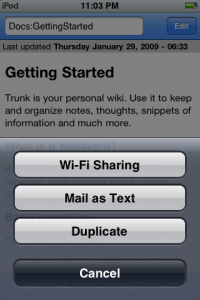
In a nutshell Trunk is a personal wiki. It gives you the tools to create interconnected web pages using the simple Markdown language as well as the more complex HTML tags. Anyone can create these pages using WikiWords, and pages can store links to other pages or external web sites, as well as formatted text. This simplicity belies the power of Trunk, though, as it represents a unique way for users of the iPhone to manage information.

Read The Full Review »
TextGuru

TextGuru

iPhone App - Designed for the iPhone, compatible with the iPad
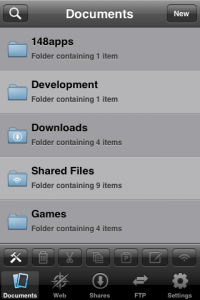
TextGuru is a full fledged text editor for the iPhone. It let's you organize files in nested folders, offers cut, copy and paste, can share files via wifi, and can import files via FTP and the Internet. It also serves as a viewer of common file formats such as PDF, MS Office, and more. It's a jack of all trades utility for those serious about their documents.

Read The Full Review »
Jetset: A Game For Airports

Jetset: A Game For Airports

iPhone App - Designed for the iPhone, compatible with the iPad
With Jetset: A Game For Airports, the author's intention was to create a game that air travelers could pick up and play while waiting at the airport for their flights. It makes good on its intentions by using location services that allow you to unlock location specific souvenirs, which can then be shared with friends via Facebook. The game definitely has broader appeal than just for travelers though, with fast paced game play that is humorous and interesting.

Read The Full Review »
Plus

Plus

iPhone App - Designed for the iPhone, compatible with the iPad
Plus is definitely a worthwhile spreadsheet app. With it you can easily transfer Excel spreadsheets back and forth and edit and open them on both the PC/Mac and the iPhone. While it appears to be well worth its asking price, you still have to ask yourself if its limited support of Excel's XML file format will be enough for you. If you need full MS Office compatibility, this will disappoint.

Read The Full Review »
Ocarina

Ocarina

iPhone App - Designed for the iPhone, compatible with the iPad
A fantastic and fun social music instrument

Read The Full Review »
    Advertisement    


Featured Apps

    Advertisement    


Developers

Would you like your application reviewed on 148Apps? See the About page for information.
    Advertisement    


148Apps Network

148Apps - iPhone app reviews and news. The best gosh darn iPhone app site this side of Mars.
http://148apps.com :: @148Apps

The Portable Gamer - Mobile gaming magazine for the casual gamer.
http://ThePortableGamer.com :: @PortableGamer

The App Hall of Fame - An archive of the very best in apps and games.
http://AppHallofFame.com :: @AppHallofFame

Android Rundown - Android news and reviews. Where you get the rundown on Android apps and hardware.
http://AndroidRundown.com :: @AndroidRundown

148Apps.biz - iPhone development news and information for the community, by the community.
http://148apps.biz :: @148AppsBiz

Best App Ever - Yearly Mobile App Achievement Awards.
http://bestappever.com :: @BestAppEver

GiggleApps - iPhone applications reviews for kids and parents.
http://GiggleApps.com :: @GiggleApps