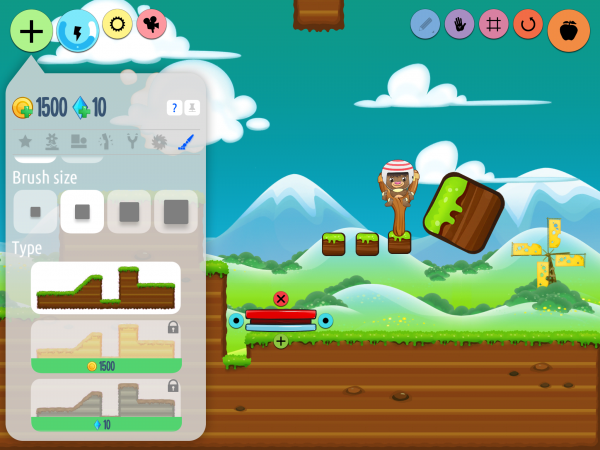
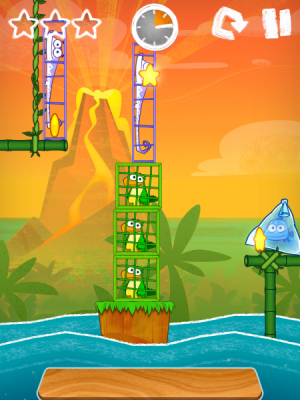
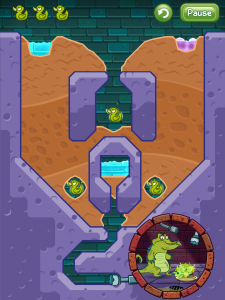
Disney’s physiscs puzzler Where’s My Water has gotten a new update that adapts the familiar mechanics in new ways with the new Cranky’s Story levels. The goal of these levels is to help out Cranky, the alligator who tries to thwart protagonist Swampy in the main mode. Now, he’s hungry, and being an alligator, he is content to eat things like safes. However, he is not content to eat them when they’re covered in moss. So, the player must get the moss-killing purple water to Cranky’s food so he can eat it.
The mechanics are still the same – use a finger to cut through the dirt and navigate the fluids through the level. It’s just that now the purple water is the one that needs to get to the goal point, and this changes the dynamic of the game. Suddenly, the water becomes the substance that needs to stay away from the rubber ducks lest they are made to disintegrate upon contact with a non-grimy surface. Of course, the purple water still reacts with the other fluids in the same way, but the levels are designed to take advantage of the mixed-up dynamics.
Also in the app are the new Cranky’s Challenges which are difficult new challenges that require Swampy’s levels to be played in different ways, like trying to collect three of the cranky ducks with purple water while still filling Swampy’s tub with blue water, or trying to get rid of all the blue water in a level without even a single drop reaching Swampy.
5 of these levels and 3 of the challenges are available for free; the rest are locked away as a $0.99 IAP, containing 50 regular levels and 16 challenge levels in total. The game will still receive free Swampy updates, and possibly even more Cranky levels in the future. This update is available now for iOS.

When 


The newest photo sharing service has hit iOS, Photogram. This app isn’t meant to just share single photos with some filter added to them that gets blasted out to social media services; Photogram tries to do something a bit more personal. Users pick from 1-4 photos either taken with the camera inside the app or from their Camera Roll, add an optional message to send along with the photos, add a theme, and send it out to their friends, family, or whoever they want to receive the photos. The limit of 4 photos is in order to keep Photogram emails from being obnoxious, as the Photogram FAQ states: “Nobody wants to plow through dozens and dozens of photos.”
With the announcement last week that Apple would allow In-App Purchasing (IAP) for free apps, we wondered what will really change in the App Store. Obviously right now this is a theoretical exercise as, so far, very little has changed. We’ve seen a couple apps that were previously paid switch to free, and at least one high profile app released as free with IAP. 


]