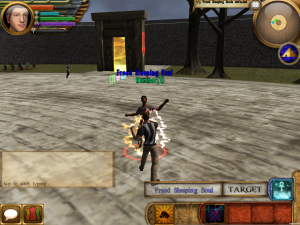
Dynasty of the Magi Review
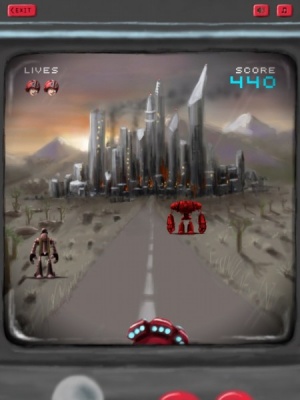
iPad Only App - Designed for the iPadAll the clever cross-media integration in the world won't make a poor game good.
Read The Full Review »
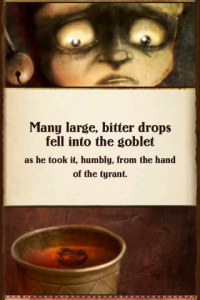
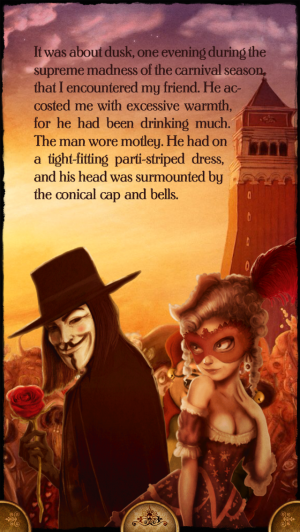
Posts Tagged ebookDynasty of the Magi ReviewiPad Only App - Designed for the iPadAll the clever cross-media integration in the world won't make a poor game good. Read The Full Review » iPoe 2 – The Interactive and Illustrated Edgar Allan Poe Collection Review+ Universal App - Designed for iPhone and iPadAnother collection of interactive Poe stories is making the rounds. Best not read them alone in the dark. Read The Full Review »
Aimed at 5-8 year olds, Cyberchase: Ruckus Reader offers a new story for fans to delve into, following an exciting problem that Hacker has left the Cybersquad with. Three hours of puzzles are promised as players set out to save Solaria from being transformed into a garbage dump. Puzzles range from word hunts, spot what’s wrong with the picture, mazes, and create your own story sections. Topics that are taught include things such as alphabetical knowledge, phonological awareness, phonics and word recognition, as well as reading comprehension. Together, it should prove an educational yet highly entertaining experience for kids. Cyberchase: Ruckus Reader is available now for free, with an in-app purchase of $3.99 to unlock one story, or $5.99 to unlock both. FREE! ![]() iPad Only App - Designed for the iPad Released: 2012-08-03 :: Category: Books
Parents are able to customize the app to use photos of their child’s face to replace Peter’s, thus throwing them right into the story. It’s Me! Peter Pan continues the fun theme with the addition of child friendly puzzles and the ability to explore Neverland by touching and tapping on various objects and characters scattered around the story. The ability to paint and color in images rounds off the package. It all makes for a cute and beguiling tale that should entertain many a young child. It’s Me! Peter Pan is out now with a free version to try and the full app available for $3.99 via an in-app purchase. FREE! ![]() + Universal App - Designed for iPhone and iPad Released: 2012-05-17 :: Category: Books iPoe – The Interactive and Illustrated Edgar Allan Poe Collection is Ready to Spook Unwary iOS Users
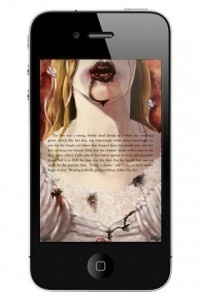
Deep into my malaise drifting, long I sat there, fading, staring Not content with mere wording, these three stories feature moving, iPoe, with interactive stories, still is sitting, still is sitting $2.99 ![]() + Universal App - Designed for iPhone and iPad Released: 2012-03-26 :: Category: Entertainment
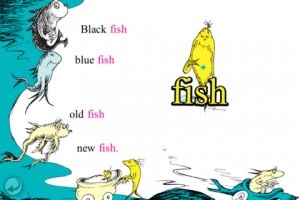
Theodor Seuss Geisel‘s stories have been adapted for all manner of medium, not surprisingly including iOS. Oceanhouse Media has been offering special adaptations, referred to as “omBooks” for portable Apple devices for quite a while now. These special not-quite-ebooks allow users to flip through their virtual pages normally, have the stories read to them at a set pace (not unlike a movie) or a hybrid of the two that narrates while emphasizing key words. While individual Seuss classics have been available in this form for quite some time, Oceanhouse has released their first-even multi-title collection. The Dr. Seuss Beginner Book Collection #1 features five of (arguably) his most well-known works: The Cat in the Hat, One Fish Two Fish Red Fish Blue Fish, The FOOT Book, Mr. Brown Can MOO! Can You? and Fox in Socks. Five classics, no waiting. Well, depending on one’s WiFi speed, anyway. This collection is on the App Store right now for $11.99. I know it may seem like a lot, but buying each of these omBooks individually would cost around $15 or so. And that’s after the price drops in celebration of Dr. Seuss’ birthday. Anyone with an appreciation for all things Seuss should certainly check this out. $14.99 ![]() + Universal App - Designed for iPhone and iPad Released: 2012-02-01 :: Category: Books My iStory ReviewiPhone App - Designed for the iPhone, compatible with the iPadA new way to tell a story with photos. Read The Full Review »
A year after the novel’s release, a side-scrolling game based on the twisted tale made its way on to the App Store. But Quirk Books isn’t done with the iOS platform yet. Oh no. Not by a long shot. Now the literary “classic” has been given new life (*rimshot*) in the form of an illustrated, interactive eBook. This isn’t any regular old eBook, mind. It’s full of interactive (and incredibly gory) illustrations and features an original score and sound effects. Sounds awesome, yes? Well there’s more. Not only can users enjoy all manner of zombie-centric animated illustrations as they read this unexpectedly popular story, they can also read the entire original Austin text by flipping their device upside-down. Even more interesting (and excessive), tilting the device on its side will simultaneously display both the interactive zombie-infested re-imagining and the literary classic at the same time. Anyone who might have held off on reading this most interesting interpretation, but still wants to, should definitely have a look-see at Pride and Prejudice and Zombies: The Interactive eBook. It’s absolutely stuffed with content and at $4.99 (for a limited time) it’s currently almost half of the physical tome’s price. $8.99 ![]() + Universal App - Designed for iPhone and iPad Released: 2011-10-23 :: Category: Books Coming soon to the App Store from iSeeToon is Ill-Fated Relationship, a comic book app that centers around the dark romance between two serial killers. It promises an indie art film style more akin to Western graphic novels rather than the typical brash comic book style of other Manga-esque series.
iSeeToon is set to be released on the App Store later in the month and will be launched at a sale price of $4.99, to increase later on to $8.99. Dedicated devices like the Kindle remain popular among book lovers—but did you know that you can get your eBook fix on your iPhone or iPod, too? There are a ton of great apps out there, most of them free, which put all that eReading power right at your fingertips. Which one to use, however? In this roundup, we take a look at some of the top eReader contenders on the App Store. Scroll to the bottom to see which app we like best! Please note that this roundup focuses on the iPhone and iPod, not the iPad, though many of these apps are universal. Kindle FREE! ![]() + Universal App - Designed for iPhone and iPad Released: 2009-03-04 :: Category: Books Stanza NOOK FREE! ![]() + Universal App - Designed for iPhone and iPad Released: 2010-08-17 :: Category: Books Kobo iBooks The Conclusion Otherwise, it’s a much tougher decision. After careful deliberation, I favor Kindle for iPhone. The Kindle app works wonderfully, with few bugs and a consistent history of updates. Additionally, its massive Kindle Store provides more eBooks than you could ever read. It’s a close race, but the Kindle app’s confident competence makes it the winner in my book. DECISION: Kindle for iPhone
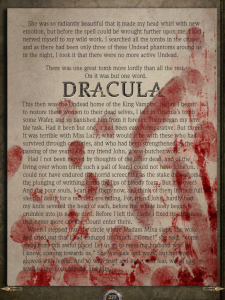
What sets this eBook apart from others in the medium is the extensive use of interactivity and multimedia to help the reader gain a better grasp of the scenarios surrounding the war. This is the kind of specialized content that the iPad was designed to consume. If you don’t believe us, check out Gameloft’s debut trailer for the app and see if that doesn’t convince you. As long as they can get past the hefty $9.99 pricetag, readers will be in for a historically inspired treat. If nothing else, let’s hope that it will act as a reminder to everyone of the tragic cost of war throughout history and the sacrifices made by soldiers, all in the name of their homeland. Dracula: The Official Stoker Family Edition for iPad ReviewiPad Only App - Designed for the iPadThe future of the ebook is here, like it or not. Read The Full Review » MegaReader ReviewiPhone App - Designed for the iPhone, compatible with the iPadMegaReader is competing in a crowded and highly competitive corner of the App Store, and while it isn't a bad app, it doesn't have the weapons to win the war. It simply isn't offering enough to entice most users away from the likes of iBooks or Kindle. Read The Full Review »
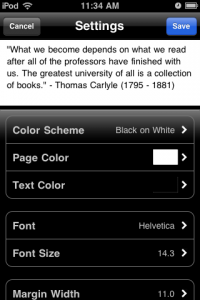
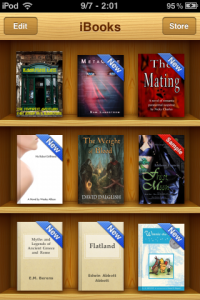
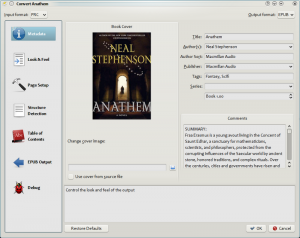
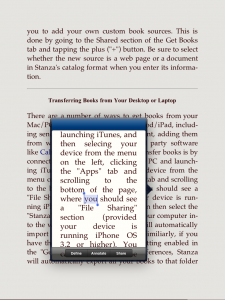
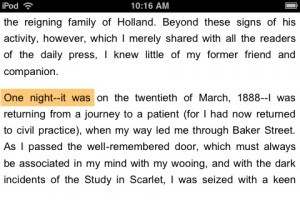
There. I’ve said it. When the iPad launched, iBooks was trumpeted as a gorgeous, easy, seamless app that would mix digital books with Apple’s typical ease-of-use. Sounds dreamy, right? And I suppose iBooks on the iPad must be good, because everyone raves about it. But iBooks has been out on the iPhone for a little while now, and while I was initially excited to use it, it’s frankly frustrating. iBooks doesn’t act like an Apple app should; it crashes; and while it does lots of things well, other parts feels unfinished. Here, then, is a list of my complaints—things that Apple really ought to have fixed prior to release. It Crashes. Furthermore, when I attempt to open a downloaded book, I sometimes get the error message, “The requested resource is unavailable,” and iBooks will refuse to open said book until I restart the app, or even my iPod. These two errors are far too common, considering that they interfere with the most basic function of iBooks: reading! Where Are the Books? Screen Lock. No Inversion? The Bookstore. Third, and just as aggravating, is the store itself. There is no way to buy iBooks from your computer; and the iPhone screen is terribly small for browsing for books. Furthermore, the store is riddled with issues. When you go to “browse,” an alphabetical list of authors is displayed, split between “Top Paid” and “Top Free.” Now tap on “Categories,” chose one, and look. Now it shows you the top paid authors in that category…but if you click on “Top Free,” it’ll boot you back to the Top Free authors overall. What the heck? Additionally, the store has no landscape view, and suffers from numerous other design issues. Not to mention the download errors. In Summary. And that’s why the above issues make me so irritated. Apple is perfectly capable of making a fantastic eBook reader app. Regretfully, however, this version of iBooks isn’t it, at least not for iPhone / iPod Touch users. There are too many bugs, too many design flaws, and not enough books. It’s easy to tell that iBooks was crammed onto the smaller screen. And that’s a shame. For now? I’ll be juggling Stanza and Kindle for iPhone as my two eBook apps of choice. Sorry, iBooks; I’m waiting for your next update. The iPad is, along with the Kindle and the Nook, one of the first devices to bring the pleasures of eReaders to the masses. Unfortunately, it has brought the struggles of digital media along with it, casting users into a sea of confusion with new acronyms like ePub and mobi, among others. The most basic users will undoubtedly simply stick to Apple’s included solution and purchase all of their books directly from the iBooks store. This remains an incredibly simple and turnkey solution that even advanced users should consider. Other book sellers, like Amazon and Barnes & Noble, each include similar storefronts, allowing purchases from the desktop on their websites and simple delivery to the iPad. Each of these interactions requires little more than several clicks and files never need to be transmitted from the desktop to the iPad itself. But what’s the more advanced user to do if the iBooks/iTunes combination isn’t enough? ![]() Calibre's Conversion Dialog Yet there are a multitude of sources for unencrypted eBooks, including stores who sell books without DRM. Formats may become an issue in this case, with lit, mobi, and more serving as the defaults for several other popular mobile readers. In this case, a user’s best option for books management is Calibre, a terrific open source program that works with a wide variety of eBook formats and readers. I’d say Calibre is the iTunes for your digital book library, but I like to think of it more as iBooks’ desktop companion. iBooks’ Best Friend Calibre, available free of charge, deftly converts eBooks from most formats to ePub, PDF, and more. It’s as simple as dragging and dropping into the app and selecting an output format. Calibre can also download metadata and covers so iBooks properly organizes your book when it’s displayed on your iPad. The app also centralizes your books on your hard drive so there’s always somewhere to go to find the original eBook, just as iTunes attempts to centralize your music library in a folder on your hard drive. Calibre offers simple solutions for moving these books to your iPad, with a recently unveiled “push-to-iTunes” feature that will seamlessly add books to a connected iPad. Otherwise, users have to go into their Calibre library folder and drag the books to iTunes’ iBooks panel (when an iPad is syncing). If you’re not an iBooks user, Calibre works perfectly with Stanza, one of my favorite apps. Like to Read? You’ll Love Calibre ![]() Stanza's Options and Reading Screen Stanza includes the most customizable reading interface I’ve seen on a mobile application. It allows you to customize nearly everything, from the page turning animations (a slide like the Kindle’s or a page turning animation like iBooks’) to the background and color of the text. Stanza really does make the experience all about the text – the user is able to customize everything about the way the book is viewed. Barnes and Nobles’ app was lauded earlier this week for including the same customization but their application locks you into using their bookstore. Stanza lets you load your own books onto the iPad or iPhone. It also, however, allows you access to a variety of other eBook stores directly from the phone. ![]() Stanza's Text Descriptions Stanza works perfectly with Calibre, my app of choice for eBook conversion. It now allows for a really simple workflow to get eBooks from the desktop to an iPad. It’s possible to move books by utilizing a computer as a wireless server, or by pushing them from Calibre into iTunes. It’s also possible to drag books into iTunes and into Stanza. Stanza is the ideal reading experience, with customizable colors, animations, and more and compatibility with dozens of different formats. The Lexcycle team has succeeded in bringing the great iPhone app to the iPad and I, as an avid reader, am glad they did so. QuickReaderiPhone App - Designed for the iPhone, compatible with the iPadQuickReader is a speed-reading tool that can produce remarkable results. I was shocked by the rate at which my speed improved. Your mileage may vary, but if you're a frequent reader you owe it to yourself to give this one a go. Read The Full Review » B&N eReaderiPhone App - Designed for the iPhone, compatible with the iPadThe B&N eReader is a fantastic piece of software that is far superior to Amazon's Kindle for iPhone app. But without a killer piece of e-ink hardware, B&N's app might not be widely adopted...yet. Regardless, I'm ecstatic that there's a new player in the ebook field, especially since this is the best eReader app I've seen so far! Read The Full Review » Kindle for iPhoneiPhone App - Designed for the iPhone, compatible with the iPadWhile not the most robust ebook reader around, Amazon has just laid down the gauntlet in the iPhone / iPod Touch ebook war. Get instant access to over 240,000 books, even ones you've previously purchased for your Kindle! Read The Full Review » StanzaiPhone App - Designed for the iPhone, compatible with the iPadStanza is one of the preeminent ebook readers on the iPhone / iPod Touch, with an intuitive interface, support for a wide variety of ebook formats, and an online store. Read The Full Review » ClassicsiPhone App - Designed for the iPhone, compatible with the iPadClassics is a collection of 13 classic novels presented with a fantastic user interface Read The Full Review » |