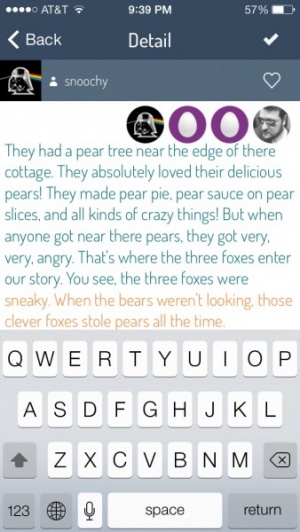
Write It VS Free Review
+ Universal App - Designed for iPhone and iPadA nice idea for a very creative word game, but one that struggles due to a less than active community.
Read The Full Review »
Posts Tagged creativeWrite It VS Free Review+ Universal App - Designed for iPhone and iPadA nice idea for a very creative word game, but one that struggles due to a less than active community. Read The Full Review »
When The SandBox first caught my attention, I thought it looked like a nifty little pixelated world-building game. In a way, it kind of is. However, I was thoroughly unprepared for just how many different aspects of this created world could be manipulated. Water will flow down hills, erode stone into sand, turn dirt into fertile soil, evaporate in extreme heat and freeze in extreme cold. Flowers and trees can grow. Weather will develop based largely on the environment. Players can even make rudimentary circuits to do anything from heating to creating light. The SandBox is still very much in beta at the moment, but that’s no reason not to get excited. What’s already implemented is pretty amazing, actually. A lot of specifics are still up in the air, such as the final number of “story” levels (currently around 20), price and release date. It’s kind of a shame because this is all so cool, but then again it’s probably best not to rush things. Although the super-curious or anxious can try to get in to the beta. No guarantees, though. Regardless, be sure to keep an eye out for The SandBox whenever it does hit the App Store. Panorama 360 Camera Review+ Universal App - Designed for iPhone and iPadCreating a panoramic image just got a whole lot simpler. Read The Full Review » ComicBook! Review+ Universal App - Designed for iPhone and iPadCreate a personalized comic book with pictures of friends and family. What's not to love? Read The Full Review » Inspire Pro for iPad ReviewiPad Only App - Designed for the iPadiPad art programs continue to grow, and Inspire Pro may be the best yet. Read The Full Review »
We love Instaviz. In fact, we reviewed it in full back in January of this year proclaiming how good it actually was. Imagine a white board .. and then imagine all that creative power, in your pocket. You don’t need to bring anything with you. Simply you, your ideas, your thought-process, and .. your finger. Closely compared to the likes of Microsoft’s Visio, and based off the concept of Graphviz, an existing and open source software package which achieves more or less the same results, Instaviz is dubbed ‘graph creation software’ and it very cleverly uses the iPhone’s mutli-touch interface to harness the manipulation of mind-map environments. A few weeks back now, Glen of Instaviz gave us the heads up on an update to the software Version 1.5. This new version sees a variety of new features added, some which were needed, and others which are just nice to have. The more noteworthy is this version includes an entirely new display architecture. It sounds fancy, but we’re basically told that this means that the zooming, panning and placement of objects is faster, smoother, and more reliable. Still all part of this new architecture, in 1.5 Pixelglow added animation, meaning now, any and all objects which you create morph into their final shapes, and once an item is deleted – it fades out. The update also adds two-finger panning and zooming in ‘Edit’ mode, Batch file operations in Graphs list, and complete help files and localizations in 10 languages. They’re small changes, but ones which I’m sure will make a difference. “One of our goals with this update has been to make scrolling and zooming within Instaviz 1.5 so intuitive and smooth that you don’t notice you’re working on a small screen.” As well as all that, they’ve also rejigged the sharing aspect of Instaviz, meaning you can now carry out features like export, duplicate delete and preview in one tidy interface, at graph level. Finally though, and probably most excitingly, is this verison adds the future foundations for Instaviz 2.0, with this verison introducing the ability to in-line edit, as well as adding CoverFlow-like views for your graphs. INSTAVIZ 1.5 GIVEAWAY We want you to tell us the most creative way you can think of, of how you (personally) would use Instaviz 1.5 in your day to day life. Whether it be for business purposes, personal purposes or down right off the wall purposes, we want to know! Leave a comment on this post with your answer, and a prize for the most creative! Your answer can be as long or as short as you want it to be, and we’ll judge on creativity of your answer alone. Be quick though, we’re giving you up until December 9th @ 11am EST to get your entries in! All winners will receive one valid iTunes App Store promotional code for Instaviz 1.5, will be picked randomly, and announced here shortly afterward. Good luck! Update 12/10/2009: All winners have been notified. Check the email address your used when you commented to see if you have won. 32 x 32iPhone App - Designed for the iPhone, compatible with the iPad32 x 32 is a simple and elegant drawing tool that allows even the artistically impaired to create a mini- masterpiece. Read The Full Review » ImpressiPhone App - Designed for the iPhone, compatible with the iPadImpress is a painting app designed to let you turn your favorite pictures into paintings. Featuring zoom controls, brush, settings, and automatic color selection, with a little bit of patience and an eye for detail it allows you to make something not half bad. Read The Full Review » Magnificent Gizmos & GadgetsiPhone App - Designed for the iPhone, compatible with the iPadYou will need to build catapults, vehicles and other interesting devices in order to succeed in this game. If you are after a mental workout, in an interesting and creative way (like contraption fantastic) then this is your game. Read The Full Review » Route CandleiPhone App - Designed for the iPhone, compatible with the iPadRoute Candle is kind of like playing golf with fire in a dungeon. Only instead of holes, you light candles, and instead of being a golfer, you're a flame. Oh, and your useful little companions are matches. Read The Full Review » ElissiPhone App - Designed for the iPhone, compatible with the iPadWhile major publishers work to port their blockbuster games to the iPhone, it's the indie developers that are paving the way to the platform's strong suits. Eliss brings innovation as well as targeted controls to the playing field, but how well does it actually deliver? Read The Full Review » |