Posts Tagged Business Card Reader

Bestselling business card app Business Card Reader has released a new update set to significantly improve everything possible about it.

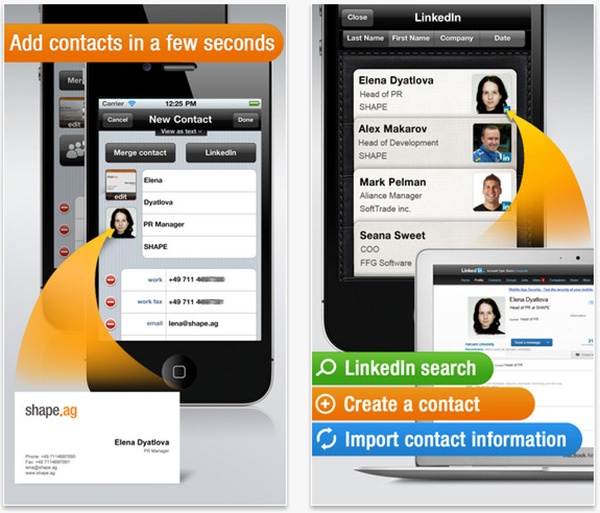
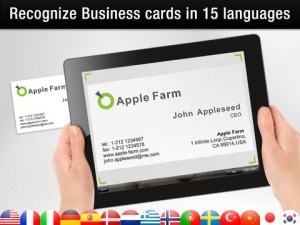
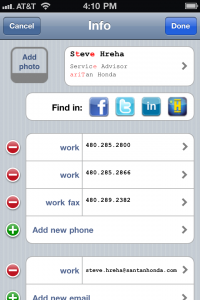
For the uninitiated, Business Card Reader sets to save you plenty of time by importing contact information from a business card straight into your iPhone’s address book. We’ve all been there, you’ve been off networking and collecting up many business cards from various potentially useful contacts. Now you’re stuck having to add all that information manually. Scan it in with Business Card Reader and your time is instantly saved. It even works with business cards in other languages or with unusual characters. Jason reviewed it last year and gave it a sterling review with 4.5 stars out of 5.

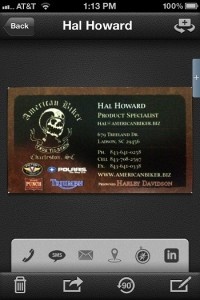
This latest update hopes to make everything more efficient. There’s improved contact editing courtesy of the new contact editor and there’s a great scanned card preview to check out as you go along. Plus the app is all too happy to highlight symbols that it’s not certain about.

Business Card Reader was already an essential app for the networker, especially for iPhone 4 owners who seemed to have the best results with the scanning engine, but this update sets to make it that bit more useful.

The update is free for owners of the last version. Those who are interested in taking the plunge with the app can purchase it for $5.99.

$4.99
$5.99
iPhone App - Designed for the iPhone, compatible with the iPad
Our Rating: ★★★★½ :: BEST IN CLASS
Read Our Full Review >>
Released: 2009-10-31 :: Category: Business

ABBYY Business Card Reader Review

ABBYY Business Card Reader Review

iPhone App - Designed for the iPhone, compatible with the iPad
While power users would probably be better off using a service that provides hand checking for business cards, the casual business card grabber would do just fine using ABBYY.

Read The Full Review »
WorldCard Mobile Review

WorldCard Mobile Review

iPhone App - Designed for the iPhone, compatible with the iPad
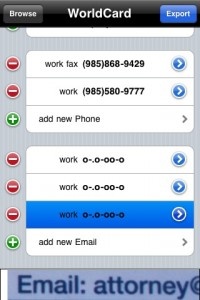
WorldCard Mobile is a barebones business card reader who’s data recognition capabilities left me disappointed and frustrated. Scan results were inconsistent and the application’s refusal to bring me back to the main screen reveal much work needs to be done before WorlCard Mobile is worth its asking price.

Read The Full Review »
ScanBizCards Review

ScanBizCards Review

iPhone App - Designed for the iPhone, compatible with the iPad
ScanBizCards is rich in features and, while it's data recognition is inconsistent, its impressive array of features/options offers solace to users who don’t mind encountering “hiccups” in what should be an autonomous process.

Read The Full Review »
Business Card Reader Review

Business Card Reader Review

iPhone App - Designed for the iPhone, compatible with the iPad
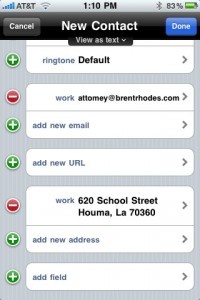
Business Card Reader is a solid, reliable, visually aesthetic business card reader that performs as advertised, with minimal effort on the user’s part. Of the business card readers I've tested thus far, Business Card Reader performed the best.

Read The Full Review »

photo36I can remember when I was handed my first business card. I always thought they were used as a means of saying: “Hey, look at me! I’m sooooo important, I have a special card to handout to people, showing how important I am!”

Yesterday As I grew up and entered the professional world, I realized that these cards were actually useful, but were a total pain in the expletive. Currently, my organizer has a section devoted to storing/displaying business cards and I’ve amassed quite a few, but I don’t know who’s where, offering what at whatever phone number/email address. I might as well just use them for kindle; at least I would know where they’re not.

Furthermore, I don’t carry my organizer with me everywhere I go:

Not Me: “Hey Jason, let’s go play a pick-up game of two-on-two!”

Me: “Okay, let me just grab my organizer in case anyone we play has a business card they want to show off/give me,”

OR

Not Me: “Hey Jason, let’s go graffiti the side of the tattoo shop!”

Me: “Okay, let me just grab my organizer, in case one of the cops wants to network with me.”

When I acquired my iPhone, however, all that changed. It replaced my organizer and is always with me. And if someone wants to give me a business card, regardless of the time, location, cell block, etc., there is now “an app for that.” Actually, there are several apps, but I’ll focus this review comparison on three:

Application Version Price
ScanBizCards [App Store] 2.60 $5.99
Business Card Reader [App Store] 1.2.1 $5.99
WorldCard Mobile [App Store] 1.2.4 $5.99

In reviewing these apps, I’m specifically looking for (in no particular order):

1. Menu interface/Aesthetics
2. Image quality
3. Scanning accuracy/data recognition technology capabilities using the app’s built-in camera features
4. Scanning accuracy/data recognition technology capabilities using a pre-selected image
5. iPhone Contacts integration
6. Storage features
7. Stand-out/Special features


Continue reading Business Card Readers: A Comparison of Three »

    Advertisement    


Featured Apps

    Advertisement    


Developers

Would you like your application reviewed on 148Apps? See the About page for information.
    Advertisement    


148Apps Network

148Apps - iPhone app reviews and news. The best gosh darn iPhone app site this side of Mars.
http://148apps.com :: @148Apps

The Portable Gamer - Mobile gaming magazine for the casual gamer.
http://ThePortableGamer.com :: @PortableGamer

The App Hall of Fame - An archive of the very best in apps and games.
http://AppHallofFame.com :: @AppHallofFame

Android Rundown - Android news and reviews. Where you get the rundown on Android apps and hardware.
http://AndroidRundown.com :: @AndroidRundown

148Apps.biz - iPhone development news and information for the community, by the community.
http://148apps.biz :: @148AppsBiz

Best App Ever - Yearly Mobile App Achievement Awards.
http://bestappever.com :: @BestAppEver

GiggleApps - iPhone applications reviews for kids and parents.
http://GiggleApps.com :: @GiggleApps