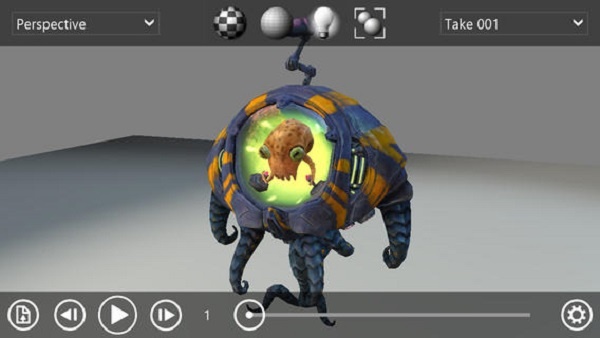
Autodesk announces that 123D Creature is now available for free. This opens the door for even more artists to create and share their monstrous ideas in real life with the 123D Creature app.
Posts Tagged autodesk
123D Creature – Create Your Own Monsters, Now Free
Posted by Andrew Stevens on May 9th, 2013iPad Only App - Designed for iPad
Homestyler Review
iPad Only App - Designed for the iPadBe inspired by this room design app that offers plenty of ideas and real life items to include.
Read The Full Review »
Homestyler Allows You To Visualize and Experiment With Home Design
Posted by Andrew Stevens on April 18th, 2013iPad Only App - Designed for iPad
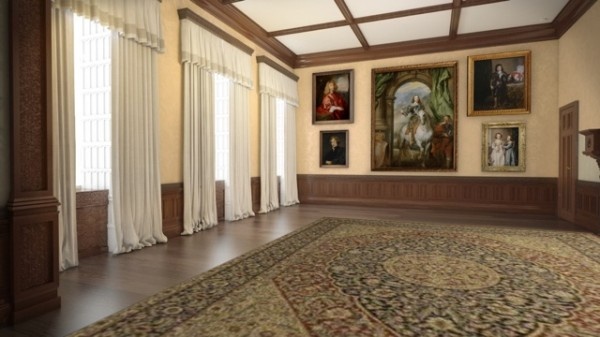
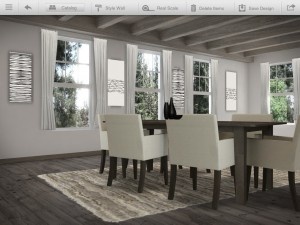
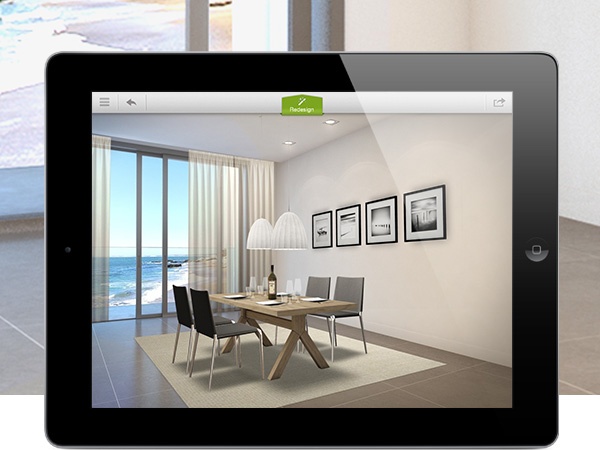
Are you thinking about redesigning your living space? There’s an app called Homestyler that can help you visualize and experiment with ideas for decorating your home. Use your iPad to take an image of your living space and begin placing 3D models of real furniture in your room. See what your walls look like by using a new color of paint. Experiment even further by adding lights to your ceilings, paintings on your walls and more.

• See how realistic models of actual branded rugs, paintings, mirrors and more look in your space
• Browse the Design Stream for pics, articles, how-to’s and more
• Share your designs with friends and family through FB and email.
• Browse Portfolio Pages of professional designers in your area
• Find designers who have the style and expertise you need
Autodesk is a well-known software company that makes the programs that game designers and developers use to create the games you play and love, from indie hits to AAA console and PC titles. They’re taking a step closer to the consumer realm wiht the 123D series, notably 123Creatures, an app for iPad that lets you design a creature from the wireframe on up, letting you realize your designs in true 3D, which can then be sent to a 3D printing service from within the app itself. Cool stuff, really.
‘Autodesk Digital STEAM Applied Mechanics’ App Provides Students With Learning Activities
Posted by Andrew Stevens on March 25th, 2013iPad Only App - Designed for iPad
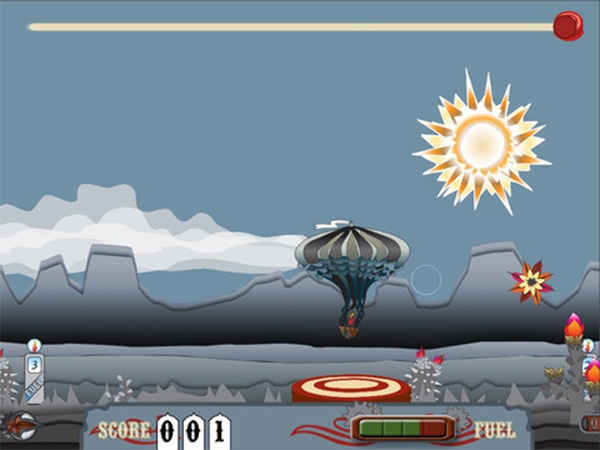
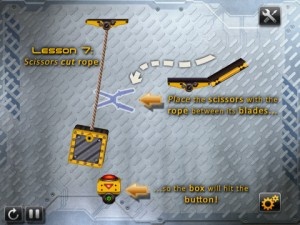
Autodesk Digital STEAM Applied Mechanics is an app designed for teaching students the basics of applied mechanics through game-based learning activities. The app focuses on five interrelated topics, Energy & Work, Force, Power, Loading and Mechanisms. This is just one of three learning apps from Autodesk with the other two being Visual Design and Measurement.

✓ Provides a fun way to make the connection between physical theory and the practical application of mechanics and technology
✓ Engages users to learn about applied mechanics through a combination of imaginative resources, including interactive games and animations
✓ Includes definitions of the applied mechanics used in the games, as well as practical application of the content
✓ Challenges players to use knowledge derived from the games to resolve a series of applied mechanics problems
✓ Teaches the principles that can help guide users to develop the next-generation technological devices and appliances
Socialcam Redesigns The Way You Take Video
Posted by Andrew Stevens on March 1st, 2013iPhone App - Designed for iPhone, compatible with iPad
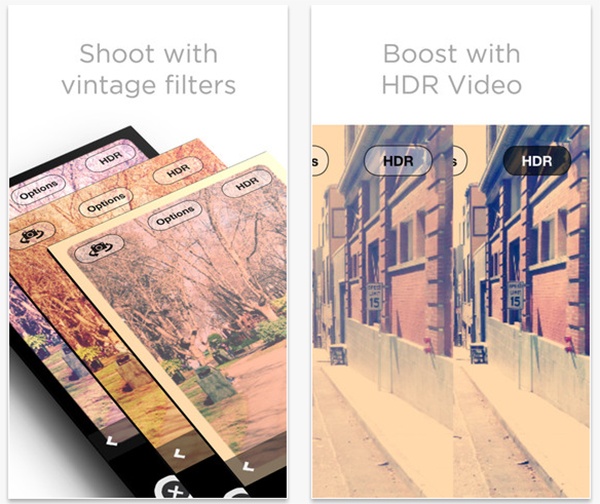
Autodesk has released a new update for Socialcam, a popular app that allows users to easily capture and share videos. Some of the new features include a complete redesign of visual effects, 720p HD video, and HDR (high dynamic range) video option.
Full List of Features:
✔ Unlimited video length and storage
✔ Private accounts and private videos
✔ Vintage and experimental video filters
✔ Titles, Themes, and Soundtracks
✔ Share to Facebook, Twitter, Youtube, Email/SMS
✔ Fast upload in the background (no spinners)
✔ Videos stored in the cloud
✔ Watch on any smartphone, computer, or tablet
✔ Upload existing videos from your camera roll
✔ Browse, like, and comment on friends’ videos
✔ Instantly notified when your friends take videos
✔ Live feed of your friend’s favorite videos

Bring Your Creatures To Life with 123D Creature
Posted by Andrew Stevens on February 14th, 2013iPad Only App - Designed for iPad
123D Creature from Autodesk is an iPad app that allows you to create your very own 3D creatures. 123D Creature features an easy to use tool that makes creating characters as easy as drawling a stick figure. Once you’ve created your own creature, you will be able to export it as an image, a 3D model, share it with the 123D Creature community, or even print it with a 3D printer.
Features, from the App Store Description:
✓ Start by creating a skeleton – drag joints to create new limbs, or to adjust their position.
✓ Adjust the thickness of your creature’s skeleton by dragging the shaping rings.
✓ 123D Creature will keep your model symmetrical automatically.
✓ Once you’re done creating the basic skeletal structure of your creature bake it in the digital kiln before adding additional sculptural detail.
✓ In the sculpting room you can refine the surface shape using tools from the popular 123D Sculpt app.
✓ Use the airbrush to paint on color, or use Image Paint to rub areas of a photo from your image library onto your creature to add realistic details.
✓ Bring your creature into the Render room where you can adjust the lights, background, and filter effects to generate amazing scenes and images.
SketchBook Ink Review
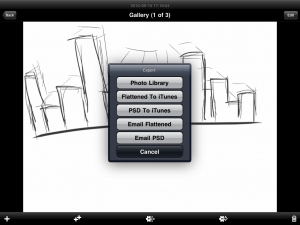
iPad Only App - Designed for the iPadSketchBook Ink has a welcoming interface but lacks key features
Read The Full Review »
Pixlr-O-Matic Review
+ Universal App - Designed for iPhone and iPadPixlr-o-matic offers plenty of different ways to add effects to photos but not quite as many ways to share them.
Read The Full Review »
I can remember spending hours of my childhood tinkering with a little game called Mouse Trap. They aren’t fond memories though because the game was frustrating when the mechanisms didn’t work, and they rarely worked. Regardless of the game’s failings, it did instill a love for the Rube Goldberg model in me. I am now, and will forever be, intrigued by falling dominoes, steampunk apparatuses (apparati?), and the creation of Rube Goldberg machines in Garry’s Mod for Half-Life 2. If you aren’t familiar with Rube Goldberg he was an American cartoonist who popularized the concept of outlandish machines performing simple tasks. Most of his illustrations featured insane contraptions doing ordinary tasks like pouring coffee or feeding a pet. Needless to say, his name is now synonymous with the concept.
So, Imagine my surprise and excitement when I found out about Autodesk’s new app/game Tinkerbox which happens to be based around the Rube Goldberg concept. They aren’t really known for their games, but then again, Tinkerbox is more than just a game. The well-respected developers at Autodesk who brought you Sketchbook Pro, AutoCAD, and Fluid FX have released a physics, engineering, puzzle, hybrid game with an educational flair (what a mouthful). The experimental app is hard to define with one word concepts, so I will just give you the full breakdown.
Tinkerbox is a free-to-play game with various physics puzzles built in. Not only can you solve these puzzles and learn engineering and scientific concepts, but you can also create your own Rube Golberg style machines and share them with with your friends. If you aren’t the creative type you can also just download other peoples puzzle machines for the solving. The trailer reveals a plethora of creative options, so I can imagine you will only be limited by your creativity and the amount of time you invest in the app. Oh, and if the theme song in the trailer doesn’t get you pumped about this free app, then I have no idea what will.
Autodesk has even created a website for the game that features tips, news, and a selection of top notch inventions (their name for Tinkerbox creations). The game is free and well supported, so hopefully if it is popular enough we will see some interesting updates down the road.
SketchBook Pro Review
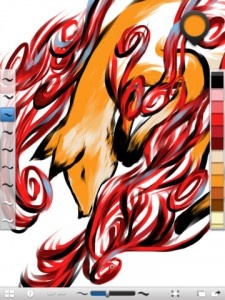
iPad Only App - Designed for the iPadSketchBook Pro is an impressive collection of drawing tools within an easy-to-navigate application.
Read The Full Review »
It is hard to even imagine what computer-aided design would be like without an application like AutoCAD. It has redefined the way that an entire generation of engineers look at problems and been a big proponent for PCs in the industrial design sector.
You would have to go back eighteen years to remember the last time that AutoCAD made an appearance on a Mac platform of any sort. At the time, one Steve Jobs had been shown the door and the company was floundering rather severely. In response to an indefinite future for the fledgling company, Autodesk decided to close up shop on their Mac OS based development team and focus on the more lucrative PC market.
The plan seemed to pay of for them at the time, but left Mac users out in the cold, forcing them to use emulation tools in order to get the same functionality on their platform of choice. Fortunately for all involved, that is now a thing of the past as it was recently announced by Autodesk that the AutoCAD franchise will be making a return to the once abandoned Mac universe.
But what would a return of Apple support be without iOS applications as well? Coined AutoCAD WS, AutoDesk will be releasing an iPad, iPhone and iTouch application that will allow users to both view and edit designs on the fly. As the sweet icing on the cake, the app will be completely free! This is kind of a big deal when you consider that a stand alone license of the application could set a user back as much as nearly $4,500.
I just find it staggering how far technology has come in the last twenty years. Even a decade ago it would be lunacy to consider what we can design on our computers, and now you can do the same thing on a device that you can fit in your pocket. It will be interesting to see what limitations are placed on the WS versions of AutoCAD, but we will never be ones to look a gift horse in the mouth.
You can look forward to this giant step forward in design and engineering to hit the App Store sometime this fall.
[ via InfoWorld.com ]
Fluid FX Review
iPhone App - Designed for the iPhone, compatible with the iPadFluid FX from Autodesk is an entertaining app, but messing with images just isn't fun when you have to wrestle with the user interface.
Read The Full Review »


:: INSPIRING DECOR


]