Words games played with friends may not be nearly as popular as they once were, but that didn't stop the makers of You Don't Know Jack from spinning the popular genre, giving it a new outlook on life.
It’s not raining men, or cats and dogs, but it is raining words and word game adrenaline junkies might want to hop on board. This is not for the faint-hearted academic; speed is the name of the game.
Polaris provides users with a way to view and edit MS Office documents on any iOS device thanks to its intuitive interface and many impressive features.
Developer: Sarah Northway Price: $1.99
Version: 1.01
App Reviewed on: iPhone 5
Graphics / Sound Rating: User Interface Rating: Gameplay Rating: Re-use / Replay Value Rating:
[rating:overall]
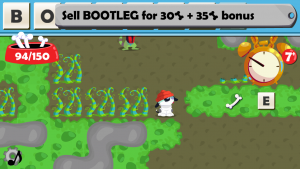
It’s interesting to think that the same mind behind the absolutely stellar (and in my opinion criminally under-looked) Rebuild could also be responsible for creating a Roguelike word game featuring a hip hop dog. Then again it makes a weird kind of sense. And despite the enormous gulf between genres, Word Up Dog is pretty much just as much of a time-eater as its less family-friendly older sibling.
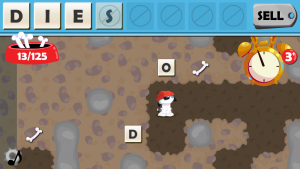
So how does such a bizarre concept work? With a dog that’s more 80s than the 80s falling through a hole and getting trapped underground. In order to find his way home he needs to gather bones and dig his way out. Bones function as both a currency and a sort of energy meter: they can be used to buy power-ups as well as dig through dirt. Digging serves multiple purposes as it’s necessary to reach the level’s exit, find more bones, and acquire letters. The letters are, of course, the real stars of the show since they’re essential to earning even more bones and hopefully making it out in once piece.
Word Up Dog has a lot going for it whether or not players like the over the top 80s aesthetic. The levels are randomly generated which keeps replays from becoming stale. A number of vending machines as well as friendly animals can be found and each dispenses a different kind of handy item or tile that can completely turn a bad situation around. Later levels include enemies (of a sort) that can convert vowels to consonants and vice-versa. Which is all great stuff but my personal favorite is by far the random challenge feature that will toss increasingly difficult (yet totally optional) word-related tasks at players for bonus bones. There’s nothing quite like desperately digging for a “G” while the clock runs down in order to make a six-letter word and hopefully earn enough to access the end of the level.
If there was one thing I’d have to harp on Word Up Dog for, it would be the movement and digging controls. They aren’t really bad or anything, but they’re a little clunky since they’re oriented to what portion of the screen is tapped rather than a less screen obscuring directional pad. They only really become an issue when “enemies” that move when the puppy moves are introduced, and even then only slightly, but they’re still a bit of a problem.
Word Up Dog is an incredibly weird concept that seems all the more random when compared to the developer’s other releases, but that doesn’t make it any less amusing to play. It’s weird enough to enjoy without being too obtuse to follow. It’s also just plain goofy and worth showing off because it features animals dressed like rappers from the 80s: it practically sells itself.
Graphics / Sound Rating: User Interface Rating: Gameplay Rating: Re-use / Replay Value Rating:
[rating:overall]
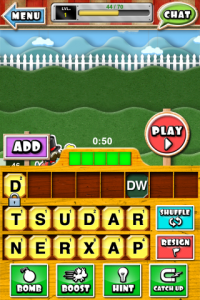
The iOS world has seen its fair share of word game hybrids that encompass virtually every conceivable combination out there. And yet, new ones are still popping up. New ones like Word Derby that partner spelling with what can best be described as “those weird racing games at carnivals where people spray water at tiny targets to make their rider on a stick go faster.” It’s as unlikely a pairing as I could imagine, and yet it works exceedingly well.
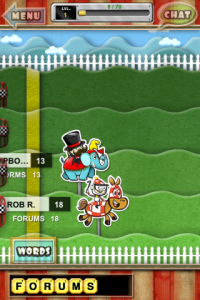
The ultimate goal of Word Derby is to just have fun competing with other players. Sure there are some riders (many with special abilities) that can be unlocked but the real focus in simply on playing. Experience is earned and levels are gained with each turn taken that provide players with special profile badges to show off, but they’re just for show. The race is the thing here. Once a match is set up (between 2 and 4 players) and a bet placed (players bet tickets; the game’s all important currency), both players are given a small set of jumbled letters and are tasked with spelling something. The first letter is locked in, however, and all players’ turns are submitted simultaneously, which not only complicates things but penalizes the submission of two of the same word with zero points. It can happen, believe me.
Word Derby’s presentation is pretty neat in that it’s like an adorable cartoon carnival game. The characters are weird and cute at the same time, and everything just seems “friendly.” Playing it is also a lot of fun, which surprises me a little since I was a bit wary of the simultaneous turns thing. But it adds an element of excitement to each round. “Did the other person find the same word I did? Did they find a better one? Are they using a power-up to boost their chances?” As does the bonus points meter that gets more and more empty the longer a turn takes to complete. But those power-ups, wow. What’s clever about their implementation is that none of them are game winners, they can only be used once per game, and players have to pay for each use with their own tickets. So no spamming and no decided advantage for players with a larger bankroll.
It’s unfortunate that Word Derby can only be played with an online connection (i.e. no subway play), but that’s sort of how it goes with multiplayer-only games. And while the inclusion of a pass-and-play option is nice, it’s fairly pointless when the game needs an online connection to simply start up. Still, once a game (or several) is going it can be plenty of fun. Especially earning the ticket pot after coming in first.
Spell words using a jumble of letters, collect coins to boost scores, and even unlock new rules to earn even more bank in one dynamite avian word game.
War of Words Apocalypse might look like a rehash of an all-too-familiar favorite, but that's just on the surface. Go a little deeper and it becomes a rather hectic battle of cunning, luck, and of course spelling.
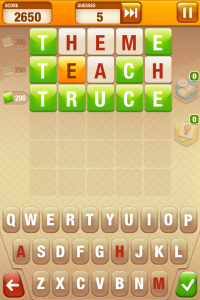
Who doesn’t love a good word game? Nobody, that’s who! With this in mind EA Mobile is working on Word Smack, a new free-to-play spelling puzzler that takes its cues from Mastermind and Hangman.
Word Smack is, at its core, an asynchronous multiplayer word game where the highest score wins the match. Players will have to guess their assigned words using only a couple of hints and their personal spelling knowledge, with proper guesses leading to new words and potentially more points. Once they’ve exhausted their allotted 15 guesses their turn is over, however, so it pays to stop and think for a bit rather than charge blindly ahead. Of course that’s just the first round. The two that follow get progressively more difficult but also yield higher points. So really, it’s the final round that can make all the difference. Assuming someone hasn’t totally botched the first two, anyway.
Word Smack is due out this fall, and it won’t set you back a single pe--y.
iPhone App - Designed for iPhone, compatible with iPad
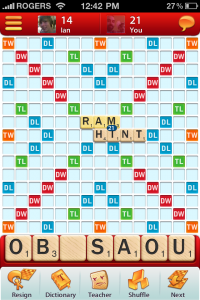
A lot of people enjoy Scrabble. Like a lot. But while the current official iOS rendition is doing okay, it’s been in need of a little tweaking for a while. Well the time for tweaking is nigh.
The list of changes includes a much-improved user interface that not only looks nice but makes setting up matches and finding friends a lot easier. In fact, it makes the act of setting up a game into about as painless a process as I’ve seen yet. The chat features have also been updated, and even include some pretty wacky emoticons. There’s also a rather handy new feature that will allow players to see what other words they might have made with their letters after (emphasis on after) their turn is submitted, which should help to even out the playing field a little for the less spell-savvy while still keeping things fair during multiplayer matches.
However, the most exciting change by far has got to be the cross-platform integration. The Facebook rendition is already available, but once the iOS and Android updates are ready to roll out players will be able to get their spell on across all three platforms. This means PC/Mac users can play against iOS/Android users, and that one user’s account can span multiple devices. So one could play a few rounds on their mobile device, then come home and continue the game on the computer via Facebook. Effectively, just about anyone will be able to play Scrabble with just about anyone else just about anywhere.
Scrabble is already available and is free, but these changes won’t hit until sometime this summer. Do any of these changes have you current players excited? Then chime in below!
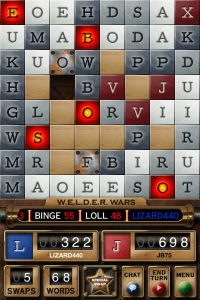
The game W.E.L.D.E.R. is a strategic, word building puzzle game in which players gain points by swapping letter tiles to complete the longest words possible and using various power ups to achieve higher scores and longer words within a randomly generated field of letters.
On June 21st, developer Ayopa Games is expected to release a major update to their popular word game. This update will include a new multiplayer mode for the game that will allow players to play W.E.L.D.E.R. against their friends or random opponents via Game Center. This new multiplayer mode will allow players to go head to head, chat, use power ups to their advantage or to their opponent's disadvantage, and even watch as their opponent's moves.
In addition to multiplayer, this update will also include many changes to the game overall, including an undo button on the iPhone version, new prices for the Wrench powerup, and a new "Weld of the Day" word that will award players an extra Gigawatt bonus when it is built that same day.





 :: WORDS WITH PUZZLES