Dubbler Review
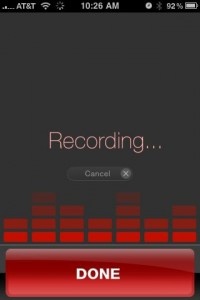
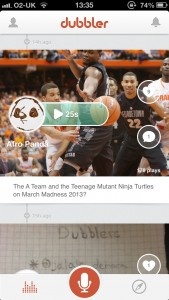
iPhone App - Designed for the iPhone, compatible with the iPadDon't bother typing your thoughts, speak them instead, for this new social networking app.
Read The Full Review »
Posts Tagged voiceDubbler ReviewiPhone App - Designed for the iPhone, compatible with the iPadDon't bother typing your thoughts, speak them instead, for this new social networking app. Read The Full Review » Vio Review+ Universal App - Designed for iPhone and iPadVio transforms voices into beautiful harmonies and sonic universes thanks to its impressive interface. Read The Full Review » Digisocial ReviewiPhone App - Designed for the iPhone, compatible with the iPadDigisocial is a quick and easy way of sharing voice clips and pictures with the world, but it lacks some all-important privacy options for the more wary of us out there. Read The Full Review » Bubbly ReviewiPhone App - Designed for the iPhone, compatible with the iPadBubbly hopes to be the Instagram of voice. It ticks all the right social networking boxes but it needs more users to be a real must try. Read The Full Review » Voice Assistant – Just Use Your Voice Review+ Universal App - Designed for iPhone and iPadIt's not exactly ground-breaking, but Voice Assistant does make certain tasks easier. Read The Full Review »
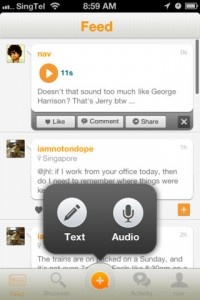
Voice posts are the driving feature of Bubbly. Users are encouraged to use the audio option when posting to convey the emotion and feeling behind what they’d like to say. I’ve grown particularly accustomed to the fact that sarcasm and irony aren’t always apparent in a text-only platform. Something like Bubbly remedies that confusion. The service has a strange in-app purchase option. To unlock access to celebrity Bubbly-ers (Bubblers?…Bubbly users), users must pay $2.99 as an in-app purchase. I’m not sure any other service has ever done something like this. I’m trying to imagine Twitter being free, but needing to pay for popular users. Bubbly has reached 16 million users (1 million just in the last month). On average, users post three times per day and 75% of that content are audio posts. Bubbly is a free service (except for the in-app purchase for premium user access) and the app is available to download for free. FREE! ![]() iPhone App - Designed for the iPhone, compatible with the iPad Released: 2012-03-30 :: Category: Social Networking Tweet Speaker ReviewiPhone App - Designed for the iPhone, compatible with the iPadAn app that will read tweets form your twitter feed out loud to you. Read The Full Review »
Want to call the parents? Just tell the phone. Need to know where that restaurant is? Ask. The software recognizes a shocking amount of spoken dialog accurately. It can translate words and phrases into several different languages, find locations on the GPS, search the device’s library for requested songs and more. A good many of the questions users might ask will be answered in-app via a computerized Australian woman’s voice, while anything that isn’t readily-available calls up a search in the web browser. It can also access other apps such as the GPS I keep talking about, contacts, YouTube and more. It can certainly be useful in a situation that requires one’s eyes to be somewhere other than the screen, but it can also be a faster way to find information depending on the situation. For example, it’s possible to open up the weather app, mess around with some menus and figure out what the weather is like in West Haven, Connecticut. Or there’s the option to simply ask Voice Actions and have it tell me. The same goes for finding locations on a map or videos. Then, of course, there’s the translation. The app seems to be able to accurately translate a whole heck of a lot into a whole heck of a lot of different languages, and it provides computerized pronunciations. Voice Actions is available in the App Store right now for $9.99.
$1.99 ![]() + Universal App - Designed for iPhone and iPad Released: 2011-06-08 :: Category: Business
A few advantages come about from this. Users can listen to their tweets much like a radio station while they’re exercising or doing other things while at the PC or at work. Other users can use it to save effort such as if they’re suffering from either a short term or long term disability that affects their mobility and they’d rather listen than navigate through the app. Those with visual impairments could also benefit. Each tweet is read in an easy to understand young woman’s voice and users can quickly play, pause or skip forward or backwards just like when using an iPod. Even common jargon such as smiley faces or texting abbreviations can be converted appropriately so it still all makes sense. Two versions of Tweets Aloud are available. A free/lite version allows users to read/listen to the latest 10 tweets alongside an ad-supported interface while the full version offers readings of up to 100 of the latest tweets. It’s priced at $1.99. $2.99 ![]() iPhone App - Designed for the iPhone, compatible with the iPad Released: 2011-08-26 :: Category: Social Networking FREE! ![]() iPhone App - Designed for the iPhone, compatible with the iPad Released: 2011-08-26 :: Category: Social Networking
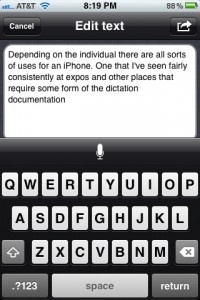
Dragon Dictation was a surprise when it showed up in the App Store this week. While I guess it’s no surprise that more and more developers are launching applications for the iPhone so we should see more surprise launches like this. Dragon Dictation does a pretty good job of translating speech into text. In a few tests I read some standard political quotes into the phone and it seemed to translate with around a 95% accuracy. Very good results really. I particularly liked the way it capitalized words when they were in a particular context. For example, United States was properly capitalized in one text example. Once you have your speech dictated, you can send that text in an email without even leaving the app, a nice touch. Or you can send it to the clip board and use it in a text message or paste it into another app. Would really like to see more options here. Would be great to have it automatically launch Tweetie 2, or Facebook, or other apps to allow status updates via voice. There has been some confusion on one part of the end user license agreement (EULA) for this app. That passage states that your contacts will be uploaded to their servers. This, of course, got people up in arms, and generally confused. We asked Nuance, developers of Dragon Dictation for some clarification on this.
While some users still won’t be happy about this, it’s good to know before you download the app. If it bothers you, don’t download the app. Dragon Dictation is currently available for free from the App Store. There is some indication that the app is free for only a certain, unknown, amount of time. So if it is interesting to you, grab it now! FREE! ![]() + Universal App - Designed for iPhone and iPad Released: 2009-12-08 :: Category: Business EvernoteiPhone App - Designed for the iPhone, compatible with the iPadWhat you can accomplish with Evernote will vary depending on your needs. Because the application is so flexible the application can do more than you can initially anticipate. As this is the case you will feel as if you're not getting 100% out of the application until you've used it for a while. Read The Full Review » Dictionary.comiPhone App - Designed for the iPhone, compatible with the iPadIt's a free dictionary that works well. This statement pretty much sums up this app. Want to know the exact definition of antidisestablishmentarianism? It's there... I promise. Read The Full Review » Voxie Pro Recorder & DictationiPhone App - Designed for the iPhone, compatible with the iPadEvery once in a while you run into an application on the iPhone that appears to have been designed by Apple themselves and included with the OS. Voxie is an audio recording application that leverages Bottle Rocket's design ethic with fantastic results. Read The Full Review » Say Who – DialeriPhone App - Designed for the iPhone, compatible with the iPadSimple but smart native voice dialing application Read The Full Review » |