Posts Tagged twitter

This week at 148Apps, we took your New Year’s resolutions seriously and started our “Health and Fitness” month. Editor Rob LeFebvre writes, “We’ve already taken a look at some apps that help us all acheive our goals, and we plan to continue that trend for the entire month, with personal stories from our crack writing team, continued reviews, and focused features like our Favorite Four.”

See our first group of Health & Fitness reviews at 148Apps.

$0.99
iPhone App - Designed for the iPhone, compatible with the iPad
Released: 2010-05-19 :: Category: Healthcare & Fitness

Our apps-for-kids site, GiggleApps, offered a review of Odd Spotting. Reviewer Amy Solomon says, “Odd Spotting, developed by Micromicon Media Limit, is an “odd one out” game with 144 levels, the goal of each being to spot the object that is different from all the others in the group. As I began to explore how Odd Spotting works, I couldn’t help but to remember the lyrics from a classic Sesame Street song, “One of these things is not like the others, one of these things just doesn’t belong.”

Learn more and read the full review on GiggleApps.

$0.99
iPhone App - Designed for the iPhone, compatible with the iPad
Released: 2011-09-21 :: Category: Games

Finally, on 148Apps.biz, writer Jeff Hughes commented on Apple’s recent (and quiet) changes to app categorization on the App Store, saying “Just like Google, when iTunes makes the slightest change to their App Store search algorithm, it has an impact on how many people see your app. The recent changes to the category ordering have also impacted sales for many app vendors for better or worse. Some developers have been helped because their app is now in a category that is displayed higher on the mobile screen…Other developers may be adversely impacted due to the decrease in exposure for their app because their category now appears further down the list.”

Read more on 148Apps.biz.

And that, my friends, completes our rundown of happenings across the 148Apps network for the week of January 9-13. Keep track of all the latest news, reviews and contests by following us on Twitter or Liking us on Facebook. See you in a week!

Buffer Review

Buffer Review

iPhone App - Designed for the iPhone, compatible with the iPad
Scheduling your social media updates has never been so easy.

Read The Full Review »

This Week at 148Apps, December 26-30

Happy New Year to all of our readers! We had a great end to 2011 across all of the 148Apps sites. At our flagship 148Apps.com site, writers Rob LeFebvre and Carter Dotson posted a series of articles counting down the “Favorite 50″ apps and games of 2011. The lists cover every genre and type imaginable, but if you want to cut to the quick, take a look at the top five apps or the top five games. Whether you agree or disagree with our decisions, we feel sure you’ll discover a few new apps along the way.

Over at GiggleApps, writer Amy Solomon continued her mission to review the best new apps for children by reviewing Kids Food Adventure. Solomon writes, “Kids Food Adventure is a very nice universal app that is geared towards encouraging children to try new foods.

The foods included in the application can be searched by season, as one can look at a calendar where each month of the year has seven foods that are in season, and I like how one can pre-select an area of the world – be it North America or Europe – to make the food selections offered, which are accurate in terms of seasonal availability.”

Read the full review on GiggleApps.

FREE!
$0.99
+ Universal App - Designed for iPhone and iPad
Released: 2011-09-21 :: Category: Education

Finally, on AndroidRundown, Carter Dotson commented on why Android phones currently have OnLive, while iOS users are still out in the cold. Dotson says, “So, here we are, two weeks later, and OnLive is still only on Android. It was announced to be released for iOS along with the Android version, but no real reason has been given as to the delay of the iOS version, beyond that Apple is still examining it for approval.
Without firsthand knowledge of the process, I can only assume that Apple is not likely to approve it because it will not fit their policies. See, OnLive’s client is all cloud-based; even the interface and menus to choose games are streamed from their servers. This also means that buying new games comes from operations occuring on their servers.”

Read Carter Dotson’s full commentary on AndroidRundown.

So here’s to a fantastic 2012 for everyone. We’ll stay with you throughout the year, covering all of the latest iOS news, reviews, sales and more. If you want to stay on top of all the happening, plus get plugged into giveaways, follow us on our Twitter and our Facebook streams. Happy New Year!

Happy Holidays! If you’re like many folks, you’ll have gotten a new iPad, iPhone, or iPod touch this holiday season. And if you’re looking for a place to learn all about this new magical device in your life, you’ve come to the right place. 148Apps has tons of resources on using your new device and filling it with the best thing about it: apps.


Learning The Basics

The operating system of these devices is one of the most intuitive around. However, there’s always more waiting under the hood to make things just that much easier or better on us. While your new iPhone or iPad may not come with a manual, you can download one fairly simply from the iBooks Store. First, grab iBooks (FREE!, + Universal App), then grab the manual for your new iPad, iPhone, or
iPod touch.

Speaking of the operating system, we’ve written a few articles about the latest and greatest from Cupertino right here on 148Apps. Check out our Full Feature Roundup on iOS 5.

We even published some downloadable magazine-style User Guides last year, on each of the devices. Feel free to grab them and read through them – many of the tips and tricks included there are just as relevant today as they were then. iPhone, iPod touch, and iPad.


To the iCloud!!!

You may have seen some of the information about iCloud in the Apple TV commercials. It’s a great system that gives you unprecedented storage and sharing options. Here’s a short intro to iCloud from Apple.

We’ve got you covered with iCloud as well. Here’s information on both moving your data to the iCloud to help keep things synced and backed up. You may also need more information on how you set up iCloud in a multiple user family. This details all the ins and outs of multiple user groups who may otherwise share iTunes accounts.


There Really is an App for That

Once you’ve got a good handle on using that sleek new iOS device, you’ll of course want to dive in and start downloading apps. Whether you’re an avid gamer, a music lover, a book reader or even (gasp) all three, you’ll find everything you need in the iTunes Store.

When it comes to Apps, iOS has no peer. There are over 500,000 apps in the App Store, so you’ll doubtlessly find something you like. The trick, however, is filtering through all of those apps to find the specific things you want. That can be tricky, but luckily there are many ways to help.

First off are our very own reviews. We review a ton of apps weekly to give you the best recommendations about the best apps we find. Be sure to look through our Reviews lists, which can be filtered by type of app as well as sorted by date, app name, or app rating. If you just want to read reviews of our highest rated iPad games, for example, it’s an easy click. And for on the go browsing of 148Apps reviews, grab the 148Apps App (FREE!, iPhone App).

In addition, we have our famous Price Drops lists, which can be sorted to just show the latest drops in prices, or even just the latest FREE apps. Very handy, if we say so ourselves. If you’re looking for the very latest additions to the App Store, we have a list for that, as well as one for the Top Apps across all the App Store categories for each device. Then of course there’s always the very best of the best in free apps available in the free games and free apps lists.

If you want even more app discovering goodness, you might want to check out a few apps made to help you wade through the App Store. Some of our favorites are AppShopper (FREE!, + Universal App), Chomp (FREE!, iPhone App), and AppZapp (FREE!, iPhone App). There are even specific apps to help you find the latest free apps. Some of the best include Free App A Day (FREE!, iPhone App), Apps Gone Free (FREE!, + Universal App), and Free App Alliance (FREE!, iPhone App). These will all help you sort and find and browse apps and games to your heart’s content; we use them all the time to find new great apps to use and write about on the site.


Where Else To Find 148Apps?

We’re everywhere, really. However, the best places to find us are on Twitter, Facebook, and now even Google+. Be sure to come visit and chat with us there. We’re ever so responsive.


Free Apps You Shouldn’t Do Without

Now, we wouldn’t be the premier Apps review site without some sort of parting gift, now would we? How about some apps you really should try out? To make the deal even sweeter, let’s make them free apps.

iBooks, Nook, & Kindle – Reading ebooks is all the rage these days, especially on these fancy new iOS devices. We love reading on our iPad, and have even been known to crack a virtual spine or two on our iPhone while waiting at the doctor’s office. For those of you with shorter attention spans, there’s always Newsstand, iOS’s magazine subscription service. Some of the best ereader apps include iBooks (FREE!, + Universal App), Nook for iPhone (FREE!, + Universal App), Nook for iPad (FREE!, + Universal App), and Kindle (FREE!, + Universal App). Happy reading!

Facebook, Twitter, & Instant Messaging – Keep in touch with family, friends, and us – your favorite Apps website – with these free social networking apps. Tell ‘em 148Apps sent you!
There’s Facebook (FREE!, + Universal App), Twitter (FREE!, + Universal App) though Tweetbot ($2.99, iPhone App) is much better, though not free like the official Twitter app.

For instant messaging, check out imo (FREE!, iPhone App) and imo for iPad (FREE!, iPad App). And don’t forget Skype (FREE!, iPhone App) and Skype for iPad (FREE!, iPad App). We’ve become big fans of GroupMe (FREE!, + Universal App) lately too for group communication.

Gaming on the Cheap – Now, we put out a sweet weekly article that tells you about the latest FREE gaming apps, but here are a few we think you won’t want to miss. We could go on for hours about it, really, but these should get you off to a good start.

For a great free endless runner, check out Temple Run (FREE!, + Universal App). A wonderful game. For some great physics puzzle fun, the new king is Where's My Water? Free (FREE!, + Universal App) and you can never go wrong with the classic Angry Birds Free (FREE!, iPhone App). A couple other free games we really like include The Sims Freeplay (FREE!, + Universal App) and TinyTower (FREE!, + Universal App).

You should also check out our massive iOS game and app sale post. There are tons of great deals and quite a few temporarily free apps there. Be sure to grab the great Jetpack Joyride (FREE!, + Universal App) while it’s free. It’s one of our favorite games of the year.

We hope you’ve enjoyed learning about your new magical iOS devices. The iPad, iPhone and iPod touch are some of the best new gadgets to give or receive. Be sure to come back often to see what we have for you; we’re always looking to find the news or apps you want to know about first. From all of us here to all of you out there, Happy Holidays!!!

This Week at 148Apps, December 12-16

This week at 148Apps.com we delved into the latest from the developers of Hipstamatic, the “disposable” Hipstamatic D-Series app. 148Apps founder Jeff Scott says, “I got a chance to try out the new app and can report that Hipstamatic D-Series does indeed bring back the nostalgic memories of sharing a disposable camera and swapping double prints into the digital age. It’s a great idea and well executed. There’s even the anxious need to burn the last shot by taking a picture of your foot, just to get the roll developed quicker. It’s indeed very fun.

Delve further by reading the full run-down on 148Apps.com.

FREE!
iPhone App - Designed for the iPhone, compatible with the iPad
Released: 2011-12-15 :: Category: Photography

$1.99
iPhone App - Designed for the iPhone, compatible with the iPad
Released: 2009-12-09 :: Category: Photography

At GiggleApps.com, reviewer Amy Solomon took a close look at the first interactive book from The Cat in the Hat’s Learning Library, There’s No Place Like Space. Solomon says, “There’s No Place Like Space, although a creative, fun and educational book, is not written by Seuss himself, although it is written in a Seuss-like style. I enjoy this book, as does my son, but my husband and I did comment to ourselves that the text is not as well-written as the classic books by Seuss.”

Read the full review at GiggleApps.

$4.99
$5.99
+ Universal App - Designed for iPhone and iPad
Released: 2011-11-16 :: Category: Education

Finally, 148Apps.biz site editor Rob LeFebvre reported on a new report from mobile analytics company Flurry. LeFebvre writes, “Flurry shows the fact that developers are making more money on iOS than on Android, even as the numbers of Android OS enabled smartphones continues to increase, commanding as much as 53% of the market, according to an NPD Group study released yesterday as well.”

Intrigued? Read more on 148Apps.biz.

As your advent calendar continues to count towards December 25th, don’t forget to vote for our 2011 Best App Ever, and keep track of the latest news, reviews and contests via our Facebook and Twitter streams.

This week at 148Apps.com, writer Carter Dotson reviewed one of the most anticipated iOS games in recent memory – Infinity Blade II. Dotson writes, “Most of what is new here is a modified and extended progression structure. Instead of one path leading to a final boss, where failure means starting over, there are now several of them, with more branching paths to explore. There are 3 different weapon types now: the traditional swords, slow and heavy axes that deal more damage, and speedy dual swords that deal less base damage, but can do double damage once combos are started. The story is more fleshed out, with actual speaking dialogue from characters besides the God King.”

Read the full review at 148Apps.com.

$6.99
+ Universal App - Designed for iPhone and iPad
Released: 2011-12-01 :: Category: Games

Meanwhile, our attention was turned to more artistic matters at GiggleApps, as Amy Solomon reviewed Auryn – Van Gogh and the Sunflowers. Solomon says, “The look of this app is terrific, with illustrations evoking the style that Van Gogh is known for, complete with bold color choices and noticeable use of brush strokes, but maintains a childlike quality that fits well within this storybook. The jazzy music used is also wonderful, relaxing as well as engaging and very enjoyable to listen to even for long periods of time. The narration used here is also quite good. Parents will also like that each spoken word is highlighted red to aid the young children new to the world of reading.”

Read more about our take on Auryn – Van Gogh and the Sunflowers at GiggleApps.

Finally, 148Apps.biz site editor Rob Lefebvre reported on tablet users and their media consumption. LeFebvre writes, “In a study put out by comScore and reported by Fierce Mobile Content and the appside, interested parties can see that the number one use of tablet devices is games, with 67% of surveyed tablet users saying they’ve played a game at least once in the past month, as compared to 49% of smartphone users surveyed. 23% of those surveyed said they’d played a game on their tablet EVERY DAY. That’s a good number.”

Dig deeper into this study and read the full report on 148Apps.biz.

That’s our wrap-up for this week. While you’re out getting all of your holiday shopping done, don’t forget to check us out on our Facebook and Twitter feeds to find out the latest and greatest news, reviews and contests. Feliz Navidad!

TwitterStream HD Review

TwitterStream HD Review

iPad Only App - Designed for the iPad
It's Twitter, but with a relaxing twist!

Read The Full Review »

This Week at 148Apps, November 14-18

This week at 148Apps.com, site founder Jeff Scott welcomed the Kindle Fire into the tablet fold with an overview of his impressions of the device. Scott says, “…while the Kindle Fire is around 40 percent the cost of a base level iPad, it’s capabilities are even less. It just so happens that those capabilities match up well with what a typical consumer uses a tablet device for. Because of that, the Kindle Fire will be a strong competitive device to the iPad. When it comes down to it, it’s the cost that matters to a very large portion of the buying public, not the capabilities.”

Read the full review on 148Apps.com.

Meanwhile, our sister site, GiggleApps, took a closer look at a new educational app for children, iLuv Drawing Animals. Reviewer Amy Solomon writes, “iLuv Drawing Animals is a nice choice for kids who are interested in learning the very basics of drawing cartoony animals that are cute and relatively easy to draw. I like how these illustrations are broken down into smaller shapes that kids will easily understand and have had experience with, and the narration is pleasant and easy to follow.”

Read the full review on GiggleApps.

$2.99
iPad Only App - Designed for the iPad
Released: 2011-10-10 :: Category: Education

Finally, on AndroidRundown, Carter Dotson announced the public availability of Google Music, an interesting development for all music lovers, no matter the device. Dotson writes, “Most importantly, this means that Google is now in the business of one of the big pillars of media, and it addresses a gaping hole in the Android Market. With videos and books already addressed, now the store is complete with music to go along with apps. Google is directly putting themselves in competition with iTunes, and they are making their operating system much closer in terms of features to iOS devices. This was a necessary move for Google.”

Read more of Dotson’s commentary on AndroidRundown.

As we head into the week of Thanksgiving here in the US, remember that you can still enter to win an iPhone 4S, courtesy of 148Apps and Gameloft. To enter, just become a 148Apps and Gameloft Facebook fan – www.facebook.com/gameloft and www.facebook.com/148apps.

Or you can follow both of us on Twitter as well at www.twitter.com/148apps and www.twitter.com/gameloft. Then, write the following public tweet: “Upgrade to a 4S yet? Follow @Gameloft & @148Apps & RT for a chance to win an iPhone 4S! Gameloft gaming on the 4S: http://glft.co/uIR3Y1″

See you next week, true believers! Start thawing that turkey!

This Week at 148Apps, November 7-11

We’re heading towards the holidays, and this week at 148Apps.com we premiered a new Gameloft contest for the ultimate holiday gift – a brand spankin’ new iPhone 4S. To enter, just become a 148Apps and Gameloft Facebook fan – www.facebook.com/gameloft and www.facebook.com/148apps.

Or you can follow both of us on Twitter as well at www.twitter.com/148apps and www.twitter.com/gameloft. Then, write the following public tweet: “Upgrade to a 4S yet? Follow @Gameloft & @148Apps & RT for a chance to win an iPhone 4S! Gameloft gaming on the 4S: http://glft.co/uIR3Y1″

For a link to the official rules, plus more information, read the full article on 148Apps.

Our GiggleApps sister site featured a new review of Transport Jigsaw Puzzles 123 for iPad from writer Amy Solomon. She writes, “Transport Jigsaw Puzzles 123 for iPad is the terrific sequel to the original app, Farm Jigsaw Puzzles 123 for iPad. Seven scenes are included here that wonderfully introduce many vehicles and means of transportation, both traditional and unique, as well as a very fun, puzzle experience with the choice of using 2 to 16 puzzle pieces per scene and include hints if needed. There is also an iPhone version of this app available with 5 puzzle scenes included.”

Read the full review on GiggleApps.

$1.99
iPhone App - Designed for the iPhone, compatible with the iPad
Released: 2011-09-30 :: Category: Games

Finally, on 148Apps.biz, site founder Jeff Scott recapped his recent visit to the Sprint Open Solutions Conference, saying, “During the keynote from CEO Dan Hesse, he mentioned many times how great it was to have the iPhone on Sprint now (and to no longer have to answer the question of when they would get the iPhone). The addition of the iPhone 4 and 4S should allow Sprint to have their best year ever this year. Needing to have just one million adds to reach that record level. The iPhone should easily help them retain users and gain new ones.”

Read the full recap on 148Apps.biz.

We’re done for this week! As always, check our Twitter and Facebook feeds for the latest news, reviews, contests and giveaways. See you next week.

It’s a simple thing, really. You want the new Apple iPhone 4S, and Gameloft and 148Apps want to give it to you. Gameloft is celebrating the release of its newly-optimized titles for the iPhone 4S – BackStab, Silent Ops, Let’s Golf 3, Fast Five, 9mm, and Asphalt 6 – by giving you the chance to win one of the coveted little devices.

To enter, just become a 148Apps and Gameloft Facebook fan – www.facebook.com/gameloft and www.facebook.com/148apps.

Or you can follow both of us on Twitter as well at www.twitter.com/148apps and www.twitter.com/gameloft. Then, write the following public tweet: “Upgrade to a 4S yet? Follow @Gameloft & @148Apps & RT for a chance to win an iPhone 4S! Gameloft gaming on the 4S: http://glft.co/uIR3Y1″

Once you’ve done either the Facebook or the Twitter route, head to the Contest Facebook Page and fill out the form to be entered.

It’s as simple as that! Even better, there are more ways to increase your chances to win, so read the full rules and requirements here to learn how.

So what are you waiting for? An iPhone 4S hangs in the balance.

Tweetings HD Review

Tweetings HD Review

iPad Only App - Designed for the iPad
Tweetings HD is an intuitive Twitter client that supports multiple account and much more.

Read The Full Review »

This week at 148Apps, once we were all finished with our Halloween and post-Halloween merriment, writer Lisa Caplan explored the vast landscape of camera replacement apps for the iPhone. Caplan writes, “Apple has done a lot to improve the native camera app with iOS 5 and lucky iPhone 4S owners are already taking the highest quality iPhone images ever. But, even with the tune up, many of the most requested features from manual adjustments to photo bursts, darkroom effects to more sharing options (Facebook anyone?) are still lacking. But, the app store is filled with alternatives so this week we look at our favorite four camera replacement apps.”

Unlock your iPhone’s photo potential by reading the full article on 148Apps.com.

$0.99
iPhone App - Designed for the iPhone, compatible with the iPad
Released: 2010-06-06 :: Category: Photography

Over at our kid’s apps headquarters, GiggleApps, Amy Solomon took a closer look at an innovative 3D comic book called The Gwaii. Solomon states, “This app does have some 3D effects as well that are best seen as one moves the device, looking at the additional angles that this provides. The 3D here is effective but somewhat overly sensitive to touch and there have been moments that I wish I would have turned this element off, trying to keep my hand steady to minimize the screen movements. I think this effect may be a distraction for some children, while others may really enjoy this effect.”

Read more about this new interactive storybook on GiggleApps.com.

$1.99
+ Universal App - Designed for iPhone and iPad
Released: 2011-07-18 :: Category: Books

Finally, AndroidRundown featured an article by Carter Dotson that attempted to address the iOS versus Android ongoing argument head-on. Dotson says, “The thing to remember, though, is that Android and iOS are different in their very natures. iOS is a piece of Apple software, following Apple principles; it is designed to run on specific hardware. That is a big part of why the experience is often smoother. Android is designed to run on many, many forms of hardware, not just what Google has intended for it to run on. Yes, Google has their stock devices that run a pure Android, but Android is meant to be something bigger, and not as something tailored to one set of hardware. That Android is on the caliber of Android is impressive.”

Add your voice to the argument after reading the full article on AndroidRundown.com.

That is the week that was. What started with Halloween ended with the first onslaught of holiday commercials on television, so keep your eye on 148Apps.com and our Facebook and Twitter streams for the latest reviews and helpful hints to get you through the holiday season. See you next week, readers!

This Week at 148Apps, October 24-28

This week at 148Apps.com, writer Rob Rich previewed the upcoming freemium Charlie Brown game, Snoopy’s Street Fair. Rich was pleasantly elated by the game’s trailer, as he writes, “(The Peanuts characters have) been around a long time. Long enough, in fact, to have spawned more than a couple video game iterations. Now it’s time for the unnaturally bald man-child and his friends to try their luck on iOS with Snoopy’s Street Fair. I’ll admit I was somewhat surprised and confused by the odd choice of gameplay style at first, but after only a few seconds of that trailer down there I’ve completely changed my tune. I’m legitimately excited for this game.”

Read the full article on 148Apps.com.

Kid-friendly site GiggleApps plumbed the depths of the mysterious with its review of Boquitas: The Hunt for the Chupacabras. Writer Amy Solomon comments, “There is so much I really appreciate about this app. It is wonderfully colorful, with a bright and lively palette that I greatly enjoy. The look of these illustrations is highly stylized, reminiscent to me of the great, iconic cartoons created by Genndy Tartakovsky, and include clever interactions that add richness, whit and whimsy to this pitch-perfect storybook application. The art direction here is perfectly realized as the reader’s attention is focused in all the right places to further this story along, creating nice moments of suspense and great humor.”

Hunt for more chupacabras and read the full review on GiggleApps.com.

$2.99
iPad Only App - Designed for the iPad
Released: 2011-10-05 :: Category: Books

Finally, on 148Apps.biz, Rob LeFebvre got some initial impressions of iCloud from a developer’s perspective when he spoke to Dave Howell of Avatron Software. LeFebvre writes, “Howell suggests that iCloud is now allowing developers like him to reduce costs, and use iCloud to store information for app usage, including Key Value Storage. This allows developers to leverage the free nature of the basic iCloud service instead of incurring server costs, or using higher priced options like Dropbox and Box.net.”

Read the full interview on 148Apps.biz.

With Halloween coming up, don’t forget to check 148Apps often for great weekend and holiday sales on the apps and games you love and want. Or, just Like us on Facebook or follow us on Twitter to get the latest news, contests and more delivered right to you.

See you next week after your early week candy binge!

Twittelator Neue – Twitter Client for iOS5 Review

Twittelator Neue – Twitter Client for iOS5 Review

iPhone App - Designed for the iPhone, compatible with the iPad
Twittelator Neue for iOS 5 is one slick social networking app.

Read The Full Review »
Tweet Speaker Review

Tweet Speaker Review

iPhone App - Designed for the iPhone, compatible with the iPad
An app that will read tweets form your twitter feed out loud to you.

Read The Full Review »

Check this out – TweetSpeaker, a new app from App Cubby, allows users to listen to their tweet stream. Picture listening to twitter on a walk, in the car, during a commute on the bus, wherever reading them isn’t an option. Individuals with disabilities that cannot read text for whatever reason (visual or motoric disability, for example) can finally use a well-designed Twitter client made specifically for listening instead of reading the social media service. Folks without a disability can also revel in the well designed, pretty interface that allows us all to access our Twitter stream in just about every environment we have network access in.

TweetSpeaker also features Tweet Marker support, a web service for setting and getting the “last read” tweet for a given Twitter user. It can be used to sync where a user was last across multiple Twitter clients and platforms – a helpful thing if switching between a standard Twitter client like Twitterific or Tweetbot and TweetSpeaker.

TweetSpeaker is available now in the iTunes App Store for $2.99.

$0.99
iPhone App - Designed for the iPhone, compatible with the iPad
Released: 2011-10-06 :: Category: Social Networking

Piggy Bounce Review

Piggy Bounce Review

iPhone App - Designed for the iPhone, compatible with the iPad
A delightful romp through the sky, this little piggy ascends through cheerful graphics, sound and gameplay.

Read The Full Review »

This week at 148Apps, writer Gianna LaPin continued the 500,000 Apps Interview Series by chatting with Colin Lynch of Freeverse. Lynch says, “There are plenty of skill-sets that are helpful in creating great apps and great games. An eye for design, an ability to analyze the market and spot opportunities, speed of thought and action to take advantage of those opportunities, great coding skills, flexibility to work around problems or change directions when events warrant.”

Read the full interview on 148Apps.com.

Over at our kid-centric sister site GiggleApps, reviewer Amy Solomon took a thorough look at Practice Book, a new iPad app that uses a familiar connect-the-dot approach to helping children learn letters and words. Solomon writes, “Because my son is new to creating letters, this is an app we work on together. I may demonstrate the correct way to connect the dots in terms of the up or down motions commonly used to make letters or give him simple instructions that he can follow by himself. Sometimes I hold his hand and together we trace over template in the hope that his muscle memory for writing these letters will develop. We often use a stylus as well to get used to holding a pencil to write.”

Read the full review at GiggleApps.

$0.99
iPad Only App - Designed for the iPad
Released: 2011-07-28 :: Category: Education

And at Android Rundown, Carter Dotson comments on the new that iOS superhit Instagram is coming to the Android platform…sort of…maybe…one day. He writes, “Instagram’s CEO Kevin Systrom has announced that an Android version of their photo sharing service is “on the horizon” for Android. The app is very close to being real, as they don’t even have a team assembled to develop the app for Android. That is also sarcastic.”

Read more of Dotson’s commentary on Android Rundown.

FREE!
iPhone App - Designed for the iPhone, compatible with the iPad
Released: 2010-10-06 :: Category: Photography

Finally, here in the states, it’s the Labor Day weekend. That means scads of sales on tons of apps. Keep up to date with the latest and greatest changes by visiting our Huge Labor Day Weekend Price Drop Round-Up. There are great deals to be had, and some amazing games to play in between bites of char-broiled goodness.

That’s it for this week. Want to know the latest and greatest news about everything happening in the iOS world, including giveaways and contests? Join us on our Twitter and Facebook streams. You’ll be glad you did. See you next week!

Listen To Tweets With Tweets Aloud

There are a lot of Twitter clients out there all vying for everyone’s attention. Tweets Aloud does something a little special compared to the rest though: it allows users to stream their Twitter feed via text-to-speech voice technology thus allowing them to listen to their Twitter feed rather than read it.

A few advantages come about from this. Users can listen to their tweets much like a radio station while they’re exercising or doing other things while at the PC or at work. Other users can use it to save effort such as if they’re suffering from either a short term or long term disability that affects their mobility and they’d rather listen than navigate through the app. Those with visual impairments could also benefit.

Each tweet is read in an easy to understand young woman’s voice and users can quickly play, pause or skip forward or backwards just like when using an iPod. Even common jargon such as smiley faces or texting abbreviations can be converted appropriately so it still all makes sense.

Two versions of Tweets Aloud are available. A free/lite version allows users to read/listen to the latest 10 tweets alongside an ad-supported interface while the full version offers readings of up to 100 of the latest tweets. It’s priced at $1.99.

$2.99
iPhone App - Designed for the iPhone, compatible with the iPad
Released: 2011-08-26 :: Category: Social Networking

FREE!
iPhone App - Designed for the iPhone, compatible with the iPad
Released: 2011-08-26 :: Category: Social Networking

Sonar Helps Users Network Locally

Remember that? Walking into a party or business meeting and not knowing ANYONE? Having to put out our hand, offer the dreaded eye contact, and (gasp) learn other people’s names? Sounds barbaric, to be honest.

But what about all that six degrees of separation stuff? It’s fairly probably that we all have some connections within any sufficiently large number of gathered people, especially in our hometowns, right?

Sonar – Mobile Profile for Local Social Networking promises to bring the power of online social networking to the local space, thereby allowing us all to bury further into our handsets and avoid unkown humans at all costs.

The developer claims to have included Facebook, Twitter and Foursquare into their new app release, allowing it to use publicly available profile information to help us find the connections we might share with folks nearby us. So, if users want to figure out what that girl across the bar is thinking about, or what she does for work, they can use Sonar to look through the public information she’s already shared online. it’s the prefect innocuous stalking tool! What about letting the room know how big a Kanye fan they are? Or that they need an iPhone developer for a huge new funded project? You can do all that and more with Sonar, according to the developers.

Taking things one step further, the devs happily point out that

Sonar is perfect for:
- Networkers
- Entrepreneurs
- Freelancers
- Event Organizers
- Early Adopters
- Puppies
- Tech and Social Media Enthusiasts
- Anyone that loves “small world” moments

Puppies?! Who doesn’t love puppies? All kidding aside, this seems like a fairly interesting way to connect with folks you happen to be standing near, without having to go through the typical pleasantries associated with real life networking, or at least enrich the experience; being able to start a conversation on a subject your target individual is already interested in is a great way to build that next power team relationship, right?

FREE!
iPhone App - Designed for the iPhone, compatible with the iPad
Released: 2011-03-08 :: Category: Social Networking

There’s a lot of competition when it comes to social networking tools. The likes of Twitter, Facebook and LinkedIn are all vying for users’ attention. So how about consolidating them all into one app? Stroodle isn’t the misspelling of a popular pastry, it’s an app that allows users to do just that – easily check all their social activity from one place.

The app allows users to add one or more of these networking tools in a matter of seconds. They can then crosspost to all their networks simultaneuously and check the activities of all their friends from one place. Individual abilities such as the Facebook ability to like or wallpost is still there, as well as the ability to @ reply, retweet or DM people on Twitter, with similar functionality for LinkedIn also.

There’s not a lot missed out in Stroodle, excluding a few more complex Facebook and Twitter commands, which makes it an ideal app to quickly consult for social networking information.

Stroodle is out now and it’s a free download, with the option of paying $1.99 for an ad-free version.

FREE!
iPhone App - Designed for the iPhone, compatible with the iPad
Released: 2011-03-22 :: Category: Social Networking

Twirdie Review

Twirdie Review

iPhone App - Designed for the iPhone, compatible with the iPad
Golf and Twitter? Combined into a game? Yes, really. It makes for an interesting experience.

Read The Full Review »

The idea of geotagging different forms of media has existed for quite some time.  Recently we have seen this become even more mainstream with applications like Twitter and Facebook implementing the technology as well.  Despite the information being recorded being rather mundane beyond geographic coordinates, a few apps have been able to make a practical use of the data.  The recently released app Instamap looks to put the bits to good use, while also indulging your inner photo nut.

Using Instagram‘s existing database of uploaded photography, Instamap will allow users to browse geographically, to find snapshots that interest them more.  The awesome new pinned interface shows shots as they come in, afixed to the region in which they were uploaded, which makes for an awesome new way to discover your inner artist.  It is worth noting that the app is not free, but honestly a $1.99 pricetag is a small price to pay for this interesting new interface.  Let us know if it tickles your fancy in the comments.

$1.99
+ Universal App - Designed for iPhone and iPad
Released: 2011-05-29 :: Category: Photography

Have you ever been shopping in a store and wondered if the price that was listed on a product was actually a discount?  Being both a bargain hunter and penny-pincher, this is an issue that plagues me on a nearly daily basis.  But what if you could use the power of the mob to determine if you were looking at a steal or highway robbery?  SnapTag aims to do just that by leveraging the power of both Facebook and Twitter in your favor, by polling your followers about an impending purchase.

This form of crowdsourcing is certainly nothing new to social medial, but SnapTag certainly streamlines the process dramatically.  Easily the best part is that the application is that not only is it tremendously helpful, but completely free as well. We will leave you with a short trailer that details how you can use the tool to make your shopping life much easier.  It is definitely worth a look.


FREE!
iPhone App - Designed for the iPhone, compatible with the iPad
Released: 2011-05-10 :: Category: Social Networking

TweetyPop

TweetyPop

iPad Only App - Designed for the iPad
TweetyPop presents tweets in an interesting and visually appealing way.

Read The Full Review »

Social media users have a lot to keep track of these days with the likes of Facebook, Twitter, RSS feeds, links to keep track of as well as other socially slanted sites such as Digg. It can get pretty overwhelming for users wanting to get the most out of each service.

RockMelt is an app that aims to solve that problem by essentially putting everything together in one place. It’s an idea that was originally released solely as a web browser at the end of last year but it’s now extended to an iOS app that fortunately can be linked to the desktop equivalent.

The app notifies the user whenever their Facebook or Twitter account has a new update. There’s also the ability to add numerous other sites according to the owner’s needs ranging from news sources to humor and sports. Flexibility is clearly the key here as while RockMelt might initially sound like something that any Twitter or Facebook app can do before it, the difference here is that users can do it all through the one RockMelt app. Being able to view such updates at the tap of one button rather than opening up numerous apps is a great timesaver.
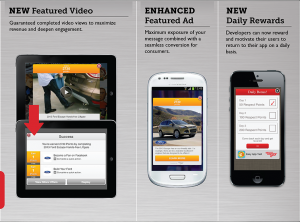
As well as the social networking side of things, RockMelt enables users to browse and search across the net. They can sync their favorite sites and bookmarks with their PC account as well as view all of these links through the app. There’s a Save to read later function too so that such things ca be consulted at a later date.

The functionality within RockMelt looks pretty promising indeed. Being able to keep track of a plethora of sites, each revelant to the user’s need is certainly the way forward and should ensure that plenty of time can be saved. The only catch here is that you need to have a Facebook account to set up RockMelt but considering the huge popularity of the service, this should be a minor quibble.

RockMelt is available now on the app store for the price of a few seconds time. Yes it’s a free download.


FREE!
iPhone App - Designed for the iPhone, compatible with the iPad
Released: 2011-04-20 :: Category: Social Networking

Remembary Connected Diary

Remembary Connected Diary

iPad Only App - Designed for the iPad
Remembary is the app to beat for new diary, err, journaling apps.

Read The Full Review »
Tweetbot Review

Tweetbot Review

iPhone App - Designed for the iPhone, compatible with the iPad
Tweetbot is a full Twitter client a full feature list and an eye for design. Is it worth switching from your current Twitter app? Keep reading to find out.

Read The Full Review »

Taptu is a useful app for users who want to easily be able to keep an eye on multiple websites, such as their favorite blogs, Facebook, Twitter and more.

The app works by allowing you to subscribe to different RSS feeds and websites and then easily view those feeds within the same app. The advantage here is that you don’t have to switch between different RSS feed apps and social network apps. Instead, everything is easily accessible within Taptu.

There are quick view and full view options, allowing you to either get a quick view of the page and story or pull up the entire page in a full-screen mode.

One of the nice things about Taptu is the Facebook and Twitter integration. You can comment on your friend’s status updates, as well as like/dislike them. What’s more, you can Tweet and reply to your friend’s Tweets. Using the app, you also quickly share links you find on your favorite websites with your friends on Facebook and Twitter.

There’s also integration with other social networking sites, like LinkedIn.

Best of all? Taptu is completely free.

FREE!
+ Universal App - Designed for iPhone and iPad
Released: 2010-11-09 :: Category: News

Maha Review

Maha Review

iPhone App - Designed for the iPhone, compatible with the iPad
The most stylish of Twitter apps.

Read The Full Review »
    Advertisement    


Featured Apps

    Advertisement    


Developers

Would you like your application reviewed on 148Apps? See the About page for information.
    Advertisement    


Steel Media Network

148Apps - iPhone app reviews and news. The best gosh darn iPhone app site this side of Mars.
http://148apps.com :: @148Apps

The Portable Gamer - Coming soon.
http://ThePortableGamer.com :: @PortableGamer

Android Rundown - Android news and reviews. Where you get the rundown on Android apps and hardware.
http://AndroidRundown.com :: @AndroidRundown

Best App Ever - Yearly Mobile App Achievement Awards.
http://bestappever.com :: @BestAppEver

GiggleApps - iPhone applications reviews for kids and parents.
http://GiggleApps.com :: @GiggleApps

148Apps.biz - iPhone development news and information for the community, by the community.
http://148apps.biz :: @148AppsBiz

The App Hall of Fame - An archive of the very best in apps and games.
http://AppHallofFame.com :: @AppHallofFame

Pocket Gamer - Mobile game reviews, news, and features.
http://PocketGamer.co.uk :: @PocketGamer

Pocket Gamer.biz - Mobile games industry news, opinion, and analysis.
http://PocketGamer.biz :: @pgbiz

AppSpy - iOS game news and video reviews.
http://appspy.com :: @appspy

Smart TV Radar - For everything you need to know about Smart TV.
http://smarttvradar.com :: @smarttvradar