Languages Review
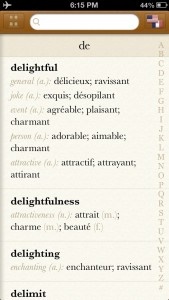
iPhone App - Designed for the iPhone, compatible with the iPadLanguages provides a great set of resources for translating words between European languages. It's stylish, too!
Read The Full Review »
Posts Tagged translationLanguages ReviewiPhone App - Designed for the iPhone, compatible with the iPadLanguages provides a great set of resources for translating words between European languages. It's stylish, too! Read The Full Review »
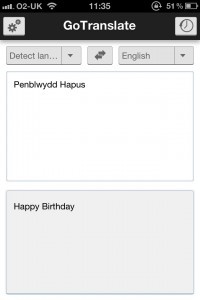
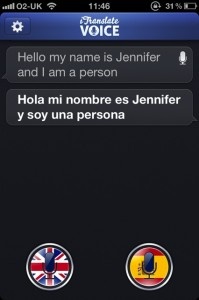
All the user has to do is point their iPhone’s camera at a word and Worldictionary defines and translates it. There’s no need to type in words. An internet connection is required but otherwise, it’s pretty seamless. The app recognizes 22 languages, including Traditional Chinese, Japanese, French, German, Italian, Portuguese, Dutch, Swedish and Spanish. In each case, results promise to be instant and accurate. Live translation isn’t the only option either, with it possible to take a photo for later reference, such as when an internet connection is available. Google, Wikipedia and YouTube search functionality is available for definitions and it’s always possible to check the translation history at a later date. Worldictionary should prove to be a great assistant for regular travellers. It’s out now, priced at $3.99. $3.99 ![]() iPhone App - Designed for the iPhone, compatible with the iPad Released: 2011-04-08 :: Category: Reference GoTranslate For Google Translate Review+ Universal App - Designed for iPhone and iPadProviding exactly what the title suggests - Google translation functionality on your iOS device. Read The Full Review » iTranslate Voice ReviewiPhone App - Designed for the iPhone, compatible with the iPadSimple to use yet with some impressive results. Read The Full Review » SayHi Translate ReviewiPhone App - Designed for the iPhone, compatible with the iPadTranslate words and phrases between 23 different languages with a tap and a voice. Read The Full Review » Converse ReviewiPad Only App - Designed for the iPadProviding IM based language translation but with limited language options and a dependence upon an internet connection. Read The Full Review »
Brad O’Hearne of Big Hill Software (Big World) figured that the average traveller just needs to know where, when, and how much, and that handing your iPhone to someone, especially in a foreign country, probably isn’t a good idea. His newest app, Dialects, translates any of the included languages to another using simple screens instead of complex menus and shoddy translation boxes. Here’s how it works: let’s say you wanted to ask someone in Moscow where the mall was. All you have to do in Dialects is go to the “Where” tab and type “mall” into the text box. The screen then rotates to orient to the other person (and lets you hold onto your phone the entire time), shows “Where is the mall?” and lets the person double tap the screen to drop a pin on a map. No more, “right turn here, left at my grandmothers house,” just a semi-exact location of where the mall is. Like “Where,” the “When” and the “How Much” let you input a simple word and then lets the other person give you the answer via sliders (the “How Much” has a currency slider as well) – no translation required. So next time you find yourself overseas, or at the local supermarket in some cities, be sure to take Dialects along with you. It costs absolutely nothing and could save you from the embarrassment of tossing out translated gibberish. People in foreign lands will thank you. FREE! ![]() iPhone App - Designed for the iPhone, compatible with the iPad Released: 2010-10-18 :: Category: Travel LinguoLinguo is a good combination translation front-end and phrase dictionary with audio phrases.Read The Full Review » |