Read Quick Review
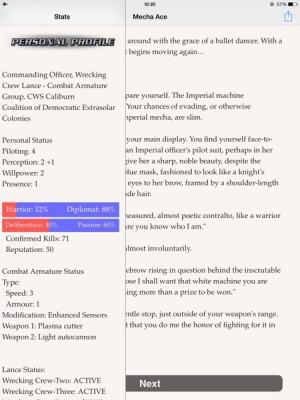
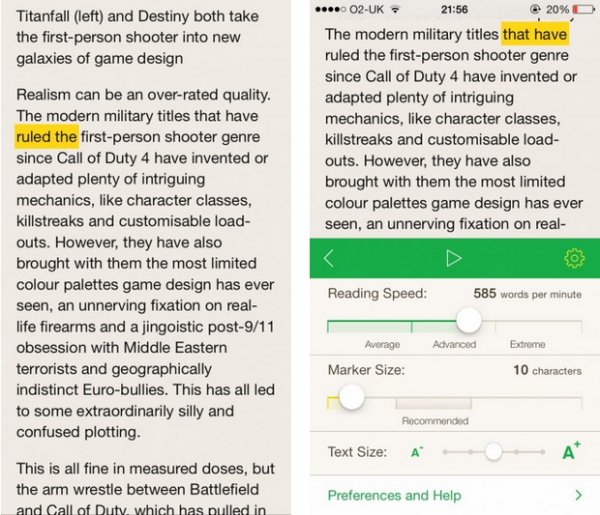
iPad Only App - Designed for the iPadEncouraging users to read faster, Read Quick's methods won't work for everyone but it's certainly an interesting way of doing it.
Read The Full Review »
Posts Tagged readingRead Quick ReviewiPad Only App - Designed for the iPadEncouraging users to read faster, Read Quick's methods won't work for everyone but it's certainly an interesting way of doing it. Read The Full Review »
Nick Rish, vice president of mobile publishing for EA, believes that comparing the two is futile. “There is something very immersive about holding a device 10 inches from your face,” he said, “putting on headphones and enjoying a game like Need for Speed Most Wanted while on your lunch break … It’s tough to say one platform provides a better consumer experience than the other; gaming is in the eye of the beholder.” “Mobile gaming grew from very basic flash games we all’ve been playing on web browsers,” said Przemek Marszal, art director at 11 bit studios, the developer behind the Anomaly Warzone series. But that’s changing, he said, noting that even a hard-core indie developer like John Carmac sees the potential of iOS gaming. Read the full post at 148Apps. Over at GiggleApps.com, writer Amy Solomon got back to nature with her review of Scholastic First Discovery: The Forest: “Scholastic First Discovery: The Forest for iPhone is an impressive adaptation of the printed non-fiction title “In the Forest” A First Discovery Look and Learn Book from Scholastic. A version of this app is also available for iPad. The Forest is an impressive application about nature, with wonderfully bright colors and robust details on each page bringing the sights of forests to devices. Instead of text that one would read, this app consists of very good narration that leads children through interactive exercises that will teach them a lot about the forests of North America. Six chapters are included that cover a lot of ground, such as learning about both deciduous and coniferous trees, tapping leaves or branches to learn about the trees they belong to, also allowing children to drag these realistic bits of foliage around the screen.” Read Amy’s full review at GiggleApps. $2.99 ![]() iPhone App - Designed for the iPhone, compatible with the iPad Released: 2012-10-26 :: Category: Education Last up, AndroidRundown.com writer Carter Dotson was happy to announce that one of our favorite games, Punch Quest, is coming to Android: “Android, get ready to start punching. Punch Quest is coming to Android very soon. The culprit? Noodlecake Games, who have made a habit (or a business model) out of releasing and supporting iOS-to-Android ports. Punch Quest combines and endless runner with beat ’em up gameplay, as players run through a dungeon, punching and uppercutting the foes they come across. Coins can be earned to be spent on new skills, power ups, and hats. Sweet, sweet hats.” Read the full story on AndroidRundown. And we’ve cleared yet another week in 2012. Join us next weekend for another recap of the latest and greatest news from the week that was – and make sure to follow us on Twitter, Facebook and Pinterest for the latest info on the hottest apps. Now go get the rest of your holiday shopping done! Strøssel Review+ Universal App - Designed for iPhone and iPadSimple and clean to look at, Strøssel offers plenty of interesting stories gathered from around the internet, wrapped up in an attractive package. Read The Full Review »
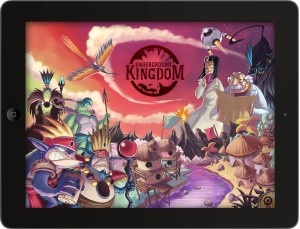
The project aims to adapt the work of author Edward Packard, namely his Choose Your Own Adventure books made popular in the 1970s. These books have proved very important to many in the past, myself included, both encouraging literacy and demonstrating how much fun reading can be. Much like the work of Tin Man Games, Choose Your Own Adventure books are all about taking part in an interactive story and making decisions that lead to many different inclusions. Underground Kingdom isn’t quite under way yet, hence the Kickstarter project. While I for one greatly encourage getting involved with backing the project, we thought it only right to check in with co-founder and project director Felipe Mingo and creator of the Choose Your Own Adventure books Edward Packard and see how they feel about things.
“In (our) search for an app idea,” he explained, “we remembered the Choose Your Own Adventure series. We really loved these books as kids, and thought that it would be great to transport the concept of “gamebooks” to digital. When we looked for digital versions, we didn’t find any quality apps that would deliver a great experience. We wanted something different, with contemporary artwork, interaction, a map to guide your path… That’s when we decided to start working on it and contacted Edward, who was really helpful and licensed us some of his books.” Asking whether the books, starting with Underground Kingdom, will be original conversions or if there will be any adjustments, Felipe explained that “The adaptations of the story are completely original from Edward Packard books. We made some minor changes to the text so it would adapt to today’s technology. The artwork is totally new.” As you can see from the artwork below, it’s pretty glorious to look at and a great re-imagining of the original’s style. Edward Packard explained to us that he believes the “imaginative color art and animations…greatly enrich the adventurous experience” while also stating that he’s “delighted, and especially so about delivering them in app form,” as well as the “added interactive features [and] sound effects”. While the project is still in the early stages, Visual Baker provided us with some examples of concept art and how the devs there plan to incorporate the feel of Choose Your Own Adventure books into app form. It’s looking pretty great, so far. If you’re keen on backing the Kickstarter, check out the Underground Kingdom project page for details of pledge amounts available. This week at 148Apps.com, we gave the Editor’s Choice award to Organ Trail: Director’s Cut. Reviewer Rob Rich had this to say about the game: “There’s something timeless about The Oregon Trail. Gearing up and heading west across the country in order to settle in some promising new territory, braving all manner of hardships and diseases along the way, it’s a game that just about everyone loves. Wait a second, the “E” is missing. It’s not Oregon Trail? It’s actually Organ Trail? Well I don’t see what the big difference-OHMYGOD ZOMBIES!!! Organ Trail: Director’s Cut is a throwback to the classic era of computer gaming. Back when we had to load these things using floppy disks, and in-game sounds consisted entirely of varying forms of *BOOP*. Much like its pioneer era inspiration, the game tasks players with preparing for a cross-country road trip and naming party members after friends in order to make them feel bad when they inevitably die in horrible ways. Only this time it’s during a modern zombie apocalypse, and instead of hunting for food and fording rivers they’ll be scrounging for meager supplies while fending off the walking dead and creeping through zombie hordes.” Want more of this Editor’s Choice review? Find it at 148Apps. $2.99 ![]() + Universal App - Designed for iPhone and iPad Released: 2012-08-09 :: Category: Games Everything was about back to school at GiggleApps.com, where reviewer Amy Solomon had this to say about Murky Reef 1st-2nd Grade Reading, Science and Math: “Parents will appreciate how this app incorporates the Common Core standards for Grades 1 and 2 while keeping children engaged and entertained, especially as children prepare for school to start again soon and need to begin to get back to the business of focusing on school work. Murky Reef is a collection of 22 interactive games which teach a great deal about the animals of the coral reef as well as include math, logic and language exercises.” Dive into Murky Reef at GiggleApps. $4.99 ![]() iPad Only App - Designed for the iPad Released: 2011-09-30 :: Category: Education
Want more of this report? Head to 148Apps.biz. Another week down, but a new one is just around the corner. Join us on Facebook or Twitter to get the jump on the latest news, reviews and contests. Until then, get back to class.
Read the full list at 148Apps.com. $4.99 ![]() + Universal App - Designed for iPhone and iPad Released: 2012-04-12 :: Category: Games At GiggleApps, writer Amy Solomon reviewed The First Million-Teach Your Child to Read. Solomon says, “The First Million is a lovely universal “mix and match” book application that adults and children will find interesting as well as intuitive as here, as the pages of this book are split into three sections – each being able to be flipped back and forth to create new and intriguing illustrations and word combinations. Unlike other “mix and match” books where one can look for the corresponding thirds of the same image to make a match, this app is completely open-ended with no right or wrong matches to be made, giving children free range to produce any and all combinations they may fancy.” Read Amy’s full review on GiggleApps.com. $0.99 ![]() + Universal App - Designed for iPhone and iPad Released: 2012-03-21 :: Category: Education Finally, 148Apps.biz writer Kevin Stout reported on Disney’s push into Angry Birds territory. Stout writes, “Intensely popular Disney game, Where’s My Water?, will be receiving its first line of merchandise based on the game. The physics-based puzzler by Disney has been popular on both iOS and Android. Fans of the popular game can now buy all kinds of merchandise featuring the story’s character, Swampy the Alligator.” Read more about Swampy’s foray into stores at 148Apps.biz. $0.99 ![]() + Universal App - Designed for iPhone and iPad Released: 2011-09-22 :: Category: Games That’s it for us – and we’re one week closer to summer! Remember to follow us on Facebook or Twitter to get all of the latest updates all during the week. See you next time, Marvel Zombies! iPoe – The Interactive and Illustrated Edgar Allan Poe Collection is Ready to Spook Unwary iOS Users
Deep into my malaise drifting, long I sat there, fading, staring Not content with mere wording, these three stories feature moving, iPoe, with interactive stories, still is sitting, still is sitting $2.99 ![]() + Universal App - Designed for iPhone and iPad Released: 2012-03-26 :: Category: Entertainment
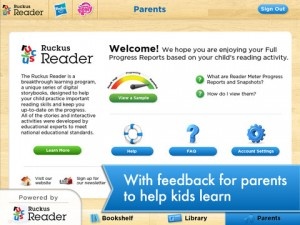
There aren’t many Ruckus Reader apps available yet, but the ones that have been released include big names like Transformers, Crayola, and My Little Pony. The Ruckus Reader apps send weekly “Reader Meter” emails to parents (information is also available on the website) with information about their children on subjects like phonics, print awareness, fluency, alphabetic knowledge, sequencing, and story comprehension. All of the three big name apps (Transformers: Ruckus Reader, My Little Pony: Ruckus Reader, and Crayola:Ruckus Reader) include features like word hunts, games, mazes, and “make-your-own” sort of pages (make-your-own stickers, make-your-own story, etc). All three apps are free. Parents will receive “Reader Meter Progress Snapshots” for free with a Ruckus Reader account. For full “Reader Meter Progress Reports” and unlimited access to their entire Ruckus Reader iLibrary, parents can subscribe to a Ruckus library membership for 6 months at $24.99. Both types of accounts can support up to four children who may access the books across various app and devices. FREE! ![]() iPad Only App - Designed for the iPad Released: 2012-04-16 :: Category: Books FREE! ![]() iPad Only App - Designed for the iPad Released: 2012-04-16 :: Category: Books
With the recent release of the new iPad, this has happened again with a great selection of new features. The big one is Retina Display support, ensuring that everything on the new iPad screen will look pretty amazing, even when zoomed in. Also included is the ability to instantly translate publications in up to 12 languages, as soon as the title is opened. It’s also now possible to save articles to Evernote or Instapaper for later consultation as well as email or share them via Twitter or Facebook. It’s also an ideal time to check out the new SmartFlow functionality within the app which works well alongside the Retina Display support to make this a great way of reading the traditional newspaper in a 21st century way. Check out the PressReader video below demonstrating what’s been changed. The update is available now. This week at 148Apps.com, we checked out the long-awaited release of Readability, via a quick overview and full review from Lisa Caplan. Caplan writes, “The app provides the same service and merges seamlessly with the web versions. Users open to a blank page with just a menu. Filling the app is the the reader’s job. Users can search the web or enter an URL manually. The app pulls the article, pretties it up, and places a lead-in on the home screen. I found it faster to just surf on my Mac adding articles that appealed as I found them, but how one fills the app is a small matter. What Readability does with the content is the cool bit. I tested the universal build on an iPad and it works wonderfully in both orientations. In landscape the articles fill the main pane and a well-designed and unobtrusive sidebar has the menu. In portrait the sidebar is a tiny top bar.” Read our full review on 148Apps. Meanwhile, our sister site Giggleapps.com dug deep into the garden of apps and came up with a review of The Giant Turnip: A Kidztory Classic Animated Interactive Storybook. Reviewer Amy Solomon says, “As always, the look of this app is delightful, with wonderful colors and textures and fun use of music incorporated into a style utterly recognizable as a Kidztory storybook. I appreciate the warm browns and green shades seen in the land where the turnip is planted, along with the noticeable brush strokes for a lovely effect. Possibly more so than other apps from this series, nothing is flat-looking within this app as every animal or other detail has its own imperfect texture that layered together on the page really brings a richness to this story that adults may enjoy even more than their children.” Read the full review on Giggleapps.com. $0.99 ![]() + Universal App - Designed for iPhone and iPad Released: 2011-12-12 :: Category: Books
The old week is done. Bring on the new week, with the promise of the iPad 3 just around the corner. In the meantime, follow us on Twitter or Like us on Facebook to keep abreast of the latest reviews, news items and contests right when they happen. See you next week!
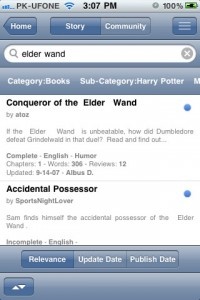
The app currently supports fanfiction.net, and already sports an ever-growing library of thousands of tales. Users can search for specific subjects, keep track of what they’ve been reading, and even mark their favorites in order to come back to them any time they want. It’s pretty much akin to a typical eBook app, only it deals exclusively with fanfiction. Which is kinda cool, really. FanFiction is sitting in the App Store, just waiting to be downloaded. For free, no less. Whether for legitimate interest or the desire to read something akin to a literary train wreck, I think it’s worth a look. FREE! ![]() + Universal App - Designed for iPhone and iPad Released: 2011-08-19 :: Category: Books
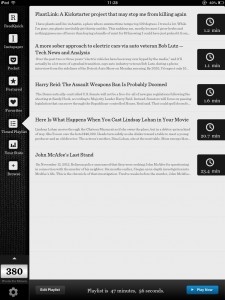
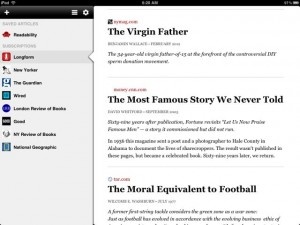
A new iPad app on the news aggregator scene, Longform, is changing that, and doing so in a way that still feels very iOS. Longform curates articles from numerous major publications including The NewYorker, National Geographic, BusinessWeek, Esquire and about a dozen more. Along with a Longform feed that culls from additional sources, readers select their favorites. A tap on the periodicals, placed on the left sidebar, brings up headlines and excerpts appear on the right. Readers are then offered a web view or a beautifully Spartan page for easy reading in either orientation.
The app is closely integrated with Readbility for offline reading, but users can choose Instatpaper or ReadItLater in the options menu if they prefer. If one has used any of these services or Safari’s native reader, the look is much the same. The app allows for multiple scalable fonts, page-formatting options, and favorite articles can be shared via Twitter. Facebook, Tumblr or by email. I have a wishlist as long as my arm for additional sources, but Longform is a off to a tremendously good start both in terms of style and substance. It has already earned its place amongst my favorite news aggregators on the App Store. Nancy Drew: Shadow Ranch ReviewiPad Only App - Designed for the iPadCombining gaming with reading, kids get the perfect opportunity to catch up on Nancy Drew's adventures. Read The Full Review » This week at 148Apps.com, writer Carter Dotson reviewed one of the most anticipated iOS games in recent memory – Infinity Blade II. Dotson writes, “Most of what is new here is a modified and extended progression structure. Instead of one path leading to a final boss, where failure means starting over, there are now several of them, with more branching paths to explore. There are 3 different weapon types now: the traditional swords, slow and heavy axes that deal more damage, and speedy dual swords that deal less base damage, but can do double damage once combos are started. The story is more fleshed out, with actual speaking dialogue from characters besides the God King.” Read the full review at 148Apps.com. $6.99 ![]() + Universal App - Designed for iPhone and iPad Released: 2011-12-01 :: Category: Games Meanwhile, our attention was turned to more artistic matters at GiggleApps, as Amy Solomon reviewed Auryn – Van Gogh and the Sunflowers. Solomon says, “The look of this app is terrific, with illustrations evoking the style that Van Gogh is known for, complete with bold color choices and noticeable use of brush strokes, but maintains a childlike quality that fits well within this storybook. The jazzy music used is also wonderful, relaxing as well as engaging and very enjoyable to listen to even for long periods of time. The narration used here is also quite good. Parents will also like that each spoken word is highlighted red to aid the young children new to the world of reading.” Read more about our take on Auryn – Van Gogh and the Sunflowers at GiggleApps. $3.99 ![]() iPad Only App - Designed for the iPad Released: 2011-10-21 :: Category: Books
Dig deeper into this study and read the full report on 148Apps.biz. That’s our wrap-up for this week. While you’re out getting all of your holiday shopping done, don’t forget to check us out on our Facebook and Twitter feeds to find out the latest and greatest news, reviews and contests. Feliz Navidad!
Read the full review on 148Apps.com. Meanwhile, our sister site, GiggleApps, took a closer look at a new educational app for children, iLuv Drawing Animals. Reviewer Amy Solomon writes, “iLuv Drawing Animals is a nice choice for kids who are interested in learning the very basics of drawing cartoony animals that are cute and relatively easy to draw. I like how these illustrations are broken down into smaller shapes that kids will easily understand and have had experience with, and the narration is pleasant and easy to follow.” Read the full review on GiggleApps. $2.99 ![]() iPad Only App - Designed for the iPad Released: 2011-10-10 :: Category: Education
Read more of Dotson’s commentary on AndroidRundown. As we head into the week of Thanksgiving here in the US, remember that you can still enter to win an iPhone 4S, courtesy of 148Apps and Gameloft. To enter, just become a 148Apps and Gameloft Facebook fan – www.facebook.com/gameloft and www.facebook.com/148apps. Or you can follow both of us on Twitter as well at www.twitter.com/148apps and www.twitter.com/gameloft. Then, write the following public tweet: “Upgrade to a 4S yet? Follow @Gameloft & @148Apps & RT for a chance to win an iPhone 4S! Gameloft gaming on the 4S: http://glft.co/uIR3Y1″ See you next week, true believers! Start thawing that turkey! UPDATE: Edge has just announced via the Newsstand app that the October 2011 issue is now free to download. Head over to the App Store, download the free Edge app, and then download the free back issue today. Having been a long time subscriber to Edge Magazine, I’m pretty excited to see it be one of the first titles to reach Newsstand.
The Newsstand edition offers enhanced online content with extra insight, related content and screenshot galleries. Linked to the website, if there’s anything that can add to the reader’s enjoyment on the website, the app lets the user know. Pricing through Newsstand is pretty respectable with individual issues priced at $4.99, a 3 month subscription available for $12.99, 6 months for $21.99 and a 1 year subscription priced at a very reasonable $39.99. It’s a veritable bargain, given the quality of the writing and a must buy for fans. FREE! ![]() + Universal App - Designed for iPhone and iPad Released: 2011-10-12 :: Category: Lifestyle Ahh Snow White. A memorable tale for all, originally part of the Brothers Grimm’s collection and, years later, subsequently translated to the animated screen courtesy of Disney. It’s a tale that children of all ages know well. So how best to revitalize it for a modern era? By adding an anime spin to proceedings of course.
The entire package should make for an excellent re-envisioning of the classic fairy tale and will hopefully enthral anime and fairy tale fans alike. Momonga’s Snow White is out now as an Universal app and is priced at $3.99. Book Crawler Review+ Universal App - Designed for iPhone and iPadBook Crawler aims to put a virtual card catalog in your pocket -- whether it’s for books you own, books you’ve read, books you lent out, or all three – and does so with some mighty powerful tagging and sorting features. Read The Full Review » Despite not having children of my own, I know all about LazyTown. My cousins were hooked on the show when they were younger. They loved the rather quirky world it offered and its combination of puppetry, animation and real people. They’re unfortunately a little too old for it now but I’ve no doubt they’d have been thrilled by the arrival of the LazyTown BooClips app.
The app is simple to use for all age groups and you can stop or start it wherever you like, it keeps track of where you left it. It looks to be a great app to get your kids into reading while still feeling as interactive as any game too. It’s available now for the iPad. The BooClips app is a free download with additional books such as Dr Rootenstain and Lazy Town Sportfake available as in-app purchases for $4.99 each. Take a look at the video below to see just what the interface is like.
First you meet Tim, who is a really picky eater and will eat nothing but sausages for every meal and snack. Next, on another planet inhabited by sausage people, we meet Sammy. Sammy eats nothing but little boys the same way Tom delights in eating sausages. Sammy finds out that there is a place where sausages are eaten and goes to earth to confront Tom. At first they cannot get past their differences but are able to work things out, with a witty surprise ending that children will love. Read the full review at GiggleApps. $3.99 ![]() + Universal App - Designed for iPhone and iPad Released: 2010-11-05 :: Category: Books The Bronto Family Adventure ReviewiPhone App - Designed for the iPhone, compatible with the iPadA sweet family story about brontosauruses (brontosauri?) for the whole family. Read The Full Review »
There. I’ve said it. When the iPad launched, iBooks was trumpeted as a gorgeous, easy, seamless app that would mix digital books with Apple’s typical ease-of-use. Sounds dreamy, right? And I suppose iBooks on the iPad must be good, because everyone raves about it. But iBooks has been out on the iPhone for a little while now, and while I was initially excited to use it, it’s frankly frustrating. iBooks doesn’t act like an Apple app should; it crashes; and while it does lots of things well, other parts feels unfinished. Here, then, is a list of my complaints—things that Apple really ought to have fixed prior to release. It Crashes. Furthermore, when I attempt to open a downloaded book, I sometimes get the error message, “The requested resource is unavailable,” and iBooks will refuse to open said book until I restart the app, or even my iPod. These two errors are far too common, considering that they interfere with the most basic function of iBooks: reading! Where Are the Books? Screen Lock. No Inversion? The Bookstore. Third, and just as aggravating, is the store itself. There is no way to buy iBooks from your computer; and the iPhone screen is terribly small for browsing for books. Furthermore, the store is riddled with issues. When you go to “browse,” an alphabetical list of authors is displayed, split between “Top Paid” and “Top Free.” Now tap on “Categories,” chose one, and look. Now it shows you the top paid authors in that category…but if you click on “Top Free,” it’ll boot you back to the Top Free authors overall. What the heck? Additionally, the store has no landscape view, and suffers from numerous other design issues. Not to mention the download errors. In Summary. And that’s why the above issues make me so irritated. Apple is perfectly capable of making a fantastic eBook reader app. Regretfully, however, this version of iBooks isn’t it, at least not for iPhone / iPod Touch users. There are too many bugs, too many design flaws, and not enough books. It’s easy to tell that iBooks was crammed onto the smaller screen. And that’s a shame. For now? I’ll be juggling Stanza and Kindle for iPhone as my two eBook apps of choice. Sorry, iBooks; I’m waiting for your next update. Sideways Magazine for iPad ReviewiPad Only App - Designed for the iPadSideways is the first magazine designed for the iPad and it begins to deliver on the hype of iPad-only magazines. Read The Full Review » The iPad is, along with the Kindle and the Nook, one of the first devices to bring the pleasures of eReaders to the masses. Unfortunately, it has brought the struggles of digital media along with it, casting users into a sea of confusion with new acronyms like ePub and mobi, among others. The most basic users will undoubtedly simply stick to Apple’s included solution and purchase all of their books directly from the iBooks store. This remains an incredibly simple and turnkey solution that even advanced users should consider. Other book sellers, like Amazon and Barnes & Noble, each include similar storefronts, allowing purchases from the desktop on their websites and simple delivery to the iPad. Each of these interactions requires little more than several clicks and files never need to be transmitted from the desktop to the iPad itself. But what’s the more advanced user to do if the iBooks/iTunes combination isn’t enough? ![]() Calibre's Conversion Dialog Yet there are a multitude of sources for unencrypted eBooks, including stores who sell books without DRM. Formats may become an issue in this case, with lit, mobi, and more serving as the defaults for several other popular mobile readers. In this case, a user’s best option for books management is Calibre, a terrific open source program that works with a wide variety of eBook formats and readers. I’d say Calibre is the iTunes for your digital book library, but I like to think of it more as iBooks’ desktop companion. iBooks’ Best Friend Calibre, available free of charge, deftly converts eBooks from most formats to ePub, PDF, and more. It’s as simple as dragging and dropping into the app and selecting an output format. Calibre can also download metadata and covers so iBooks properly organizes your book when it’s displayed on your iPad. The app also centralizes your books on your hard drive so there’s always somewhere to go to find the original eBook, just as iTunes attempts to centralize your music library in a folder on your hard drive. Calibre offers simple solutions for moving these books to your iPad, with a recently unveiled “push-to-iTunes” feature that will seamlessly add books to a connected iPad. Otherwise, users have to go into their Calibre library folder and drag the books to iTunes’ iBooks panel (when an iPad is syncing). If you’re not an iBooks user, Calibre works perfectly with Stanza, one of my favorite apps. Like to Read? You’ll Love Calibre Most people who have seen my new iPad react with the same question, “should I get this or the Kindle?” Apple, obviously, intended its iPad to be perceived as much more than an eBook reader. Yet the much publicized launch of the iBookstore, along with the iPad’s slim form factor, have led many consumers to perceive the iPad as an expensive eBook reader. The Kindle is the Premier eBook Reader![]() Amazon's Kindle 2 The reading experience does everything it can to mimic the experience of paper, all of which is aided by E-Ink. The screen is technology’s response to those who complained that they would never be able to read a book on a traditional LCD screen or a laptop. The Kindle itself is merely the size of a large paperback and is lighter than most printed books. The Kindle is Bezos’ effort to translate the book for the digital age, and he has largely succeeded in providing a popular and widely accepted new platform. The iPad as an eBook Reader![]() Apple's iPad with iBooks There’s Apple’s iBooks, Amazon’s Kindle reading app, B&N’s new iPad reader, and more. The three largest players each offer different solutions to the eBook problem. iBooks tries to mimic the feel of a physical book, utilizing a color UI with beautifully rendered page turns. The Kindle’s UI is black and white and encourages the same type of user interaction as the physical Kindle – a simple tap on the side of the screen changes pages in a fluid transition not as visually distracting as that of iBooks. B&N’s app allows users to choose from dozens of different visual settings but maintains the same fluid page transitions as Amazon’s Kindle app. Only the iBooks app has a store in-app; the others force the reader to go to Safari to purchase books. This is a definite snag in the clear workflow Bezos presented with the original Kindle, but one that I’m sure both B&N and Amazon will surmount in future applications. The iPad’s reflective LCD screen probably isn’t the best for simply reading a book. It’s a pain in the sun, where it’s nearly impossible to see the text on a page. E-Ink mainly solves this problem with its screen. People who have issues reading for long periods of time on their laptops may wish to reconsider an iPad purchase if it’s intended solely as an eBook reader. While the reading experience is cleaner and more enjoyable, it’s the same experience as the backlit screens most notebooks include. In addition, the iPad’s battery life is rated at 10 hours, enough for most commuters but nowhere near the weeks the Kindle can last for. The iPad as a Platform: Bigger Than Books![]() A Vook on the iPad I’ve always seen the iPad as more than a traditional book reader as well. The Kindle simply translates the book reading experience into the digital age but strives not to completely alter the way we experience books. New features like Amazon’s Popular Highlights add subtle suggestions about the importance of a passage but do not redefine the reading workflow. Cool ideas like the aforementioned Vook change the reading experience by adding videos, multimedia, more information about certain topics (with links) and more. Could the iPad help the form of the written word change? Only time, and developers, will tell. Decisions, Decisions The iPad has been heralded by many as the future of magazines and the savior of the publishing industry. Magazines like Newsweek are losing circulation and being purchased at fire sale prices. The iPad provides a blank canvas for publishers, content producers, and anyone who wants to innovate. The problem is that the opportunity has not yet been realized.
PDFs for iPad? A Roundup
Time: Interesting effort tying live content (News Feed) with magazine content but this is essentially just a PDFed magazine. Newsweek: The iPad-only edition it includes makes boastful claims, but the app itself can’t compete with the others listed here. GQ: The men’s interest magazine’s first iPad edition includes a bizarre navigation system but some useful innovations. Zinio for iPad: The popular and experienced magazine digitizers bring their platform to the iPad and make it one of the few viable options for those interested in magazines. Popular Science+: Like Wired’s app, bizarre navigation makes Pop Sci difficult to enjoy on Bonnier’s Mag+ platform. Conclusion Zinio for iPad ReviewiPad Only App - Designed for the iPadZinio, an old hand at digital magazines, gets it right on the iPad. Read The Full Review » Newsweek for iPad ReviewiPad Only App - Designed for the iPadNewsweek makes an audacious claim with its iPad app but is unable to back it up. Read The Full Review » TIME Magazine ReviewiPad Only App - Designed for the iPadTime's iPad app includes an interesting and commendable integration of their website but it's not enough to make the app a winner. Read The Full Review » ![]() Stanza's Options and Reading Screen Stanza includes the most customizable reading interface I’ve seen on a mobile application. It allows you to customize nearly everything, from the page turning animations (a slide like the Kindle’s or a page turning animation like iBooks’) to the background and color of the text. Stanza really does make the experience all about the text – the user is able to customize everything about the way the book is viewed. Barnes and Nobles’ app was lauded earlier this week for including the same customization but their application locks you into using their bookstore. Stanza lets you load your own books onto the iPad or iPhone. It also, however, allows you access to a variety of other eBook stores directly from the phone. ![]() Stanza's Text Descriptions Stanza works perfectly with Calibre, my app of choice for eBook conversion. It now allows for a really simple workflow to get eBooks from the desktop to an iPad. It’s possible to move books by utilizing a computer as a wireless server, or by pushing them from Calibre into iTunes. It’s also possible to drag books into iTunes and into Stanza. Stanza is the ideal reading experience, with customizable colors, animations, and more and compatibility with dozens of different formats. The Lexcycle team has succeeded in bringing the great iPhone app to the iPad and I, as an avid reader, am glad they did so. |