Want something simple to add some notes to? Want something powerful with markdown and javascript support? 1Writer offers both in one convenient package.
+Universal & Apple Watch App - Designed for iPhone, iPad and Apple Watch
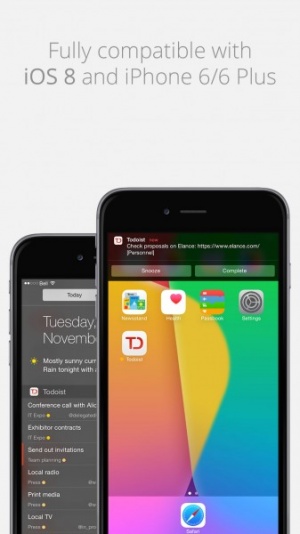
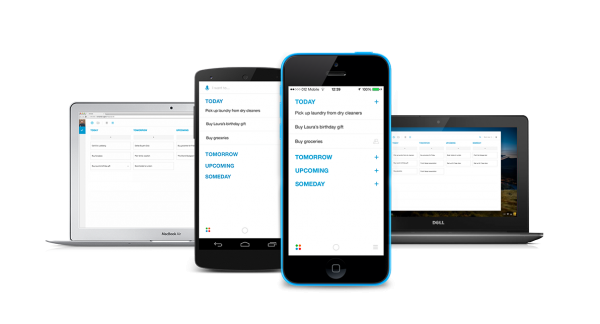
Today Todoist, the popular To Do list app by Doist, has updated to version 9.5, which will give you a new UI with adaptive layouts to support iPhone 6 and 6 Plus.
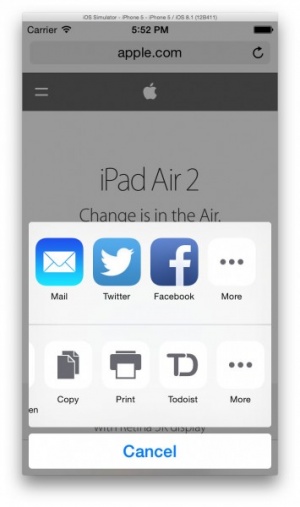
The update also adds support for Safari Action Extension and Interactive Push Notifications. You'll be able to add text and images directly from your Safari app to Todoist tasks and task notes. Once your task is done you can use the "complete" action, or if you're not quite ready to finish, hit the "Snooze" action.
To celebrate the update, Doist is giving away a brand new iPhone 6. To enter go to their blog and use their contest widget. The contest will last until November 26 at 9:00PM ET. The winner will be randomly drawn from all proper entries and will be announced in this post on November 27. You must currently be a Todoist user to be eligible to win.
You can download Todoist for free on the App Store.
+Universal & Apple Watch App - Designed for iPhone, iPad and Apple Watch
An update has arrived for Any.DO's productivity app, bringing it to version 2.0. The key element of this update is the optimization for users to manage their collective 'lives', allowing them to plan out a productive day for both home life and work life.
Users can send messages to others, be it sending out the latest grocery list to the rest of the family or the latest to-do project to the rest of the team at work. Files can also be shared via Dropbox, with premium users able to upload an unlimited amount to Any.DO. Meanwhile, the app also allows premium users to set up regular reminders and set their own custom background colors.
Any.DO is available to download for free now, with the 'Premium' service discounted to $3 a month/$27 a year for the next two weeks.
+Universal & Apple Watch App - Designed for iPhone, iPad and Apple Watch
Todoist, the powerful task organizer, has released a new update called Karma.
Karma keeps track of your productivity and assigns you a score. Just like leveling in an RPG, now you can level-up your ability to get things done. You can check out your progress broken down into the last two weeks, last month, or six months via the graphs that Karma creates. You can also use Karma to pinpoint your most productive days so you can make better use of that time.
Whenever you level up in Karma you can broadcast your awesomeness to your friends and family with the new social networking feature. It connects to your Twitter, Facebook, and/or Google+.
“Achieving your aspirations has never been easier. We’re thrilled to bring Todoist Karma – a feature that has set us apart from our competitors – to all of our 13 platforms so that users can set goals and track their productivity no matter their location or device,” says Amir Salihefendic, founder and CEO of Doist.
Can you reach the Enlightened level of 50,000 points? Download Todoist for free today and find out.
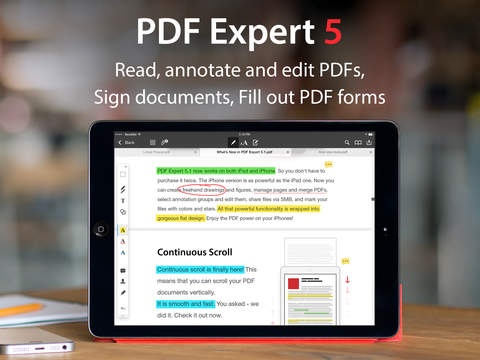
Readdle has released a new update for PDF Expert 5, with a ton of new features. They have integrated the ability to use Zoom Writing on the iPad, which lets you zoom in on the page you are writing on and follows you as you move along the page.
PDF Expert 5 also has AirTurn support. AirTurn Bluetooth pedals allow you to turn pages of documents hands-free, which is great for musicians whose hands may otherwise be occupied rocking out.
Readdle has also improved the bookmark function, added iCloud Drive Support, and included the ability to lock the app with Touch ID instead of using a passcode.
You can download PDF Expert 5 for $9.99 on the App Store.
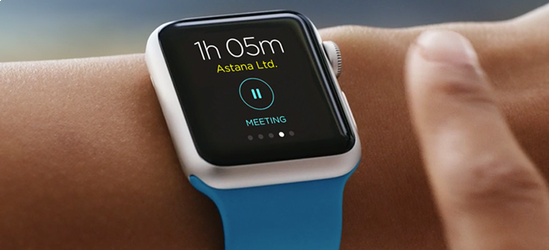
OfficeTime, the time tracking app by Productive Monkey, will be getting a version for the Apple Watch soon. The app allows you to track your billable time spent on projects or tasks, and the watch will then then sync with your iPhone, Mac or PC to create reports.
You can check out the coming soon page and sign up for advanced look at OfficeTime for the Apple Watch now.
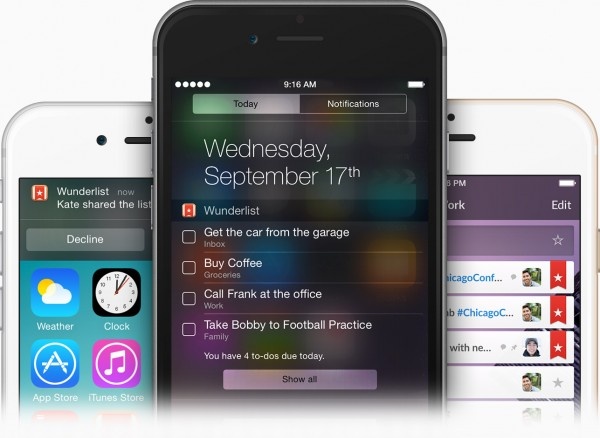
iOS 8 has been a game changer for a lot of apps, and Wunderlist, by 6 Wunderkinder, is one of the first apps to fully support it. They have introduced the new Today widget that allows users to simply swipe down from any screen to see all the to-dos they have lined up for the day. Users can also interact directly with their to-dos without actually having to open Wunderlist to save time.
Making to-do lists is also easier than ever. When you see something you want to save online or in another app you can tap the share icon, add any other details you feel are pertinent, and add it straight to Wunderlist.
6 Wunderkinder is also excited to announce that a Wunderlist for the Apple Watch is in the works. When the watch ships in early 2015 you 'll be able to take your Wunderlist with you without the need of a bulky iPad or iPhone.
You can check out Wunderlist for free on the App Store.
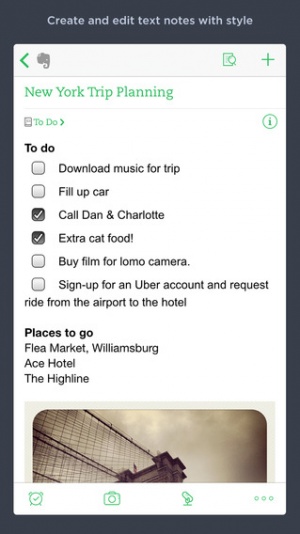
An update to the Evernote app has arrived alongside the release of iOS 8, with clipping, quick notes, and new notifications headlining the new features.
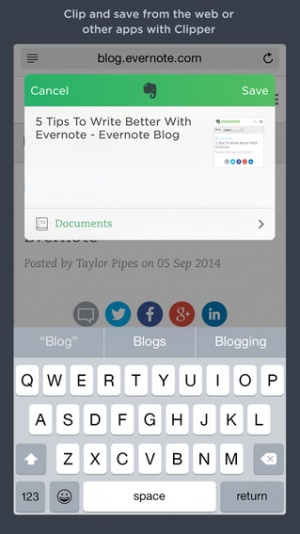
Users will now be able to use the web clipping feature to simply save any webpage that they're on, straight from the Share icon. This feature isn't limited to webpages however, as it also works with photos, documents, PDFs, and other parts of iOS 8. Meanwhile, by swiping down from the top of the screen and going to the notification center, users can add a quick note bar for Evernote, allowing them to start a new note straight from there.
The app also contains a couple of new features for premium users. For these users, the app now attempts to find notes related to what you're currently working on and can be locked and unlocked using Touch ID on devices that support it.
The Evernote app is available to download from the App Store for free now.
When iOS 8 went live, Readdle introduced the Ultimate Productivity Bundle by Readdle. This bundle includes some of their best apps - PDF Expert 5, Scanner Pro, Printer Pro, and Calendars 5 - for only $19.99. That's a 25% discount, plus if you already have a few, users can use the “Complete My Bundle” option to get additional apps at discounted rates.
Apple has featured the bundle as their "Essential Bundle" on the App Store. So check out the Ultimate Productivity Bundle by Readdle today.
iPhone App - Designed for iPhone, compatible with iPad
Snowman has just released their 2.1 update for Checkmark 2. The update includes new features such as snoozing, improved recurring reminders, and tappable actions in notes. The recurring reminders now require you check them off so that you never miss them and the tappable actions allow you to add links inside the notes field, such as a phone number, URL, or email address.
Checkmark 2 now also supports a 24-hour clock and has improved their date-specific location-based reminders and “Add from map” zooming. And to celebrate all these new features, Checkmark 2 is 70% off for a limited time.
You can download the latest version of Checkmark 2 today for the temporary price of $2.99.



 :: CONVENIENT PDF EDITING